2026.09.1 : MCP for Your Whole Account
Account-Wide MCP Connections
One MCP connection now reaches every base you pick, with the tools you allow and never more than your own role. The server now has 199 tools, 50 more than 2026.09.0, including member and team management, attachment upload, upsert, audit logs, trash restore, and publishing.
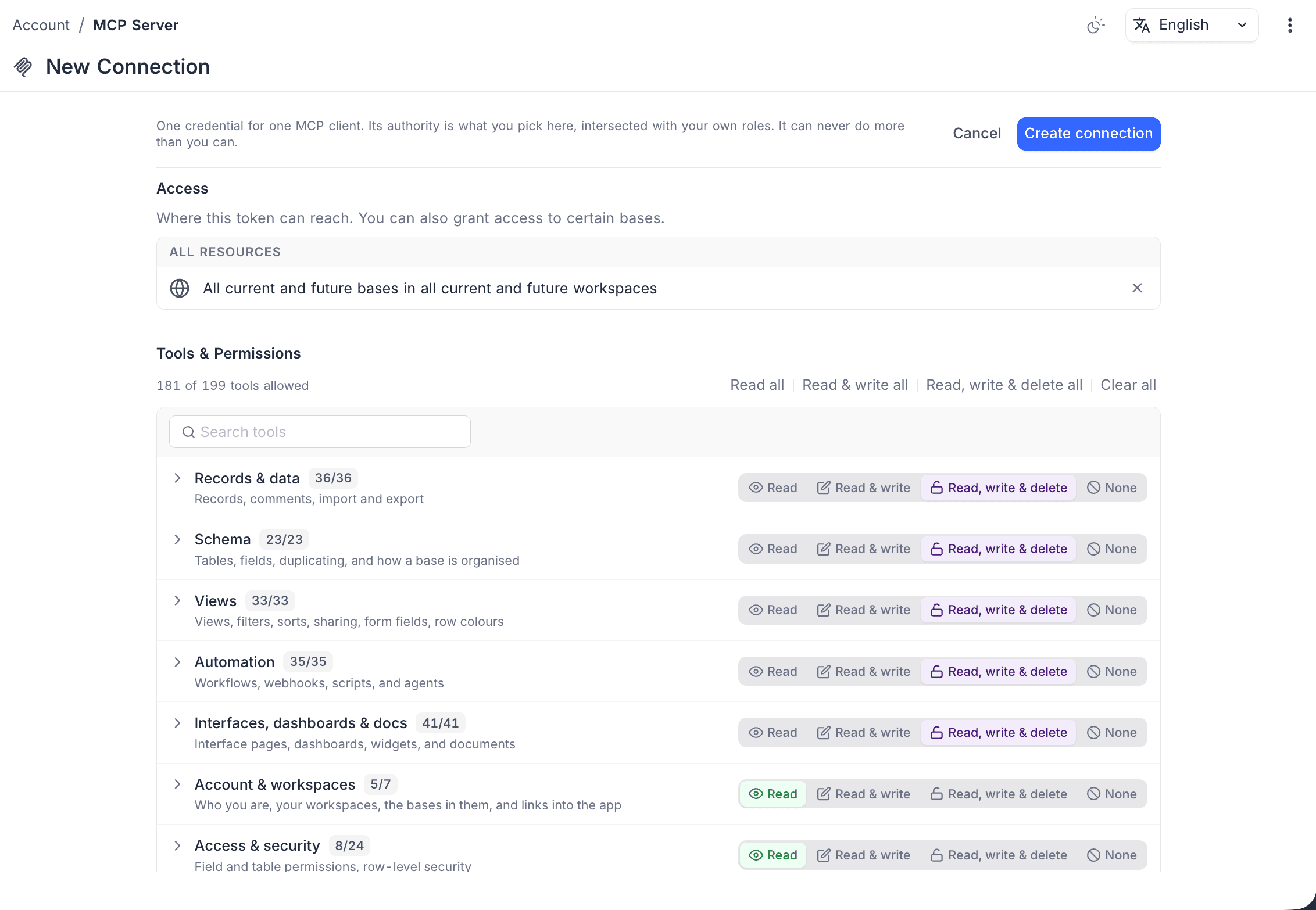
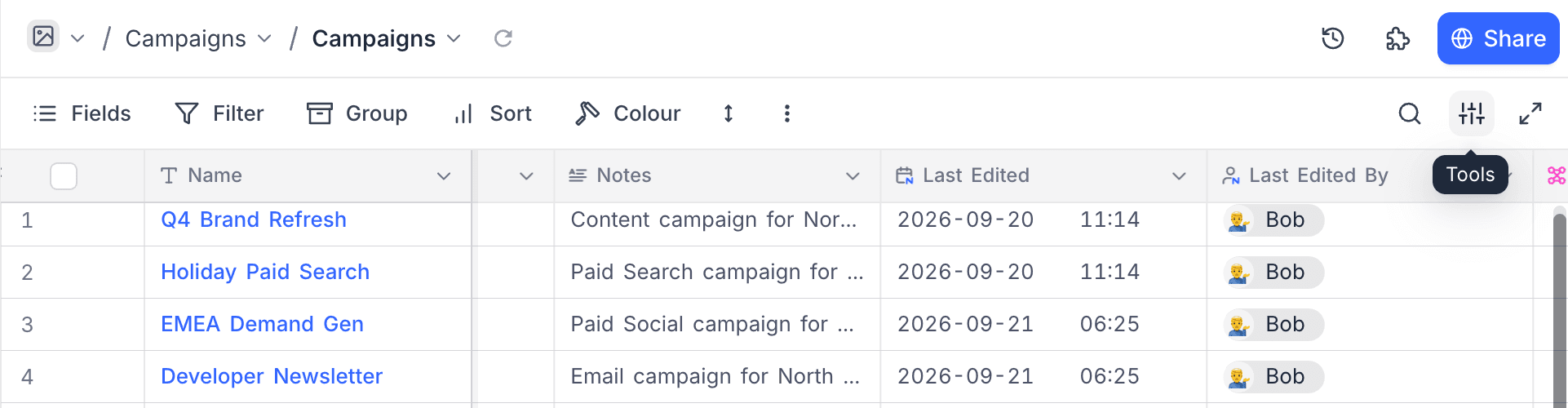
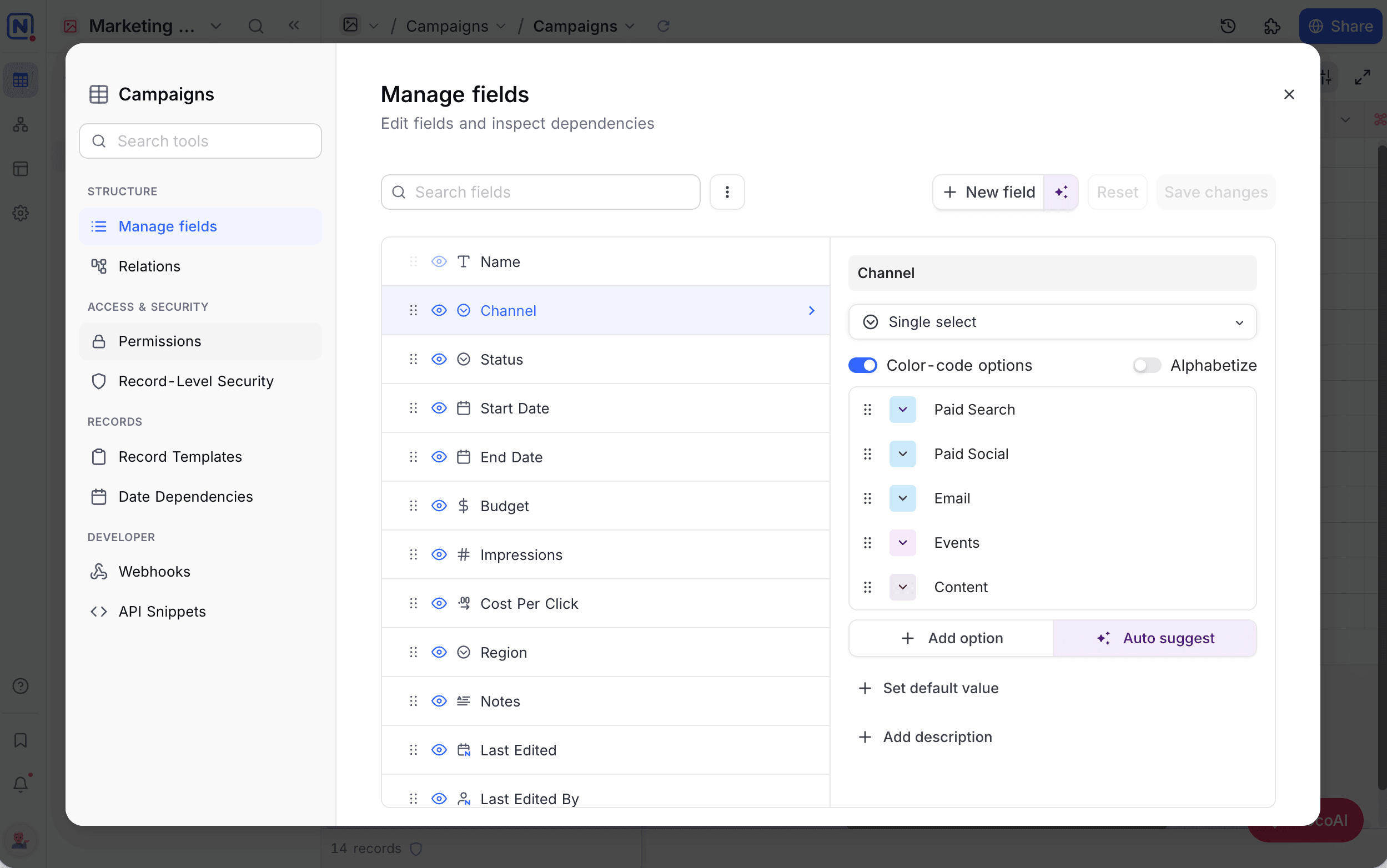
Table Tools
A single Tools button in the view toolbar opens fields, relations, permissions, webhooks, and every other table tool in one panel.
Learn more about Table Tools →
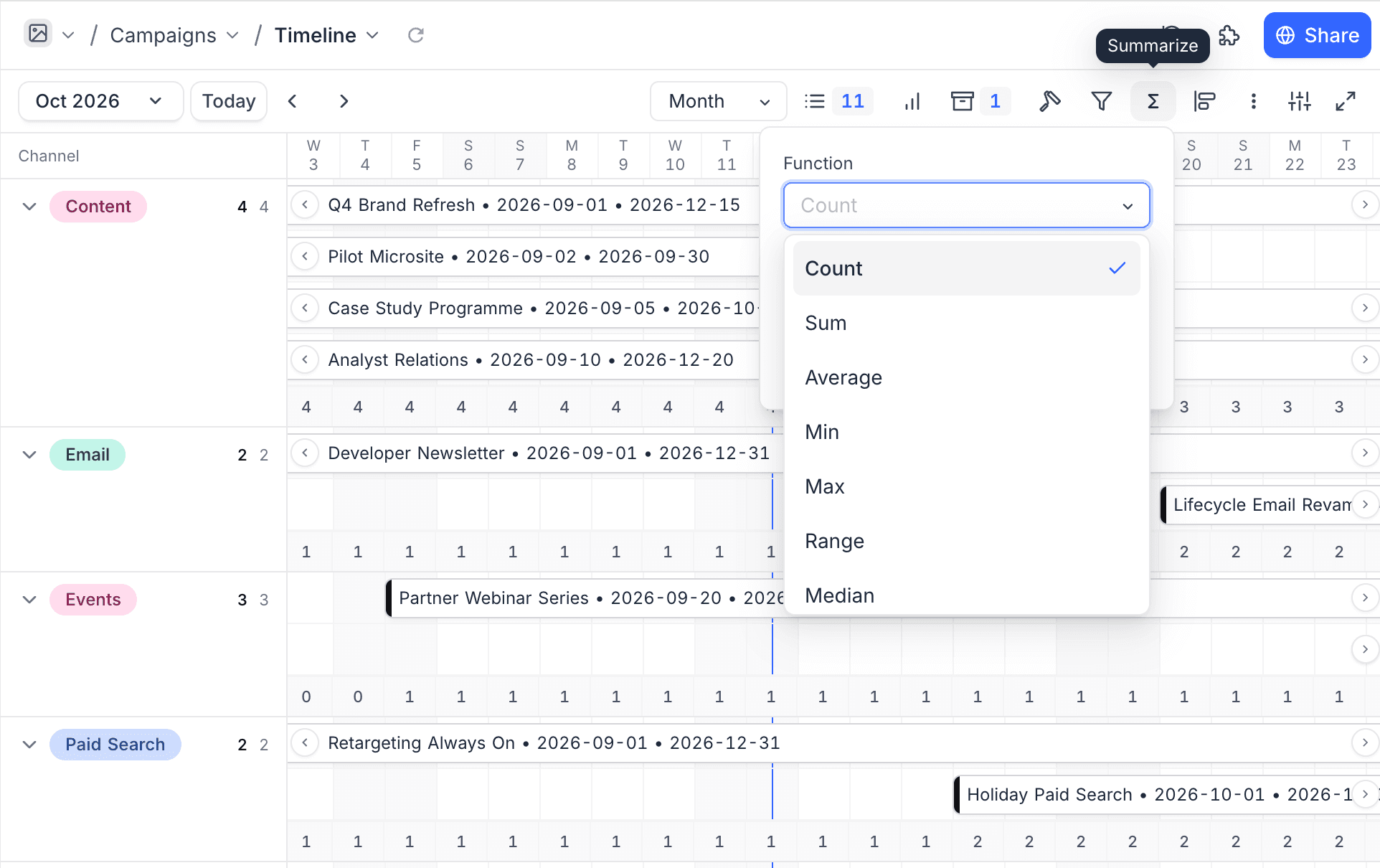
Summarize in Timeline View
Show a count, sum, average, or other summary under each day, week, or month of a Timeline.
Track Specific Fields in Last Modified
Last modified time and Last modified by fields can watch only the fields you choose.
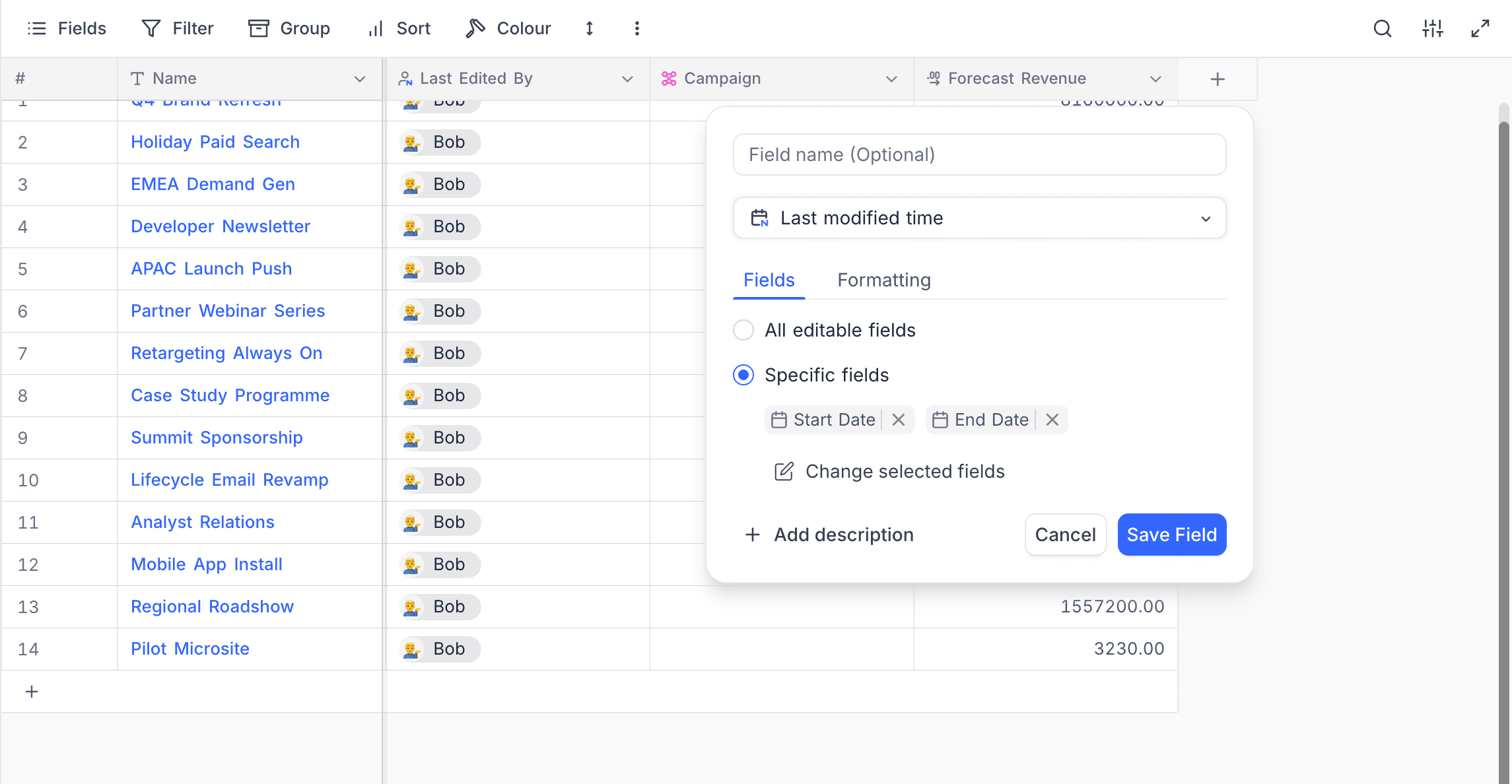
Learn more about tracking specific fields →
YouTrack Sync
Sync YouTrack issues, comments, and users into NocoDB alongside the other ticketing sources.
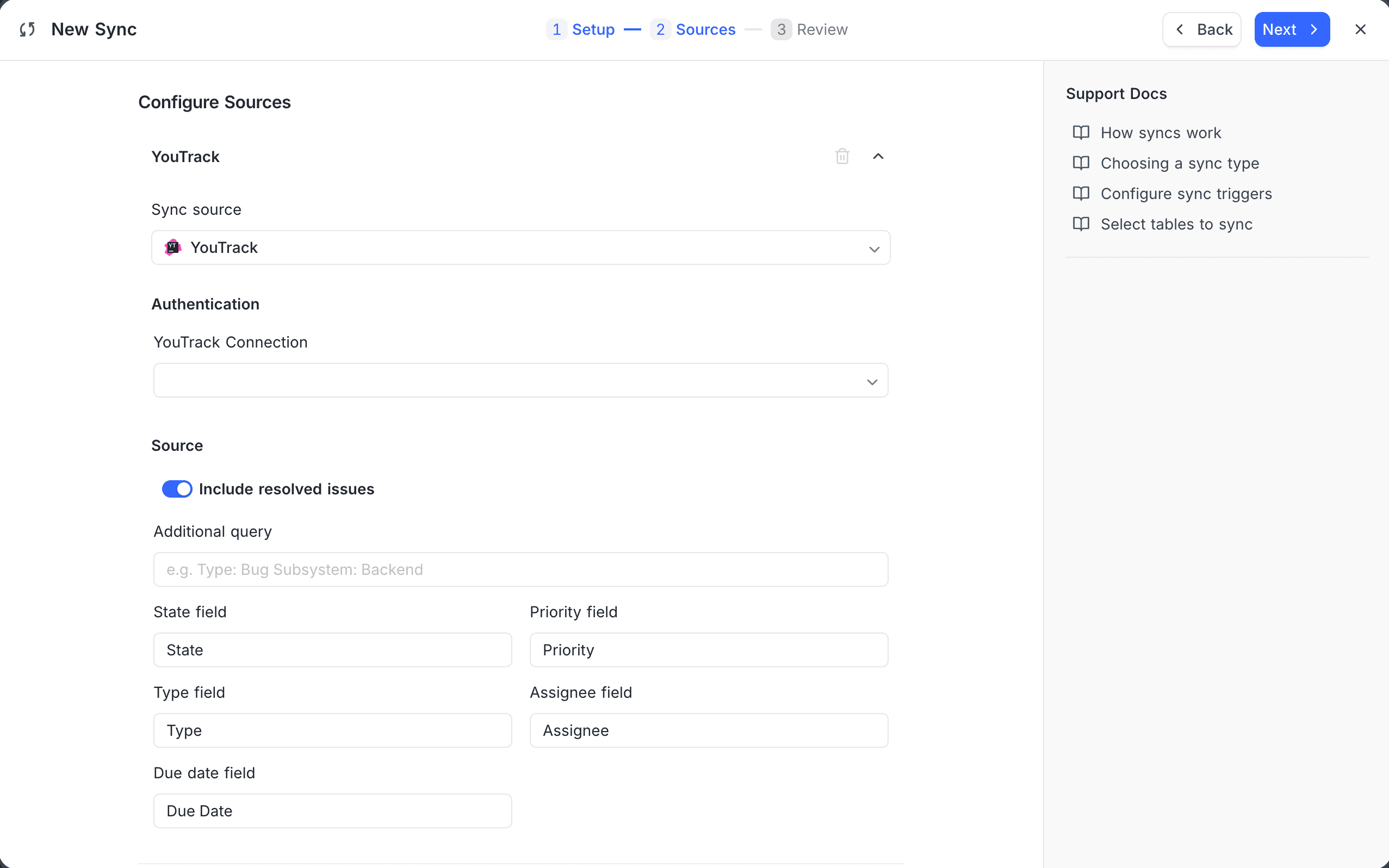
Learn more about YouTrack sync →
Improvements
- Invite links - Share one link to bring people into a base or workspace at the role you choose. Learn more
- Base settings as a modal - Settings open over your current view, with search. Learn more
- Integrations page - Your connections first, then one catalog grid with category filters. Learn more
- Webhook trigger fields - Pick individual body, header, and query values in later steps. Learn more
- Variables in email links - Send Email links can use workflow data as the address. Learn more
- Interface forms - Mark fields Required, update the open record from a form, and manage a button's forms in place. Learn more
- Interface filters - Larger Filter by editor, with copy and paste between components.
- Large number abbreviation - Number, Decimal, and Currency fields can display 1,234,567 as 1.2M. Learn more
- Excel exports - Currency and Decimal export as real numbers. Learn more
- Faster menus - Dropdowns open instantly.
- List View drag and drop - Drops apply immediately.
- Bulk update - Redesigned Update selected records panel.
What's Fixed
- Grouped grids - Rows stay in the right group after realtime updates.
- Select options - Adding a new option by paste or typing keeps existing options.
- Imports, snapshots, and duplication - Large tables and synced tables copy completely, and User values carry across workspaces.
- Interfaces - Link values, visibility rules, link pickers, attachment downloads, and overview cover images work as expected. Published pages keep working after a field is deleted, and pasted link values stay on new rows.
- Bulk Update - Updating all records fires webhooks and workflow triggers.
- Kanban - Reordering cards within a stack is saved.
- Workflows - Steps inside an Iterate loop get the current record when tested, and fields that combine several variables resolve correctly.
- Views - Calendar and Timeline views without a date range duplicate correctly, and shared List views open.
- Renamed tables - Formula display values keep working after a table rename.
- Audit log - Filtering by Data events returns results.
- Documents - Markdown with empty table cells pastes correctly.
- API -
nullfor a v3 link field leaves links unchanged, v2infilters with several dates return every match, and base-scoped tokens can list their bases. - MCP - Removing someone from a base revokes only that base's connections, write tools accept what their read tools return, and records created from a template keep their links.
- Invites - Invite emails on self-hosted and Community Edition deployments sign people up correctly, workspace invites in the Community Edition send an email, and resending a base invite works.
- Sign-in - Brief network errors no longer sign you out, and self-hosted SSO buttons show again.
- SQL Server - Single-argument
CONCATworks. - Airtable import - One failing item no longer stops the import, and one-way links and nested filters import correctly.
Self-Hosting Notes
- Faster loading - Static files are cached and compressed, so first loads are about 3.6 times smaller.
- License server health - Super admins see a warning with Retry now when the license server is unreachable. Learn more
- v3 API field changes - Currency options use
currency_codeandcurrency_locale, and form validatorsminValue,maxValue, andcustomare rejected. - CSV currency exports - Currency values no longer include a thousands separator.
- Security hardening - Stricter audit log access, sanitized filenames, and patched dependencies.
For more details on the features introduced in 2026.09.0, see the 2026.09.0 changelog.
Availability
| Feature | Community Edition | Cloud Free Plan | Paid Plans In Cloud/On-Prem |
|---|---|---|---|
| Account-Wide MCP Connections | – | ✅ | ✅ |
| Table Tools | ✅ | ✅ | ✅ |
| Summarize in Timeline View | – | – | ✅ |
| Track Specific Fields in Last Modified | ✅ | ✅ | ✅ |
| YouTrack Sync | – | – | ✅ |
Timeline View requires the Business plan and above on NocoDB Cloud, and App Sync requires the Plus plan and above.