2026.05.1 : Bookmarks, Smart Text, Mermaid Diagrams, Timeline Enhancements & More
Personal bookmarks for one-click access. Rich documents in any cell. Mermaid diagrams in NocoDocs. Timeline planning from a day to five years.
Bookmarks
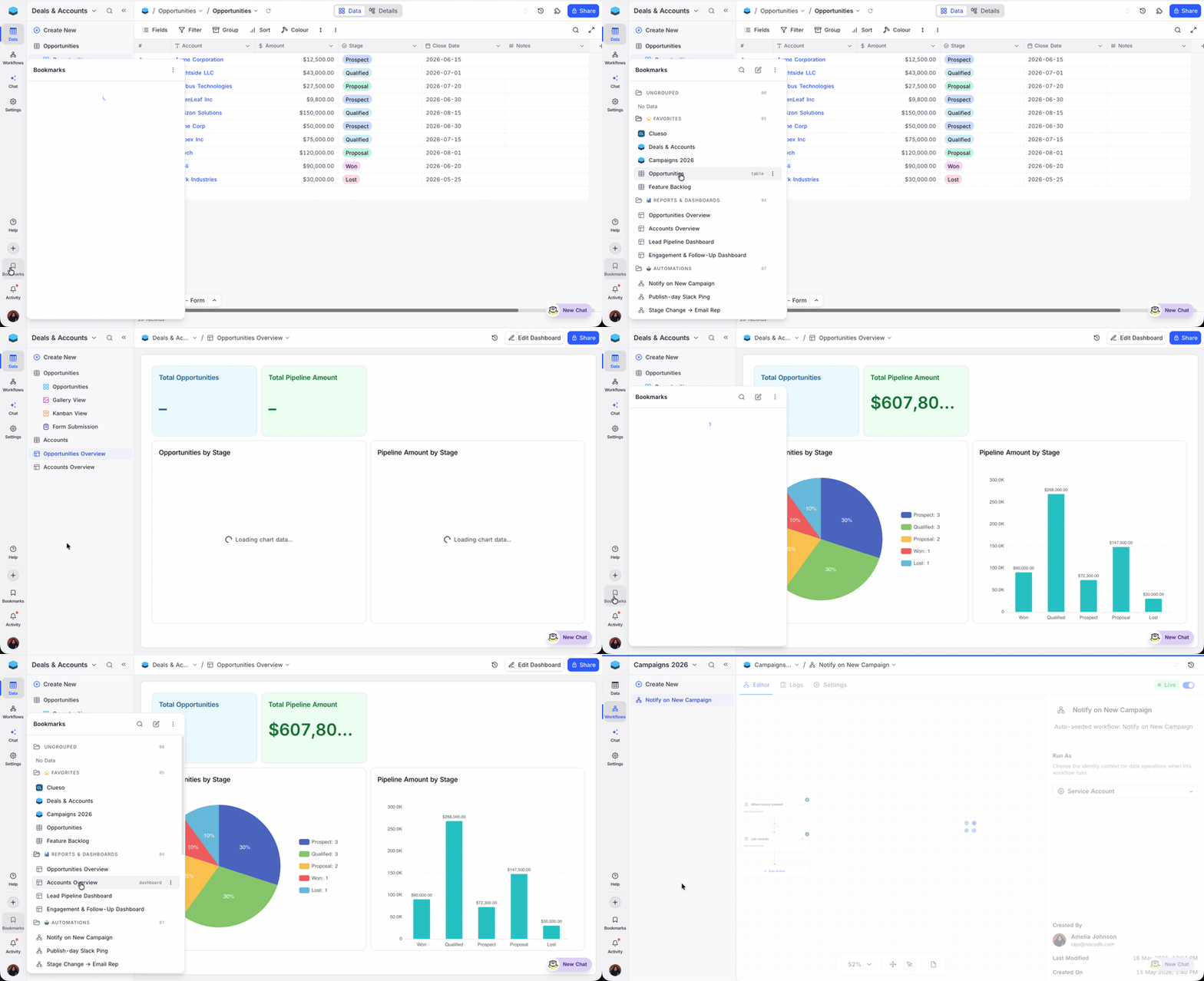
Bookmarks are personal shortcuts to the things you use most: pin a workspace, base, table, view, document, dashboard, workflow, or script and reach it in one click from a private flyout on the left dock. Group pins into folders, drag to reorder, and search as the list grows.
Smart Text Field
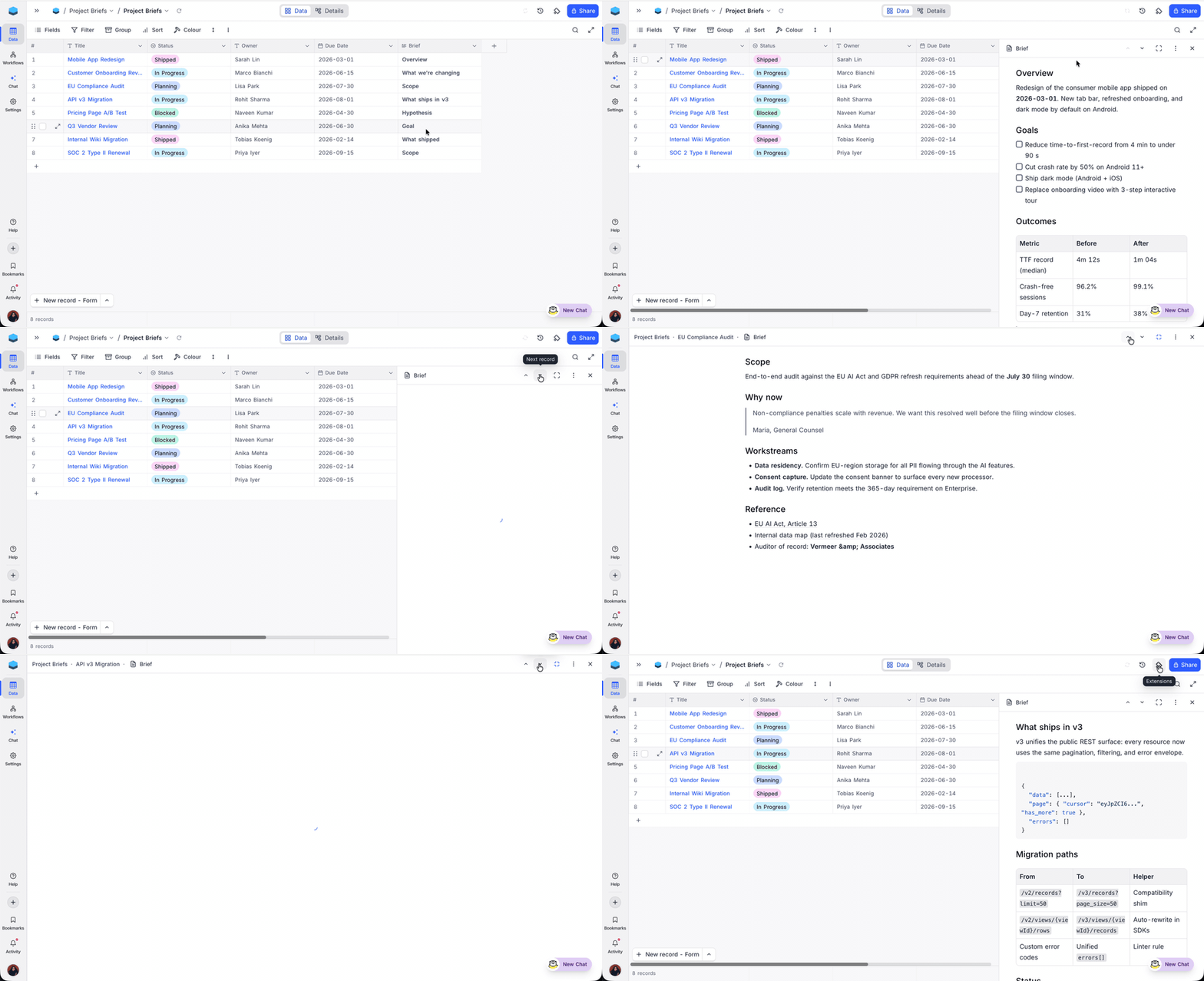
Smart Text is a new variant of the Long text field that turns each cell into a full document editor, powered by the same engine as NocoDocs. Click a cell to open a side-panel editor with rich formatting, lists, tables, code blocks, callouts, attachments, and embeds; the grid keeps a compact markdown preview so rows stay scannable.
Mermaid Diagrams in NocoDocs

Mermaid Diagrams render directly inside NocoDocs code blocks: insert a code block, switch the language to Mermaid, and your source renders live as an SVG. Flowcharts, sequence diagrams, ER diagrams, Gantt charts, and 10+ other types are supported, with three view modes (code, split, diagram) saved on the block itself.
Learn more about Mermaid Diagrams →
Timeline View Enhancements
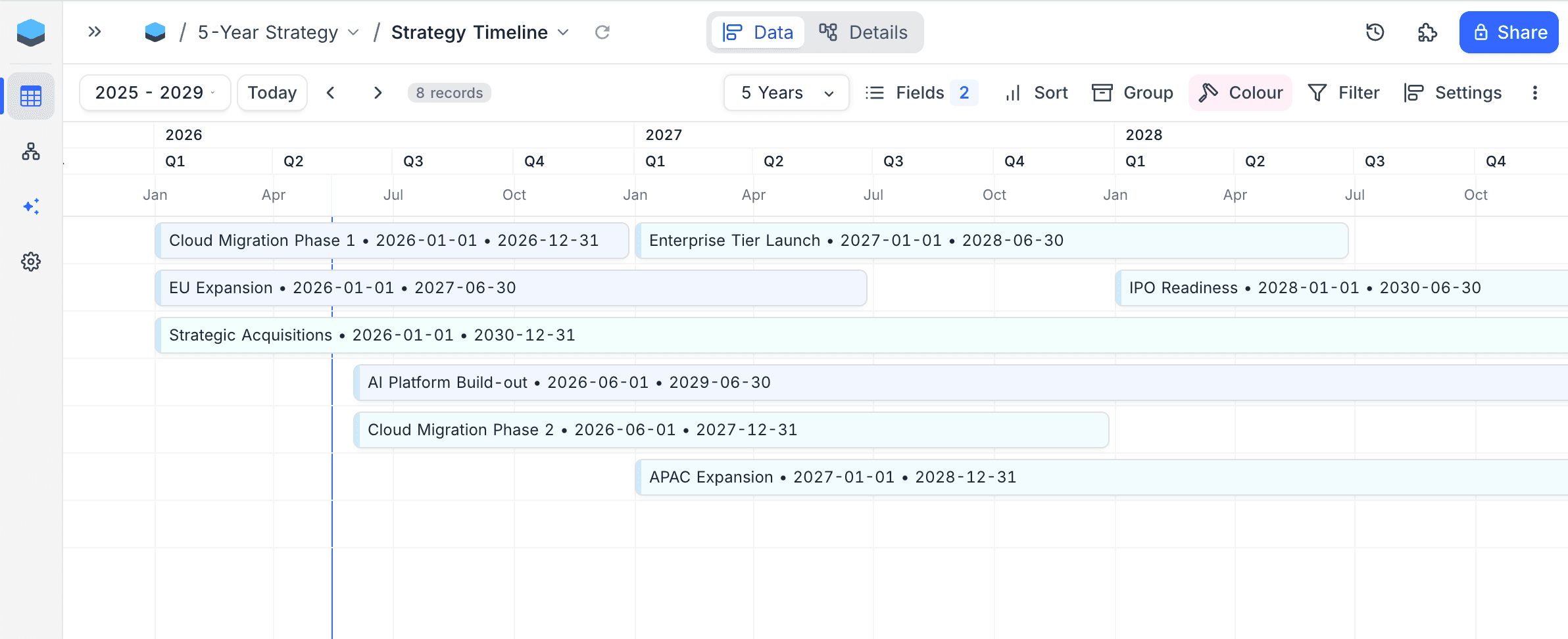
Timeline View now scales from a single day through to a five-year overview, with nine zoom levels (Day, Week, 2 Weeks, Month, Quarter, 6 Months, Year, 2 Years, 5 Years) and smooth horizontal and vertical scrolling that lets you browse months or years without jumping to a specific date.
Learn more about Timeline View →
Selection-Scoped Field Summary
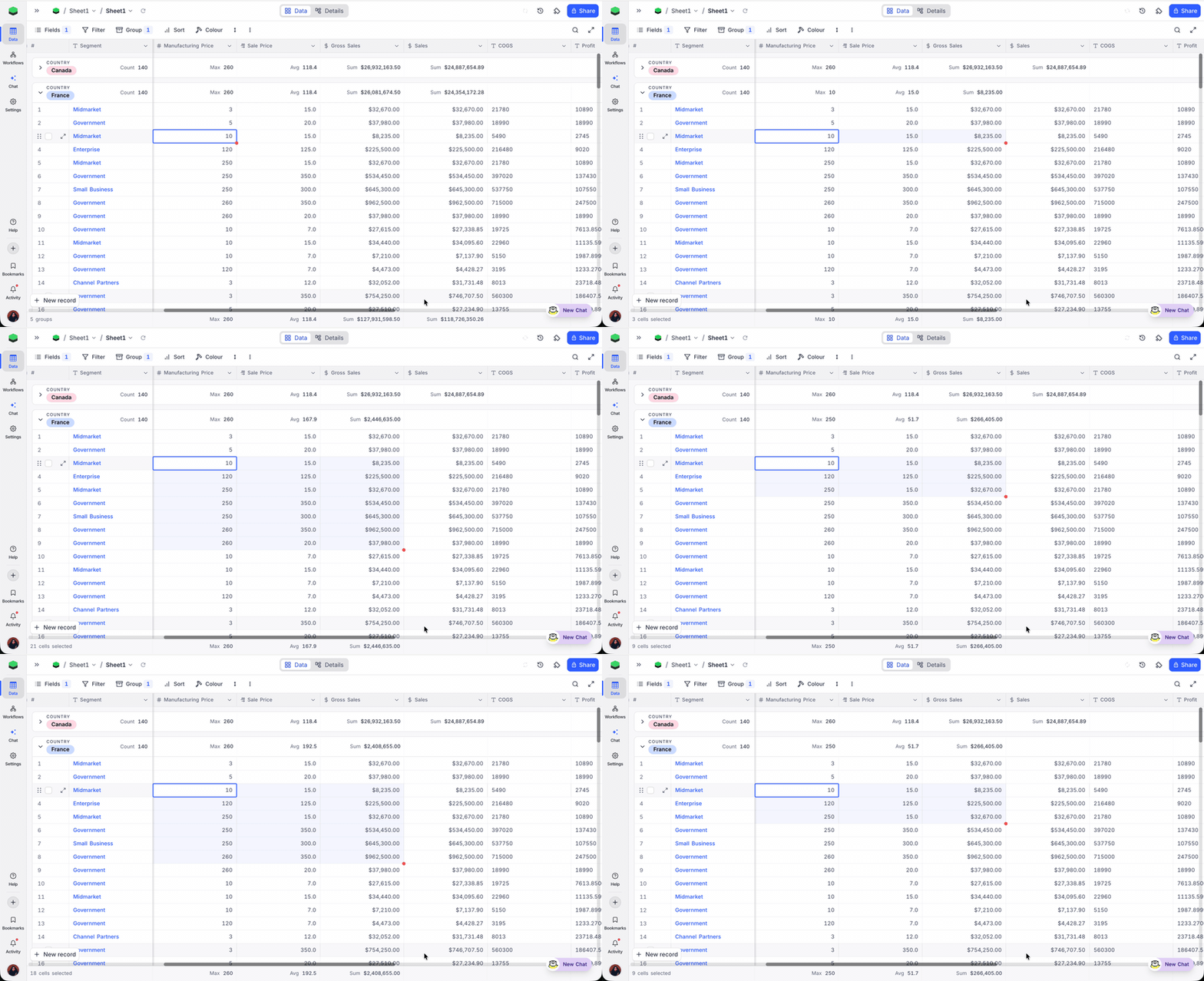
Selection-Scoped Field Summary rescopes the field summary footer to whatever you've selected: drag a range of cells or tick row checkboxes and the footer recomputes for just that selection. Clear it to return to full-table totals; the same scoping applies per-group when the grid is grouped.
Learn more about Field Summary →
Expanded Record Side Panel
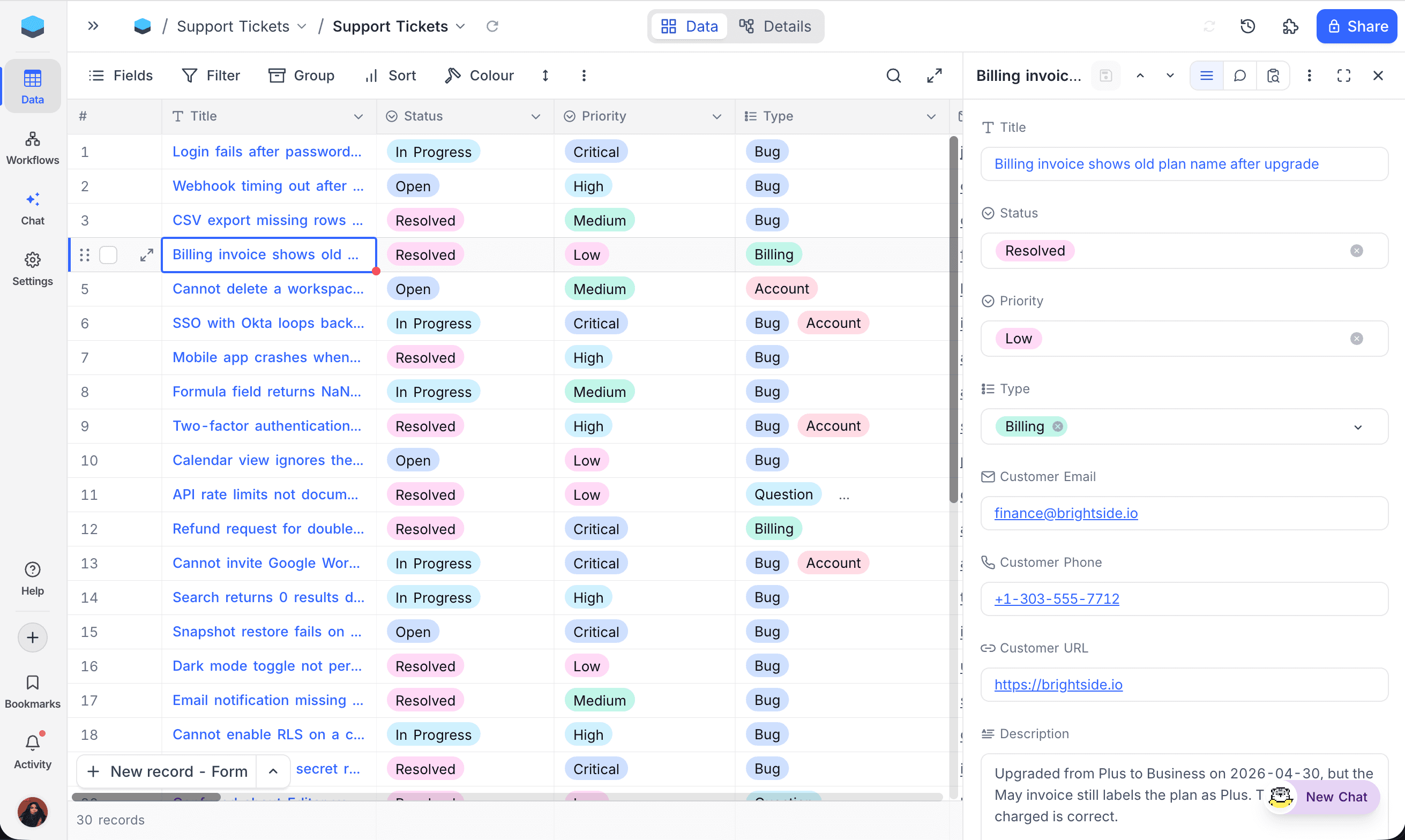
Expanded Record Side Panel opens an expanded record as a docked panel by default instead of a full-screen modal, so the grid stays visible while you work on a row. Switch between Fields, Comments, and Revision History in the panel header, or enter fullscreen for the original layout with File Preview and Discussion modes.
Learn more about the Expanded Record →
Self-Serve Self-Hosted Licensing
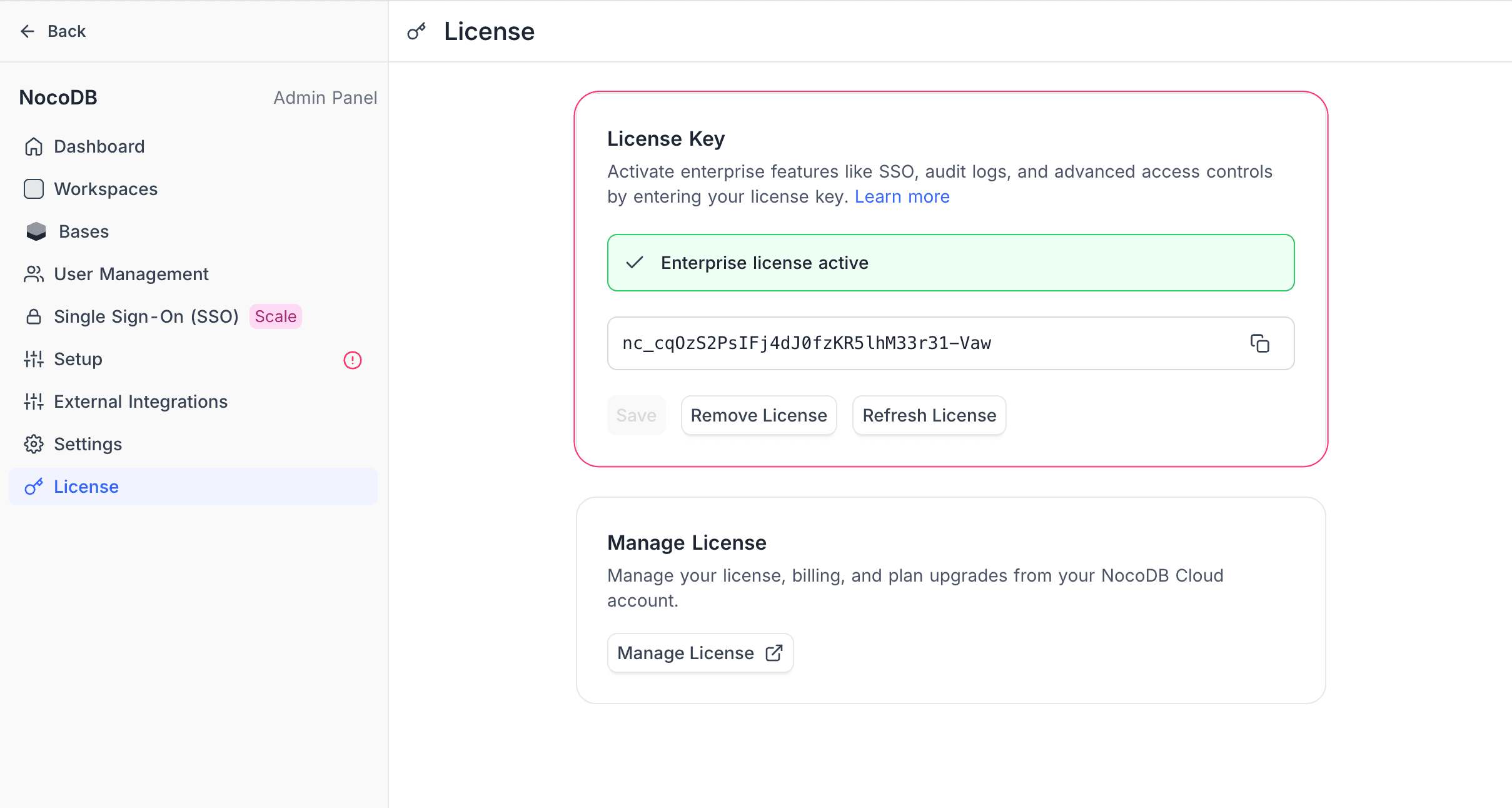
Self-Serve Self-Hosted Licensing opens two on-premise plans to instant Stripe checkout, no sales call needed. Business unlocks SSO, scripts, workflows, dashboards, table- and field-level permissions, and teams. Scale layers on audit logs, row-level security, team hierarchy, multi-provider AI, and unlimited workspaces. Buy from your NocoDB Cloud account at Account → Self-Hosted Licenses, complete a Stripe checkout, and paste the resulting key into your instance at Admin Panel → License.
Compare on-premise plans → · Purchase a license → · License activation →
Improvements & Fixes
- Thousands and decimal separator styles on Number and Decimal fields. A new Thousands and decimal separators dropdown replaces the old US-only "Show thousands separator" toggle and offers five styles: Locale (viewer's browser/system),
1,000,000,1.000.000,1 000 000, and1000000. Separators affect display only; the stored numeric value is unchanged, so sorting, filtering, formulas, and exports stay consistent. Learn more → - Rollup precision setting retired. Rollup values now inherit the underlying numeric field's separator style, so number formatting has a single source of truth.
Self-Hosting Notes
NC_SITE_URL is mandatory. A new NC_SITE_URL environment variable sets the public URL of your instance, and is the preferred replacement for NC_PUBLIC_URL. The old variable continues to work, but one of them must be defined on every instance; otherwise shared links, OAuth redirects, and email links may not be generated correctly.- Configurable maximum import size. Operators can now configure the maximum import payload size via environment variables instead of relying on the hard-coded default.
Availability
| Feature | CE / Free | Paid / Enterprise |
|---|---|---|
| Bookmarks | ❌ | ✅ |
| Smart Text Field ¹ | ❌ | ✅ |
| Mermaid Diagrams in NocoDocs | ✅ | ✅ |
| Timeline View Enhancements | ❌ | ✅ |
| Selection-Scoped Field Summary | ✅ | ✅ |
| Expanded Record Side Panel | ✅ | ✅ |
| Self-Serve Self-Hosted Licensing | ❌ | ✅ |
¹ Smart Text is available on NocoDB Cloud (all plans, including Free) and on self-hosted paid plans (Business and above). Requires an internal NocoDB-managed PostgreSQL base.