2026.04.2 : Two-Factor Authentication, Record Trash & more
Two-factor authentication, per-record deletion recovery, documents unified into the Data sidebar, and broader view permissions for Editors.
Record Trash
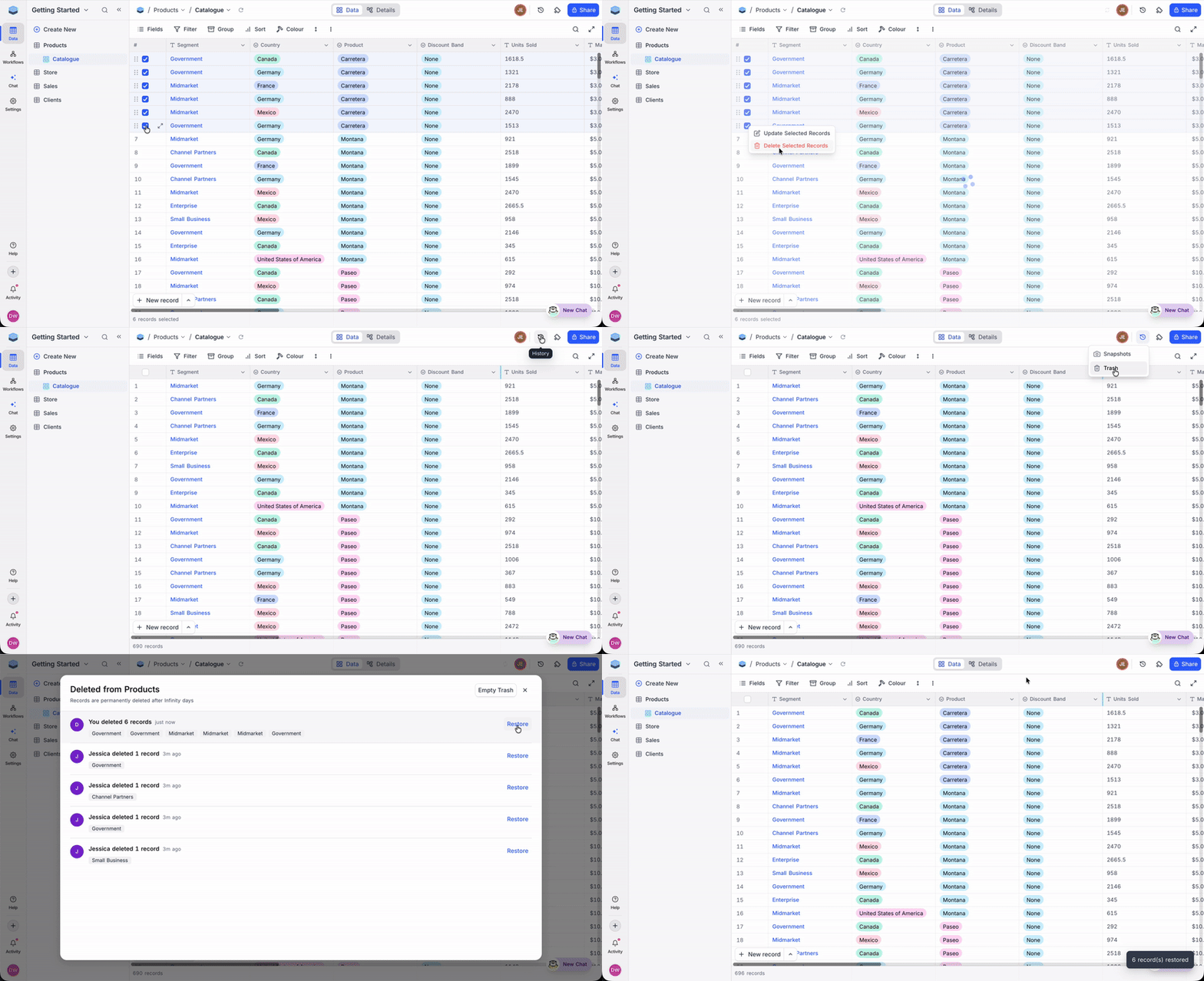
Record Trash captures every deleted record in a per-record safety net, so accidental deletions are no longer permanent. Whether you're recovering from a misclick, rolling back a failed import, or restoring a single row a teammate removed from the wrong view, Record Trash puts it back in a click, including bulk deletions performed on the wrong view.
Learn more about Record Trash →
Availability
Record Trash is available across all cloud plans and on-premise Enterprise plans. Base-specific Trash configurations, including per-table retention settings and the ability to disable Trash for selected tables, are available exclusively on Enterprise plans.
Two-Factor Authentication
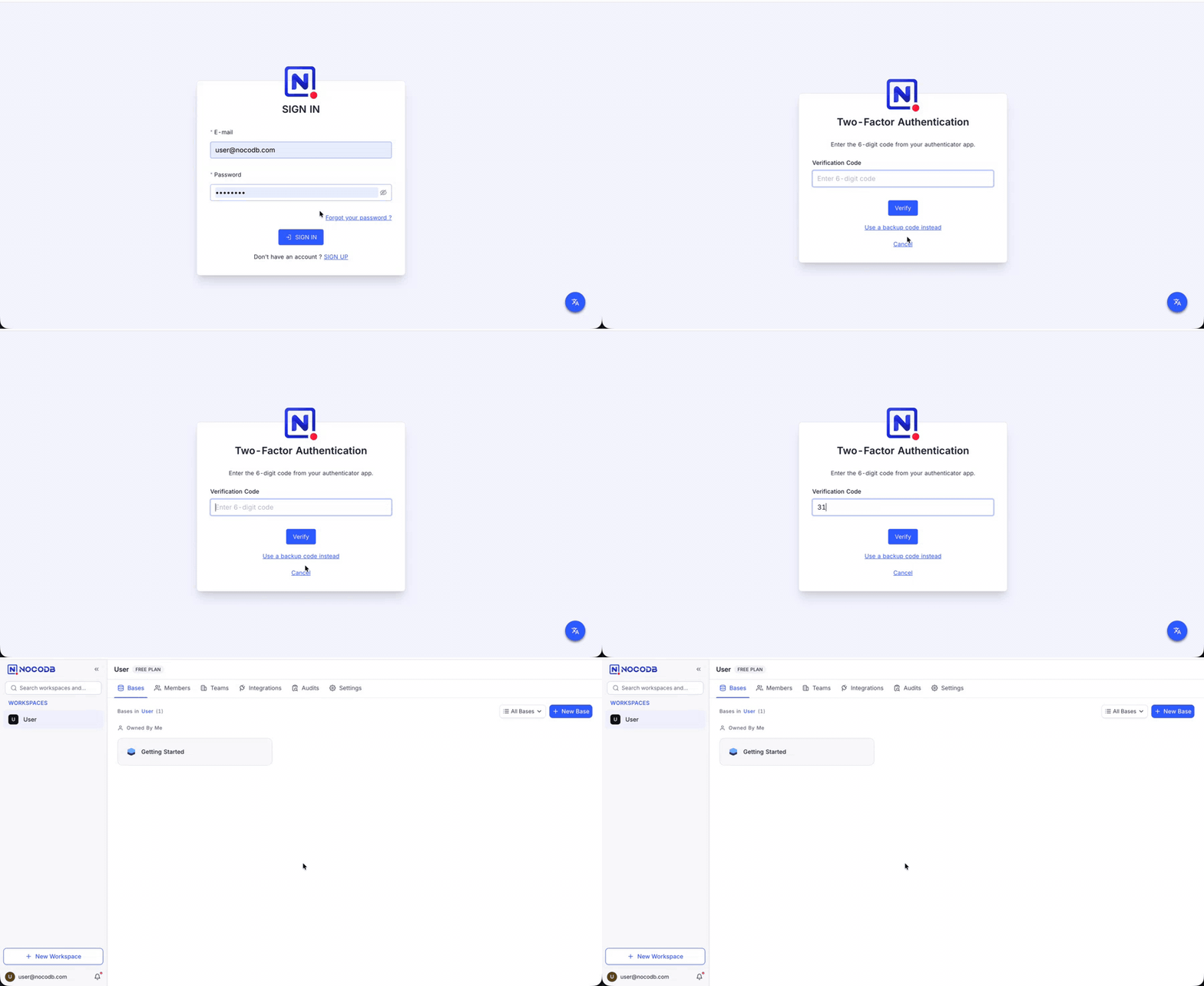
Two-Factor Authentication (2FA) adds a rotating authenticator code on top of the password login, so a stolen or reused credential alone is no longer enough to reach your workspace. Whether you're protecting sensitive customer records, meeting internal security policies, or reducing risk from a compromised teammate password (one of the most common ways business data gets exposed today), 2FA closes the gap left by password-only sign-in.
Setup takes about a minute using any standard authenticator, and backup codes ensure users aren't locked out if a device is lost.
Learn more about Two-Factor Authentication →
Workspace-wide Enforcement for Enterprise
For teams that need consistent protection, Enterprise workspace owners can now require 2FA across every member, a simple way to meet internal security policies and compliance standards such as SOC 2, ISO 27001, and HIPAA.
Learn more about requiring 2FA for a workspace →
One Sidebar for Tables, Dashboards, and Documents
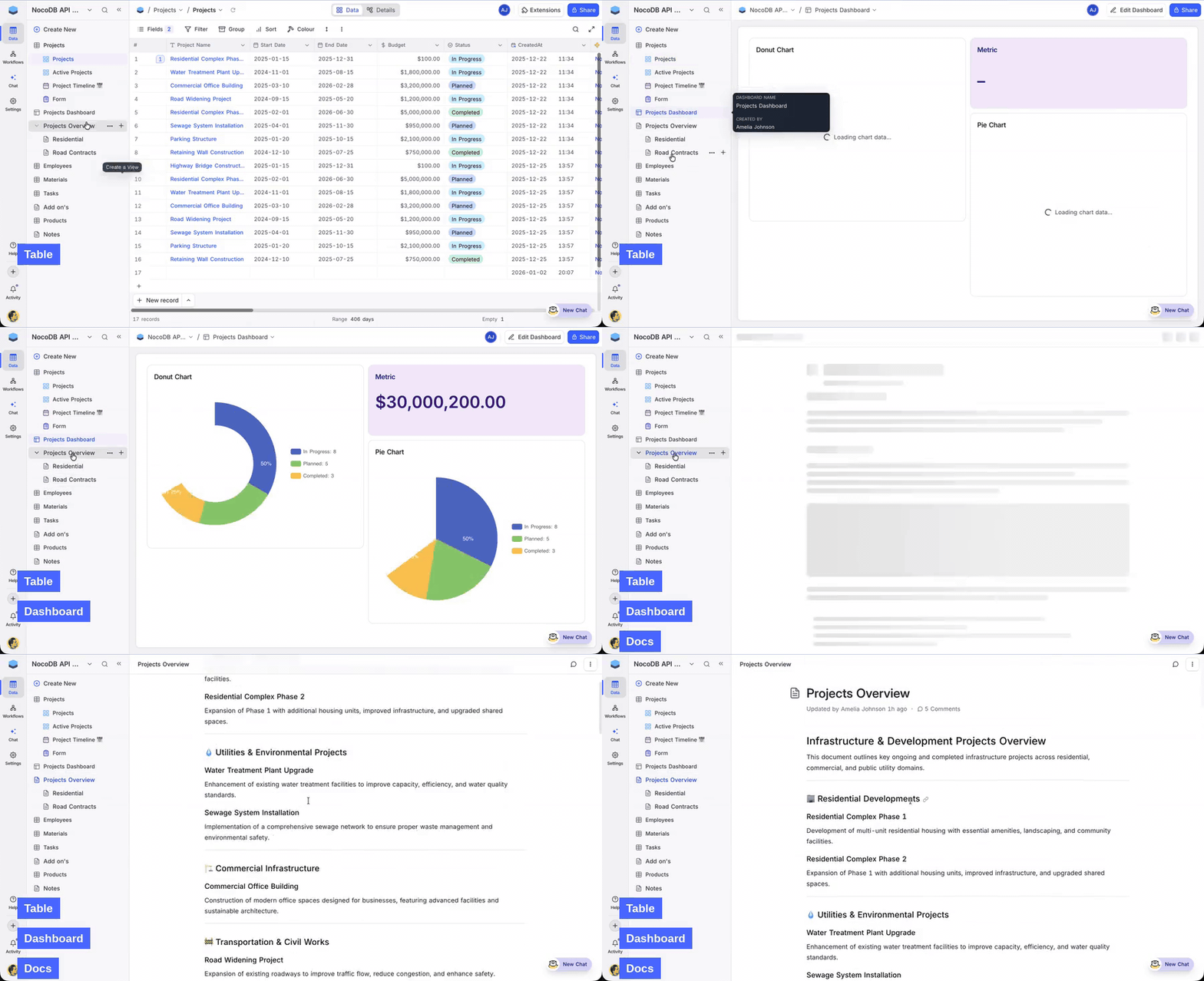
Documents now live in the Data sidebar, right next to your tables and dashboards. Whether you keep product specs beside feature trackers, meeting notes beside CRM contacts, or project briefs beside the tasks they describe, you no longer need to switch between a separate Docs tab and your data to move between them.
When NocoDocs launched in 2026.04.0, documents lived in their own tab in the minibar. This release removes that tab entirely. Reorder freely, drag a document between two tables, nest child documents under a parent, and everything shares the same ordering space.
Learn more about creating and nesting documents →
Migration Notes
- Existing documents are automatically migrated to the unified data model. No action required.
- Cleaner document URLs. Document URL slugs now strip special characters (accented characters, punctuation) instead of percent-encoding them, making shared links easier to read. Existing bookmarks continue to work, since routing relies on the document ID.
- All document features (editing, comments, permissions, AI assistant) continue to work as before.
Editors Can Now Manage Views
We heard you loud and clear. This change is a direct response to what our community explicitly asked us to bring back, and we're glad to see it return.
The Editor role now covers the full lifecycle of collaborative views, so routine layout work no longer has to route through a Creator or Owner. Whether your analysts need to tweak filters for a weekly review, your sales team wants to duplicate a pipeline view for a new region, or any teammate wants to drop a sort into a shared view, Editors can handle it directly. Management of their own personal views (existing behaviour) is unchanged.
Learn more about collaborative, personal, and locked views →
What Editors can now do
- Create, rename, duplicate, delete, and configure collaborative views (filter, sort, group-by, and so on).
- Convert a collaborative view to personal, or their own personal view back, in one click.
- Create and manage their own personal views (existing behaviour, retained as is).
What still requires Creator or Owner (unchanged)
- Lock or unlock a view.
- Modify or delete a locked view.
- Modify or delete another user's personal view.
- Manage view sections (Editors can still move views into existing sections).
Role Changes at a Glance
The actions below now have a lower minimum role. "Creator+" means Creator or Owner; "Editor+" means Editor, Creator, or Owner.
| Action | Minimum role (before) | Minimum role (now) |
|---|---|---|
| Manage collaborative views (create, rename, duplicate, delete, convert, or edit filter, sort, group-by, and so on) | Creator+ | Editor+ |
Improvements and Fixes
- User field default set to Current User - User fields can now use Current User as their default value, so every new record is automatically assigned to whoever creates it, no manual picker needed.
- Rollup precision for Currency fields - Fixed an issue where the precision (decimal places) option was not visible when a Rollup targeted a Currency field. Decimal formatting can be configured again.
- Comment count on grouped views - Fixed an issue where the comment count indicator did not render correctly when a view was grouped. Counts now appear on each record as expected.
For the features introduced in 2026.04.0, see the 2026.04.0 changelog.