Record trash ☁
View, restore, and permanently delete trashed records in NocoDB.
Deleted records are moved to the Trash, where they remain until you restore them or they expire.
The Trash is not available on shared / public bases or in mobile mode.
Open the Trash
- In a table, click the History icon in the top bar.
- Select Trash.
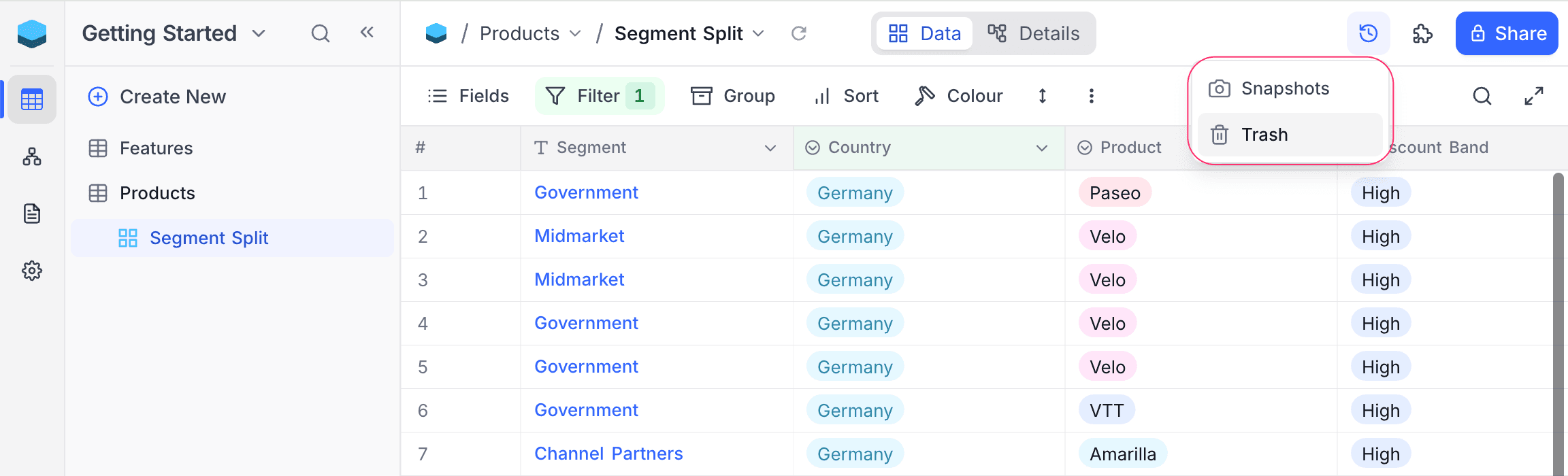
The Trash list
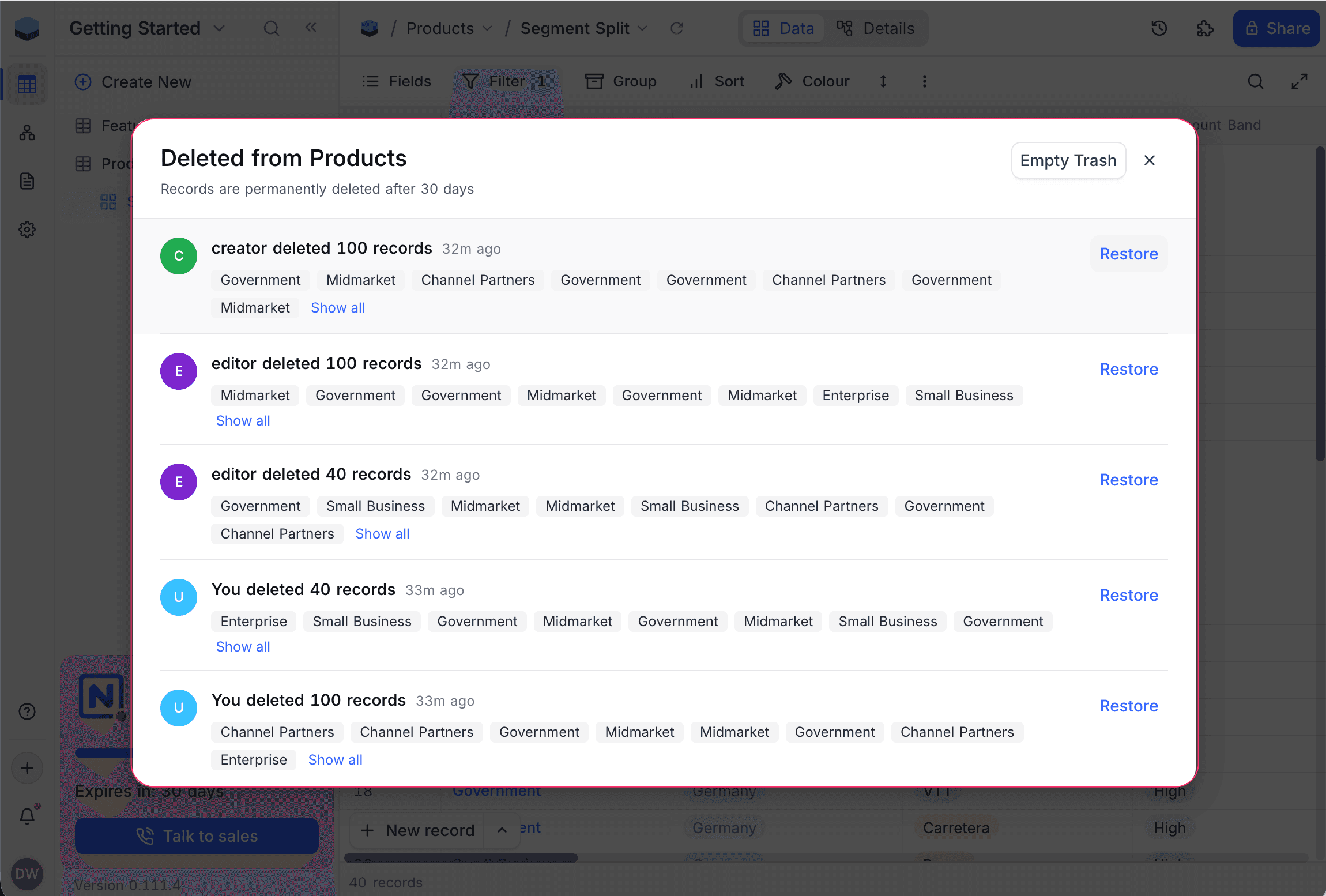
Each entry represents one delete action. For every entry, the Trash shows:
- The user who performed the delete (hover the avatar for name and email).
- How long ago the delete happened (hover for the exact time).
- The number of records affected.
- A preview of each record's primary field, up to eight chips.
Click Show all to expand the batch and see every record's primary-field chip.
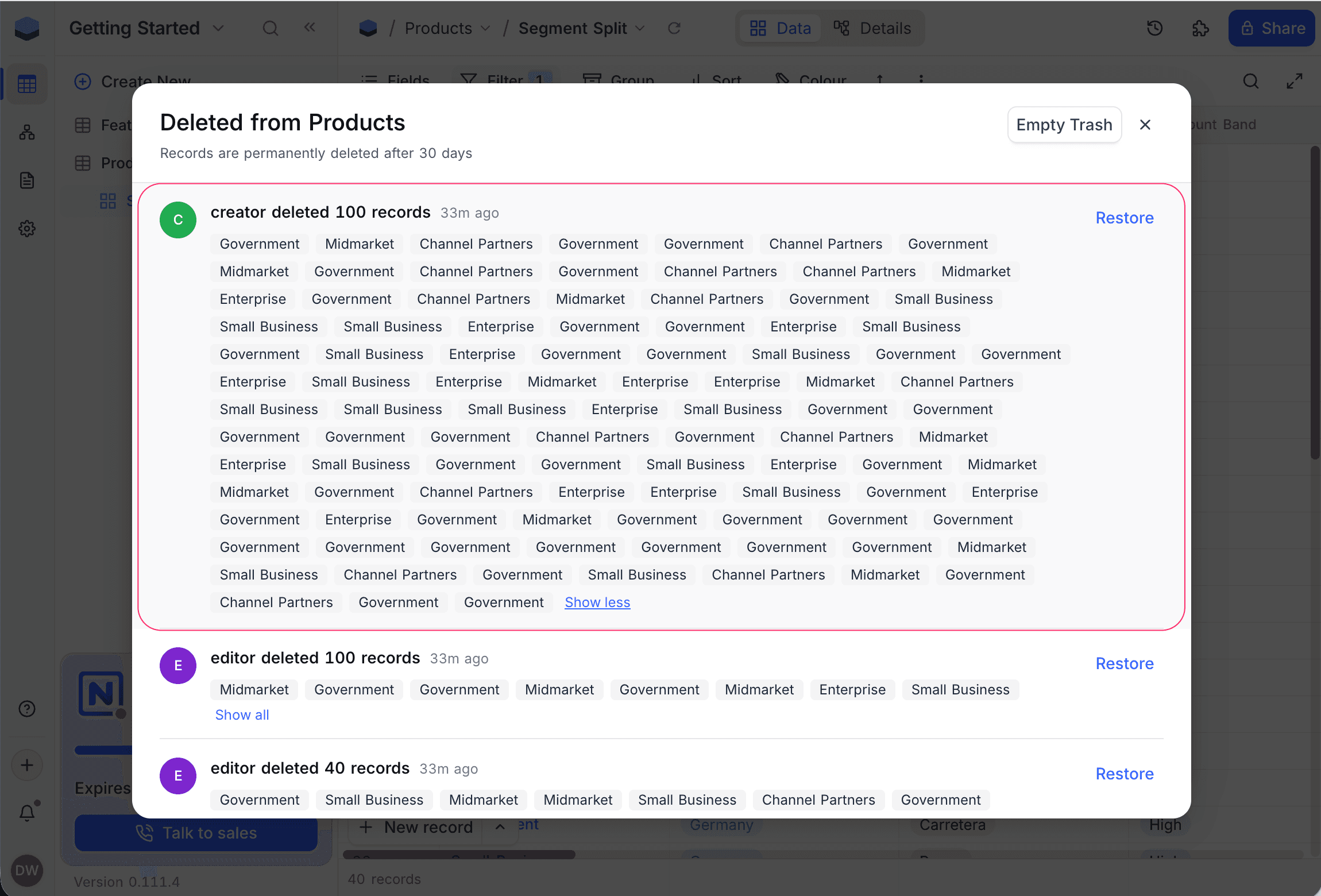
Restore records
Click Restore next to an entry to bring every record in that batch back into the table. Field values and links are restored as they were, with a few automatic adjustments:
- Renamed fields are re-mapped to their current field by id, so the value lands in the right column.
- Deleted fields are silently ignored — the restored record simply doesn't include those values.
- Missing linked records (links whose target was deleted in the meantime) are silently skipped; the rest of the links are restored.
- Single / Multi Select options edited after deletion take on their current definition — if an option was renamed while the record was in the Trash, the restored record shows the new option name, not the old one.
Link conflicts
If restoring a record would re-establish a link that another active record now occupies — for a one-to-one link, or for a has-many parent whose child has been re-parented — the restore is blocked. Choose:
- Cancel — leave the records in the Trash.
- Restore Anyway — the active record keeps the link; the restored record comes back without that one link. No record is deleted.
Unique field conflicts
If a field on the restored record has the Unique constraint enabled and the same value is already held by an active record, the restore is blocked. Update or remove the conflicting active record first, then retry the restore.
Validation conflicts
If a format validation (Email, URL, or Phone Number) is enabled on a field after records are deleted, and a restored record's stored value doesn't match the current rule, the restore is blocked. Either turn the validation off, or fix the invalid value on the source system before restoring.
Empty Trash
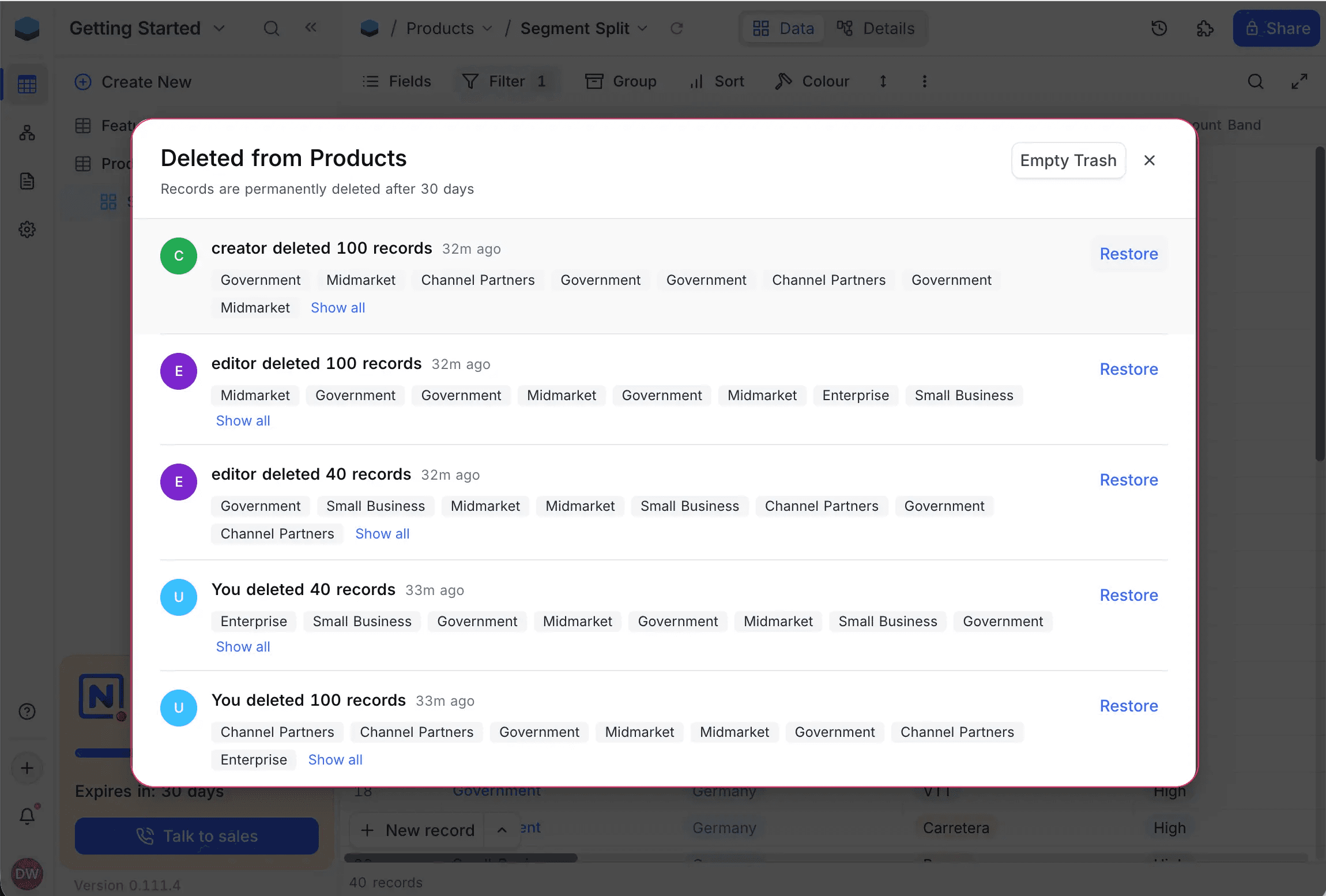
- Click Empty Trash in the top-right of the modal.
- Confirm the dialog — it shows the exact number of records that will be deleted.
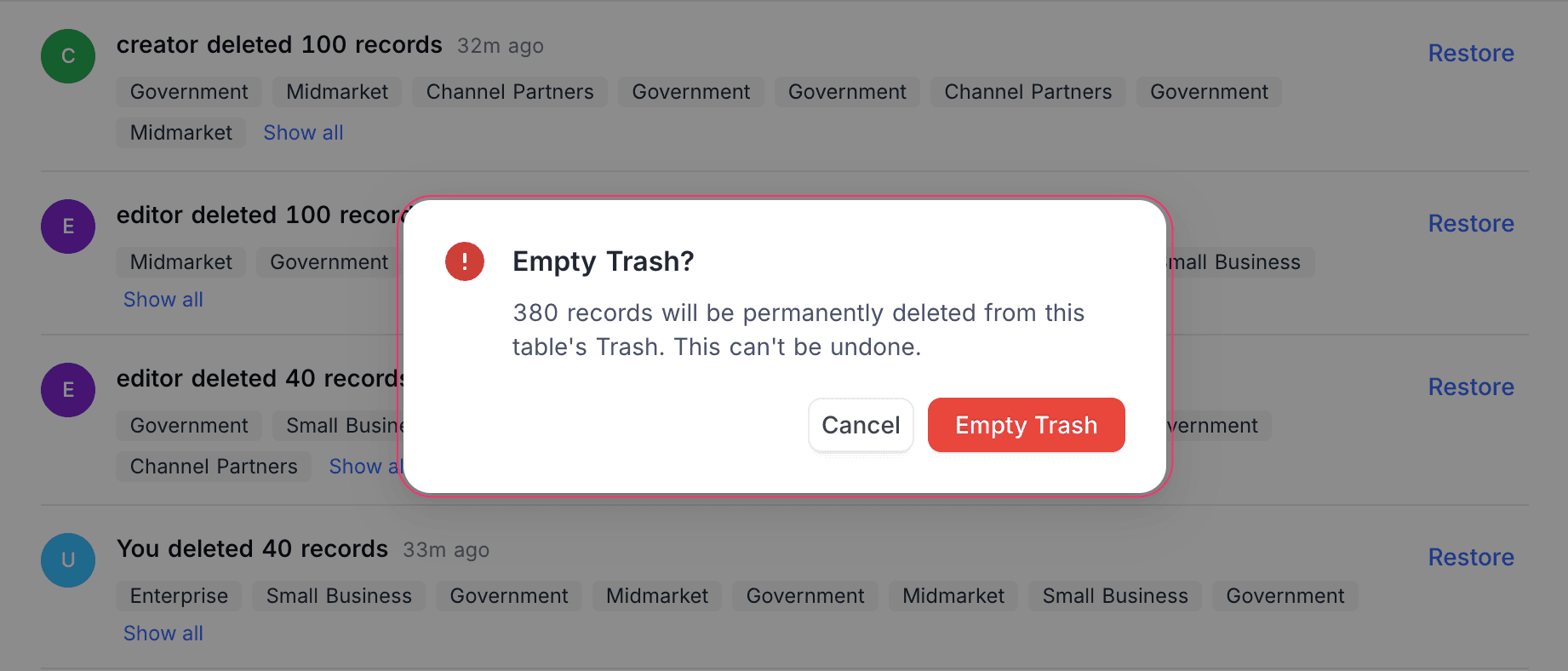
Permanently deleted records cannot be recovered. For longer-term recovery, use Base snapshots.
Role permissions
| Action | Owner | Creator | Editor | Commenter | Viewer |
|---|---|---|---|---|---|
| Open the Trash | Yes | Yes | Yes | No | No |
| Restore a batch | Yes | Yes | Yes | No | No |
| Empty Trash | Yes | No | No | No | No |
Row-level security applies to the Trash. Records hidden from you by RLS in the live table remain hidden here.
The Trash has no per-batch "Delete Forever" action. Use Empty Trash to clear everything at once, or wait for automatic cleanup.