NocoDocs
Create rich-text documents directly inside your NocoDB bases.
NocoDocs brings a powerful document editor directly into NocoDB, allowing you to create, organize, and collaborate on rich-text documents alongside your tables, views, and dashboards — all within the same base.
NocoDocs is available on Cloud and on self-hosted deployments, including the Community Edition. Some advanced capabilities require a paid plan on self-hosted; plan requirements are called out on each feature page.
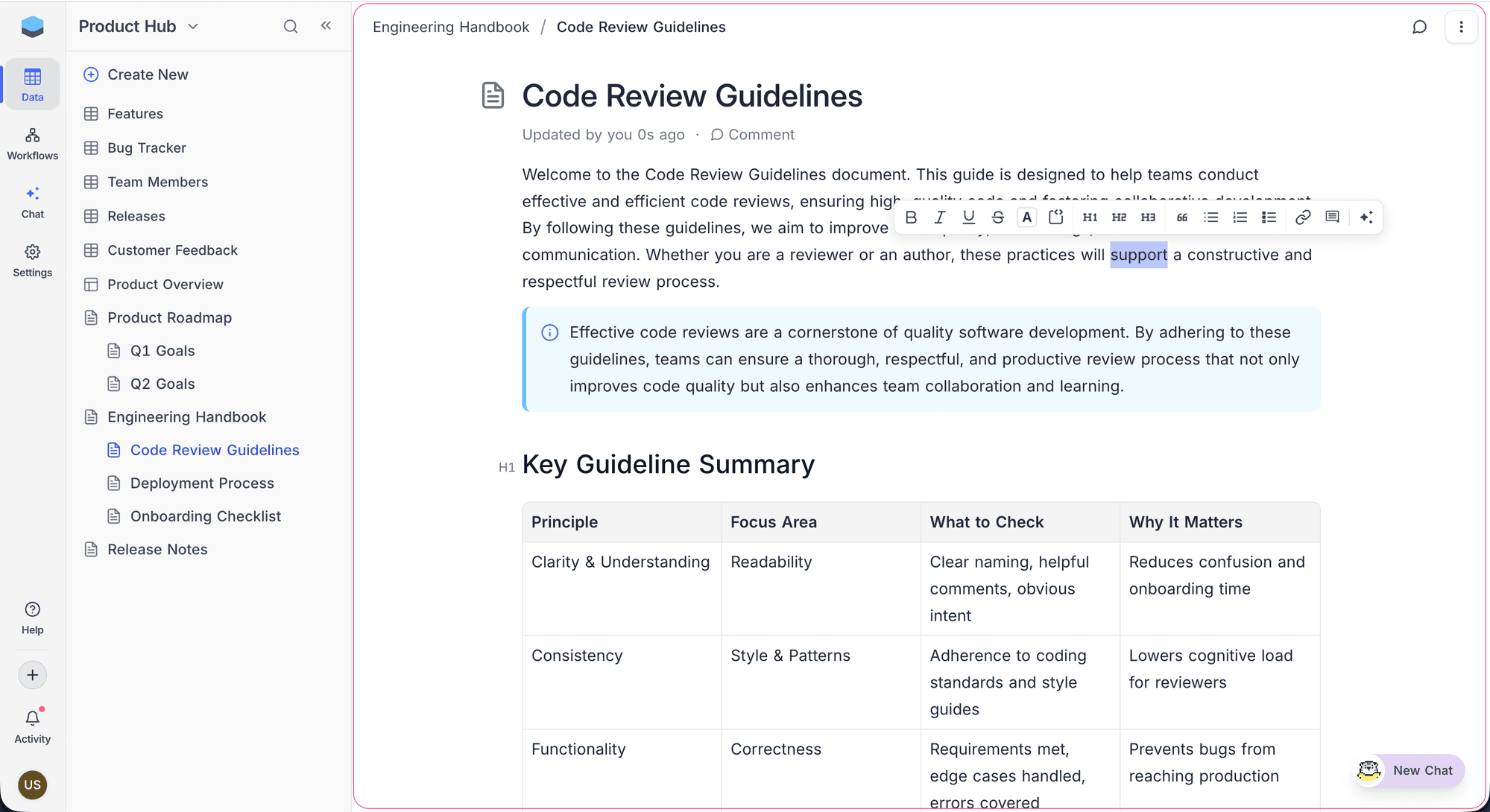
Key Capabilities
- Rich Text Editor — Write with a full-featured block editor supporting headings, lists, callouts, code blocks, math equations, tables, and more.
- Real-Time Collaboration — Edit a page together with your team: changes appear instantly for everyone, with named cursors and presence avatars showing who's working where.
- Hierarchical Organization — Nest documents in a tree structure with drag-and-drop reordering.
- Media & Embeds — Embed images, file attachments, and content from 25+ platforms including YouTube, Figma, Loom, and even NocoDB shared views. Save any link as a visual web bookmark card.
- Inline Comments (Enterprise) — Anchor comments to specific text selections, reply in threads, and add emoji reactions.
- AI Assistant (Enterprise) — Generate, improve, summarize, and translate content with built-in AI writing tools.
- Slash Commands — Access 60+ formatting and block options by typing
/anywhere in the editor. - Auto-Save — Changes are saved automatically as you type.
- Version History — Browse prior versions, see what changed, and restore any version with one click. Retention varies by plan.
- Export — Export any document to Markdown, HTML, or PDF. (PDF export requires Enterprise.)
- Public Share — Publish a document to a public URL with an optional sub-pages tree. (Cloud / self-hosted Business and above)
How NocoDocs Fits Into NocoDB
NocoDocs is scoped to a base — just like tables and dashboards. Documents appear alongside your tables and dashboards in the left sidebar and can be freely reordered between them. Each base can contain its own document tree. Documents inherit the base's collaboration settings and role-based permissions.
| Role | Capabilities |
|---|---|
| Viewer | Read documents |
| Commenter | Read documents, add comments |
| Editor | Read, edit documents, add comments |
| Creator / Owner | Full access — create, edit, delete, manage documents |
Getting Started
- Create a Document — Start writing your first document.
- Document Content — Explore all the editor features and block types.
- Collaboration — Edit together in real time and see how roles shape collaboration.
- Comments — Learn about inline comments, threads, and reactions.
- AI Assistant — Use AI to generate, improve, and translate content.
- Actions on Document — Rename, reorder, delete, and manage your documents.
- Version History — Browse prior versions, compare changes, and restore.
- Permissions — Control who can view and edit individual documents.
- Search & Navigation — Navigate large document trees efficiently.
- Export Document — Export your documents to different formats.
- Share Document — Publish a document to a public URL.