Actions on Document
Rename, reorder, move, and delete documents in NocoDocs.
NocoDocs provides several actions for managing your document tree. Access these actions by right-clicking a document in the sidebar or through the context menu.
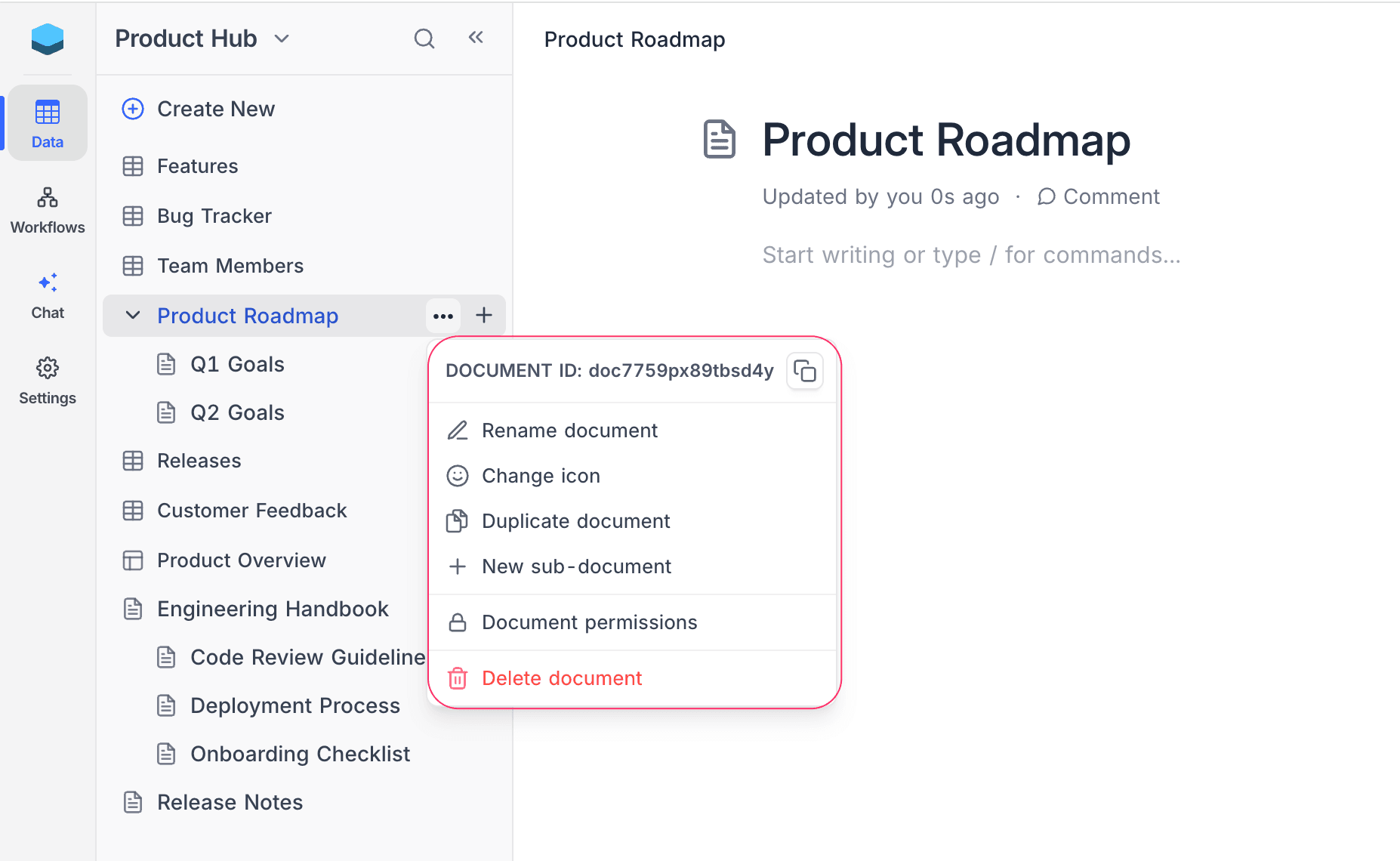
Rename Document
- Right-click (or click the
...menu) on the document in the sidebar. - Select Rename document.
- Type the new name and press
Enter.
Alternatively, you can edit the document title directly in the editor by clicking on it.
Reorder Documents
Rearrange documents within the document tree by dragging and dropping:
- Click and hold a document in the sidebar tree.
- Drag it to the desired position.
- Release to drop it in place.
You can:
- Reorder documents among siblings (move up or down at the same level).
- Nest a document under another by dropping it onto a parent document.
- Move a nested document to the root level by dragging it out of its parent.
The sidebar document tree supports nested documents with drag-and-drop reordering:
Duplicate Document
- Right-click (or click the
...menu) on the document in the sidebar. - Select Duplicate document.
Delete Document
- Right-click (or click the
...menu) on the document in the sidebar. - Select Delete document.
- Confirm the deletion.
Move Document to Root
Move a nested document as sibling at root level directly.
- Right-click (or click the
...menu) on the document in the sidebar. - Select Move to root.
Related Topics
- Create Document — Create new documents and nest them.
- Search & Navigation — Navigate your document tree efficiently.