Comments
Collaborate on documents using inline comments, threads, and reactions.
NocoDocs includes a built-in commenting system that lets team members leave feedback, discuss content, and track resolutions — all directly within the document. Comments, replies, and comment counts update live for everyone who has the document open, so discussions unfold in real time alongside collaborative editing.
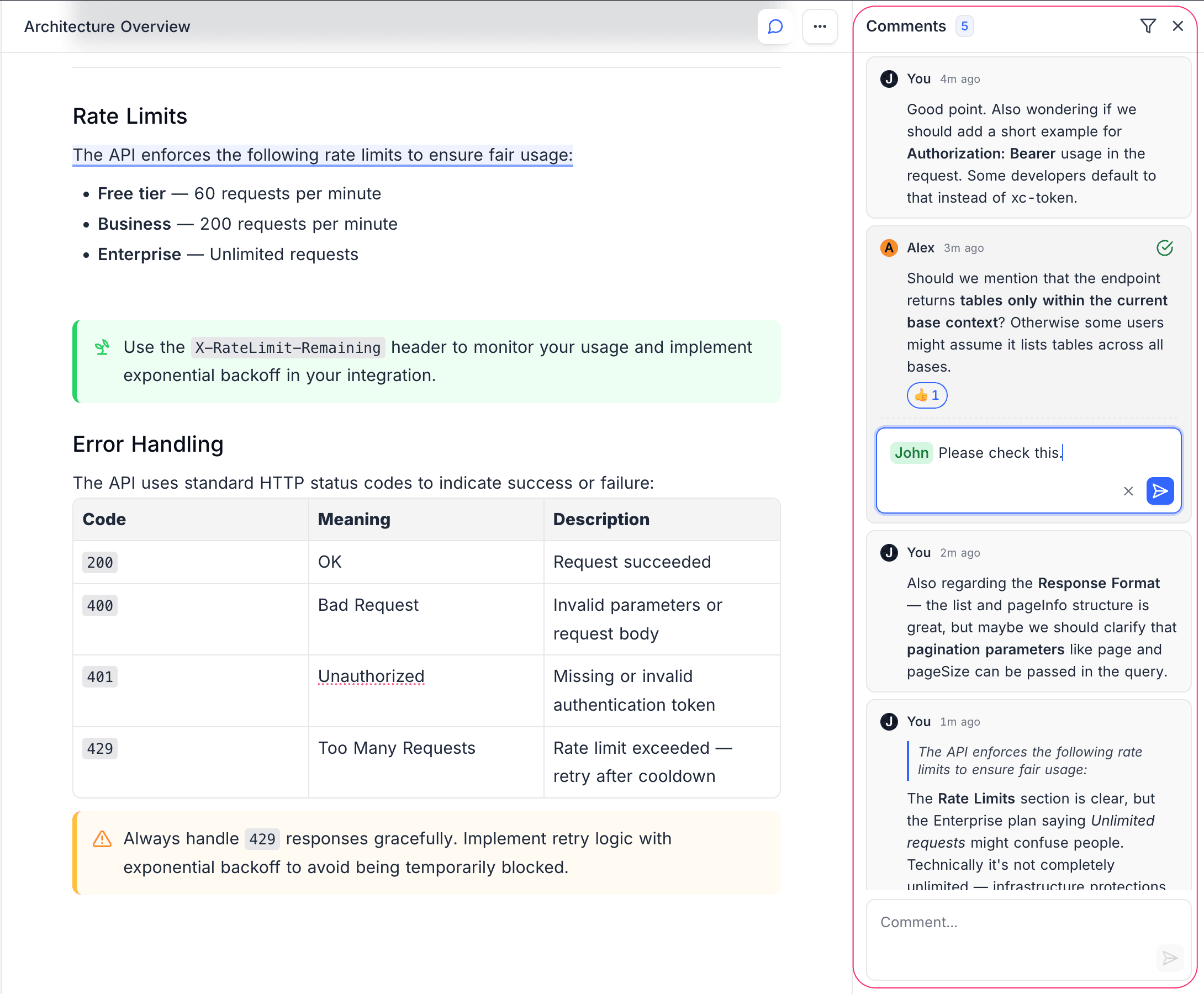
Comment Sidebar
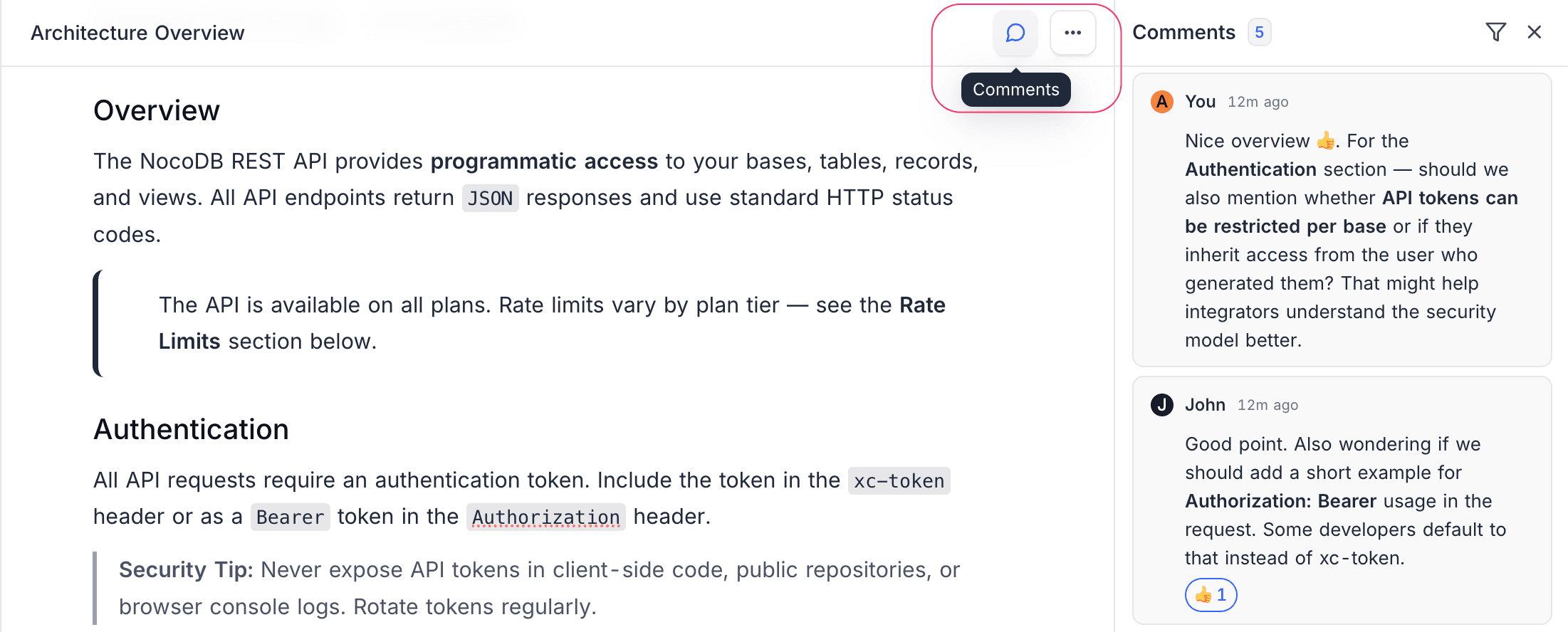
The comment sidebar provides a centralized view of all comments on the current document. Click the Comments icon in the editor toolbar to open it.
Filtering Comments
Use the filter options at the top of the comment sidebar to narrow down what you see:
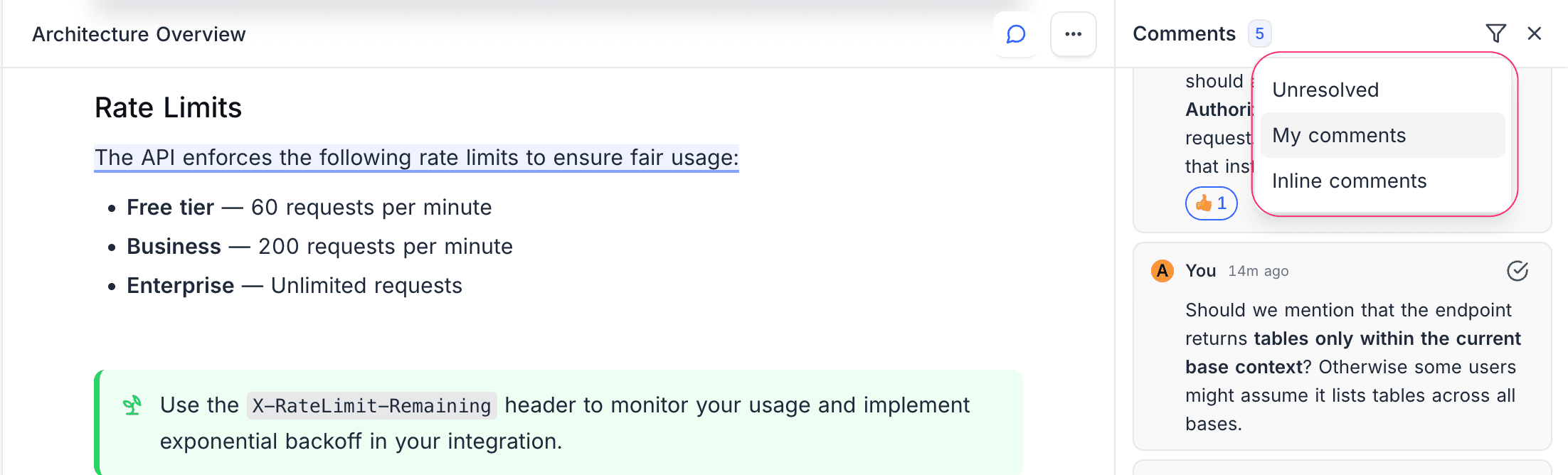
| Filter | Description |
|---|---|
| All | Show all comments |
| Unresolved | Show only open, unresolved comments |
| My Comments | Show only comments you created |
| Inline Only | Show only comments anchored to specific text |
User Mentions
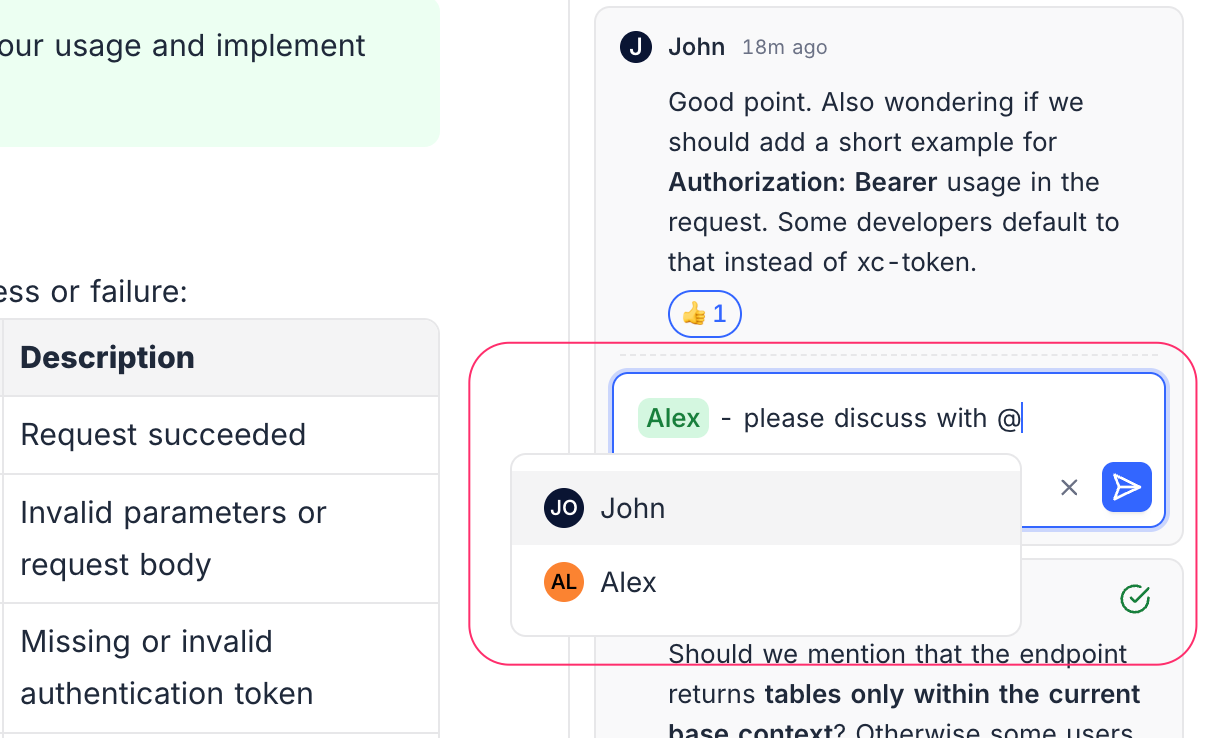
Tag team members in your comments using @ mentions:
- Type
@in the comment input field. - Select a user from the autocomplete list (populated from base members).
- The mentioned user will receive a notification.
Types of Comments
- Inline Comments — Anchor comments to specific text selections.
- Comment Threads — Reply to comments in threads.
- Reactions & Resolve — React with emojis and resolve discussions.