Comment Threads
Reply to comments and discuss in threads within NocoDocs.
Comment threads allow you to have focused discussions by replying directly to a comment, keeping conversations organized and contextual.
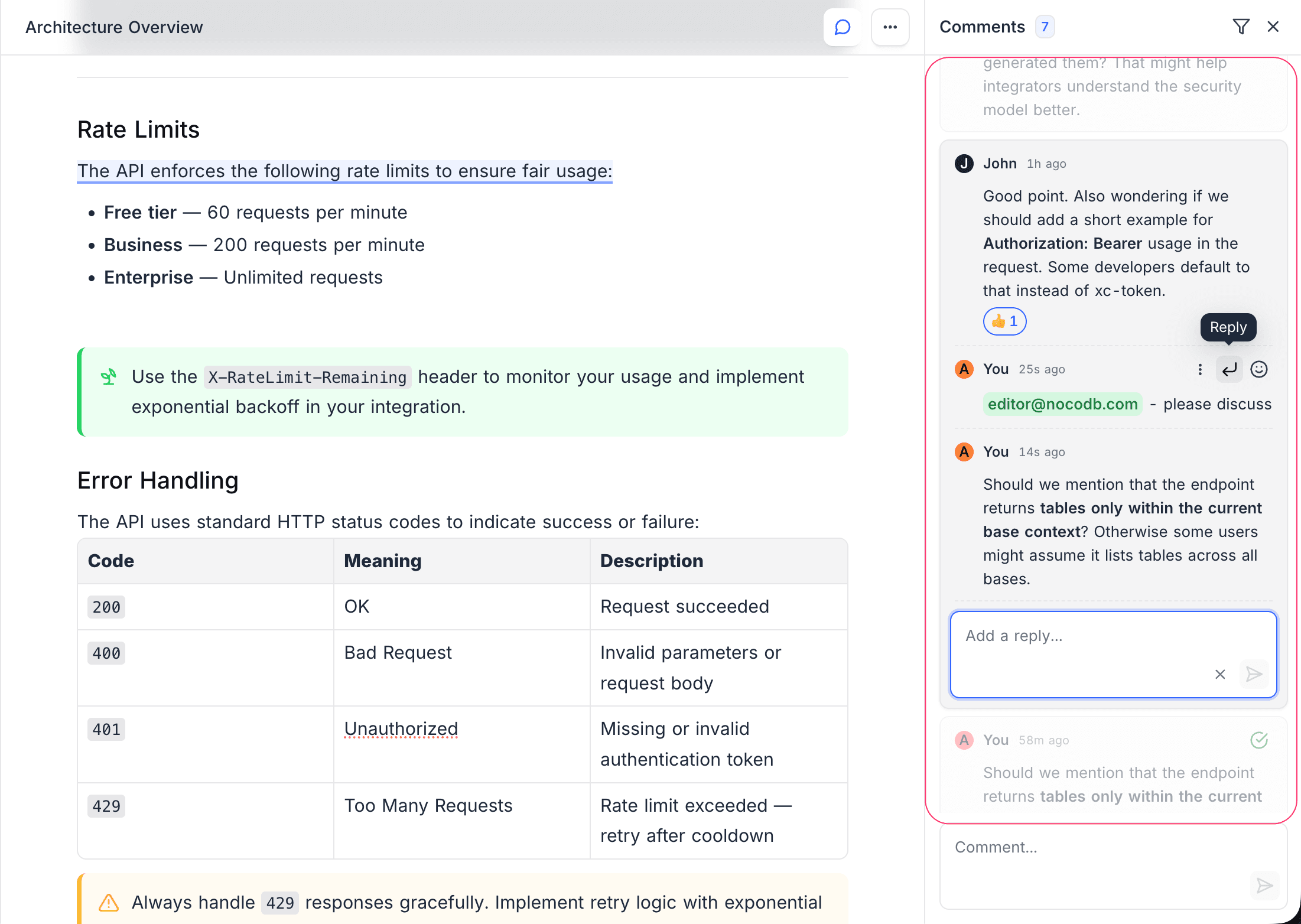
Reply to a Comment
- Locate the comment you want to reply to in the comment sidebar.
- Click the Reply button on the comment.
- Type your reply in the input field.
- Press
Enteror click Submit to post your reply.
Thread Structure
- Threads support single-level nesting — you can reply to a top-level comment, but replies cannot have their own sub-replies.
- All replies appear indented under the parent comment in the sidebar.
- The thread expands inline so you can follow the full conversation in context.
Editing and Deleting Comments
- Edit — Click the
...menu on your comment and select Edit. Modify the text and save. - Delete — Click the
...menu on your comment and select Delete. This removes the comment permanently.
You can only edit or delete your own comments.