Inline Comments ☁
Anchor comments to specific text selections in NocoDocs.
Inline comments require the Commenter role or above. Available on the Plus plan and above on Cloud. On self-hosted deployments, not included in the Community Edition and require an Enterprise license.
Inline comments allow you to attach feedback directly to a specific passage of text, making it clear exactly what the comment refers to.
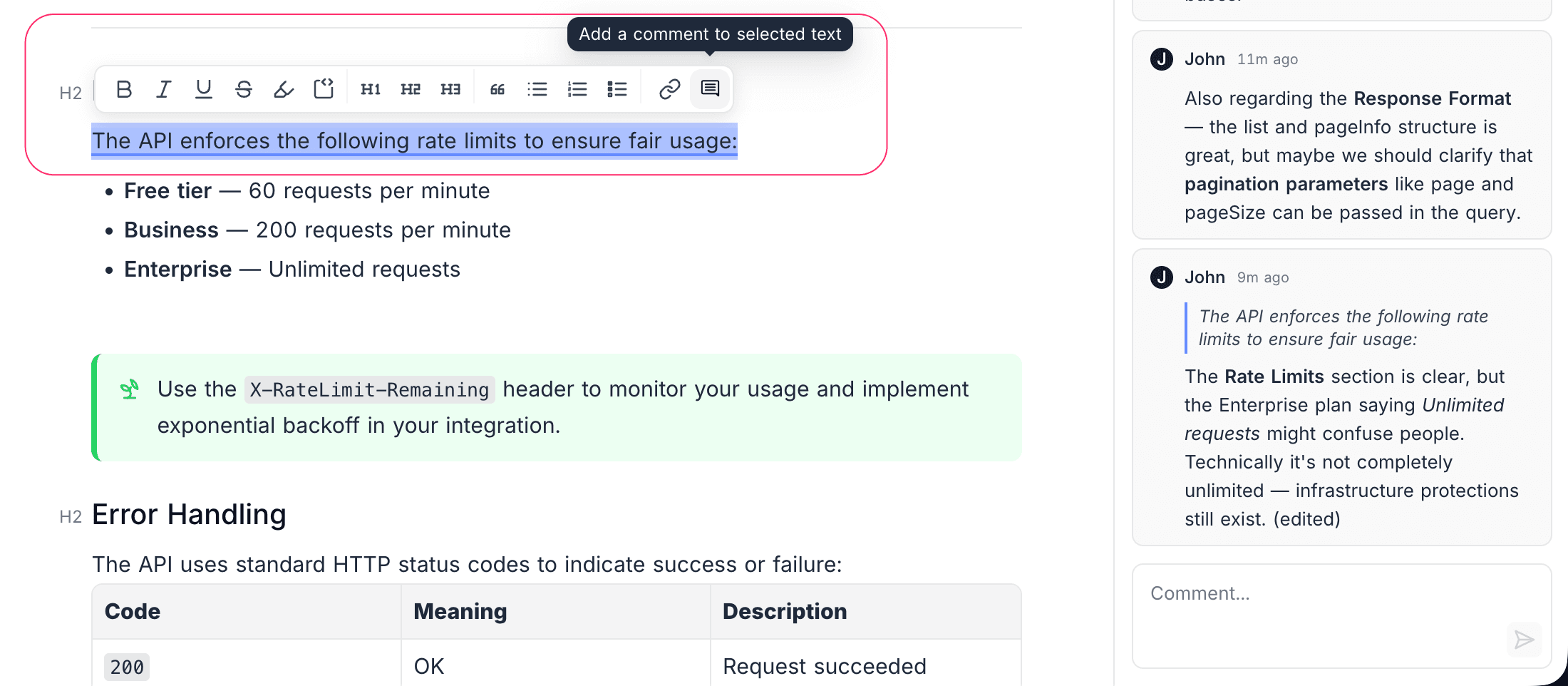
Create an Inline Comment
- Select the text you want to comment on.
- In the bubble menu, click the Comment button.
- Type your comment in the input field that appears in the comment sidebar.
- Press
Enteror click Submit to post the comment.
Visual Indicators
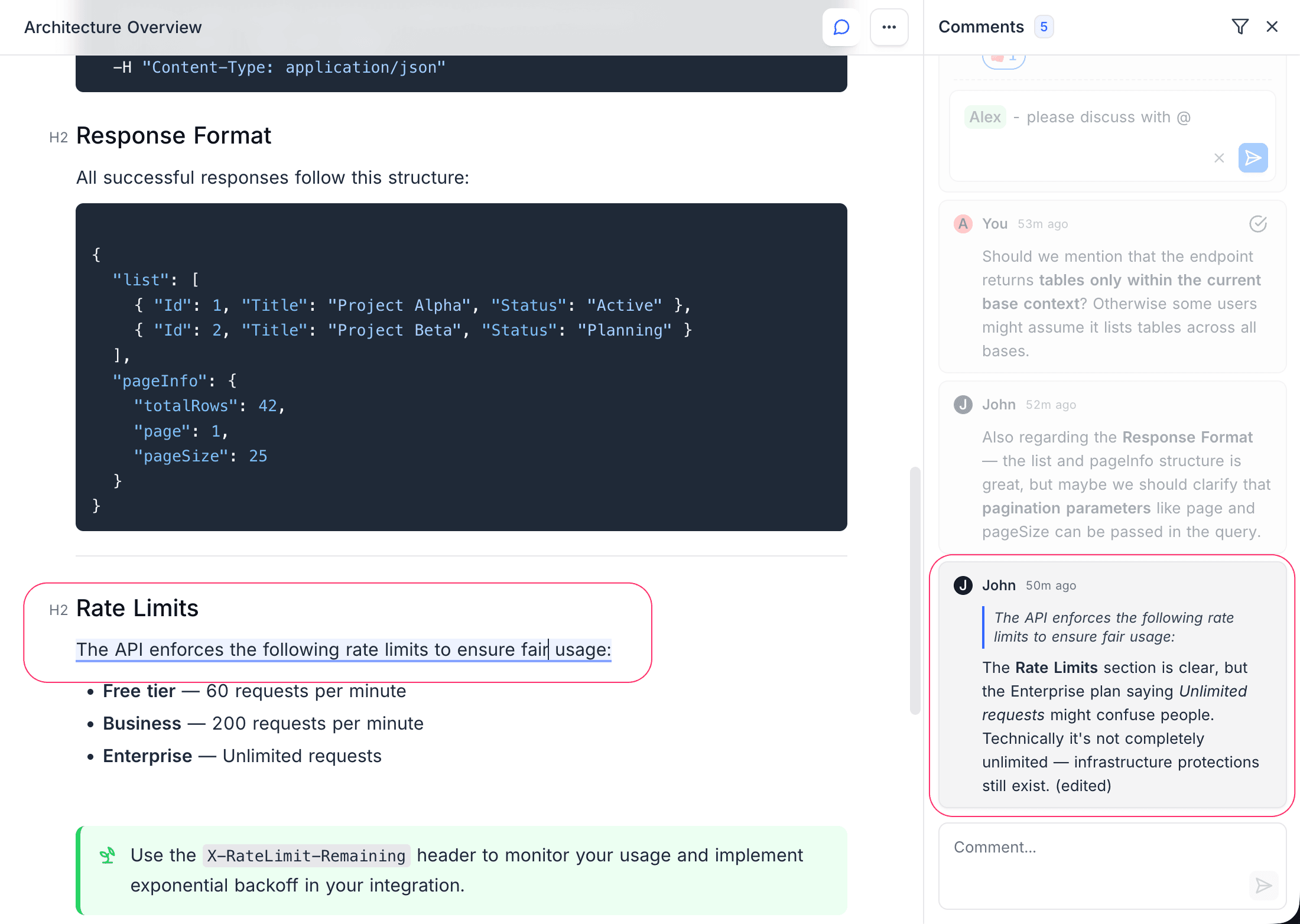
- Text with an inline comment is highlighted with a subtle background color.
- Click on highlighted text to jump to the corresponding comment in the sidebar.
- Click on a comment in the sidebar to scroll to and highlight its anchored text.
Deep Linking
Each comment has a unique URL. Share a direct link to a specific comment by copying the URL from the comment's context menu. When someone opens the link, the document will scroll to the relevant section and highlight the comment.