2026.06.0 : Introducing NocoDB Sync and Document Version History
Mirror table data seamlessly between bases with NocoDB Sync, never lose a change with full page version history, and plan further ahead with multi-week calendar views.
NocoDB Sync
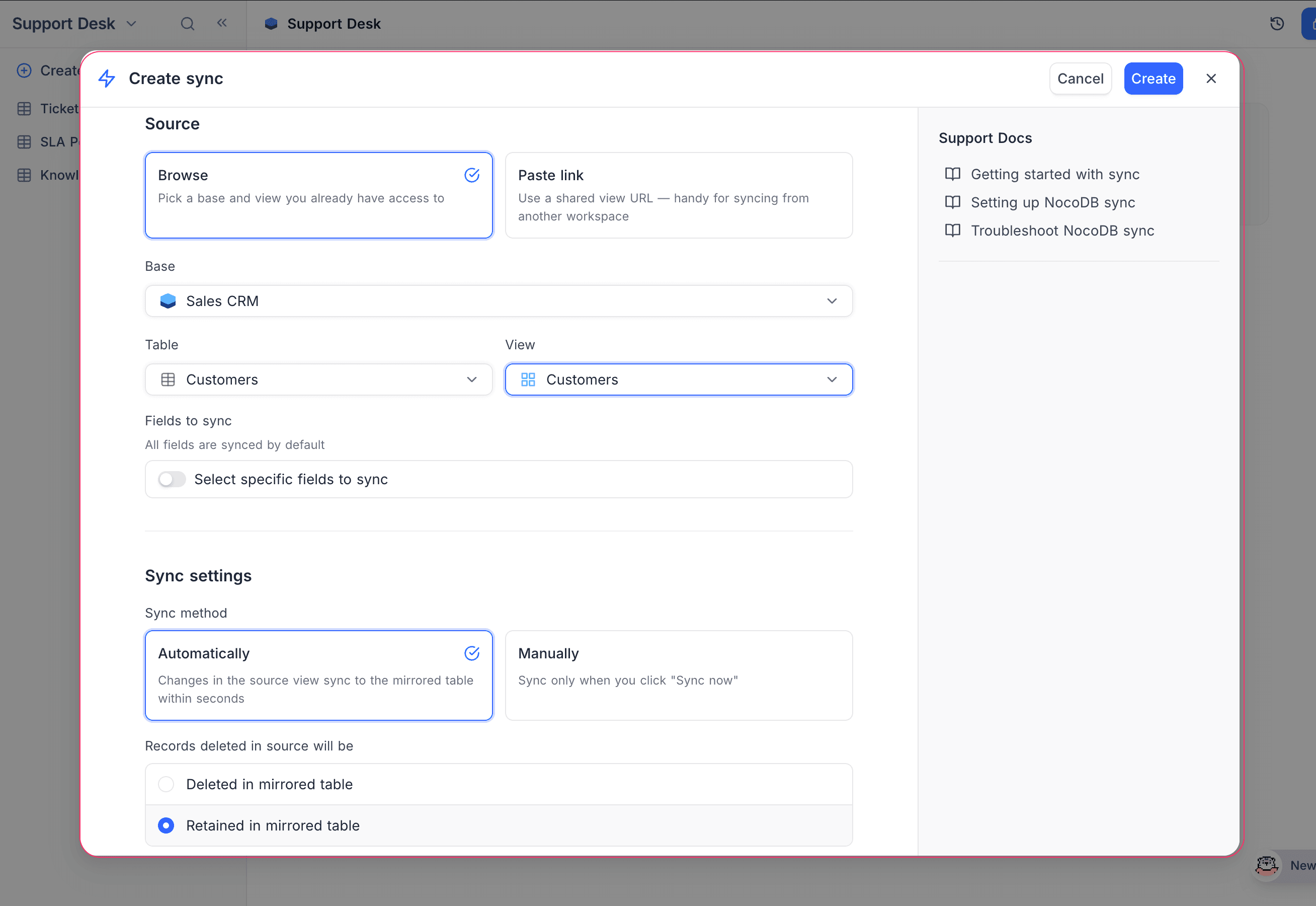
NocoDB Sync mirrors a shared view from one NocoDB base into another as a synced table that always stays up to date with its source. Whether you're rolling several team bases into a single reporting hub, feeding a downstream workflow from a single source of truth, or sharing a curated slice of data without handing over the original, NocoDB Sync keeps both sides in step without any manual copying. Existing integration-based syncs are now grouped under App Sync.
Learn more about NocoDB Sync →
Document Version History
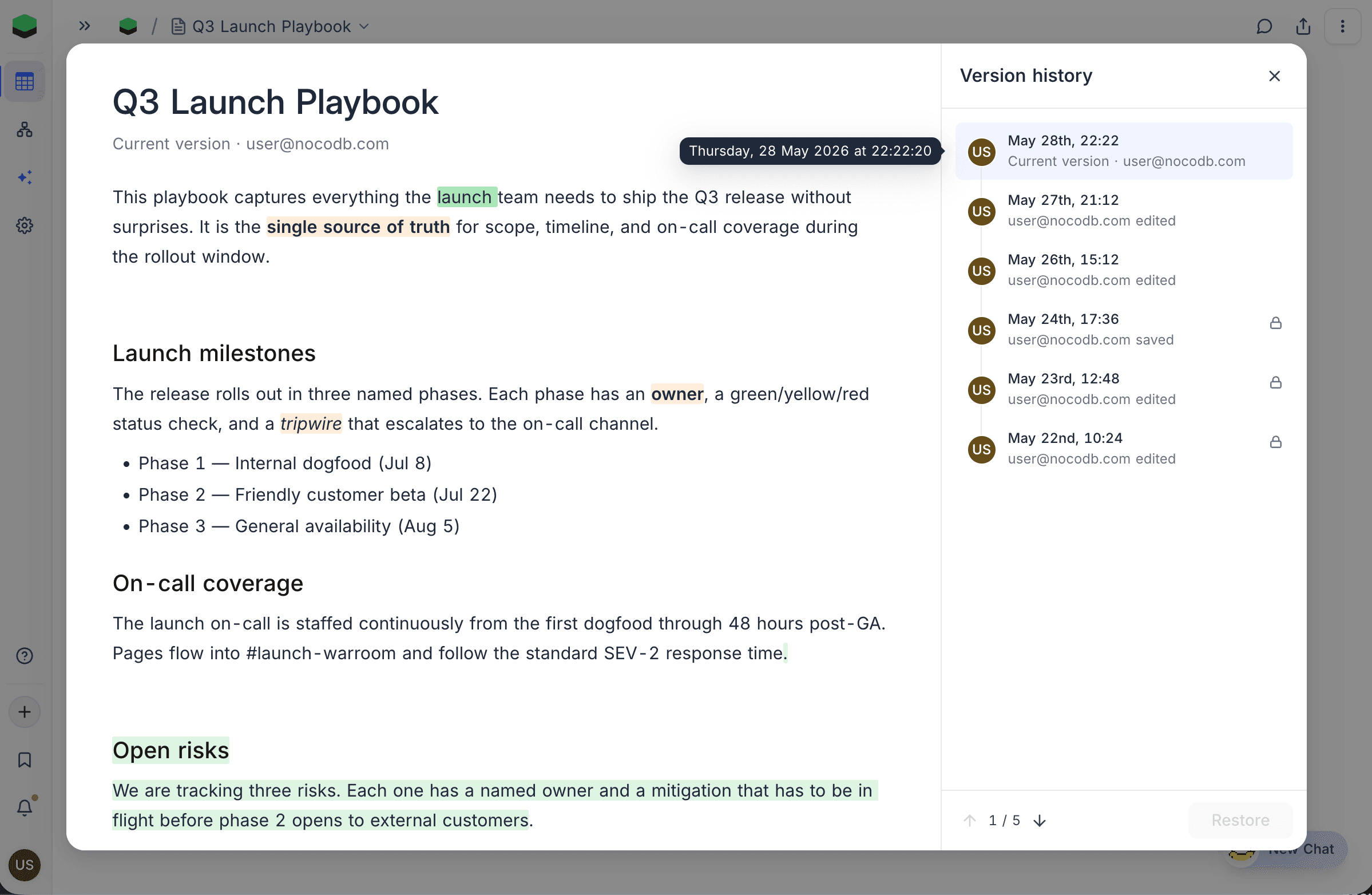
Version History automatically saves every edit to a NocoDocs page, so nothing you write is ever truly lost. Whether you're recovering a section you deleted yesterday, tracing how a shared document evolved, or rolling back an unwanted change, you can revisit any earlier version, see exactly what changed, and restore it in a single click. Viewers can browse the full history while editors can restore, and how far back it reaches depends on your plan, from 3 days on Free up to a full year on Enterprise.
Learn more about Version History →
Calendar Multi-Week Views
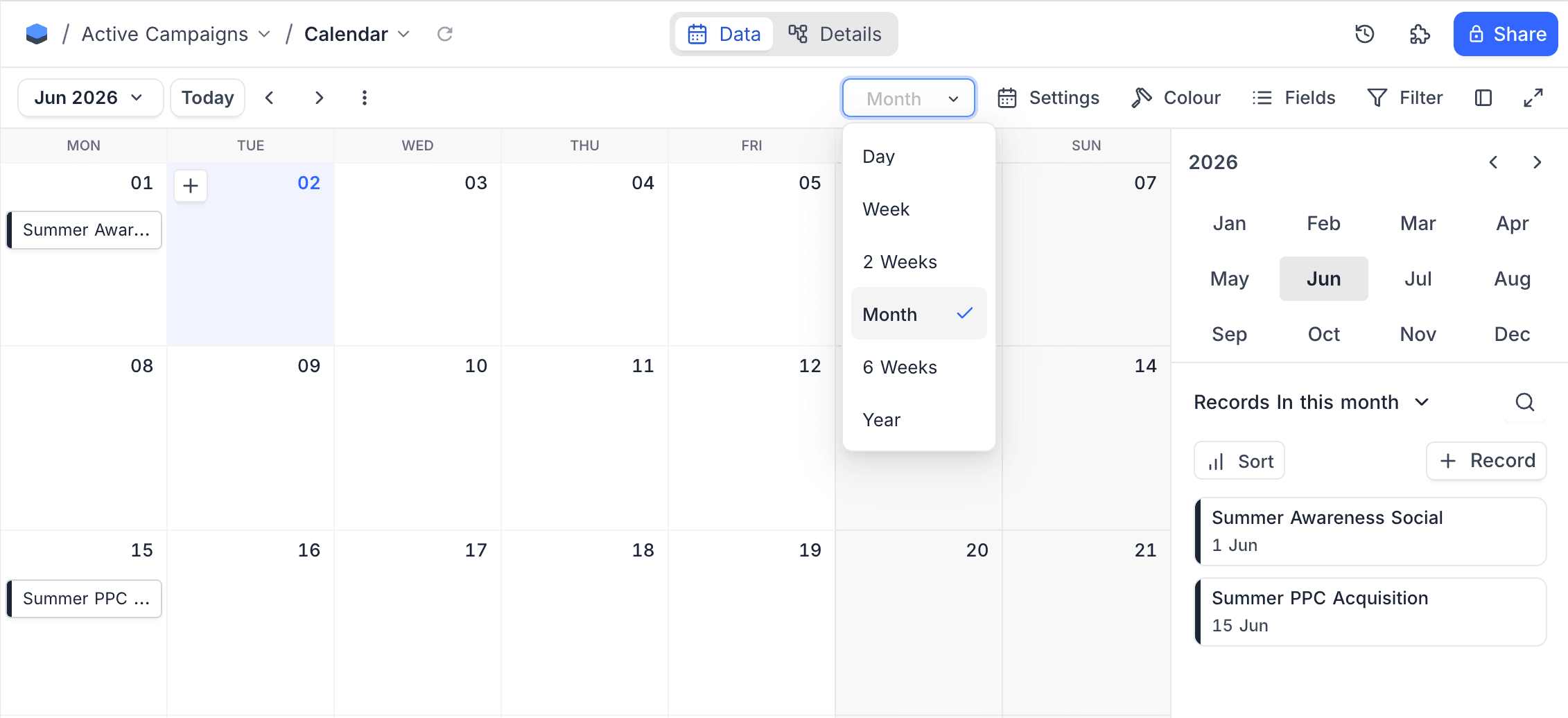
Calendar view gains two new layouts between its week and month options, 2 Weeks and 6 Weeks, so you can frame exactly the window you're planning around. Whether you're mapping out a two-week sprint, lining up a six-week content calendar, or simply wanting more context than a single week without the sprawl of a full month, these layouts let you see the right slice of time at a glance. Your chosen layout is remembered per view, so each calendar opens the way you left it.
Group Toggle
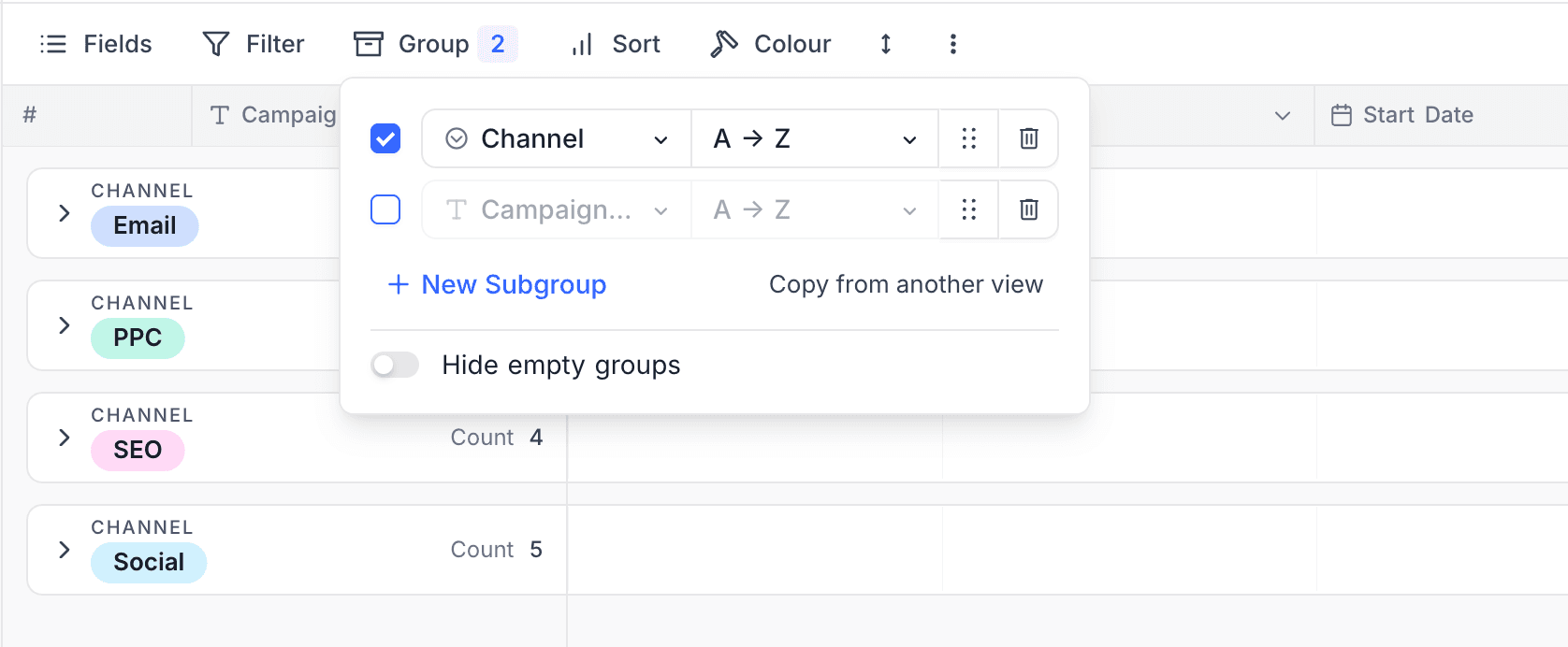
Each grouping now has a checkbox, so you can switch a group-by off without deleting it and turn it back on later with the same configuration intact. It's handy for temporarily flattening a view or comparing grouped and ungrouped layouts without rebuilding the setup.
Improvements & Fixes
- Bulk actions on multiple fields. Shift-click or Cmd/Ctrl-click grid column headers to select several fields at once, then hide, delete, group by, or filter by all of them together in a single step instead of repeating the change field by field.
- Duplicate a record from the grid. Right-click any row to create a copy of it in place.
- Sort select-field options alphabetically. A persistent A to Z toggle orders the choices in a Single or Multi Select field and keeps that order as you work.
- AutoNumber can be a table's display value. AutoNumber fields are now eligible to act as the primary display column.
- Tidier toolbar on narrow screens. When space is tight, view search collapses to a single icon instead of crowding the toolbar.
- Link and User fields render correctly in emails. Form-submission and record emails now show linked records and user fields properly instead of placeholder text.
- More reliable webhooks. Webhooks scoped to specific trigger fields no longer get silently skipped when the changed columns can't be determined, and a POST, PUT, or PATCH webhook with an empty body is now flagged as an error in the hook log instead of appearing to succeed.
- Safer schema sync. Syncing schema no longer drops links or relations when a related table has no primary key, and user-set primary keys are preserved across schema changes.
Security
- Strengthened security controls. Enhanced protections across access management, data security, and core application workflows.
- Comprehensive security hardening. Delivered broad security improvements across application and containerized workloads, reducing attack surface and improving operational resilience.
Availability
| Feature | CE / Free | Paid / Enterprise |
|---|---|---|
| NocoDB Sync | – | ✅ |
| Document Version History | – | ✅ |
| Calendar Multi-Week Views | ✅ | ✅ |
| Group Toggle | – | ✅ |