Send Email
Use the Send Email action node in NocoDB workflows to send email notifications in an automated process. Use this node to notify users, send alerts, or tell people about important updates when workflow events occur.
Ask NocoAI
Copy a prompt, paste it into NocoAI in any base, and replace the words in [brackets] with your own.
- When a record is added to [Leads], send them a welcome email
- When [Status] changes to [Shipped], email [the customer] their [tracking number]
- Every [Monday], email [my team] a list of [open tickets]
Configuration
- To: Specify one or more recipient email addresses. You can use static values or map emails from previous nodes.
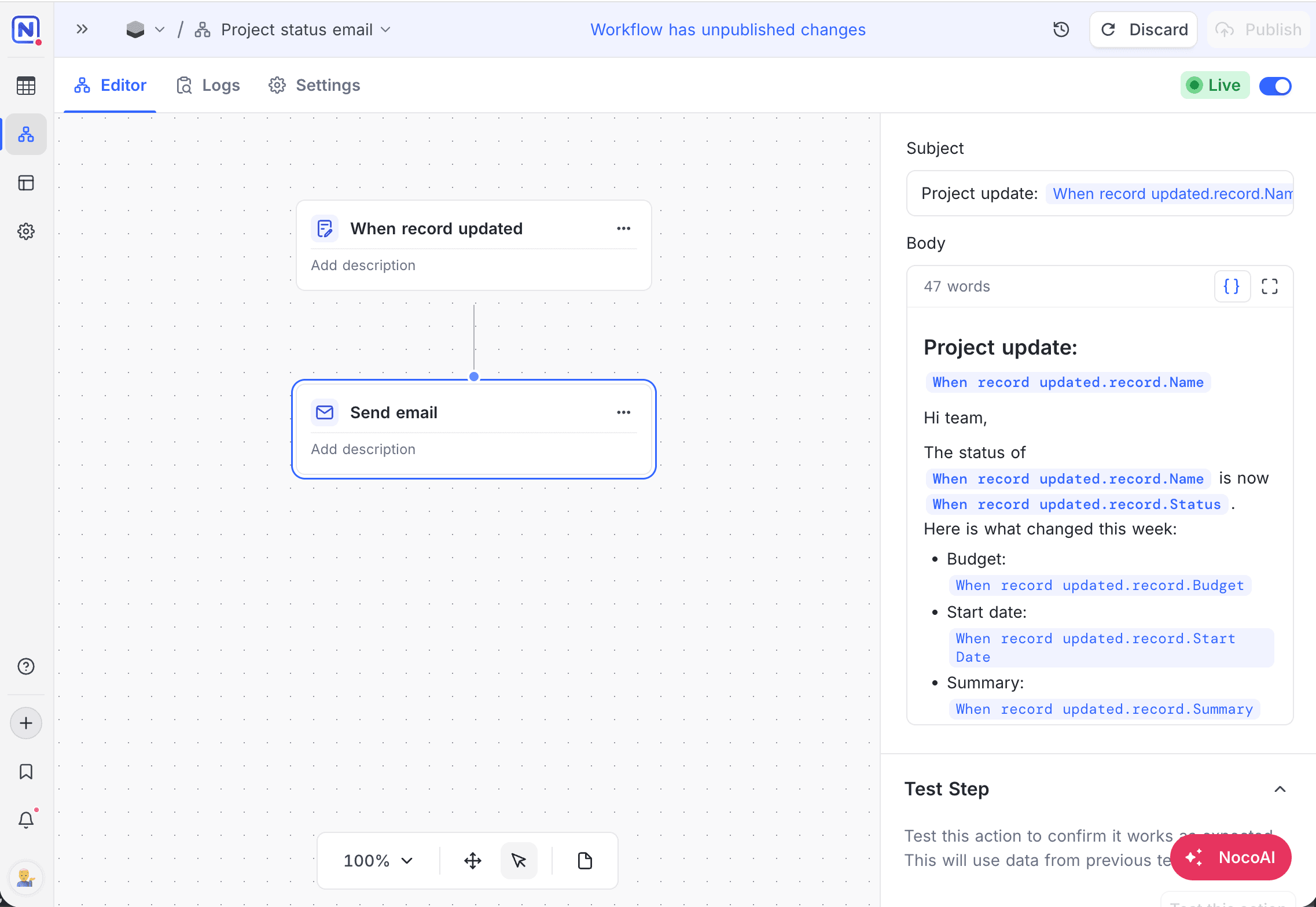
- Subject: Type the email subject. You can use static text and dynamic values from the workflow context.
- Body: Write the email content in the rich text editor.
- The editor supports headings, bold, italic, underline and strikethrough, bullet and numbered lists, block quotes, text color and highlight, font and size, alignment, and links with your own anchor text.
- You can type the full link URL, or make it from dynamic values. NocoDB then resolves the address for each record when the workflow runs.
- NocoDB sends a URL without a scheme as
https://, and a bare email address asmailto:. - To change the text or URL of a link, or to remove the link, click the link.
- You can add dynamic data from earlier nodes anywhere in the body.
- To write in a full-screen editor, click Expand.
- CC / BCC: Optionally add recipients in CC or BCC.
- Attachments: Add files to the email. Each file comes from an attachment field in an earlier node, from a file that you upload, or from a URL. One email carries a maximum of 10 files and 18 MB.
NocoDB sends a formatted body as HTML, with a plain-text copy for clients that cannot show HTML. NocoDB sends a body without formatting as plain text.
NocoDB downloads a URL attachment at the time that it sends the email, so the link must be public. The URL can contain values from earlier nodes.
How it works
- When the workflow gets to the Send Email node, the node makes the email from the configured subject and body.
- The configured email service sends the email to the specified recipients.
- After the email is sent, the workflow continues.
Use cases
- Notify users when records are created, updated, or deleted.
- Send approval requests or status updates.
- Send alerts for failures, thresholds, or time-based events.
Availability
- Available on the NocoDB Cloud Plus plan and higher, and on licensed on-premise deployments.
- On cloud instances, NocoDB sends email from
noreply@nocodb.com. On self-hosted instances, configure an SMTP server in the NocoDB settings to send email.
Last updated on
Latest product updates?See Changelog