Find Record
Use the Find Record action node in NocoDB workflows to find and get one record from a table view by its record ID. Use this node to get the details of a record for later workflow steps.
Ask NocoAI
Copy a prompt, paste it into NocoAI in any base, and replace the words in [brackets] with your own.
- When a record is added to [Orders], find the [customer] by [Email] and link them
- When a [ticket] is created, find its [account] and email [the account manager]
- When [Status] changes in [Tasks], find the [project] and update its [Last Activity]
Configuration
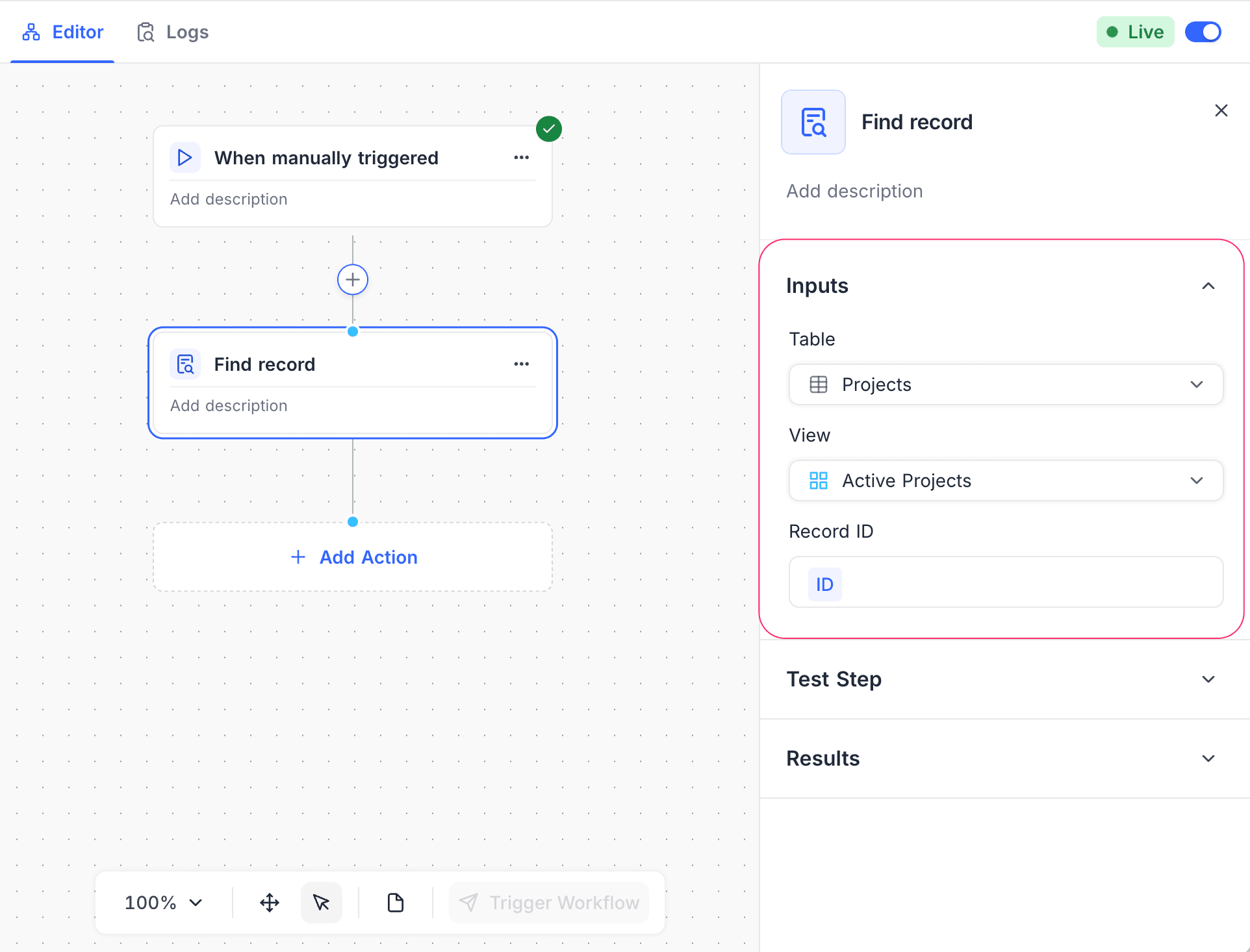
- Table: Select the table that contains the record.
- View: (Optional) Select a view. The search then uses the filters and sorting of that view.
- Record ID: Specify the unique identifier of the record. You can use static values or map data from previous nodes in the workflow.
How it works
- When the workflow gets to the Find Record node, the node searches the selected table for the Record ID.
- If the node finds a matching record, it returns the record data. Later nodes can use this data.
- If the node finds no matching record, it returns an empty result.
Use cases
- Find a user, project, or other entity before you update or link records.
- Look for existing records to prevent duplicates.
- Get a related record to add data for later workflow actions.
Availability
- Available on NocoDB Cloud (all plans) and licensed on-premise deployments.
Last updated on
Latest product updates?See Changelog