List Records
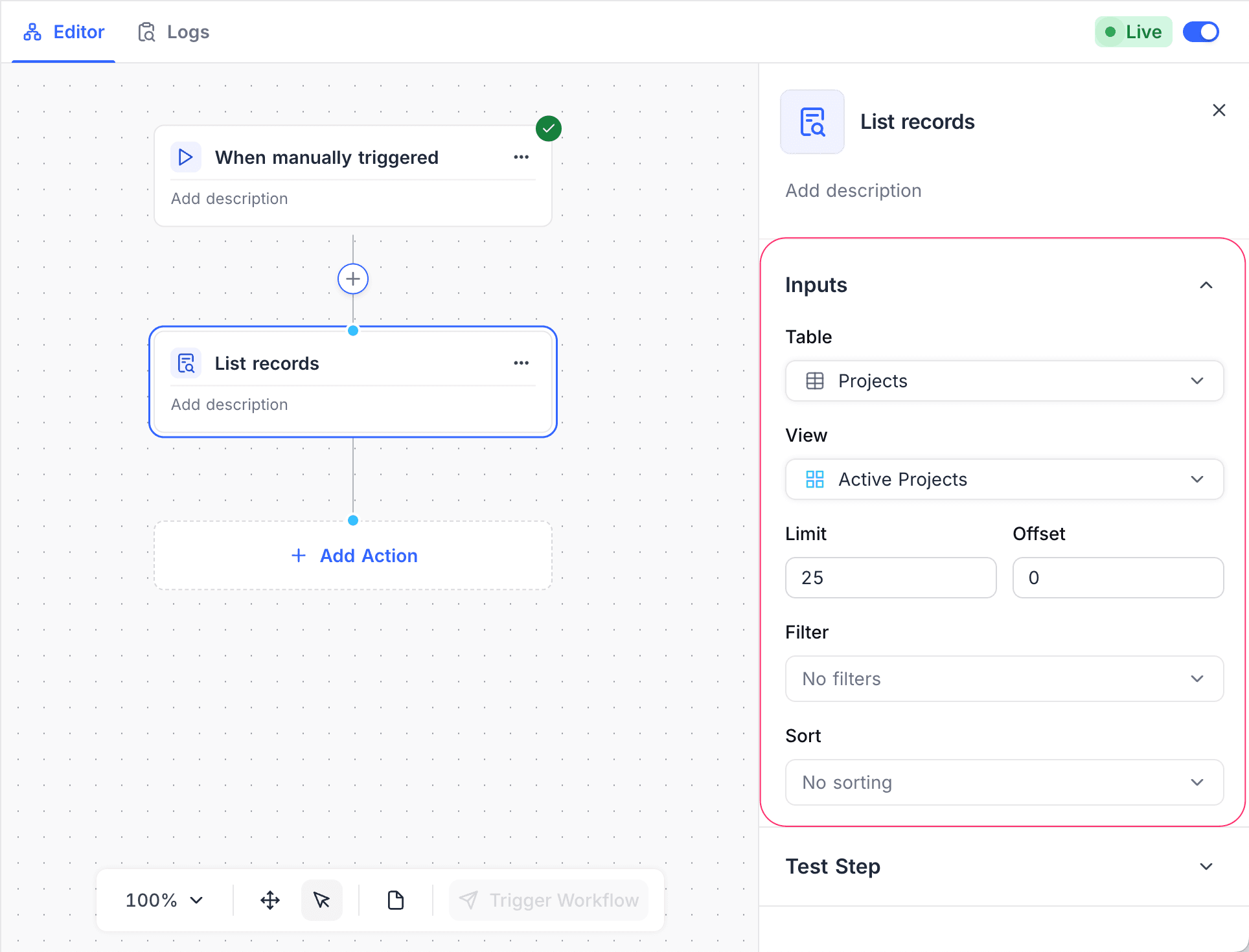
Use the List Records action node in NocoDB workflows to get many records from a selected table. Defined filters and limits control which records you get. Use this node to process, evaluate or act on a collection of records in a workflow.
Ask NocoAI
Copy a prompt, paste it into NocoAI in any base, and replace the words in [brackets] with your own.
- Every [morning], list [tasks due today] and email them to me
- Every [Friday], list [deals closed this week] and email a summary to [the sales team]
- When a [Project] is marked [Done], list its [open tasks] and set them to [Cancelled]
Configuration
| Setting | What it does |
|---|---|
| Table | Select the table that contains the records. |
| View | (Optional) Select a view. NocoDB then uses the filters and sorting of that view. |
| Limit | (Optional) Set the maximum number of records to get. The default is 25. |
| Offset | (Optional) Set the number of records to skip before the results start. |
| Filters | (Optional) Set conditions to limit the records that you get. Filters can use static values or data from previous workflow nodes. NocoDB applies these filters together with the filters of the selected view. |
| Sort | (Optional) Specify the field(s) and the order (ascending/descending) for the records. |
How it works
- When the workflow gets to the List Records node, the node queries the selected table with the configured filters.
- The node returns the matching records as a list. Later nodes can use this list, for example loops or conditional logic.
Use cases
- Get all pending tasks, or all records with a specific status.
- Get related records before bulk updates or notifications.
- Prepare a dataset for iteration with loop nodes.
Availability
- Available on NocoDB Cloud (all plans) and licensed on-premise deployments.
Last updated on
Latest product updates?See Changelog