HTTP Request
The HTTP Request action sends HTTP requests from a workflow to external APIs or services. You can configure the request method, headers, query parameters and advanced execution options.
When to use
Use the HTTP Request action to:
- Trigger external webhooks
- Get data from third-party APIs
- Send data to external systems
- Connect workflows to custom or internal services
Configuration
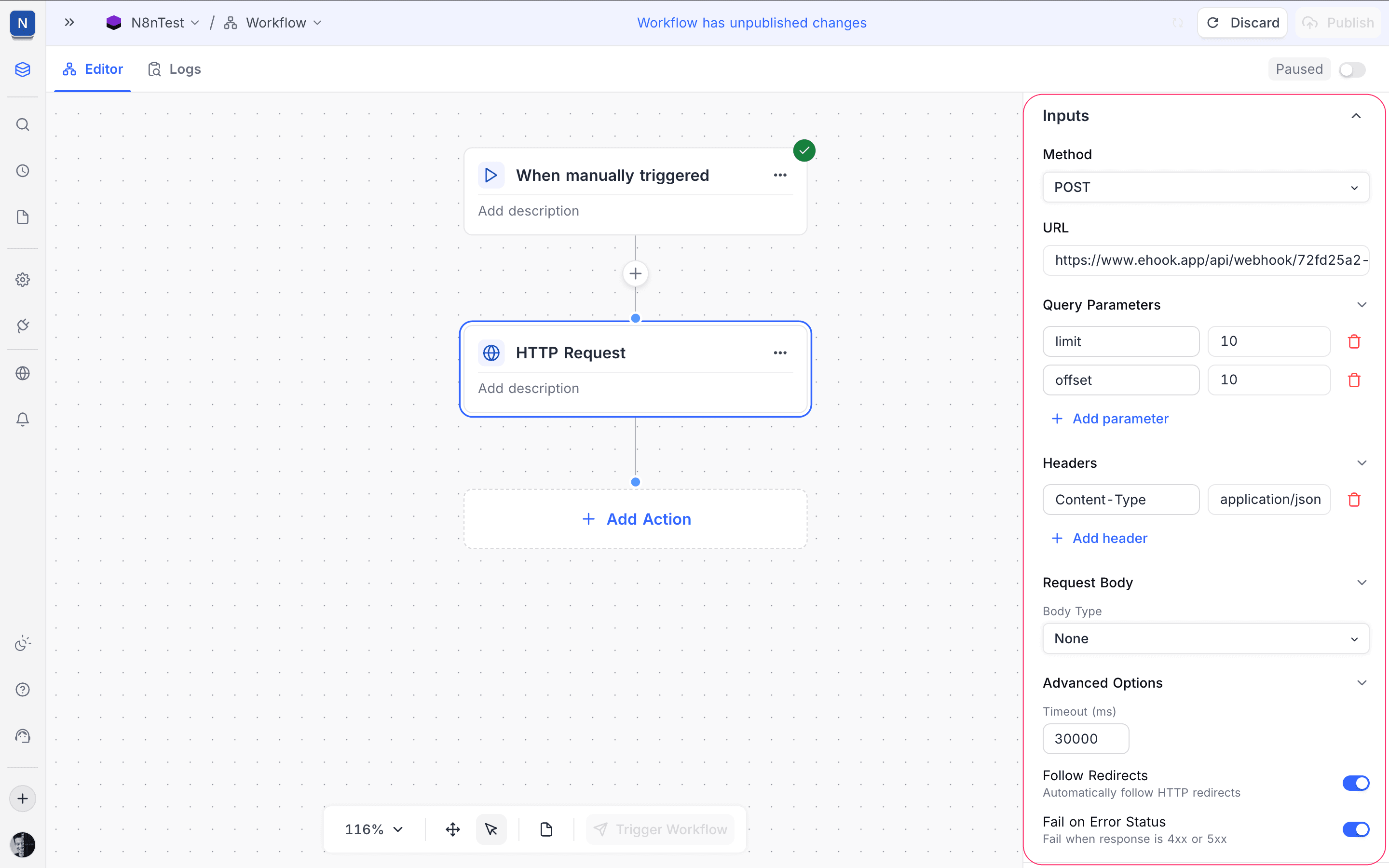
Method
Select the HTTP method for the request.
- Supported values include
GET,POST,PUT,PATCH, andDELETE.
URL
Type the URL of the target endpoint for the request.
Example:
https://example.com/api/webhookQuery Parameters
Add key–value pairs. NocoDB adds them to the request URL as query parameters. To add more parameters, click Add parameter. Each parameter has:
- Key
- Value
Example:
?limit=10&offset=10Headers
Specify the HTTP headers to send with the request.
- Common headers are:
Content-TypeAuthorization
- To add more headers, click Add header.
Example:
Content-Type: application/jsonRequest Body
Configure the request payload.
- Body Type
None: NocoDB sends no request body.- (Other body types can be available, based on workflow capabilities.)
Use this section when you send data with POST, PUT, or PATCH requests.
Advanced Options
Timeout (ms)
Set the maximum time (in milliseconds) that the workflow waits for a response. After this time, the request times out.
Default:
30000 msFollow Redirects
When this option is on, the request automatically follows HTTP redirects (3xx responses).
Fail on Error Status
When this option is on, the workflow execution fails if the response status code is:
4xx(Client errors)5xx(Server errors)
Use this option for strict error handling in workflows.
Execution Flow
- The previous workflow step triggers the HTTP Request action.
- Later actions in the workflow can use the response data.
- If the request fails and Fail on Error Status is on, the workflow execution stops.
Last updated on