Interfaces
Build easy-to-use interfaces that make even complex workflows simple. Create custom apps on top of your NocoDB data.
Interfaces let you build custom, easy-to-use apps on top of your base data. Instead of giving everyone access to the full base with all its tables, views, and configuration options, you design focused pages that surface exactly the data and actions each audience needs: a review queue for approvers, a dashboard for leadership, a form for field teams, or a full internal tool that combines all of them.
Interfaces are currently in beta. They are available on all NocoDB Cloud plans and on self-hosted deployments; the Community Edition includes 2 interfaces with up to 2 pages each. Some interface capabilities require a paid plan.
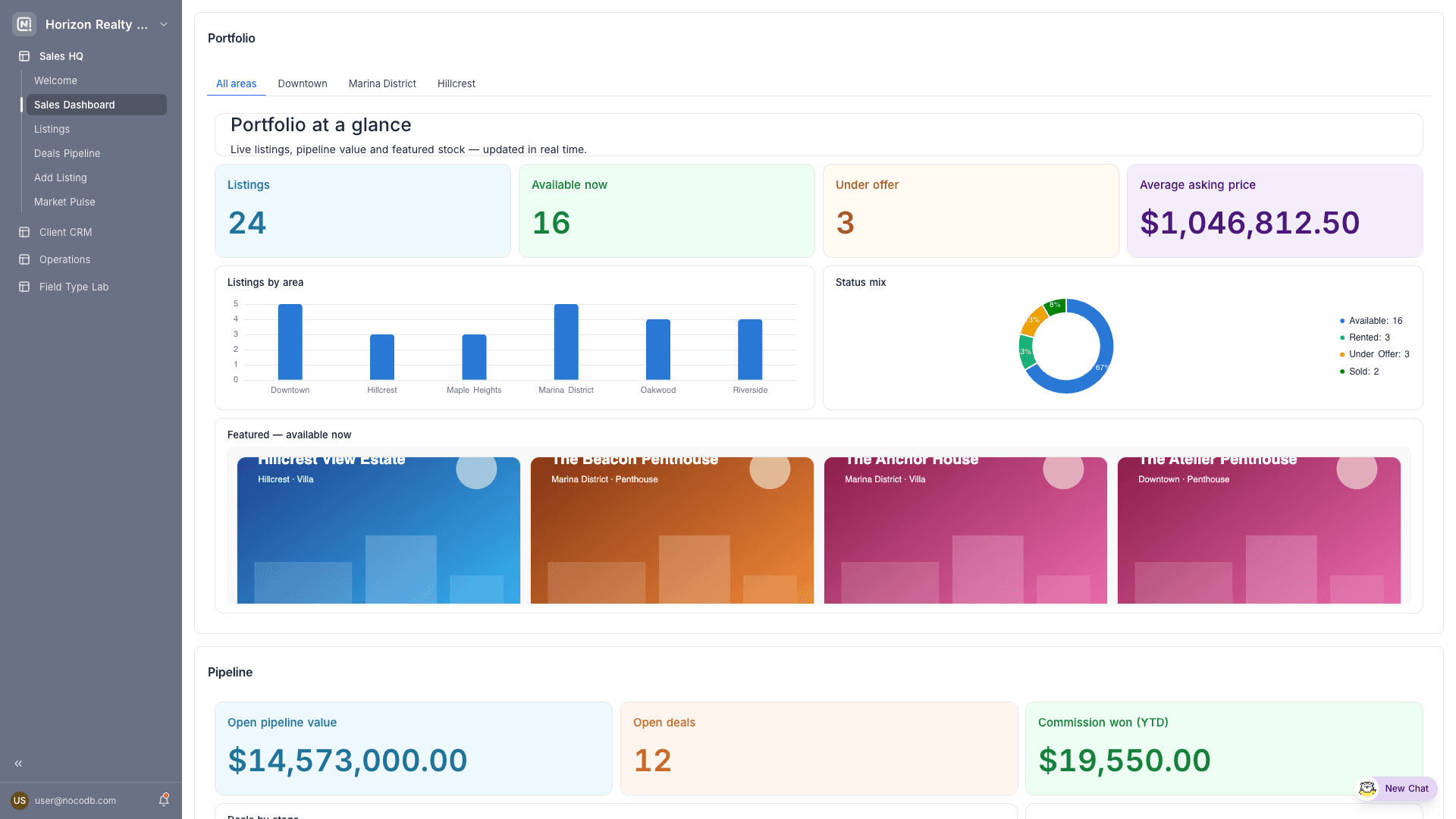
How interfaces are structured
| Concept | Description |
|---|---|
| Interface | A named app that belongs to a base. Each interface has its own icon, colour, style, pages, and access controls. Interfaces are listed in the base sidebar under the Interfaces section. |
| Page | A screen within an interface. Every page uses one of seven layouts. Pages appear in the interface navigation, or can be hidden and opened contextually (for example, a record detail page opened by clicking a record). |
| Elements | The building blocks placed on pages: visualizations, widgets, fields, buttons, and filters. See Fields, buttons & filters. |
| Draft & published versions | Edits are made to a draft. Viewers always see the last published version, so you can iterate safely and publish when ready. |
Page layouts
Every page in an interface is based on a layout:
| Layout | Purpose |
|---|---|
| Table | Work with records using Grid, Gallery, Kanban, List, Calendar, or Timeline visualizations |
| Record review | Step through records one by one, ideal for approval and triage flows |
| Dashboard | High-level view of your data with charts, metrics, and other widgets |
| Form | Let users create new records through a guided form |
| Overview | Welcome users with links, bookmarks, and resources |
| Record detail | A reusable detail page for a single record, opened from other pages |
Who can do what
- Build: Only base creators and owners can create and edit interfaces.
- Use: Collaborators access the published version of an interface based on the roles granted to them, at the interface level or per page. People without any base role can still be invited to an interface, making it a safe way to share data with a wider audience.
- Share publicly: Individual table and dashboard pages can be shared to the web as read-only pages, optionally protected with a password. Public sharing ships as its own release phase and is not available yet.
Get started
- Create an interface using the guided setup.
- Design pages in the interface builder.
- Publish your changes and share the interface with your team.
Published interfaces are fully responsive and work on mobile devices. The interface builder itself is desktop-only.