AI Agents
Copy a prompt, paste it into NocoAI in any base, and replace the words in [brackets] with your own.
- Create an agent that answers questions about [open deals] and [who owns them]
- Create an agent that sums up [last week's new deals] every [Monday] and posts it to [#sales] in Slack
- Create an agent that fills in [missing company details] when a [contact] is added
NocoDB is a no-code AI agent builder for business. Its AI agents work on the data of a project. An AI agent reads and changes your tables, records and documents, and it can search the web. People chat with it in NocoDB or on Telegram. It also runs on its own: on a schedule, when records change, or when another system calls its webhook.
You build an AI agent without code. Describe the job in a chat, start from a template, or fill in the settings yourself. NocoDB calls this kind of agent a General agent. For an agent that works on code, see Coding Agent.
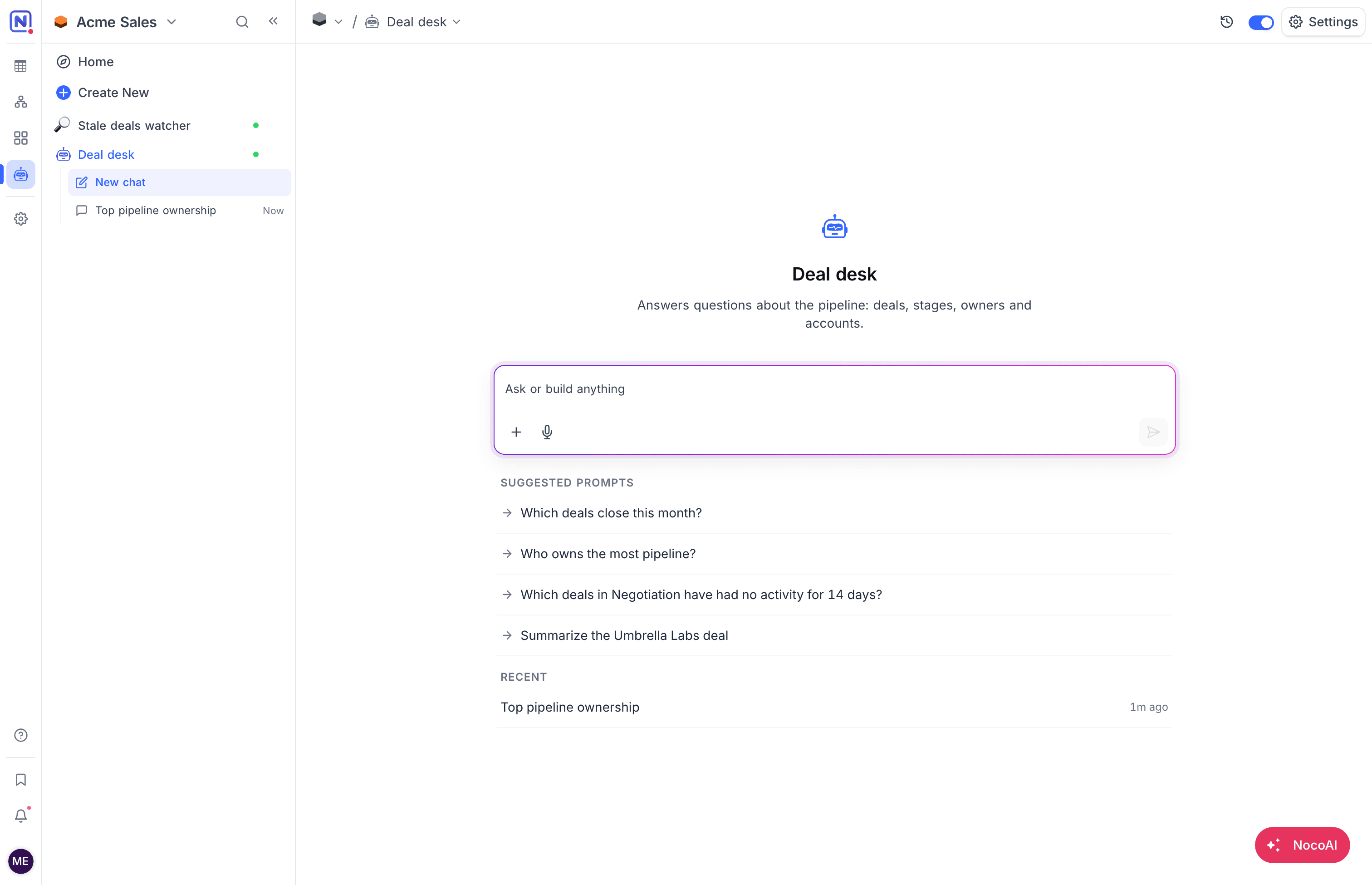
What an AI agent does
A NocoDB AI agent does jobs that need judgment, on the data that your team already keeps in NocoDB:
- Answer questions about your tables and documents, in chat or on Telegram.
- Write reports and briefs, for example a weekly digest or a morning plan, and send them to the chat, an email or Slack.
- Watch and alert, for example on deals that stall or stock that runs low.
- Triage and route new requests: set tags and priority, and assign an owner.
- Keep data clean: fill in missing details and fix duplicates.
- Draft messages for follow-ups and check-ins, ready for review.
Each of these jobs has a template. See Use cases and templates.
How do AI agents work?
A NocoDB AI agent works from its settings. You set them once, and the agent applies them on every chat and every run. Each setting has its own page.
| Setting | What it decides |
|---|---|
| Instructions and files | The job, written as you would brief a teammate, and reference files that the agent reads on every run. |
| Tools and access | What the agent can read and change: tables and records, documents and the web. |
| Skills | Reusable sets of instructions that the agent loads when they are relevant. |
| Triggers and results | What starts the agent without a chat, and where it sends its results. |
| Channels | Where people can message the agent outside NocoDB, for example Telegram. |
| Roles and permissions | The project role of the agent, so table permissions and record-level security apply to it. |
Build an AI agent
AI agent or AI assistant?
NocoDB has both. NocoAI is the AI assistant that you chat with in NocoDB, and it works when you ask it. An AI agent has a standing job: its own instructions, access and project role. People chat with an AI agent too, and it also runs on its own from triggers.
| NocoAI, the AI assistant | An AI agent | |
|---|---|---|
| Starts work | When you ask in the chat | When someone chats with it, or when a trigger fires |
| Knows the job from | Your message | Its instructions, files and skills |
| Acts with | Your access | Its own project role and access level |
Agentic workflows with triggers
An agentic workflow is a job that an AI agent runs on its own, with judgment at each step. In NocoDB, a trigger starts the agent: a schedule, a new or changed record, a comment, a form submission, or a webhook call. The agent then reads the data, decides what to do, and sends its result to the chat, an email or a Slack channel. See Triggers and results.
AI agents for data analysis on your tables
A NocoDB AI agent works on your tables directly, so it can analyze the data that your team keeps in NocoDB. Ask it about open deals, stock levels or support load, and it reads the records to answer. Table permissions and record-level security apply to the agent, so it sees only the data that its role allows. See Tools and access.
AI agent or workflow?
A NocoDB AI agent and a workflow can both start on a schedule or when a record changes. A workflow suits a fixed sequence of steps that every run repeats. An AI agent suits a job that needs judgment: to read records, decide what matters, and answer, summarize, triage or draft. See Agent or workflow?.
Availability
NocoDB AI agents are available on the Plus, Business, Scale and Enterprise plans of NocoDB Cloud. They are not available on the Free plan or on self-hosted NocoDB. AI agents use the credits of the workspace. See Availability.
Related
Last updated on