AI Agent Skills
AI agent skills in NocoDB are reusable instructions. A skill is a set of instructions for a procedure, for example how to write a report or how to analyze a spreadsheet. A NocoDB agent loads a skill only when its task needs it. Use skills for procedures that several agents share. Use the instructions for the job of one agent.
Before you begin
- To turn skills on or off for an agent, you need the Creator role or higher in the project.
Turn on AI agent skills
- Open the agent.
- In the top bar, click Settings.
- Go to Skills. The section lists the skills that the agent can use.
- Turn on the switch of each skill that the agent needs.
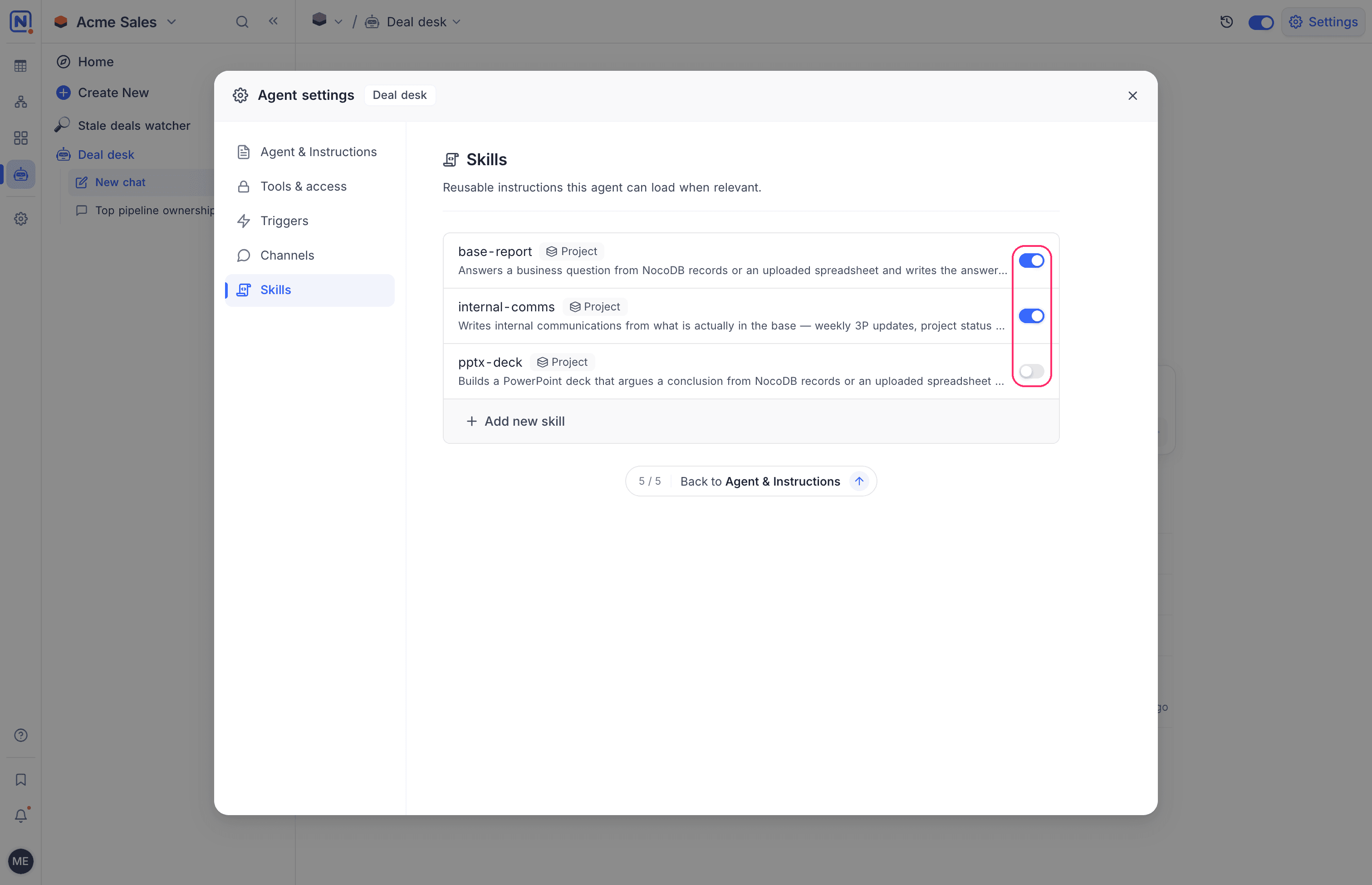
The change applies from the next run. When no skill is installed, the section shows No skills in this workspace's catalog yet.
Which skills an agent can use
Each skill shows a tag with its scope:
| Scope | Where the skill is available |
|---|---|
| Project | This project only. |
| Workspace | Every project in the workspace. |
| Organization | Every workspace in the organization. Organization skills are managed in the Admin Panel. |
NocoDB does not offer Personal skills to agents. A personal skill is visible to one member only. With personal skills, an agent acts differently for each person who uses it.
Add a skill
- In the Skills section, click Add new skill. The Install skills dialog opens.
- Find a skill on the NocoDB tab, or search public skills on the Community tab.
- Click Install on the skill. The button changes to Installed.
- Close the dialog.
- In the Skills section, turn on the switch of the new skill. A new skill is off until you turn it on.
A skill that you add from the agent settings is installed in the project of the agent. It does not become available in other projects.
Related
Last updated on