Embeds
Embed content from 25+ platforms in NocoDocs.
NocoDocs lets you embed rich content from 25+ external platforms directly into your documents, keeping everything in one place.
Insert an Embed
- Type
/embedin the editor. - Select Embed Source from the slash command menu -- like YouTube.
- Paste the URL of the content you want to embed.
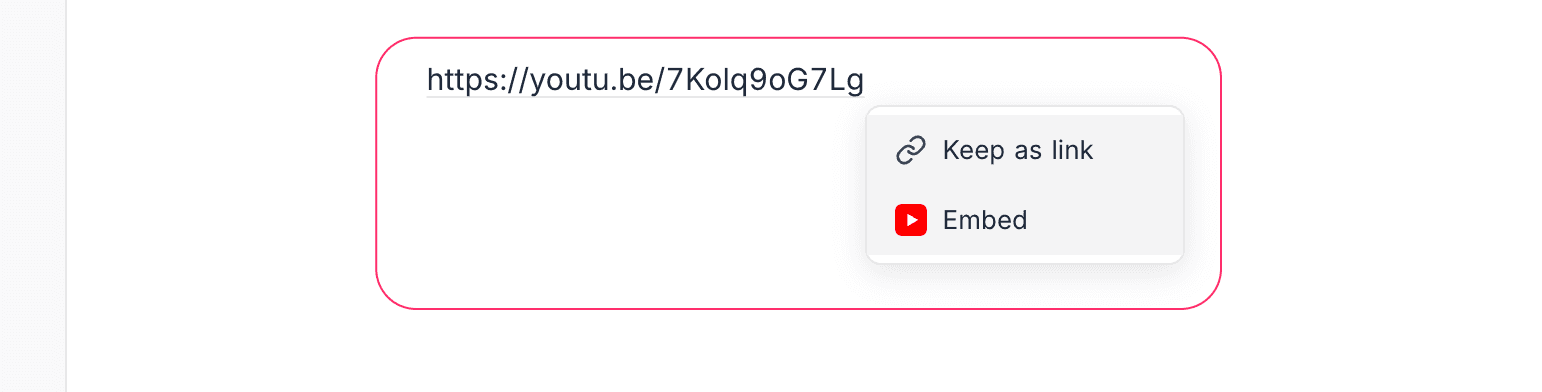
You can also paste a supported URL directly into the editor — it will automatically offer to convert it into an embed.
Supported Platforms
Video
| Platform | Example URL |
|---|---|
| YouTube | youtube.com/watch?v=... |
| Vimeo | vimeo.com/... |
| Loom | loom.com/share/... |
| Dailymotion | dailymotion.com/video/... |
Code & Development
| Platform | Example URL |
|---|---|
| CodePen | codepen.io/... |
| GitHub Gist | gist.github.com/... |
| StackBlitz | stackblitz.com/... |
| JSFiddle | jsfiddle.net/... |
| CodeSandbox | codesandbox.io/... |
Design
| Platform | Example URL |
|---|---|
| Figma | figma.com/file/... |
| Behance | behance.net/... |
Music
| Platform | Example URL |
|---|---|
| Spotify | open.spotify.com/... |
| SoundCloud | soundcloud.com/... |
Productivity & Social
| Platform | Example URL |
|---|---|
| Google Docs | docs.google.com/... |
| Google Sheets | docs.google.com/spreadsheets/... |
| Google Slides | docs.google.com/presentation/... |
| Google Maps | google.com/maps/... |
| Twitter / X | twitter.com/.../status/... |
| TED | ted.com/talks/... |
NocoDB Shared Views
You can embed NocoDB shared views (Grid, Kanban, Gallery, Form) directly inside your documents:
- Share a view from any table.
- Copy the shared view URL.
- Paste it into the embed block.
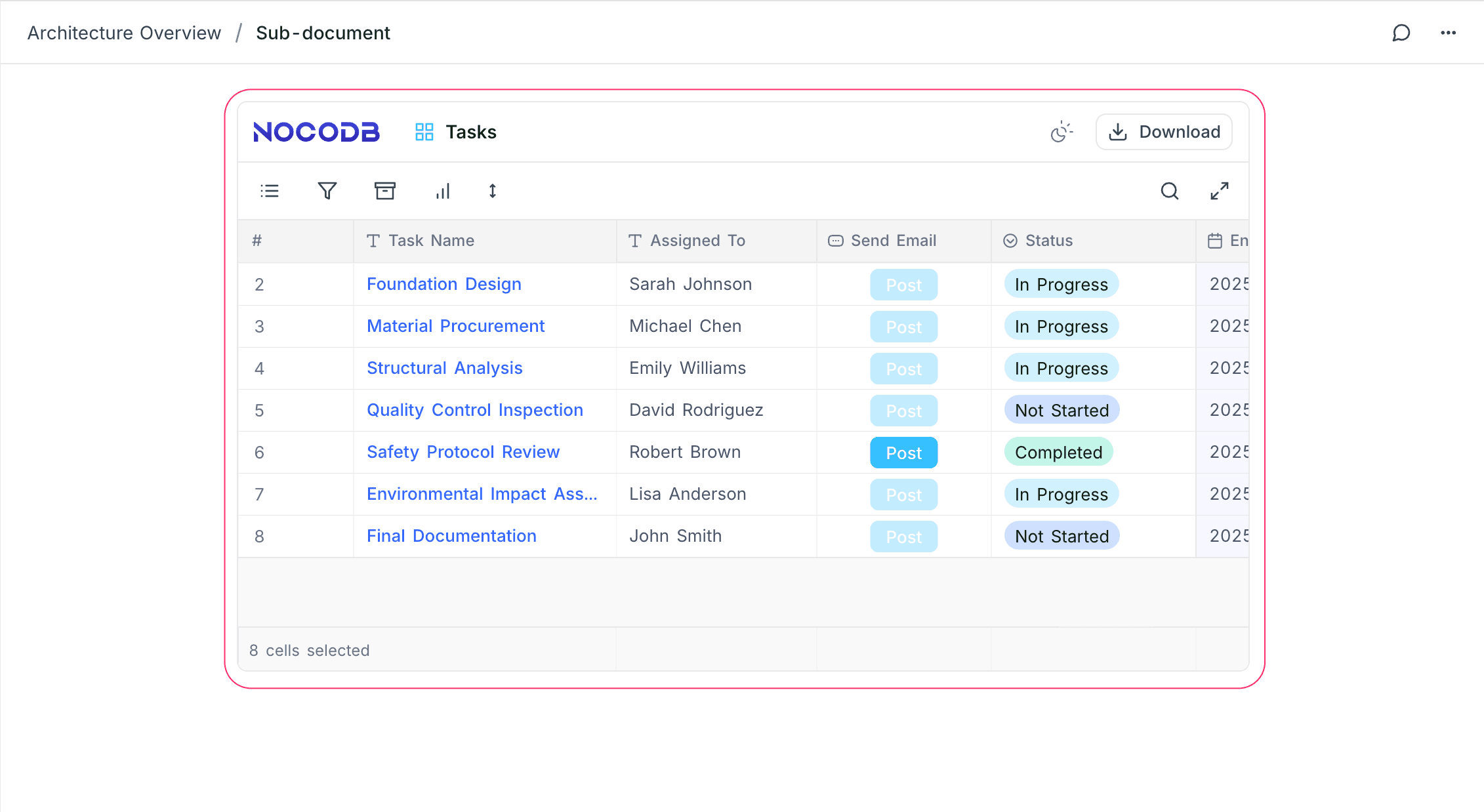
This is a shared view. Any changes that you make (column width, filters, sort) will not persist.
This allows you to create living documents that reference real-time data from your NocoDB tables.