Code Blocks
Add syntax-highlighted code blocks in NocoDocs.
Code blocks in NocoDocs support syntax highlighting for 30+ programming languages, making it easy to document code snippets, configurations, and technical content.
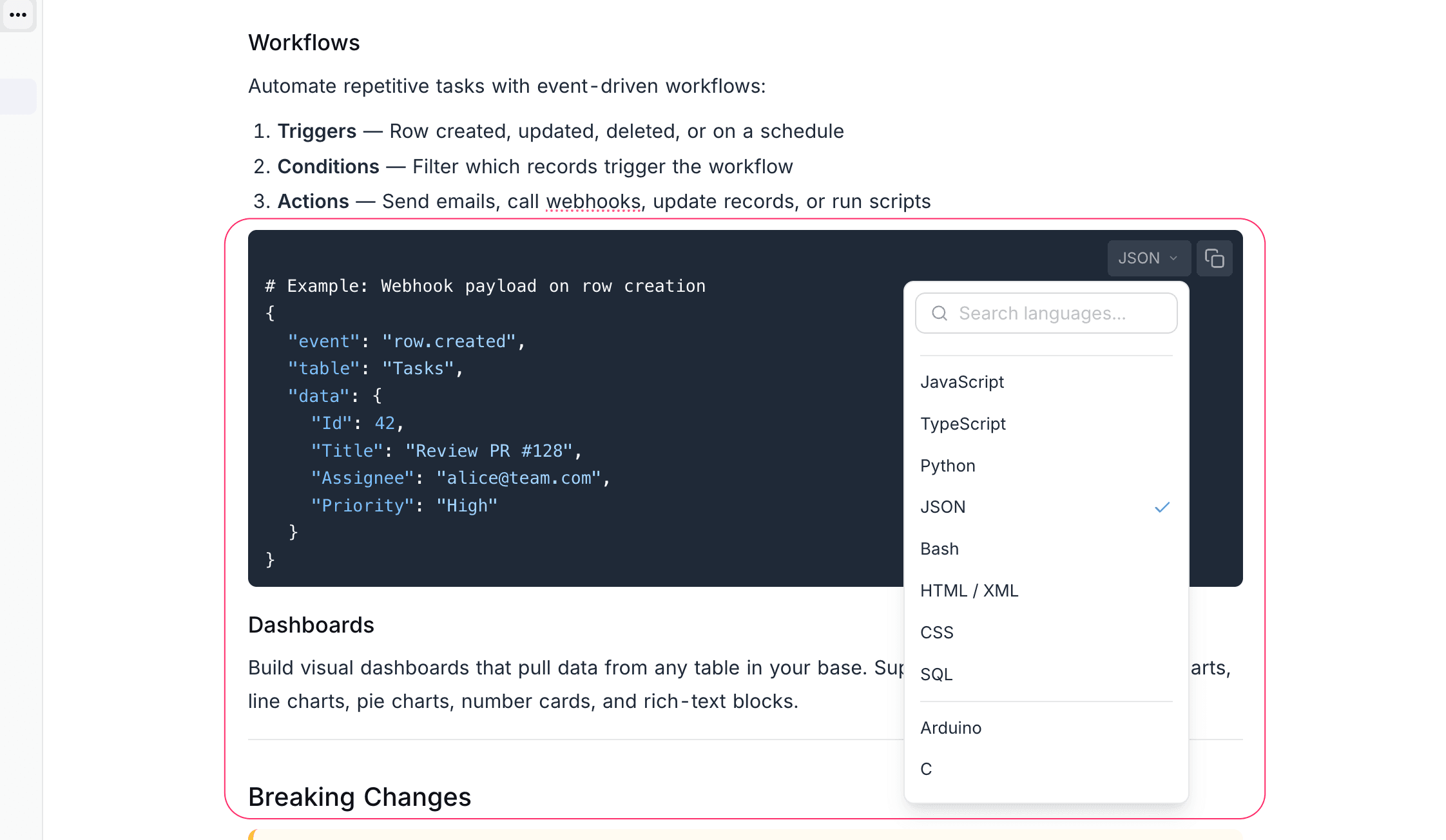
Insert a Code Block
- Type
/codein the editor and select Code Block. - Alternatively, type
```followed byEnterto create a code block.
Select a Language
- Click the language selector at the top-left of the code block.
- Search or select from the list of supported languages.
Supported Languages
Some of the commonly used languages include:
| Category | Languages |
|---|---|
| Web | JavaScript, TypeScript, HTML, CSS, JSON |
| Backend | Python, Java, Go, Rust, C, C++, C#, Ruby, PHP |
| Shell | Bash, Shell, PowerShell |
| Data | SQL, YAML, TOML, XML |
| Other | Markdown, Dockerfile, GraphQL, Kotlin, Swift, Dart |
Features
- Copy Button — Click the copy icon at the top-right of the code block to copy its contents to clipboard.
- Tab Indentation — Use
Tabwithin code blocks for indentation (instead of navigating to the next element). - Syntax Highlighting — Colors update automatically based on the selected language.
Mermaid Diagrams
Selecting Mermaid as the language switches the code block from syntax-highlighted source to a rendered diagram. See Mermaid Diagrams for details.