Math Equations
Add LaTeX math equations in NocoDocs.
NocoDocs supports mathematical notation using LaTeX syntax, rendered with KaTeX. You can insert both inline and block-level equations.
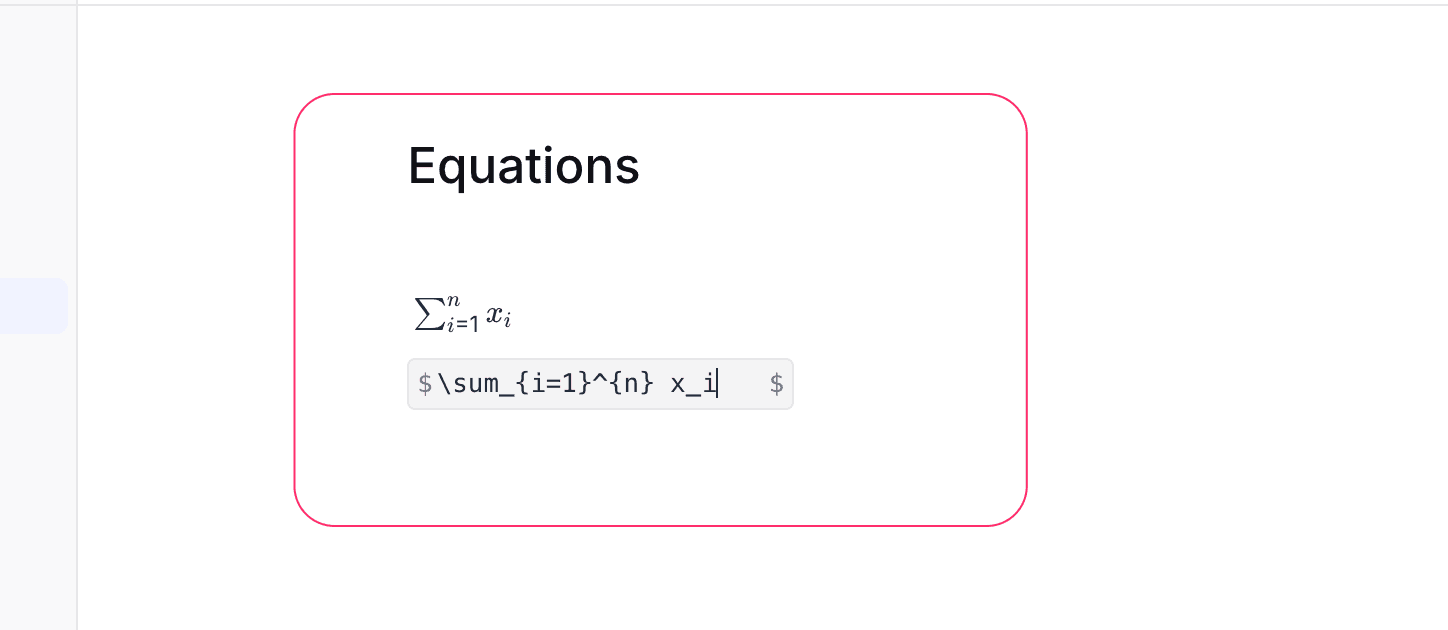
Insert a Math Block
- Type
/equationin the editor. - Select Equation from the slash command menu.
- Enter your LaTeX expression in the input field.
- The rendered equation appears in real-time below the input.
Examples
| LaTeX Input | Renders As |
|---|---|
E = mc^2 | Einstein's energy equation |
\sum_{i=1}^{n} x_i | Summation notation |
\frac{a}{b} | Fraction |
\sqrt{x^2 + y^2} | Square root |
\int_0^\infty e^{-x} dx | Integral |
Supported Syntax
NocoDocs uses KaTeX for rendering, which supports a wide range of LaTeX math commands including:
- Arithmetic operators, fractions, and roots
- Greek letters and symbols
- Matrices and arrays
- Summations, integrals, and limits
- Subscripts and superscripts
Refer to the KaTeX documentation for a full list of supported functions and symbols.