Blocks
Use headings, lists, callouts, blockquotes, dividers, and columns in NocoDocs.
Blocks are the building units of a NocoDocs document. Each paragraph, heading, list, or callout is a block that can be created, moved, and deleted independently.
Headings
Three heading levels are supported:
| Level | Slash Command | Markdown Shortcut |
|---|---|---|
| Heading 1 | /heading1 | # |
| Heading 2 | /heading2 | ## |
| Heading 3 | /heading3 | ### |
Collapsible Headings
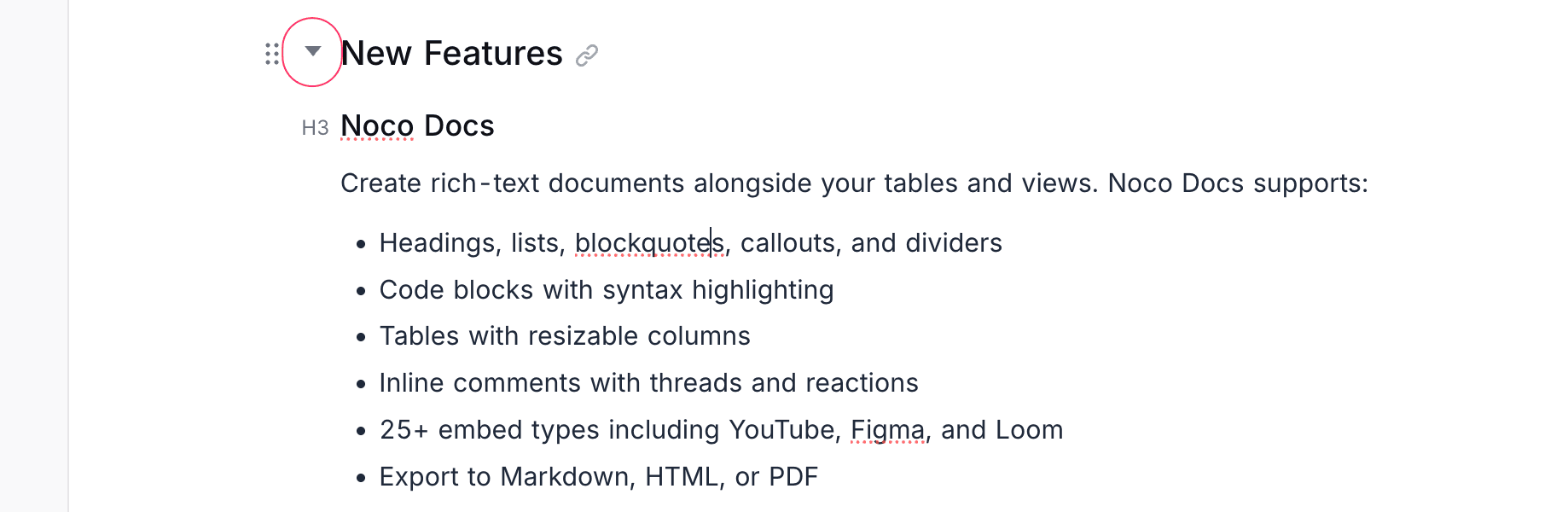
Click the toggle arrow next to any heading to collapse or expand the content underneath it. This is useful for organizing long documents into sections.
Lists
Bullet List
Type /bullet or start a line with - or * to create a bullet list.
Numbered List
Type /numbered or start a line with 1. to create a numbered list.
Task List
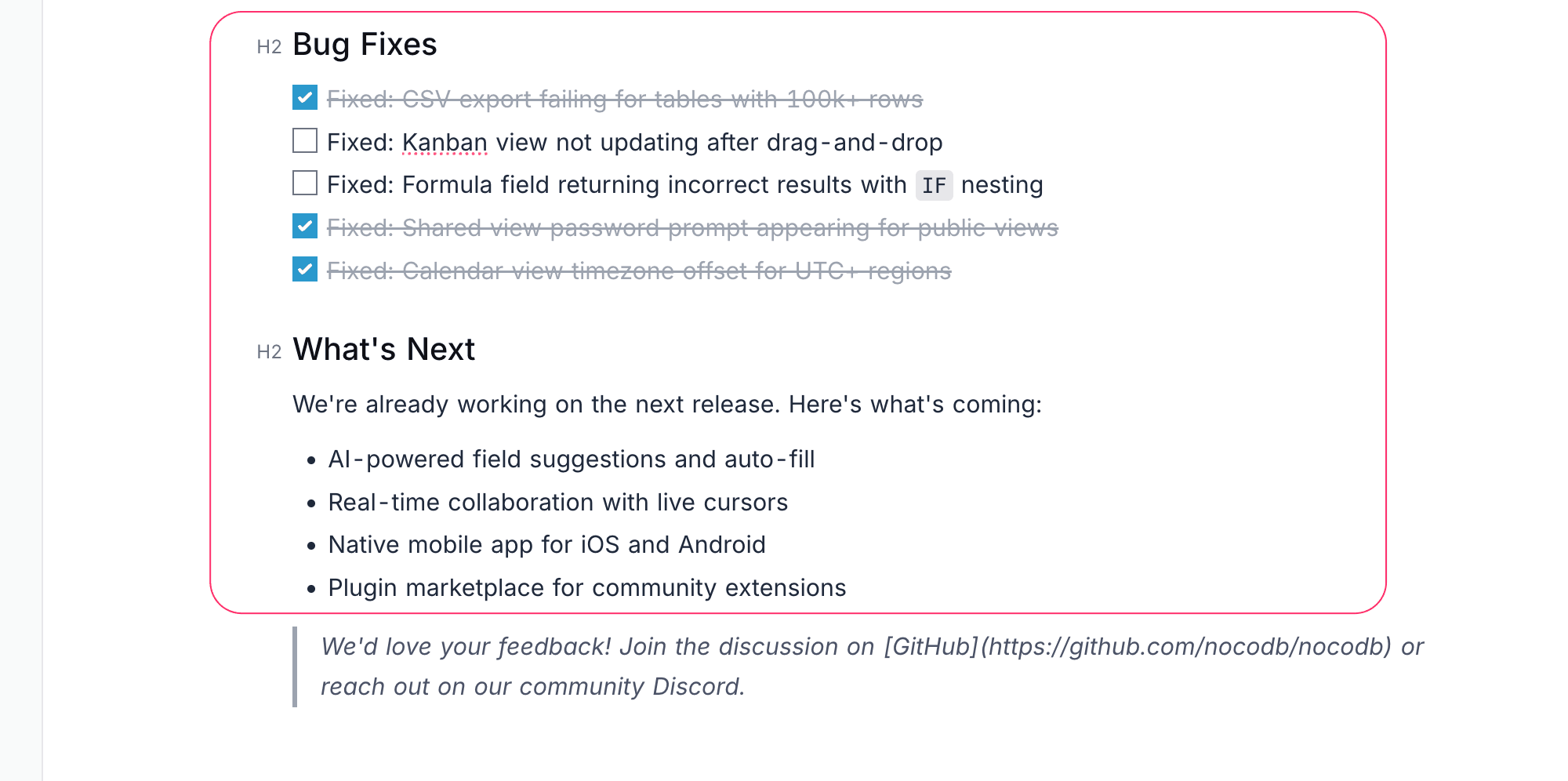
Type /task or start a line with [ ] to create a checklist. Click the checkbox to toggle items as complete.
Tab to indent list items and Shift + Tab to outdent them.Blockquotes
Type /quote or start a line with > to create a blockquote.
> Blockquotes are useful for highlighting key statements or referencing external content.
Callouts
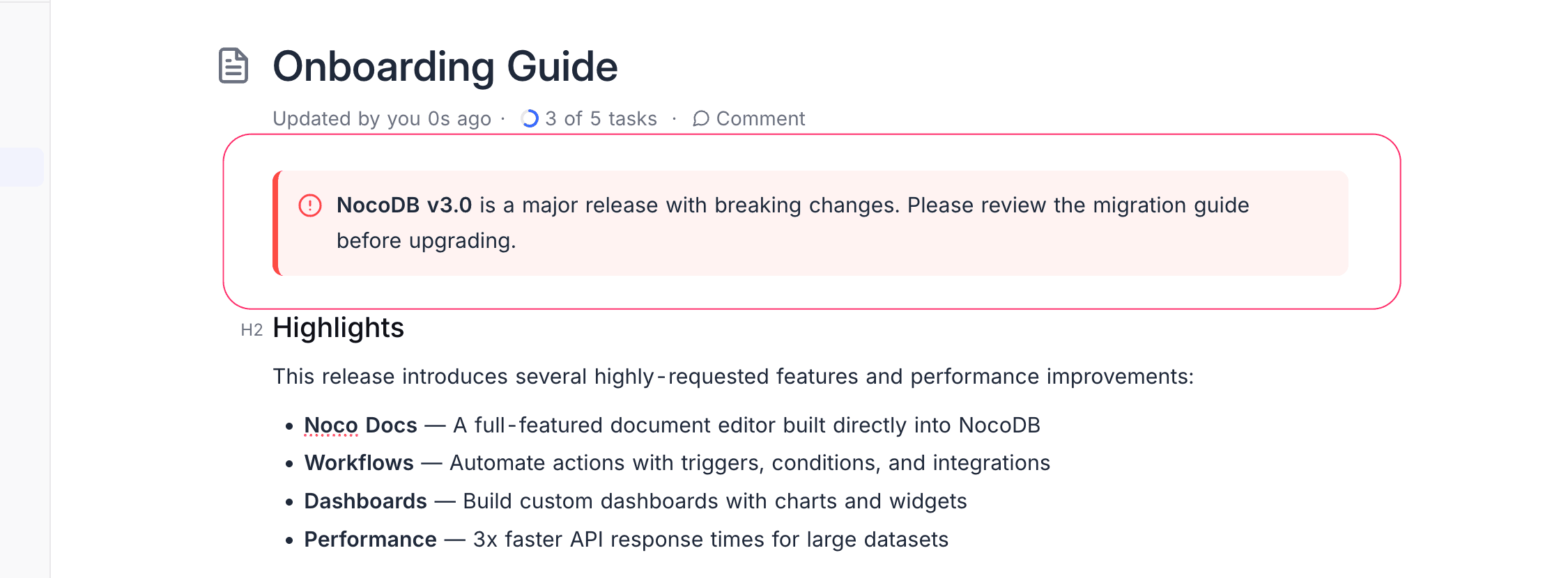
Callouts are colored highlight boxes for drawing attention to important information. Type /callout to insert one. Four types are available:
| Type | Use Case |
|---|---|
| Note | General information or context |
| Tip | Helpful suggestions or best practices |
| Warning | Cautions and potential issues |
| Important | Critical information that should not be missed |
Dividers
Type /divider or --- followed by Enter to insert a horizontal divider between sections.
Columns
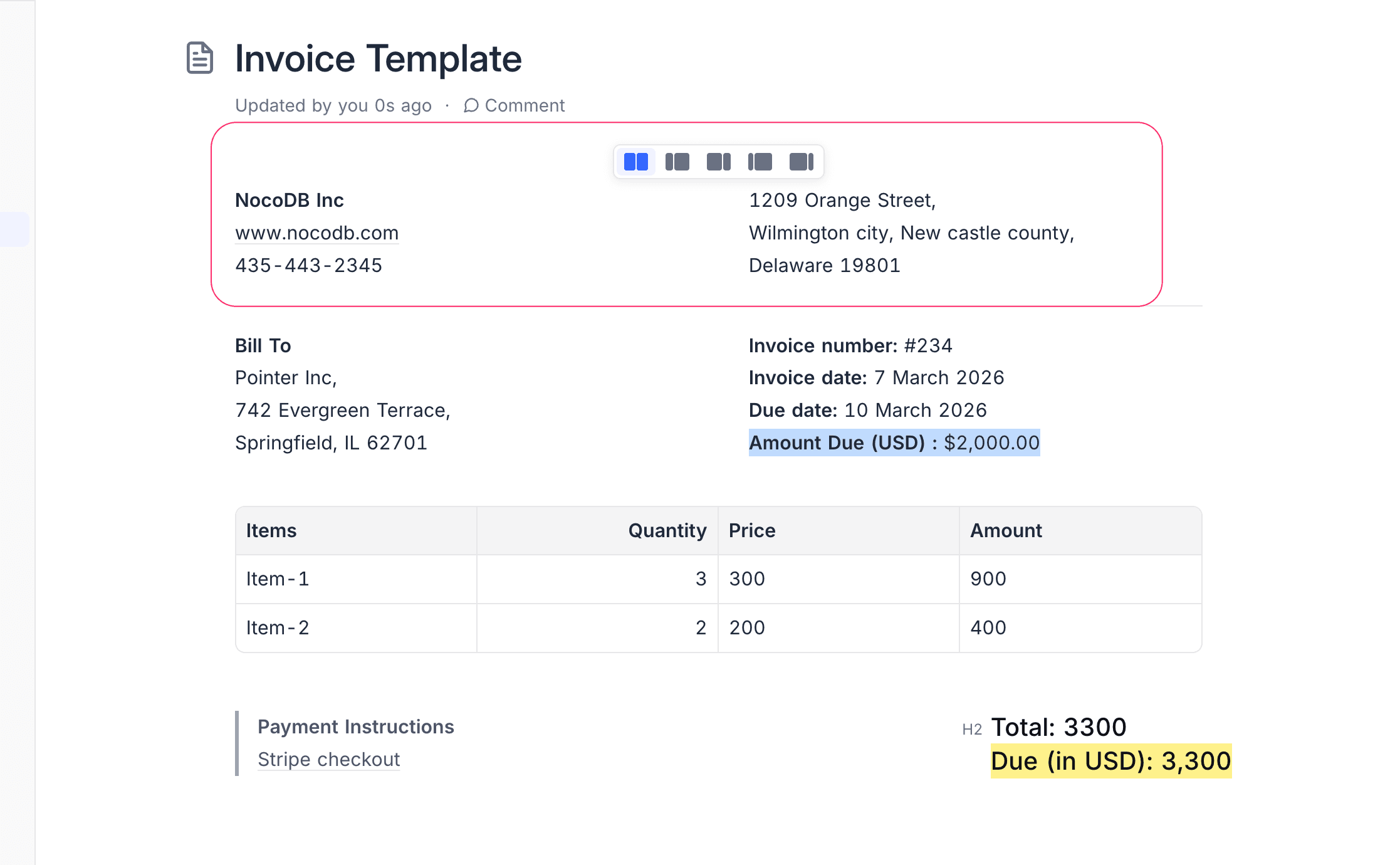
Create a two-column layout to display content side by side:
- Type
/columnsto insert a column block. - Each column behaves as an independent editor area.
- Add any block type within each column.
Tabs
Organize content into multiple switchable panels within a single block. See Tabs for full details.