Record Created or Updated
This NocoDB trigger starts a workflow when a record is added to a table and when an existing record changes. Use it when the same steps must run in both cases, instead of building one workflow for creates and another for updates. The workflow context gets the data of the record.
Ask NocoAI
Copy a prompt, paste it into NocoAI in any base, and replace the words in [brackets] with your own.
- When a record is added or changed in [Leads], update [Last Touched]
- When a record is added or changed in [Orders], recalculate its [Total]
- When [Status] is set or changed in [Tickets], notify [the Owner]
Configuration
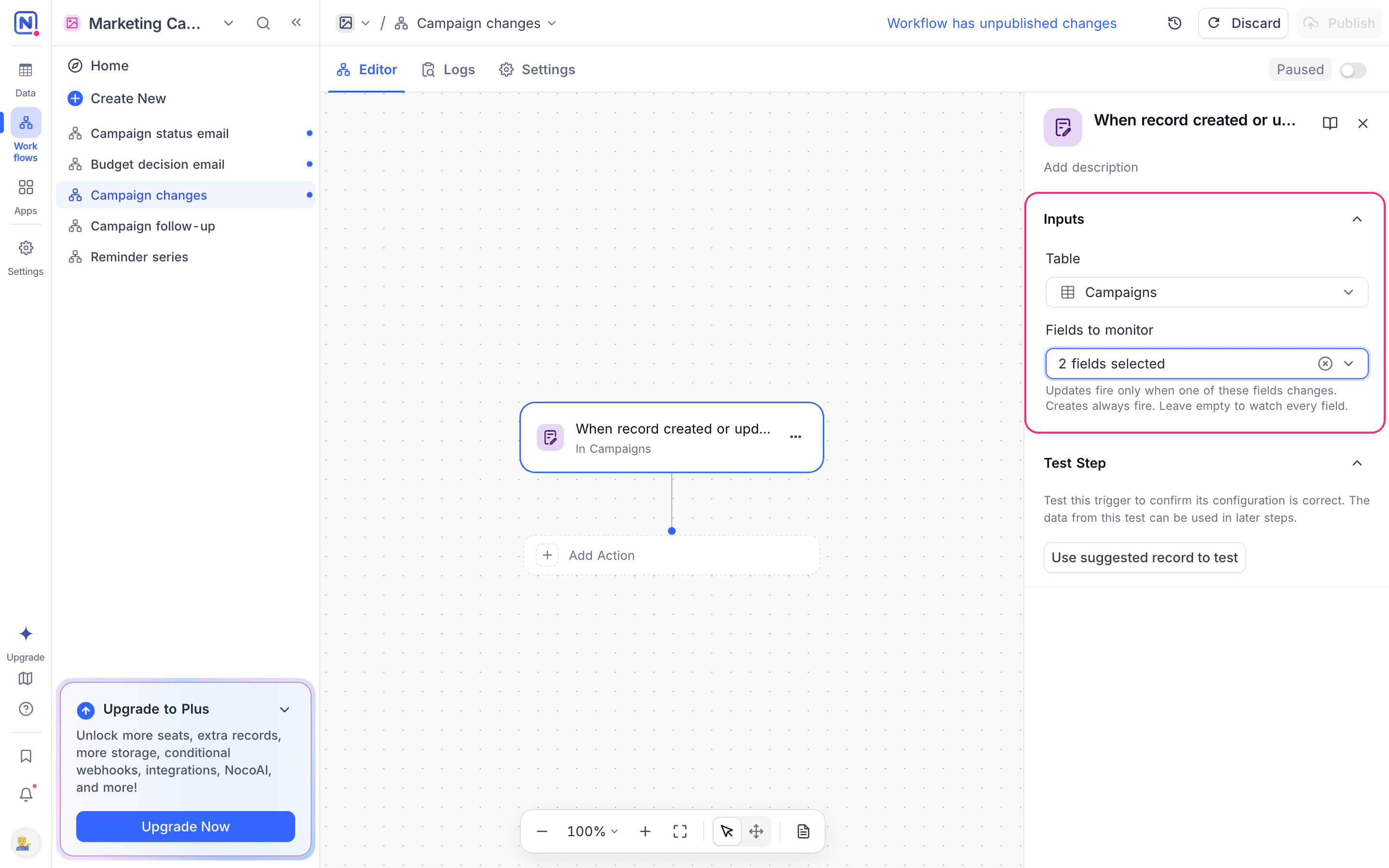
- Table: Select the target table.
- Fields to monitor: Optional. Updates start the workflow only when one of these fields changes. Creates always start it. If you select no fields, an update to any field starts the workflow.
How it works
- A create and an update both start the workflow, each as its own run.
- The output has a
trigger.eventvalue ofcreatedorupdated, so later steps can branch on which one happened. - On a create,
previousRecordis empty andtrigger.affectedColumnsis an empty list. - On an update, the trigger behaves as the Record updated trigger:
previousRecordholds the values before the change, and Fields to monitor limits the runs. - Test step runs the trigger as an update.
Additional options
| To | Use the trigger node |
|---|---|
| Run only on new records | when record created |
| Run only on changes | when record updated |
| Add a condition | when record matches condition |
Use cases
- Keep a derived field correct whether a record is new or edited
- Send one record to an external system on every create and change
- Stamp a review date each time a record is entered or revised
Availability
- Available on NocoDB Cloud (all plans) and on all self-hosted deployments, including Community Edition.
Last updated on
Latest product updates?See Changelog