Field Changes
This NocoDB trigger starts a workflow when one field of a record moves from a value that you list to a value that you list. Use it when only some transitions matter, for example a deal that moves from Negotiation to Won. The workflow context gets the record after the change and the record before it.
Ask NocoAI
Copy a prompt, paste it into NocoAI in any base, and replace the words in [brackets] with your own.
- When [Status] in [Deals] moves from [Negotiation] to [Won], create a record in [Projects]
- When [Approved] in [Invoices] moves from unchecked to checked, email [Finance]
- When [Rating] in [Feedback] moves to [1 star], post it to [#support]
Configuration
- Table: Select the target table.
- Field: Select the field to watch. The trigger watches one field. Only Single select, Checkbox and Rating fields can be selected. If the table has none, the picker shows This table has no single select, checkbox or rating fields.
- From any of: Select the values that the field must leave.
- To any of: Select the values that the field must reach.
Select at least one value in each list. When you change the table or the field, NocoDB clears both lists.
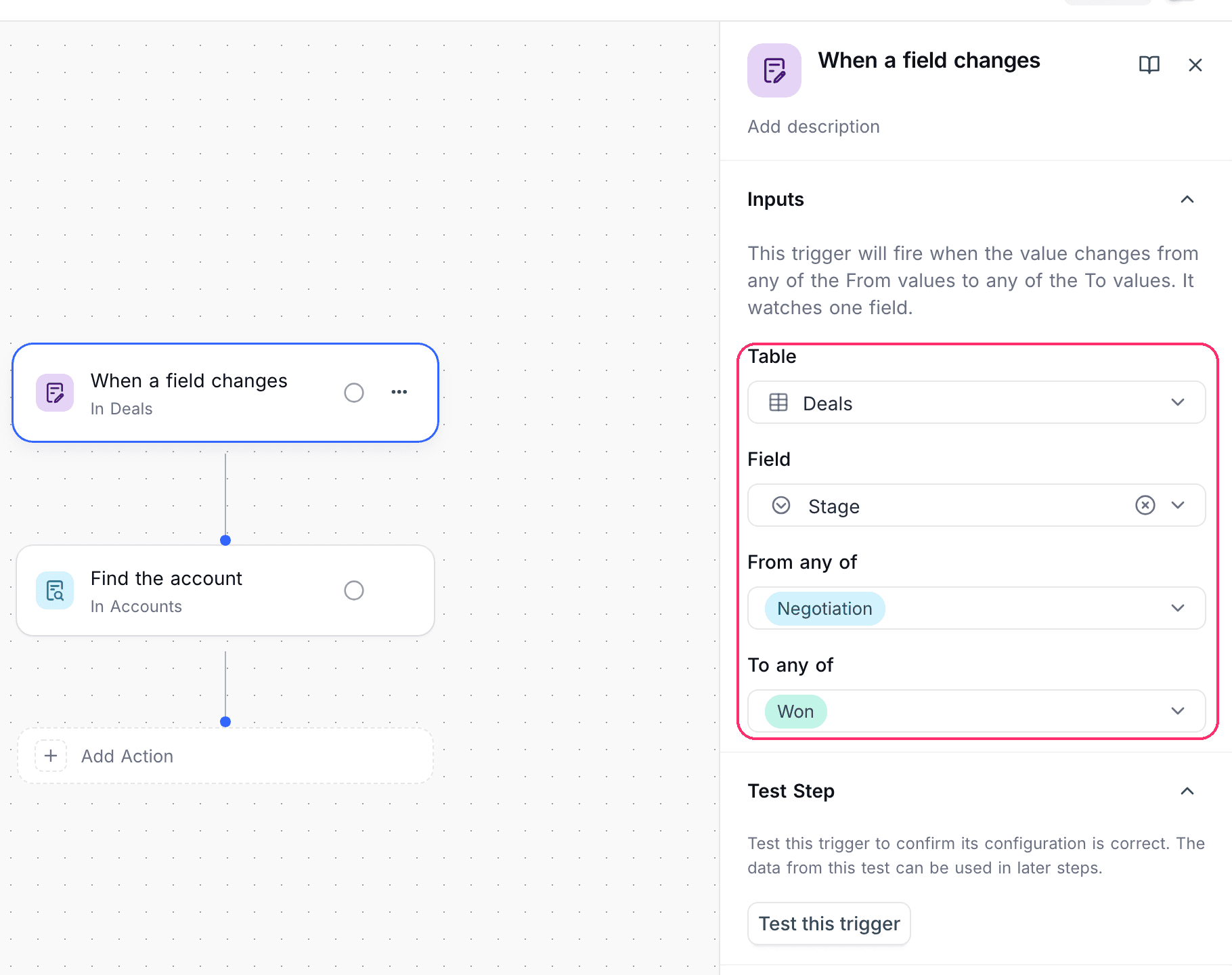
The values to select depend on the field type:
| Field type | Values |
|---|---|
| Single select | The options of the field, and Empty. |
| Checkbox | Checked and Unchecked. |
| Rating | No rating, and one entry for each star up to the maximum of the field. |
How it works
- The trigger fires after a record update, when the field had one of the From any of values and now has one of the To any of values.
- A new record does not fire the trigger, because it has no previous value.
- An update that leaves the field as it was does not fire the trigger.
- An update to many records at one time fires the trigger for each record that makes the move, for up to 10,000 records.
- Renaming a Single select option does not break the trigger. NocoDB watches the option itself, not its name.
- If you delete the watched field, the trigger stops firing. Select another field to start it again.
Use cases
- Run an approval only when a request moves from Pending to Approved.
- Open a task when a checkbox moves from unchecked to checked.
- Alert the support team when feedback drops to one star.
Availability
- Available on NocoDB Cloud (all plans) and on all self-hosted deployments, including Community Edition.
Last updated on
Latest product updates?See Changelog