2026.10.0 : Plan Capacity, Play Back Workflows, Connect Any AI Tool & More
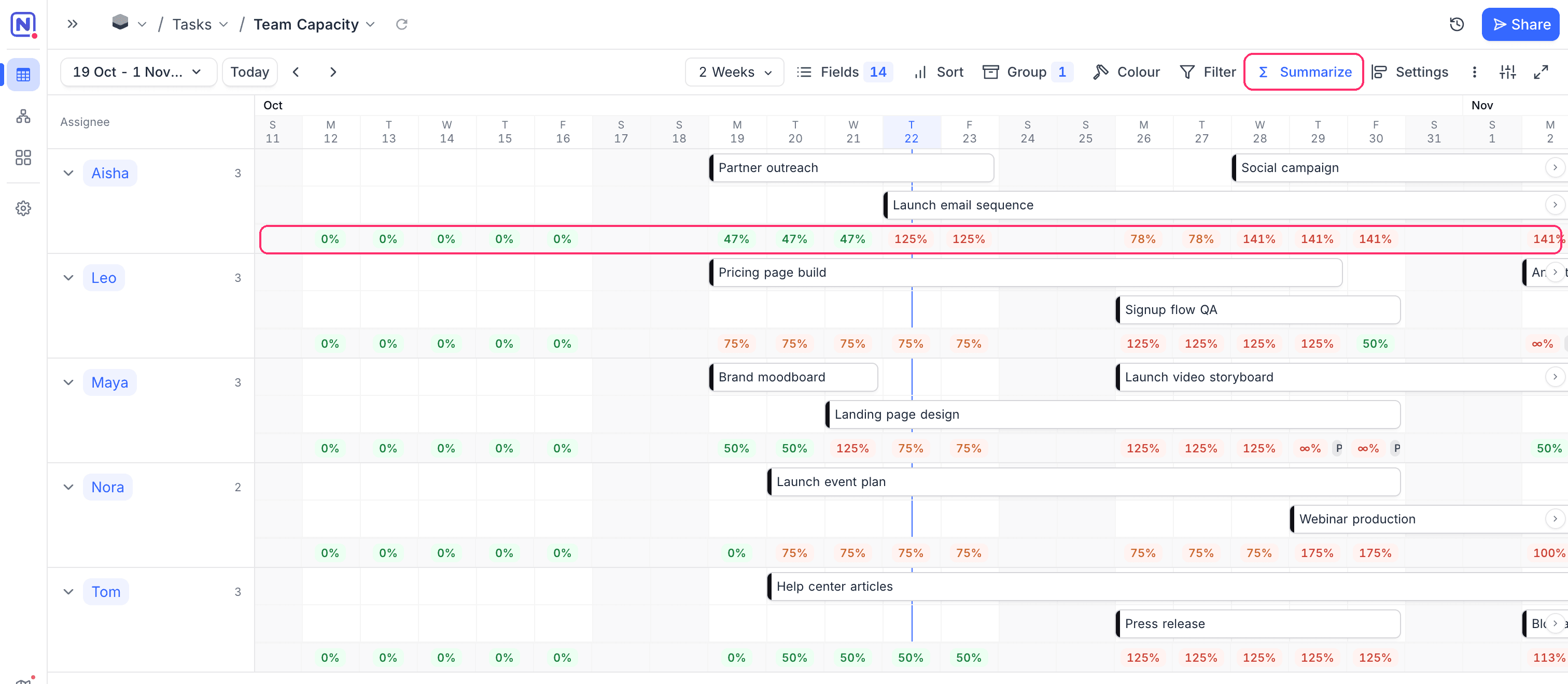
Resource Allocation in Timeline View
Timeline View now shows how much of each person's working hours their scheduled tasks use, for every day, week, or month on screen. Overbooked periods turn red. The calculation allows for working days, time off from a linked table, and tasks shared by several people.
Learn more about utilization in Timeline View →
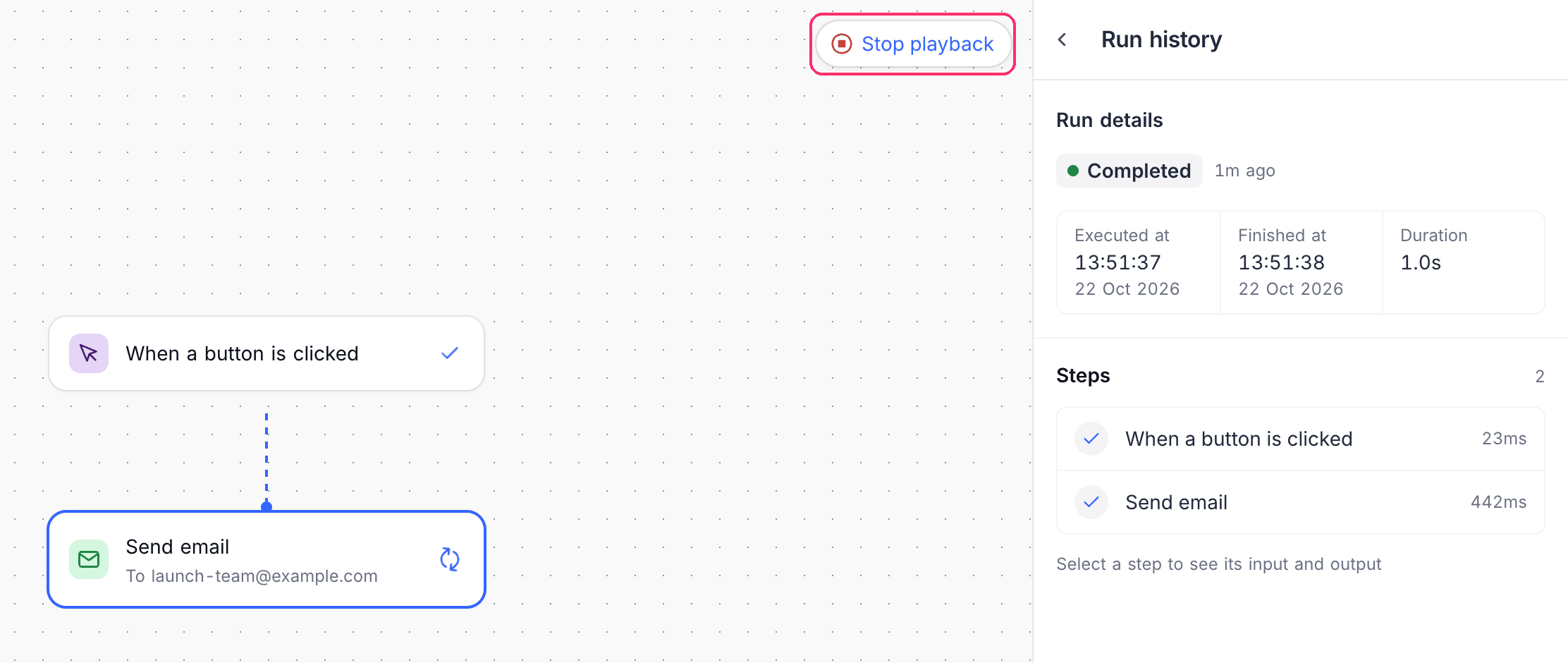
Play Back a Workflow Run
Step through a past workflow run on the canvas without running anything again. Run history filters by status, date range, and runs that need attention, and a running workflow can be stopped, paused, resumed, or retried.
Learn more about playing back a run →
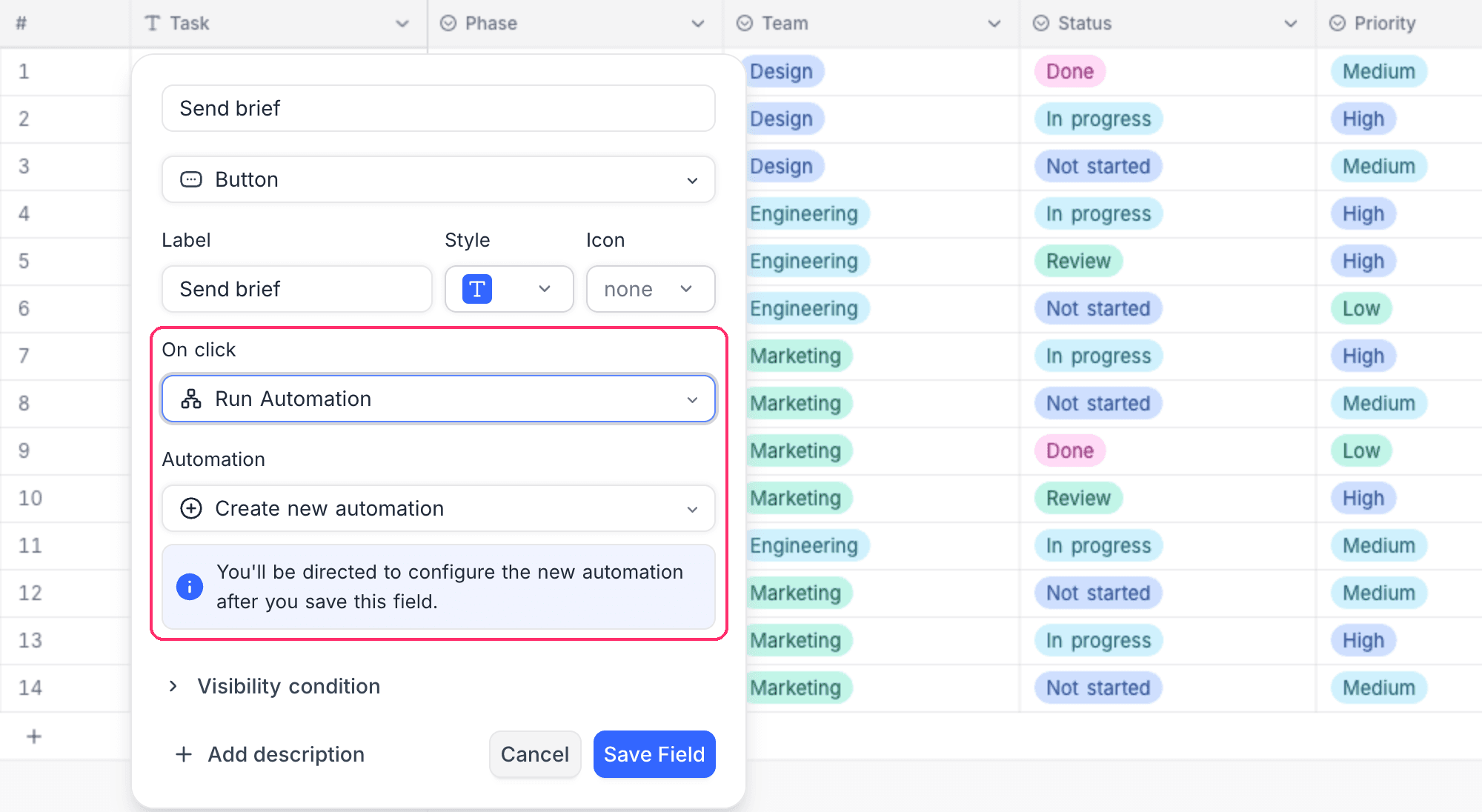
Run an Automation from a Button
A Button field can now run an automation. Pick one under Run automation, or choose Create new automation and build it after you save the field.
Learn more about button automations →
Images and Attachments in Workflow Emails
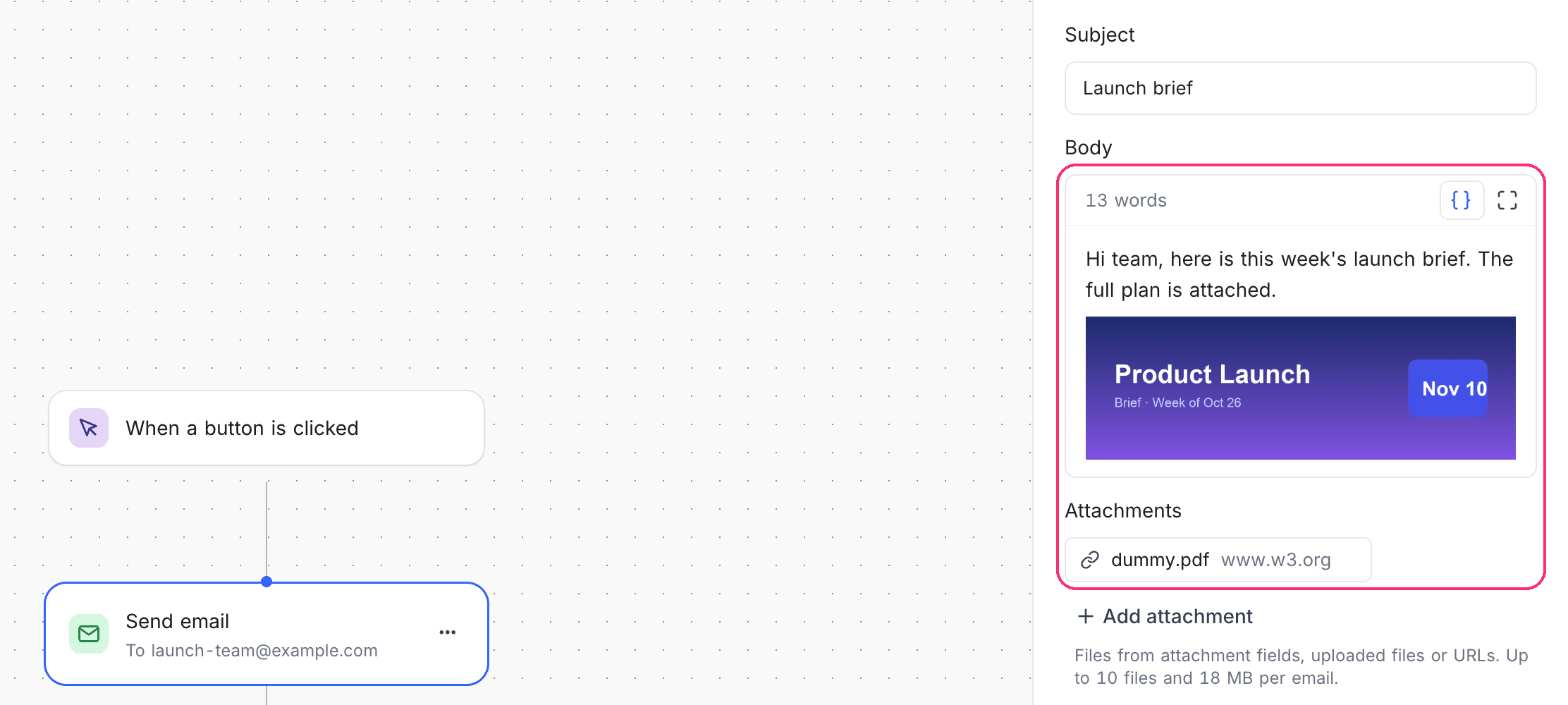
Send Email, Gmail, and Outlook steps can attach files from an attachment field, an upload, or a URL, up to 10 files. They can also carry inline images that show without the recipient turning on remote images.
Learn more about configuring Send Email →
Connect Your AI Tools by Signing In
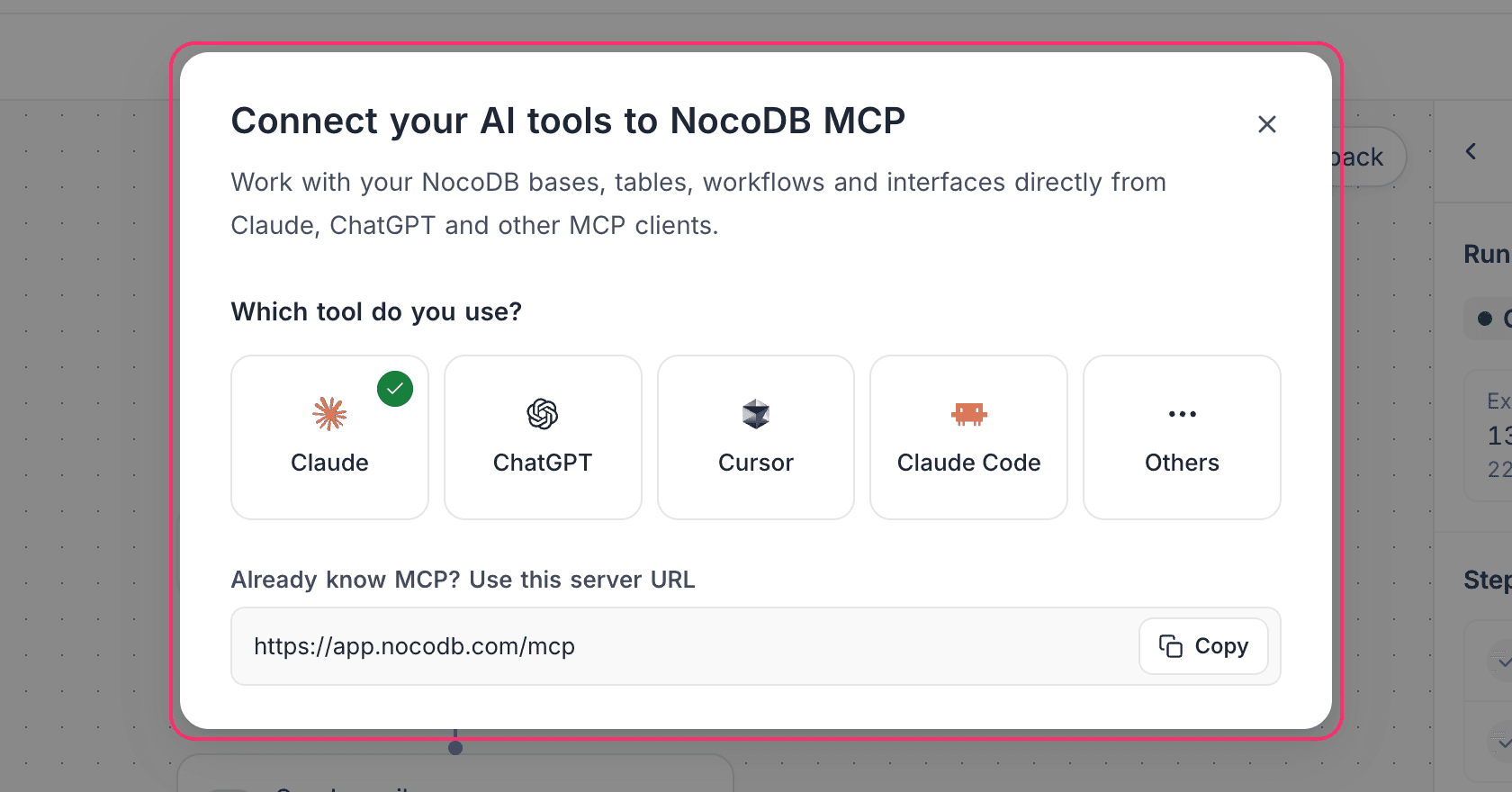
Use NocoDB From in the account menu connects Claude, ChatGPT, Cursor, Claude Code, and other MCP clients by signing in, with no token to copy. A connected app never gets more access than your own role.
Single Select Format for Text Formulas
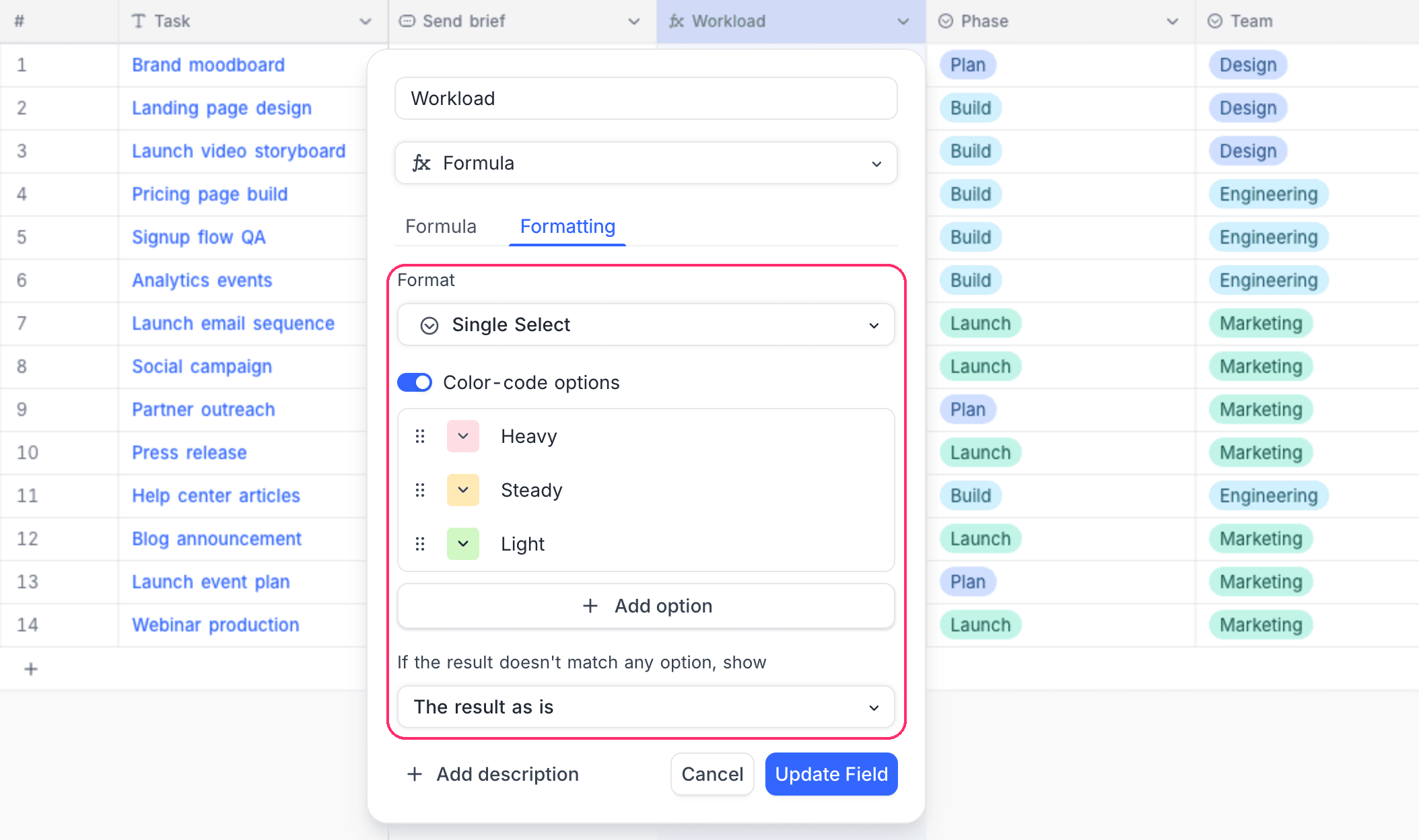
Text formulas can display their result as a colored single select, while filters and sorts still treat it as text.
Learn more about formula formatting →
Improvements
- Five levels of grouping - Grid View now groups up to five levels deep, and dragging a record into another group changes its grouped value. Learn more
- Members and teams in one place - Workspace members and teams share one Members & teams page, and each team shows the workspace role its members inherit. Learn more
- New project page - Every New project entry point opens one page, with a prompt box when NocoAI is on. Learn more
- Sign-in screens - Sign in, sign up, two-factor, password reset, SSO and invite screens are redesigned, and a badge marks the sign-in method you used last.
- Phones - Grids, inputs, and calendar month view work properly on iPhone and Android.
- Share a classic app - Share in the classic app builder invites people by email or private link to the app only. Learn more
- Report abuse on public pages - Shared views, forms, classic apps and dashboards carry a Report abuse link, and super admins on self-hosted instances review reports in the Admin Panel. Learn more
- Who can export - With Allow export to CSV on, a classic app page can limit the export by role, user or team. Learn more
- Add linked records from a form - Classic app link fields can open a form to create a record and link it in one step. Learn more
- Airtable import from a shared view - Import a publicly shared view link with no personal access token. Learn more
- Freeze more fields - Grid View freezes as many fields as fit the window, no longer capped at three. Learn more
- Rollups - Count All counts every linked record, and Min and Max over a date return a date. Learn more
- Link filters - A dynamic condition can match linked records that share a link with the current record. Learn more
- Default values in new records - The expanded form shows a field's default before you save.
- Live updates - Grids refresh in place when collaborators edit, and grouped views keep their open groups.
- Change the display value by dragging - Drag any column in Grid View onto the display value to make it the display value.
- Record counts on user filters - Classic app user-filter tabs show the number of records behind each tab.
- Email display names - Emails such as
Jane Example <jane@example.com>open as mailto links. - More currencies - The Currency field accepts 19 more ISO 4217 codes. Learn more
- Database SSL modes - External connections choose between No, Preferred, Required and Required-CA. Learn more
- API token permissions - Fine-grained tokens can read and manage teams and read the workspace. Learn more
- MCP tools - Document comment tools, a dry run for field type changes, and a skill guide with a
SKILL.mdentry point. Learn more - MCP fallback in chat - The chat agent falls back to MCP tools when it has no dedicated tool for what you asked.
- More cloud credits - Every NocoDB Cloud plan includes more credits, from 1,000 on Free. Learn more
- Environments and per-user credentials - Both now require the Scale plan.
- A clearer update notification - The in-app update notification has been redesigned.
What's Fixed
- Grid and views - Search, grouping, and Calendar month view behave as expected, and multi-level List views keep their rows on scroll.
- Data integrity - Unlinking from the wrong parent keeps the real link, and link writes succeed on SQLite and MySQL.
- Fields and formulas - Formulas on a lookup of a link work,
ISBLANKworks on SQL Server, and Duration values keep their seconds when a table, field, or project is duplicated or imported. - Filters - is empty and
infilters work on more field types and databases, the API accepts is between on numbers, and DateTime filters respect the timezone. - Attachments - Attachments written through the v3 API and scripts are saved, and PDFs preview on mobile browsers.
- Imports and duplication - CSV import into a single-record link column treats the cell as one value.
- Workflows - Iterate filters match the right rows, and server-side scripts keep project access past 60 seconds.
- Webhooks - Webhooks that track specific fields fire only when those fields change.
- Classic apps - Record pages honor a link field's display value, and Number widgets aggregate numeric formulas.
- MCP - Form authoring reports what it cannot apply instead of dropping it.
- Stability - Navigation no longer leaks memory, and several dialogs and popups close without errors.
- Billing - Invoices void correctly when a dunning cycle is cancelled, and upgraded workspaces stop getting grace-period emails.
Self-Hosting Notes
- Node 24.22.1 - Docker images move to Node 24.22.1 for the October 2026 Node security release.
- Seat limits - A seat cap applies only where an on-premises license sets one.
- Grace periods - The API and automation grace periods now start as intended, and the automation grace cap is lower.
- MCP response changes - Some MCP responses changed shape, such as shared view types as strings. The REST v3 API is unchanged.
- Security hardening - Private integrations stay private, webhooks and uploads by URL refuse private network addresses, and dependencies are patched.
For more details on the features introduced in 2026.09.1, see the 2026.09.1 changelog.
Availability
| Feature | Community Edition | Cloud Free Plan | Paid Plans In Cloud/On-Prem |
|---|---|---|---|
| Resource Allocation in Timeline View | – | – | ✅ |
| Play Back a Workflow Run | ✅ | ✅ | ✅ |
| Run an Automation from a Button | – | ✅ | ✅ |
| Images and Attachments in Workflow Emails | – | – | ✅ |
| Connect Your AI Tools by Signing In | ✅ | ✅ | ✅ |
| Single Select Format for Text Formulas | ✅ | ✅ | ✅ |
Timeline View requires the Business plan and above on NocoDB Cloud. Send Email, Gmail, and Outlook steps require the Plus plan and above on NocoDB Cloud.