Create Base
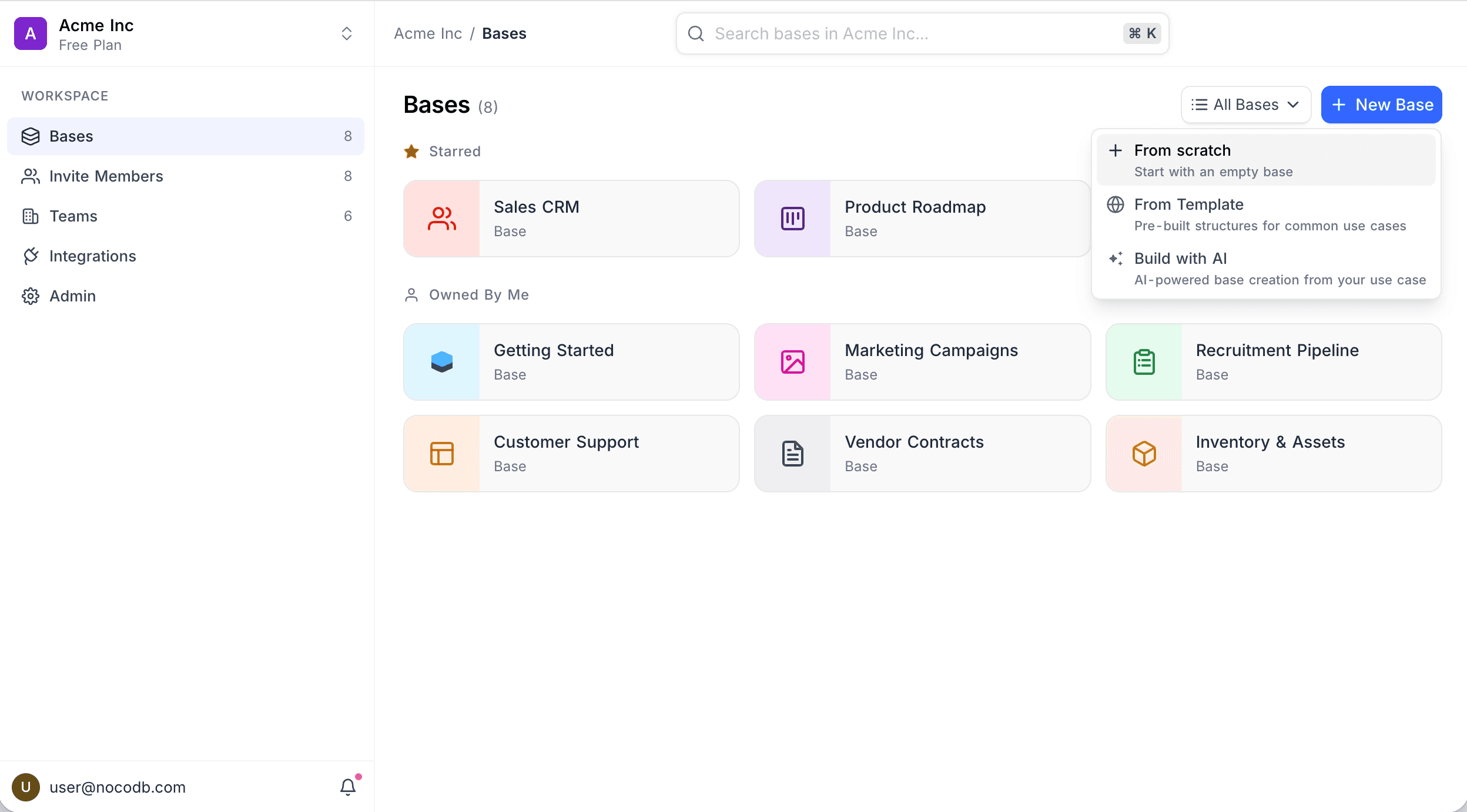
Click New Base on the workspace Bases page to see the available options:
- From Scratch — Start with an empty base
- From Template — Pre-built structures for common use cases
- Build with AI — AI-powered base creation from your use case
Ask NocoAI
Copy a prompt, paste it into NocoAI in any base, and replace the words in [brackets] with your own.
- Build a base to manage [our hiring pipeline]
- Build a base for [a marketing team] with linked tables for [campaigns, content and channels]
- Build a base like [a simple CRM], with a kanban view and a dashboard
- Build a base from the attached spreadsheet, splitting it into linked tables where it makes sense
From Scratch
- Click New Base → From Scratch.
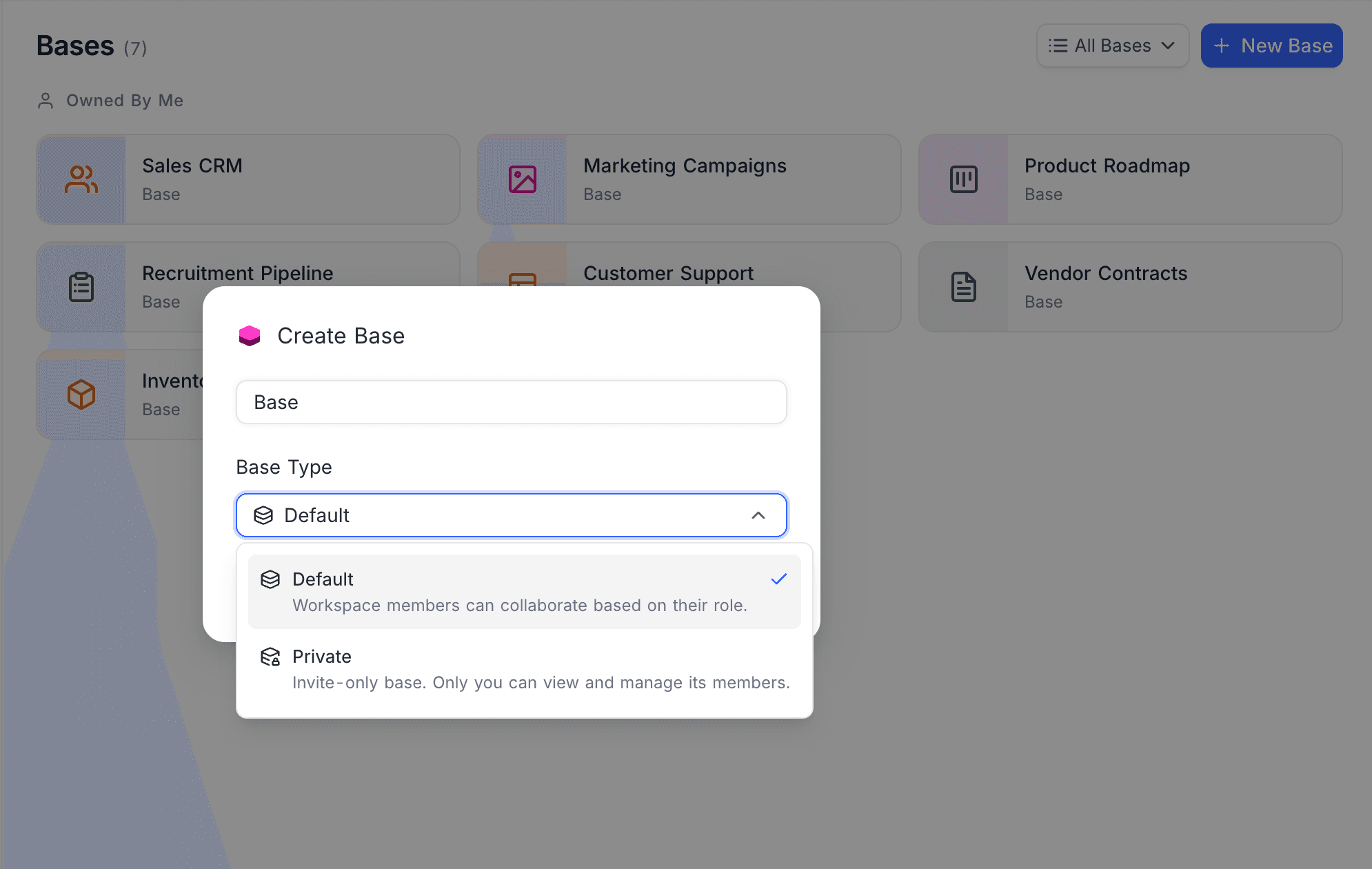
- Enter a name for your base.
- Select a Base Type:
- Default — Workspace members can collaborate based on their role.
- Private — Invite-only base. Only you can view and manage its members. Learn more about Private Base.
- Click Create Base.
Private bases are available on NocoDB Cloud (Business plan and above) and licensed self-hosted deployments (Scale plan and above).
From Template
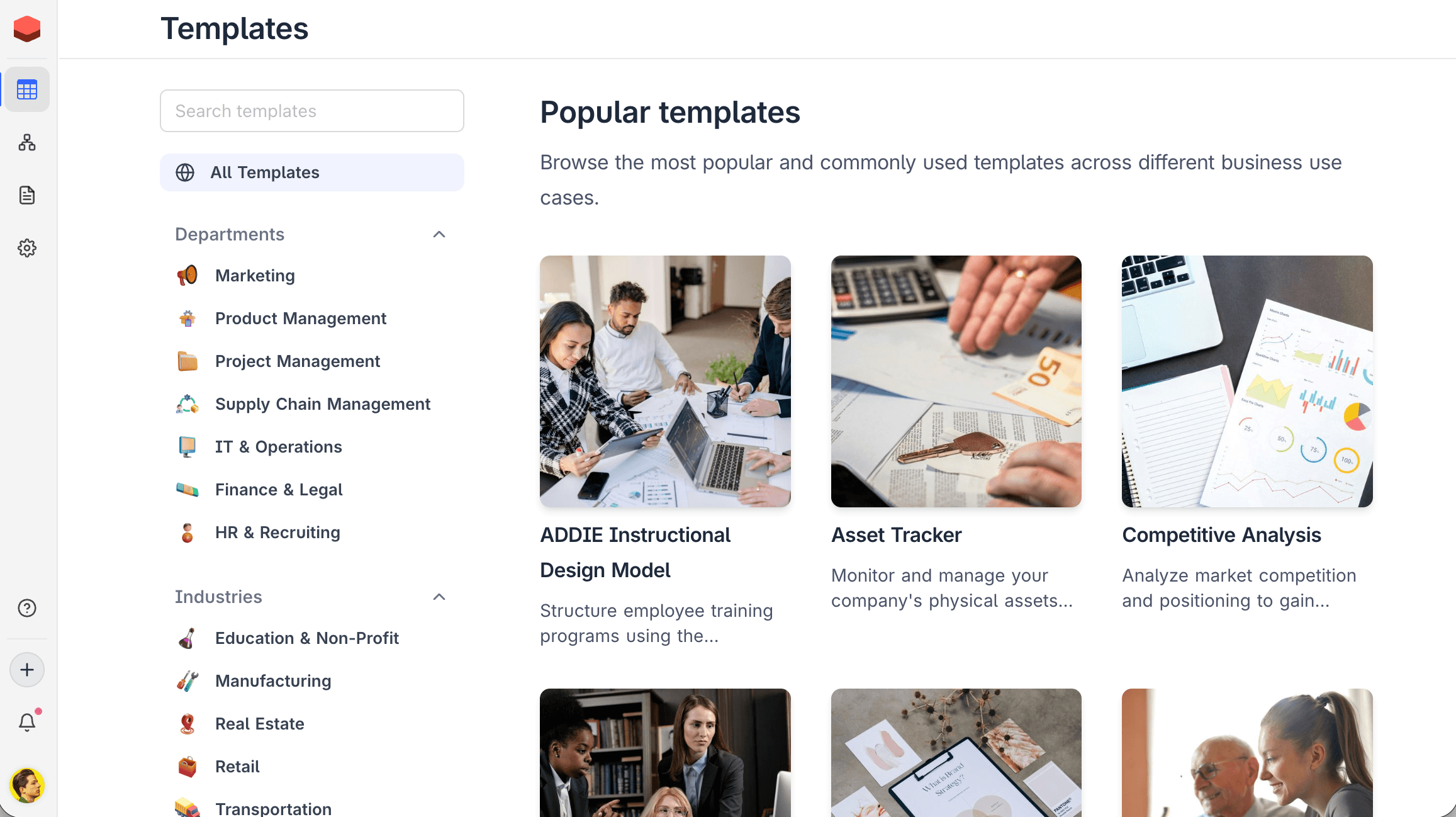
- Click New Base → From Template.
- Browse templates by Departments (Marketing, Project Management, Supply Chain, Finance & Legal, HR & Recruiting) or Industries (Education, Manufacturing, Real Estate, Retail, Transportation).
- Select a template to preview its structure and click to create.
Build with AI
AI base creation is available on NocoDB Cloud (Plus plan and above), where usage is metered by credits. On self-hosted deployments, AI base creation requires configuring your own AI integration (Business plan and above).
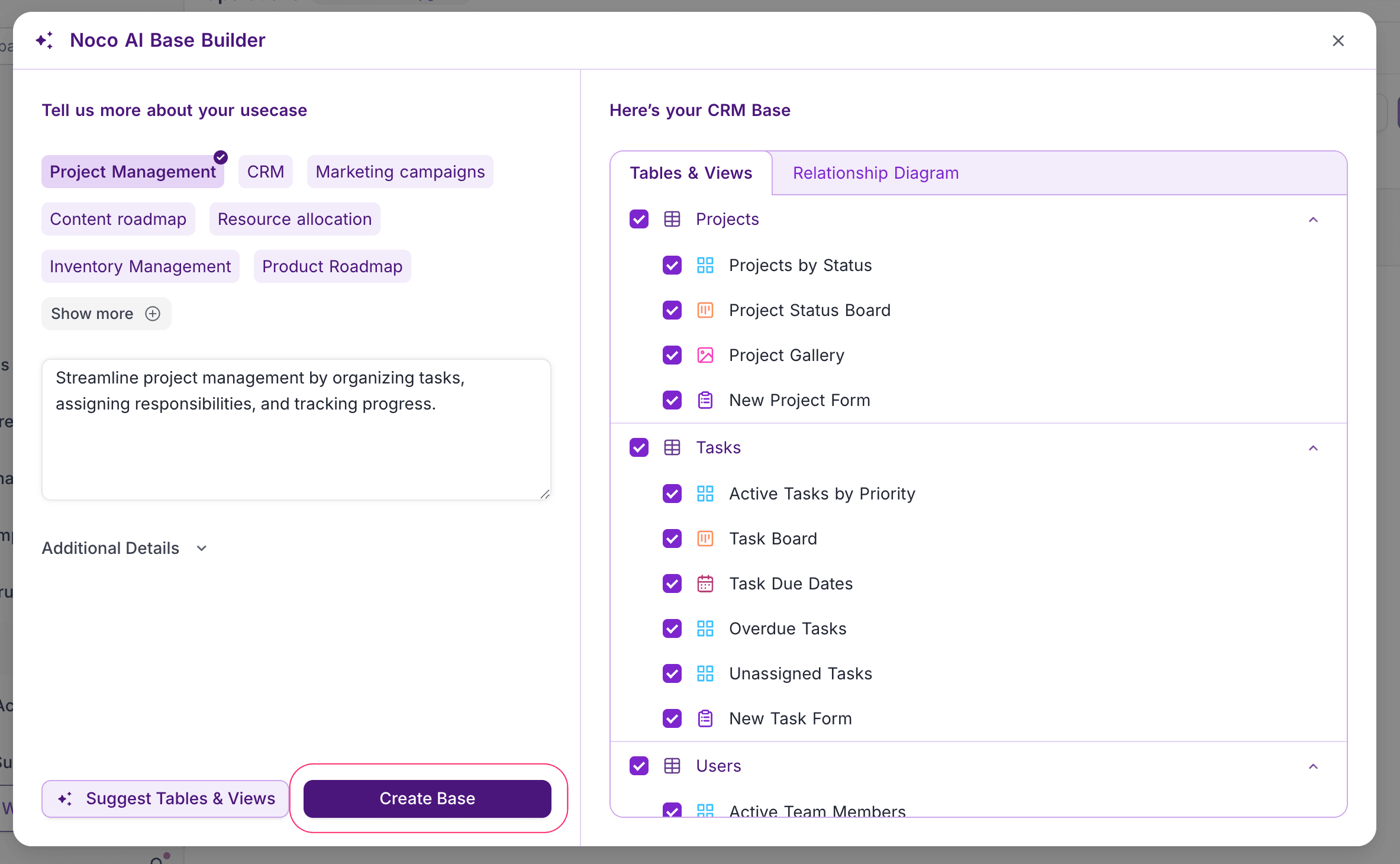
- Click New Base → Build with AI.
- Select a use case (e.g., Project Management, CRM, Marketing campaigns) or describe your needs.
- Review the suggested tables, views, and relationships.
- Click Create Base.
Learn more about NocoAI base creation.
When you create a base, you become its owner. Only base owners can delete a base.
On successful creation, you will be directed to the Base Dashboard where you can start adding tables and data.
Last updated on
Latest product updates?See Changelog