Share Base
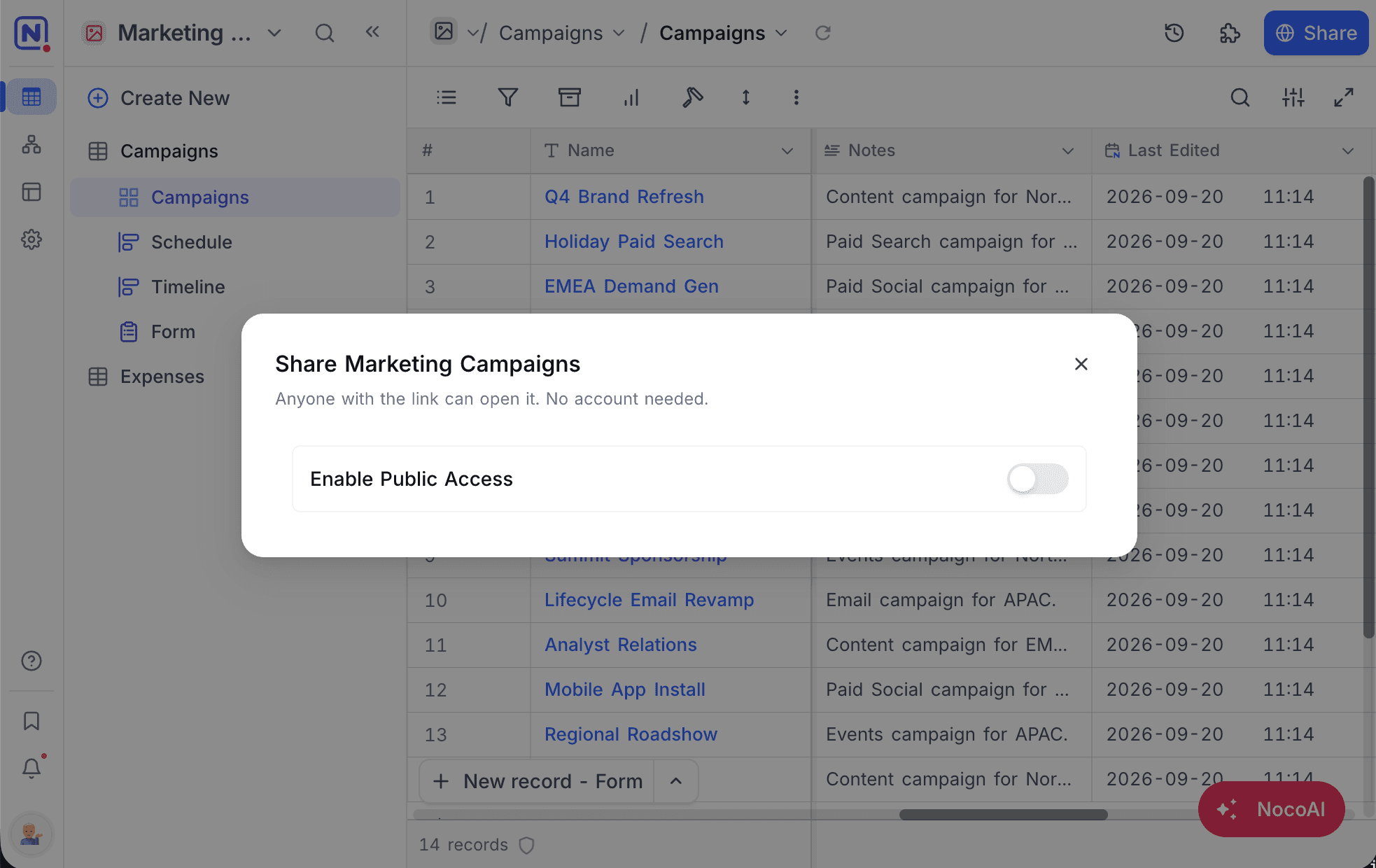
Enable public access
To share a base, follow the steps below:
- Right-click the base in the sidebar, or open the base context menu from the toolbar, and click
Share base. - Toggle the
Enable Public Accessswitch to activate public sharing. - A shareable link will be generated. Click the
Copy URLoption to copy it.
Share button in the top right corner opens the invite dialog, which adds people as members of the base. Publishing a read-only link to the whole base is done from Share base in the base context menu, and is available to base Owners and Creators.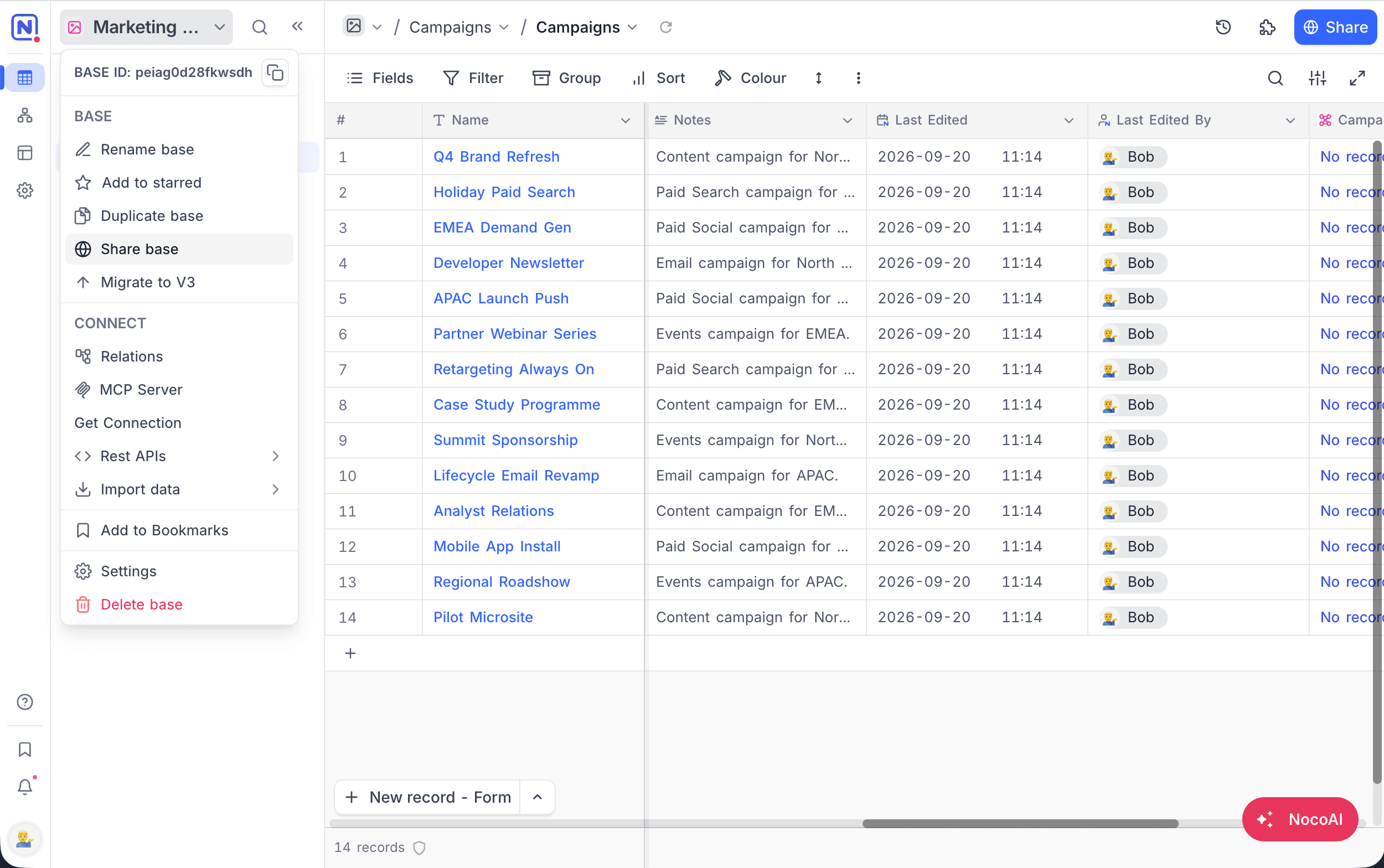
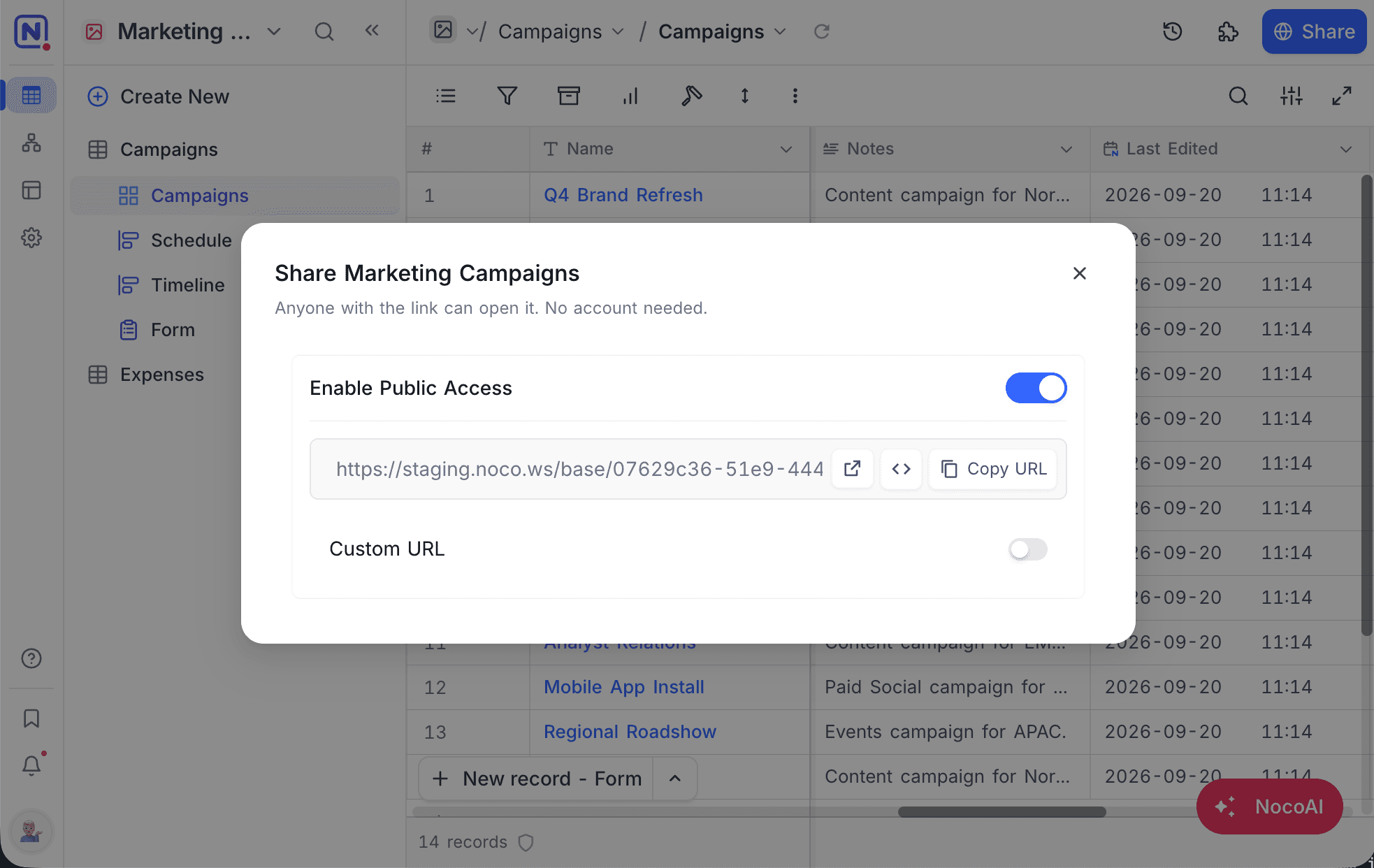
Copy Base
The Copy base feature lets someone with the shared link import a copy of the base into their own workspace. It is also a convenient way to use a base as a template for future bases. To copy a base:
- Open the shared base URL you wish to copy.
- Click the
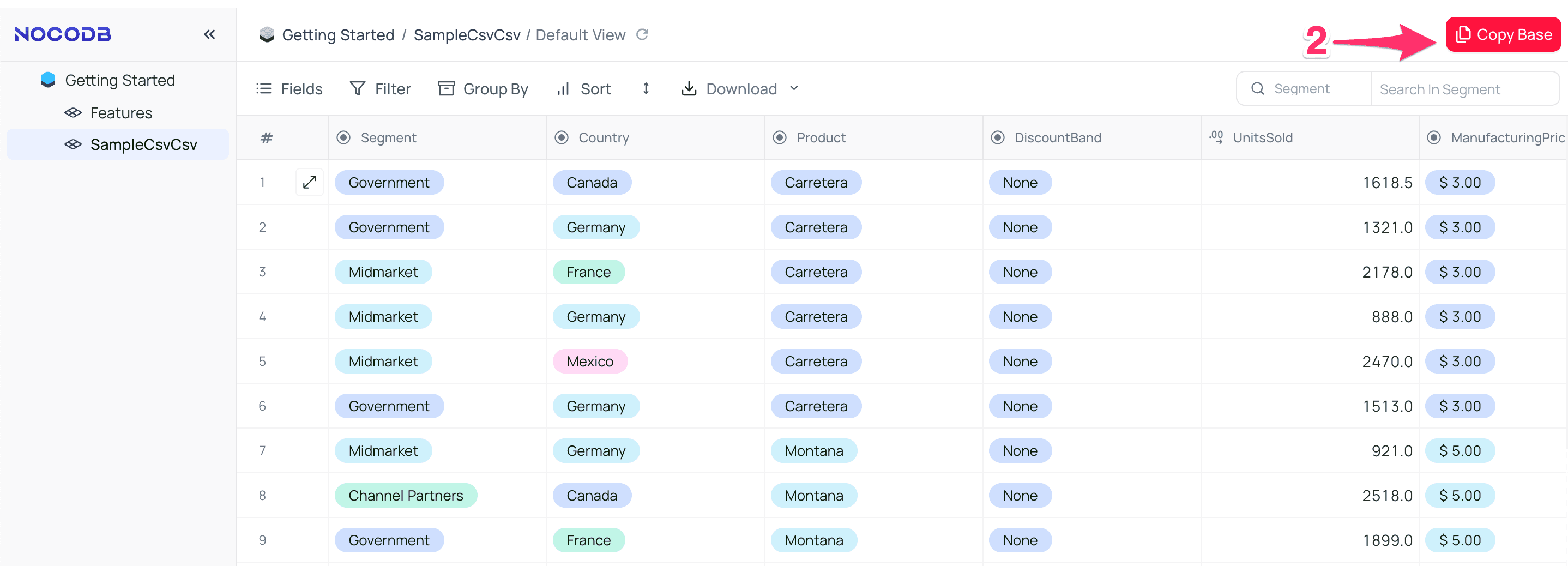
Copy basebutton in the top right corner of the toolbar. - In the modal that appears, select the workspace to copy the base into.
- Choose whether to copy the base with or without data and views.
- Click
Copy baseto finish.
Modify Share base
Updating (regenerating) the shared base configuration will invalidate the previously generated link and generate a new one. To do this:
- Open
Share basefrom the base context menu. - Toggle
Enable Public Accessoff to disable sharing. - Toggle it on again to reactivate sharing, which will generate a new link.
Disable Share base
To disable the shared link:
- Open
Share basefrom the base context menu. - Toggle off the
Enable Public Accessoption.
This will deactivate the current share link.
Custom URL
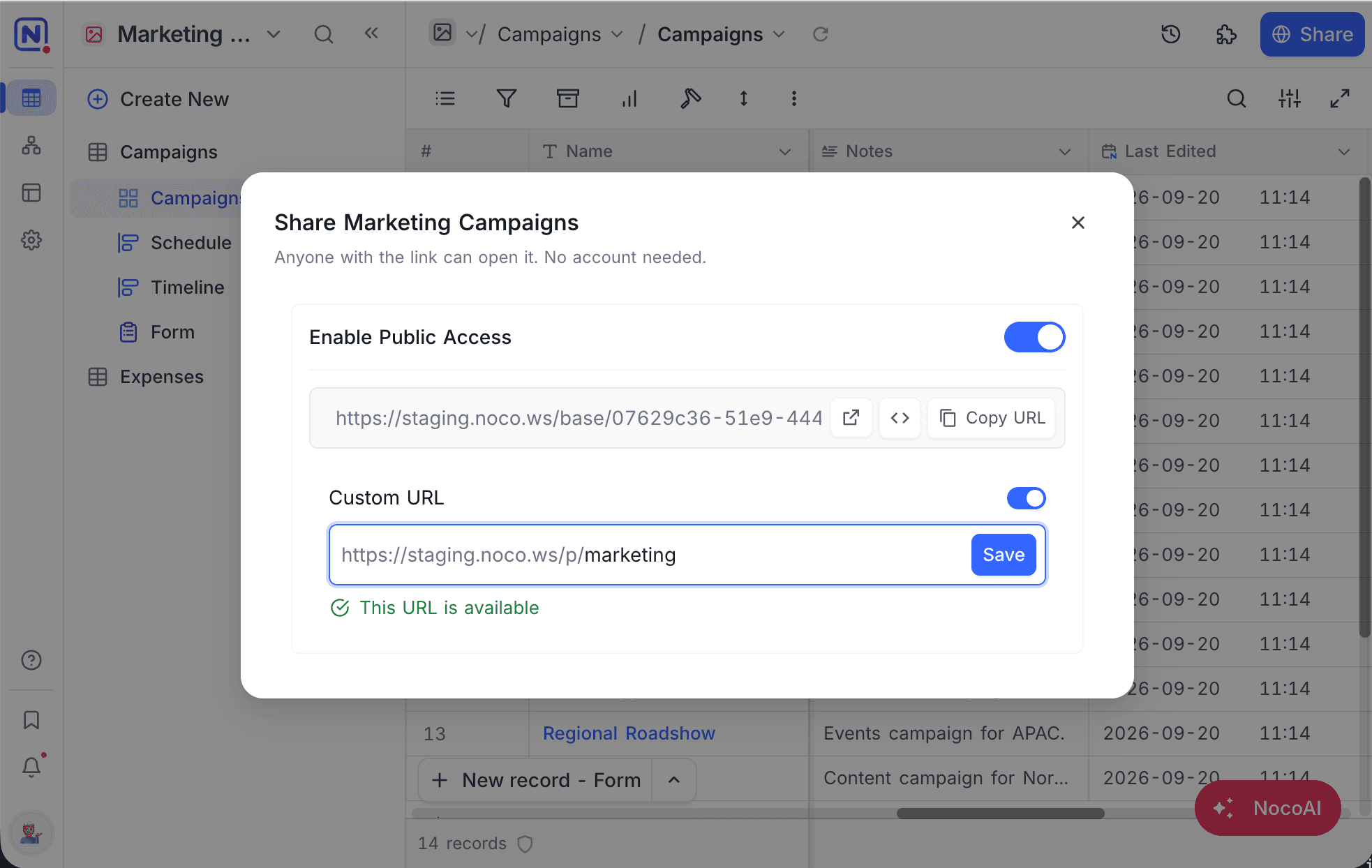
You can personalize the shared base URL by setting a custom identifier. The custom URL must be unique and should not contain special characters like /, ?, or #.
To set a custom URL:
- Toggle the
Custom URLoption. - Enter a custom value in the input field. If the custom URL entered is already in use, you will be prompted to choose a different one.
- Click
Saveto apply the changes.
Embeddable Frame
You can embed the shared base into another application using an HTML IFRAME.
To generate an embeddable iframe code:
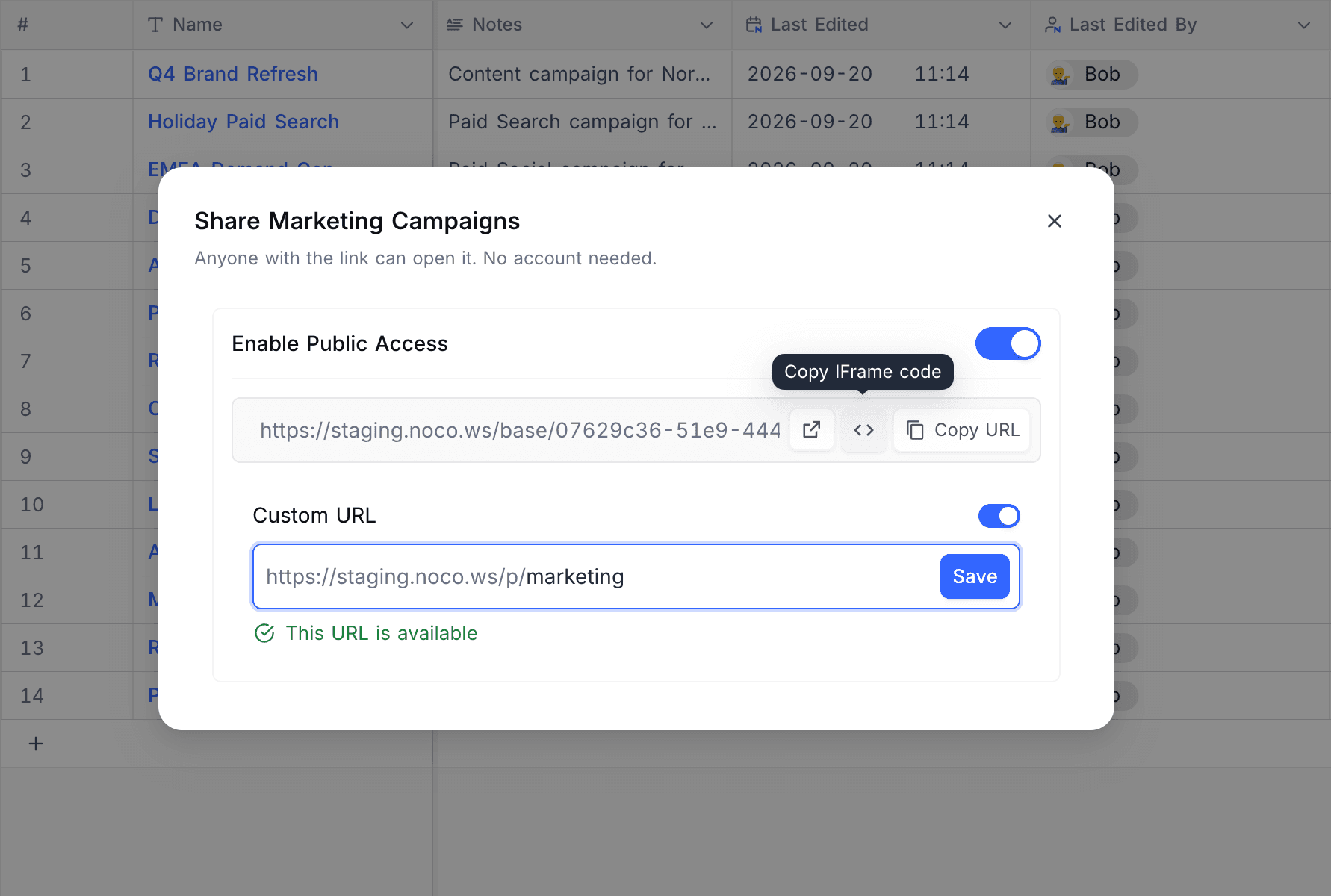
- Open
Share basefrom the base context menu. - Click
<>, labelledCopy IFrame code, to copy the embed snippet.
The snippet looks like this:
<iframe src="https://app.nocodb.com/base/07629c36-51e9-444c-b1ed-0b30e8e6e1ad" width="100%" height="100%" style="border: none;"></iframe>Adjust width, height and style to suit the page you are embedding into.
Here’s an example of a complete HTML document embedding the base:
<!DOCTYPE html>
<html>
<head>
    <title>Sample iFrame Example</title>
</head>
<body style="height:100vh; margin:0">
<iframe src="https://app.nocodb.com/base/07629c36-51e9-444c-b1ed-0b30e8e6e1ad" width="100%" height="100%" style="border: none;"></iframe>
</body>
</html>Last updated on