SCIM
Learn how to configure SCIM v2.0 for automatic user and group provisioning in NocoDB.
Overview
SCIM (System for Cross-domain Identity Management) is an open standard protocol (v2.0) that automates the exchange of user and group identity information between your identity provider (IdP) and NocoDB. Instead of manually adding and removing users from your organization, SCIM lets your IdP handle it automatically.
With SCIM provisioning enabled, your identity provider can:
- Create users — automatically add users to your NocoDB organization when they're assigned in the IdP
- Update users — sync profile changes (display name, email, etc.) from the IdP to NocoDB
- Deactivate users — soft-delete organization members when they're unassigned or deactivated in the IdP
- Manage groups — create, update, and delete org-level teams in NocoDB that mirror your IdP group structure
Enabling SCIM in NocoDB
Prerequisites
- An Enterprise NocoDB plan (self-hosted or NocoDB Cloud)
- Org Admin access in NocoDB
- Admin access to your identity provider (Okta, Azure AD / Entra ID, etc.)
- SSO configured with the same IdP (recommended, not required)
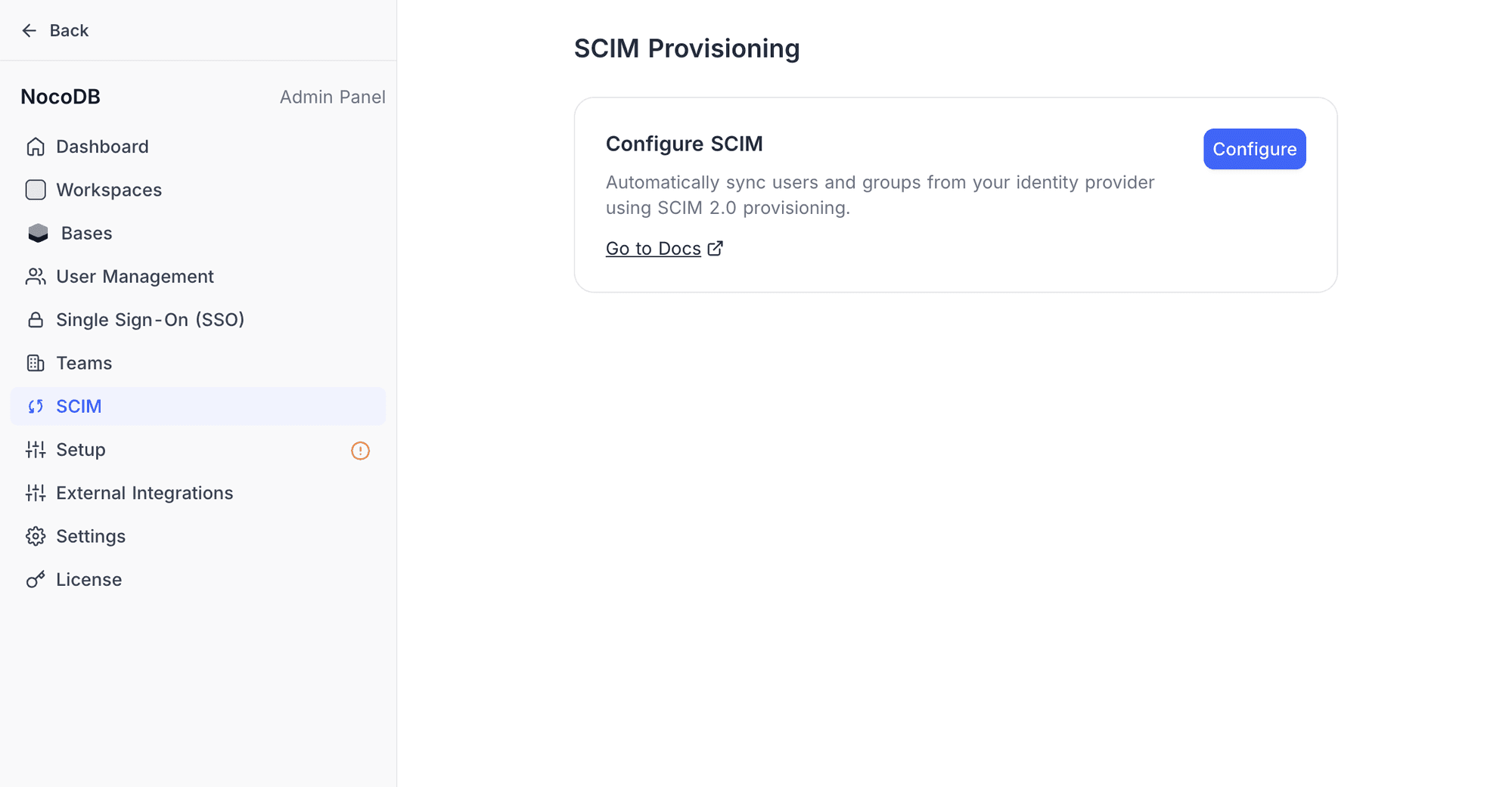
Step 1: Navigate to SCIM settings
- Open the Admin Panel from the user menu in the bottom-left corner of the NocoDB interface
- Select SCIM from the sidebar menu
Step 2: Enable SCIM provisioning
Click the Configure button in the SCIM Provisioning section. NocoDB will generate the SCIM endpoint URL and a provisioning token, and automatically enable provisioning.
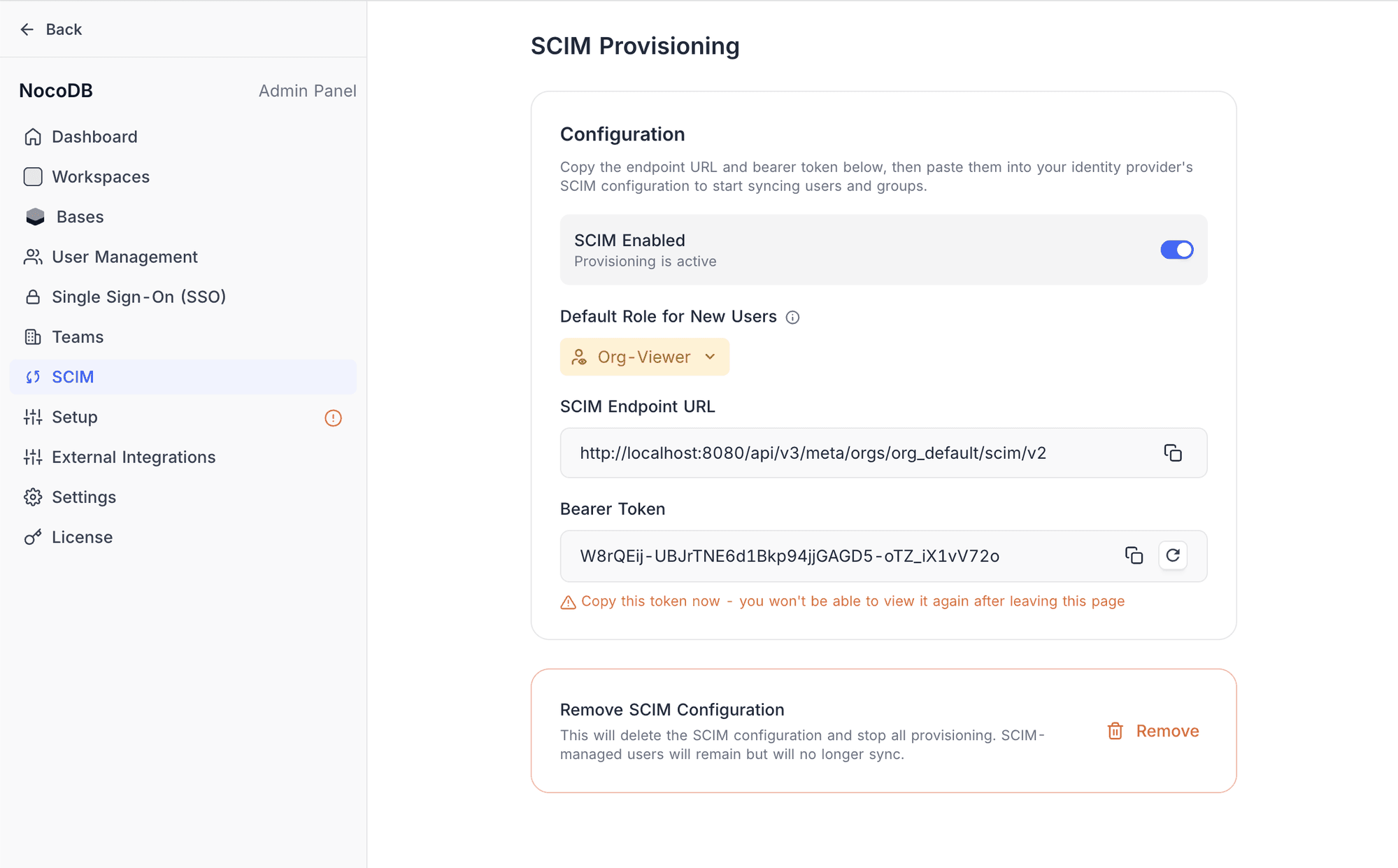
Step 3: Copy the SCIM endpoint and token
Once SCIM is configured, you'll see the following details:
- SCIM Endpoint URL — the base URL for all SCIM API calls (e.g.,
https://app.nocodb.com/api/v3/meta/orgs/{orgId}/scim/v2) - Bearer Token — a bearer token used to authenticate SCIM requests
Step 4: Configure your identity provider
Use the SCIM Endpoint URL and Provisioning Token to configure SCIM in your IdP. NocoDB supports SCIM provisioning with Okta and Azure AD (Entra ID). Refer to your identity provider's documentation for SCIM application configuration steps.
Step 5: Assign users and groups
In your IdP, assign users and/or groups to the NocoDB SCIM application. The IdP will then push these assignments to NocoDB via the SCIM API.
How it works
User provisioning
When a user is assigned to the NocoDB application in your IdP, the IdP sends a SCIM POST /Users request. NocoDB creates an organization member with the configured default role (Org-Viewer by default). Once provisioned, org members can be:
- Invited into org-level teams
- Assigned roles at the workspace or base level
- Added to workspace teams
Org Admins can change the org role from within NocoDB at any time.
If a user is unassigned or deactivated in the IdP, NocoDB soft-deletes the organization member. The user's data and contributions are preserved, but they lose access to the organization and all its workspaces.
If a previously deactivated user is re-assigned in the IdP, NocoDB reactivates their organization membership with the current default role (not their previous role). Any workspace, base, or team memberships the user held before deactivation are not automatically restored — the user must be re-invited to each workspace and base individually to regain access.
Group provisioning
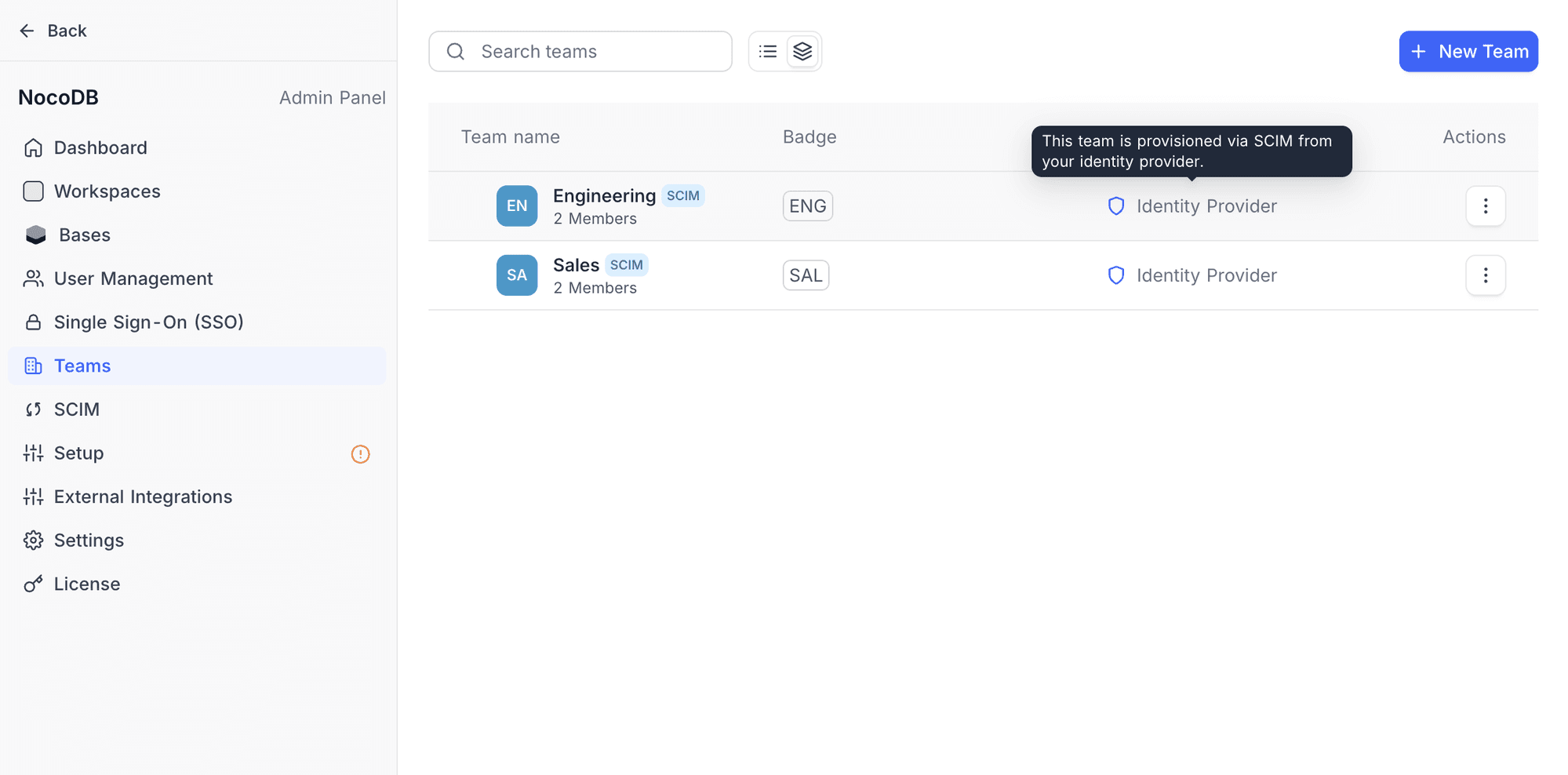
SCIM groups map to org-level Teams in NocoDB. When a group is pushed from the IdP, NocoDB creates a corresponding organization team with a SCIM badge and "Identity Provider" shown as the creator. Members of the IdP group are automatically added to the NocoDB team.
Changes to group membership in the IdP (adding or removing members) are synced to NocoDB in real time via SCIM PATCH operations.
SCIM-managed vs. manually-created users
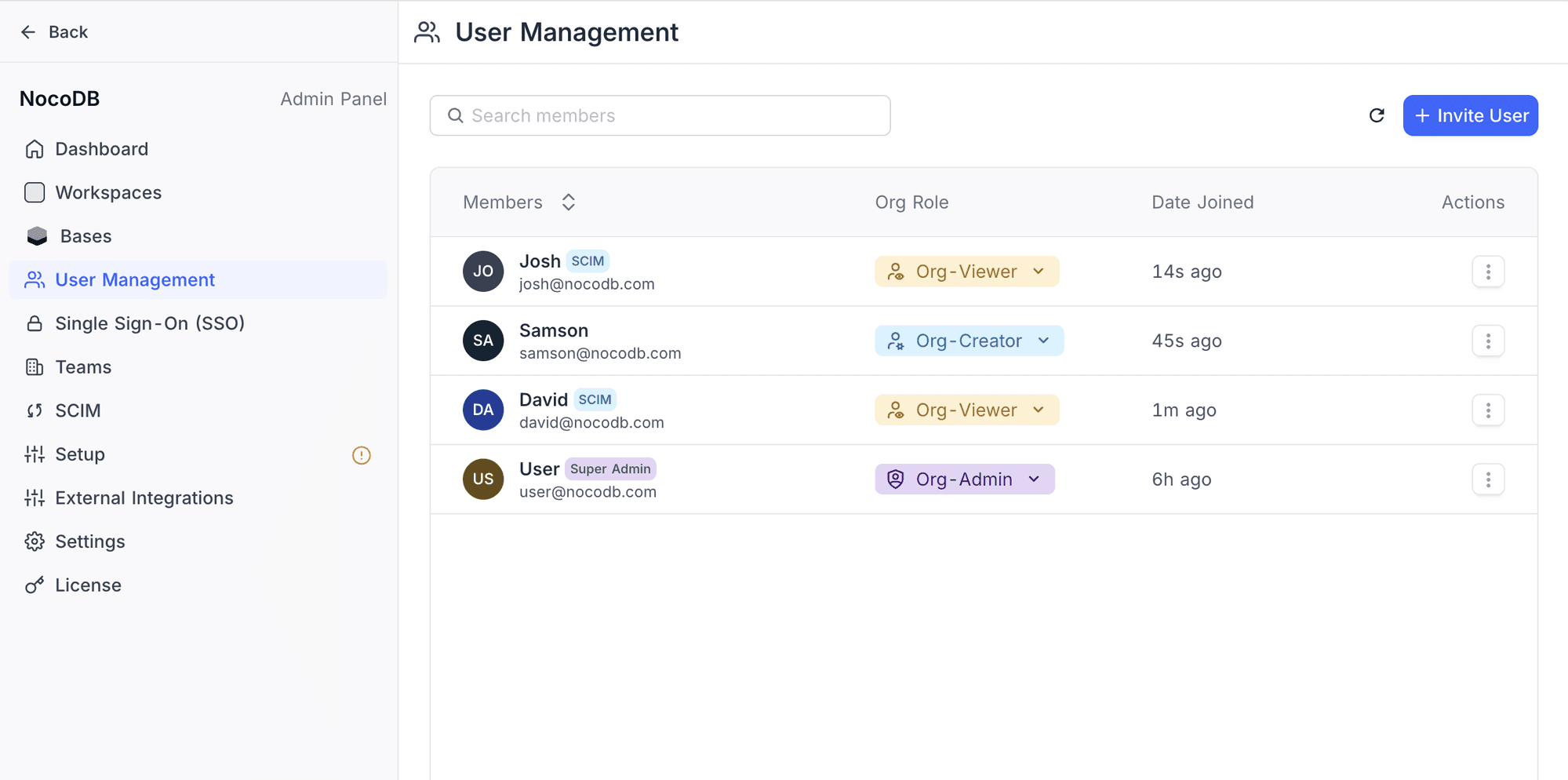
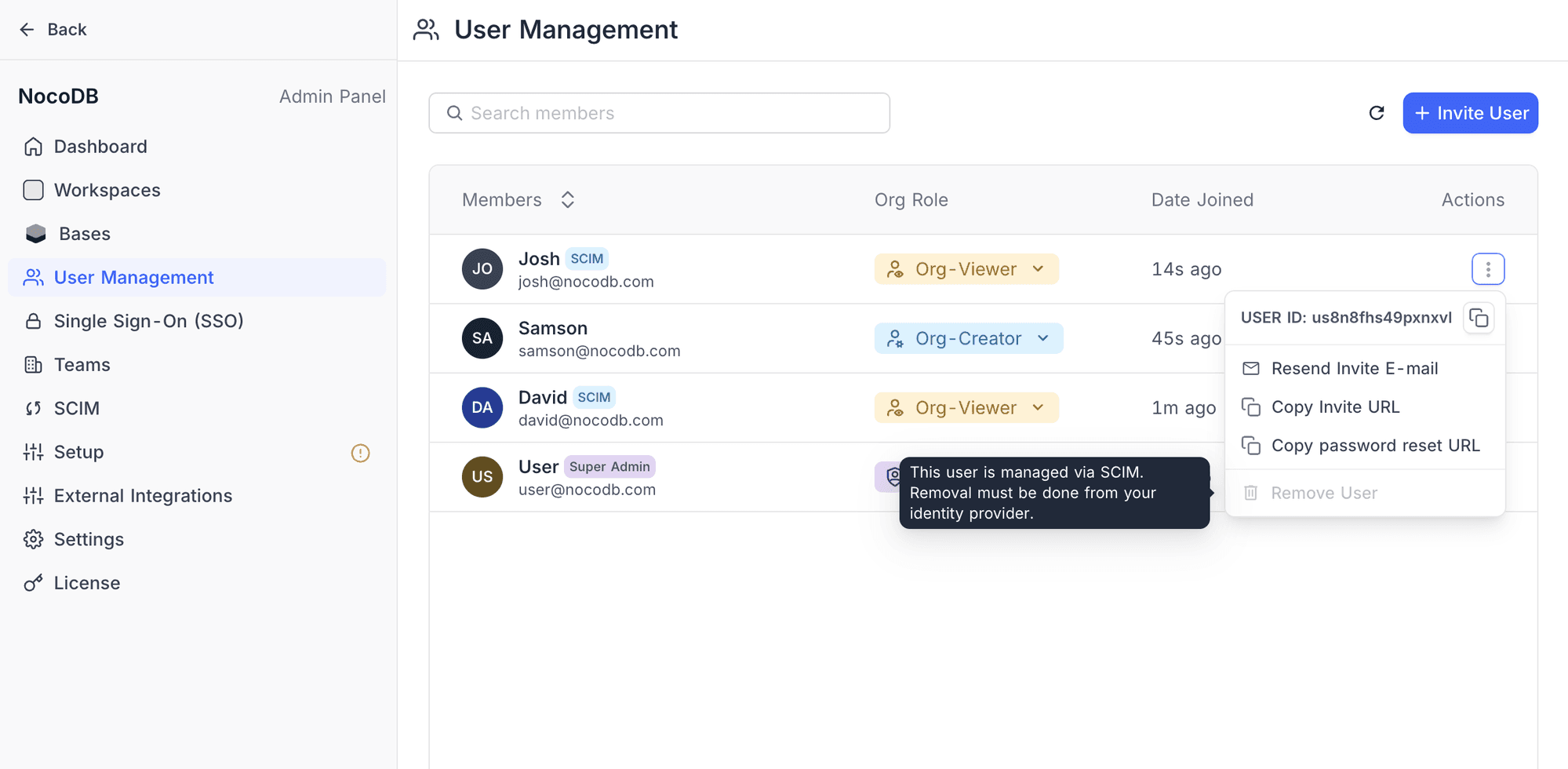
Users provisioned through SCIM are marked as SCIM-managed with a blue SCIM badge in the User Management list. Key differences:
- SCIM-managed users' lifecycle (activation/deactivation) is controlled by the IdP
- Org roles can still be changed by the Org Admin within NocoDB
- Manually created users are unaffected by SCIM operations
- SCIM-managed users cannot be removed directly from NocoDB — removal must be done from your identity provider
Managing SCIM
Toggling provisioning
You can pause SCIM provisioning without deleting the configuration by toggling the SCIM switch in the Admin Panel > SCIM settings. When paused, NocoDB will reject incoming SCIM requests until provisioning is re-enabled.
Default role for new users
The default role determines the org-level role assigned to SCIM-provisioned users. You can configure this from the SCIM settings page using the Default Role for New Users dropdown. Available options:
| Role | Description |
|---|---|
| Org-Viewer | Can access workspaces and bases they are invited to; cannot create new workspaces (default) |
| Org-Creator | Same as Org-Viewer, plus can create new workspaces within the organization |
Regenerating the token
If the provisioning token is compromised or lost:
- Go to Admin Panel > SCIM
- Click the Regenerate button next to the provisioning token
- Copy the new token and update it in your IdP configuration
Disabling SCIM
To completely remove SCIM provisioning:
- Go to Admin Panel > SCIM
- Click Remove in the danger zone section
- Confirm the deletion