Projects
In NocoDB, a project is the main structure that holds your data. It contains tables, views, forms, dashboards and more. A project is a complete environment to organize data and work on it with other people. Each project belongs to one workspace.
The person who creates a project becomes its owner. A project must always have one or more owners. A project can have more than one owner, and each owner has full control of the project settings and permissions.
Project-level Permissions
Each project has its own members and permissions, separate from workspace access. This lets you control who can see or edit the content of a project. To manage members, refer to Project Collaboration. For more detailed access control, refer to Table Permissions and Field Permissions.
Project Dashboard
The project dashboard is the first page that opens when you open a project. It opens on a prompt box: describe what you want, and NocoAI builds it and continues in full screen. The box follows the sidebar tab that you are on. The same box sets up tables on Data, workflows on Workflows and pages on Interfaces. Under Or start from scratch are the manual actions for that tab.
The dashboard also lists the recent NocoAI chats in this project. You can open a chat again, or search for it by name.
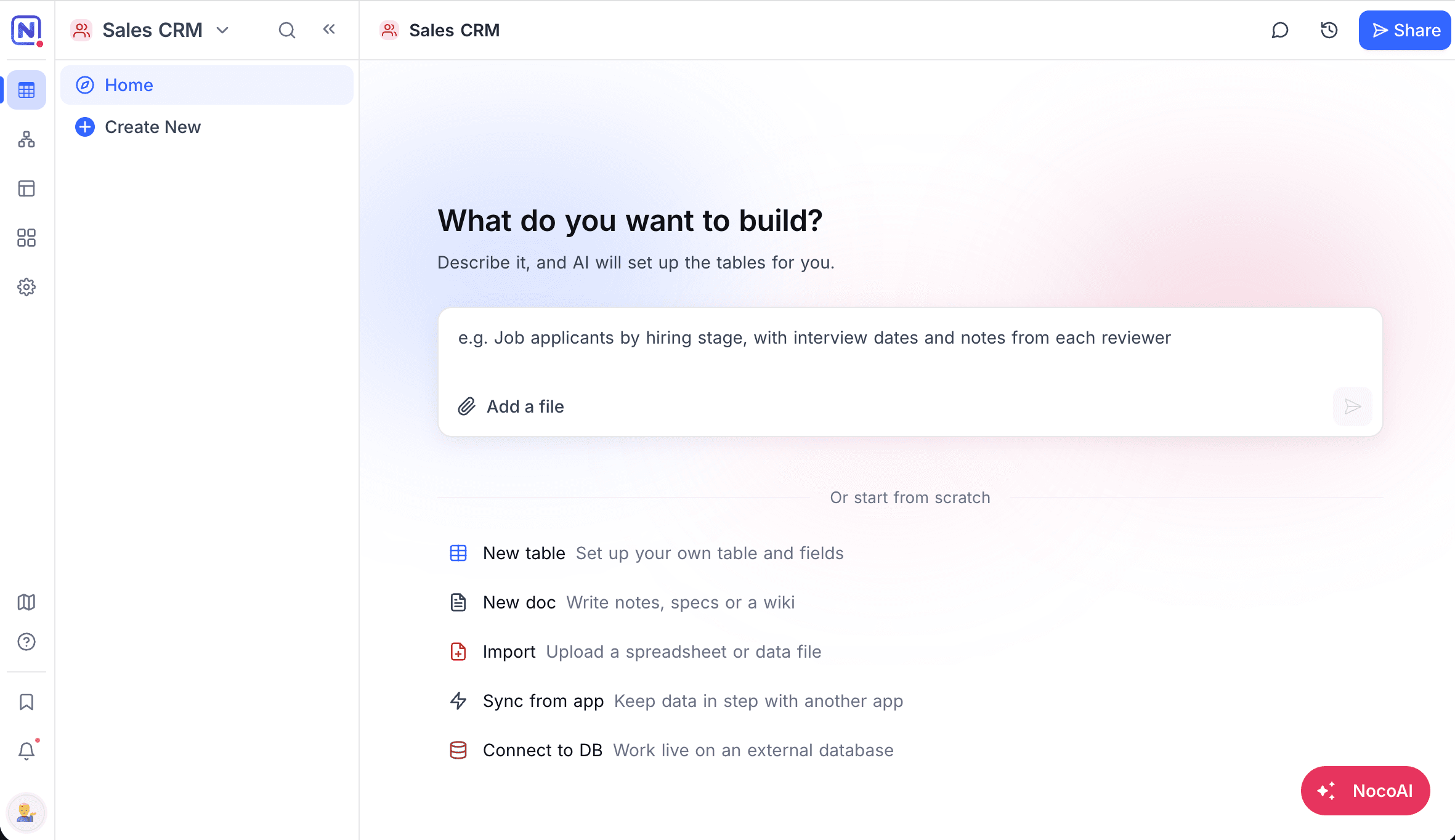
Data Actions
| Action | What it does |
|---|---|
| New table | Sets up your own table and fields. |
| New doc | Starts a page for notes, specs or a wiki. |
| Import | Uploads a spreadsheet or data file. |
| Sync from app | Mirrors a Grid view from another project (NocoDB Sync), or gets data from an external system (App Sync). |
| Connect to DB | Works live on an external database, for example MySQL or PostgreSQL. |
Availability
- To create a project, you need the Creator or Owner role in the workspace.
Last updated on