Create Table
Ask NocoAI
Copy a prompt, paste it into NocoAI in any base, and replace the words in [brackets] with your own.
- Create a table for [projects] with the fields a team would need
- Create a table called [Events] with [name, date, location and capacity]
- Create a table for [invoices] and link it to [Customers]
- Suggest tables that are missing from this base
Create a new table
To create a table from scratch:
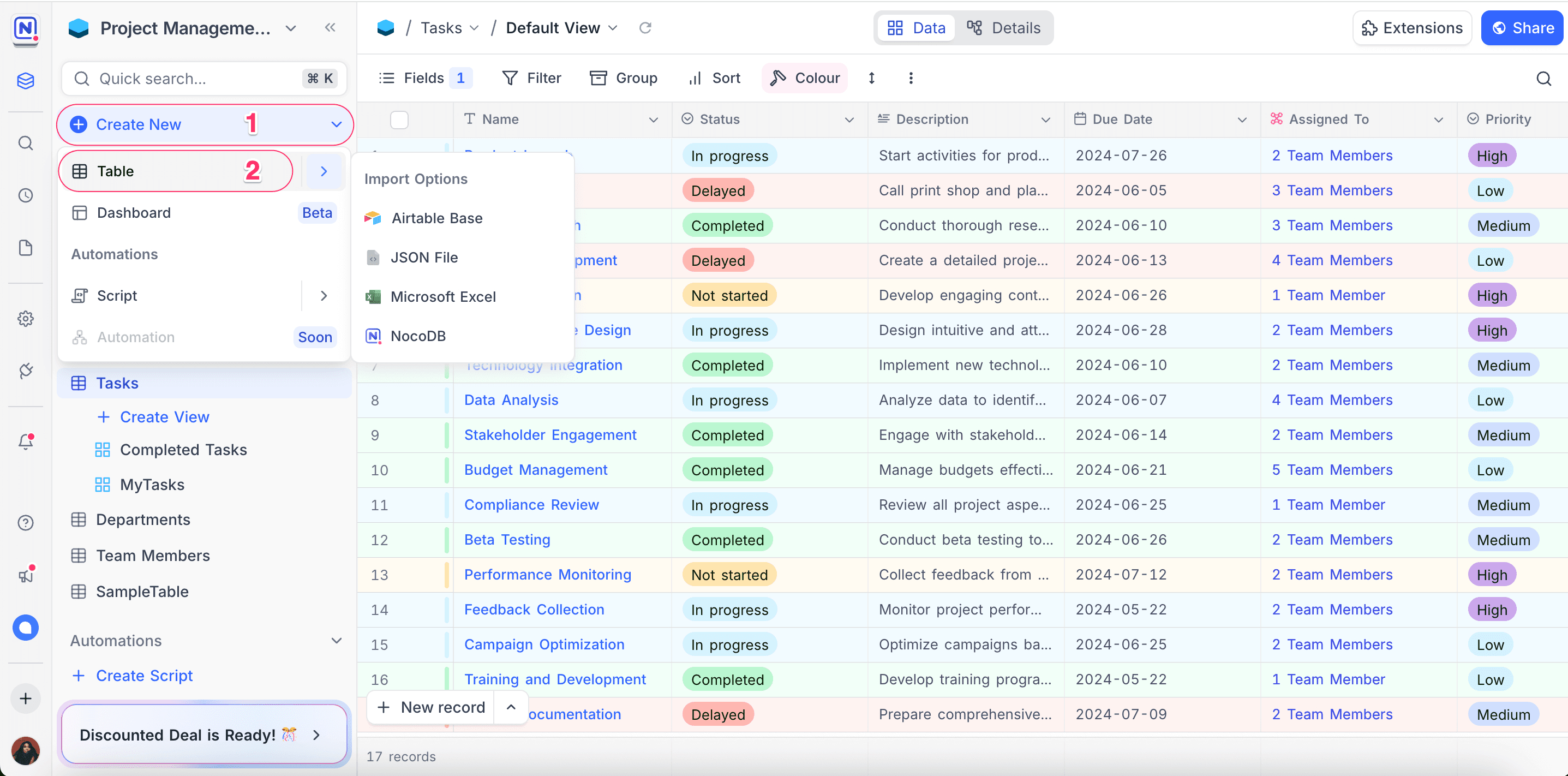
- Click + Create New in the left sidebar.
- From the dropdown, select Table.
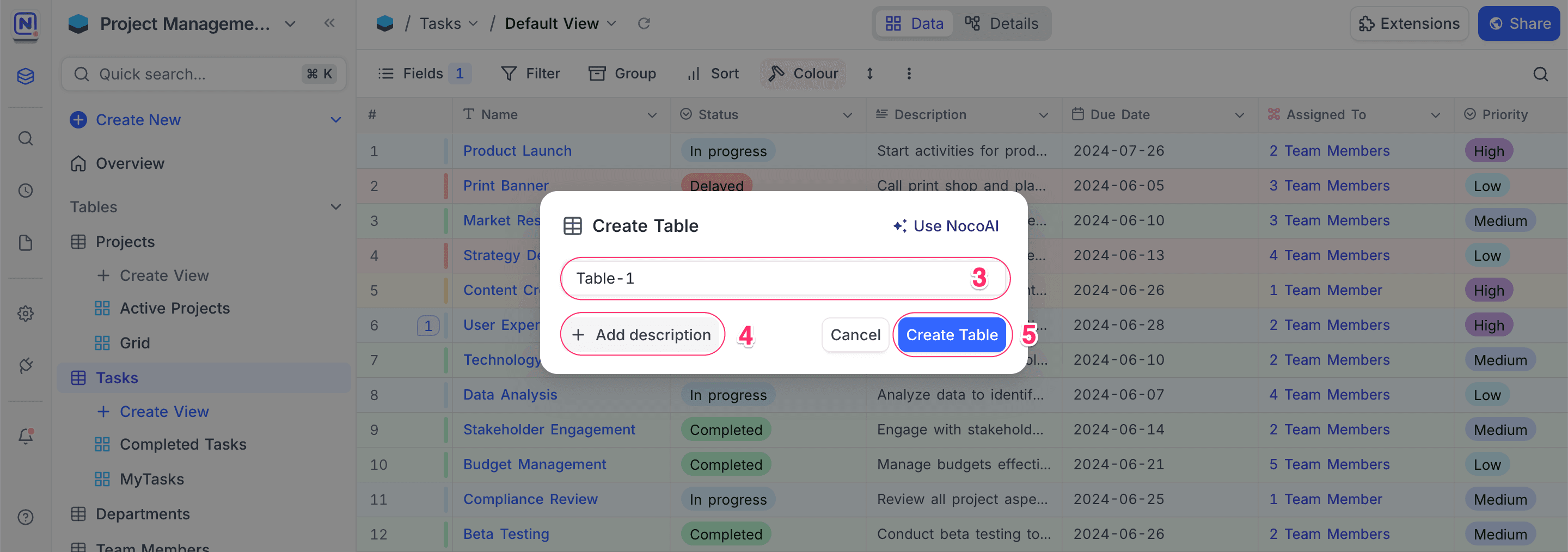
- (Optional) Provide a name for the table in the modal that appears.
- (Optional) Use Add Description to include additional context or details.
- Click Create Table to complete the setup.
Creating table Using AI
Creating tables with AI is available on NocoDB Cloud only (Plus plan and above), where usage is metered by credits. On self-hosted deployments, AI requires configuring your own AI integration (Business plan and above).
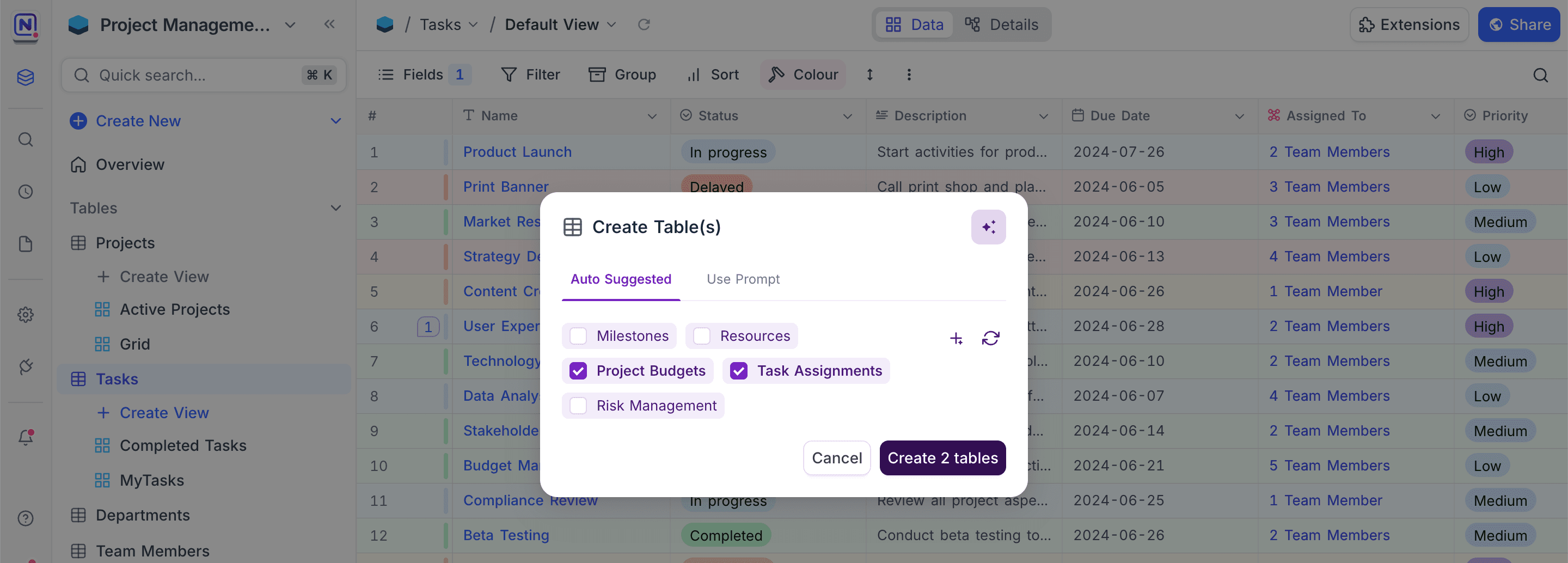
NocoAI can provide a set of suggested tables based on your current schema and context. The tables thus created will include relevant fields and will be linked to existing tables where applicable. This allows you to quickly expand your database structure without manually defining each table and its relationships.
For more details on how to use this feature, refer to the NocoAI documentation.
Last updated on
Latest product updates?See Changelog