Import Airtable to NocoDB
A complete import of your Airtable base to NocoDB within minutes
To proceed, you need a valid Airtable Personal Access Token and Shared Base ID / URL.
Access import modal
There are two ways to open the Import from Airtable modal:
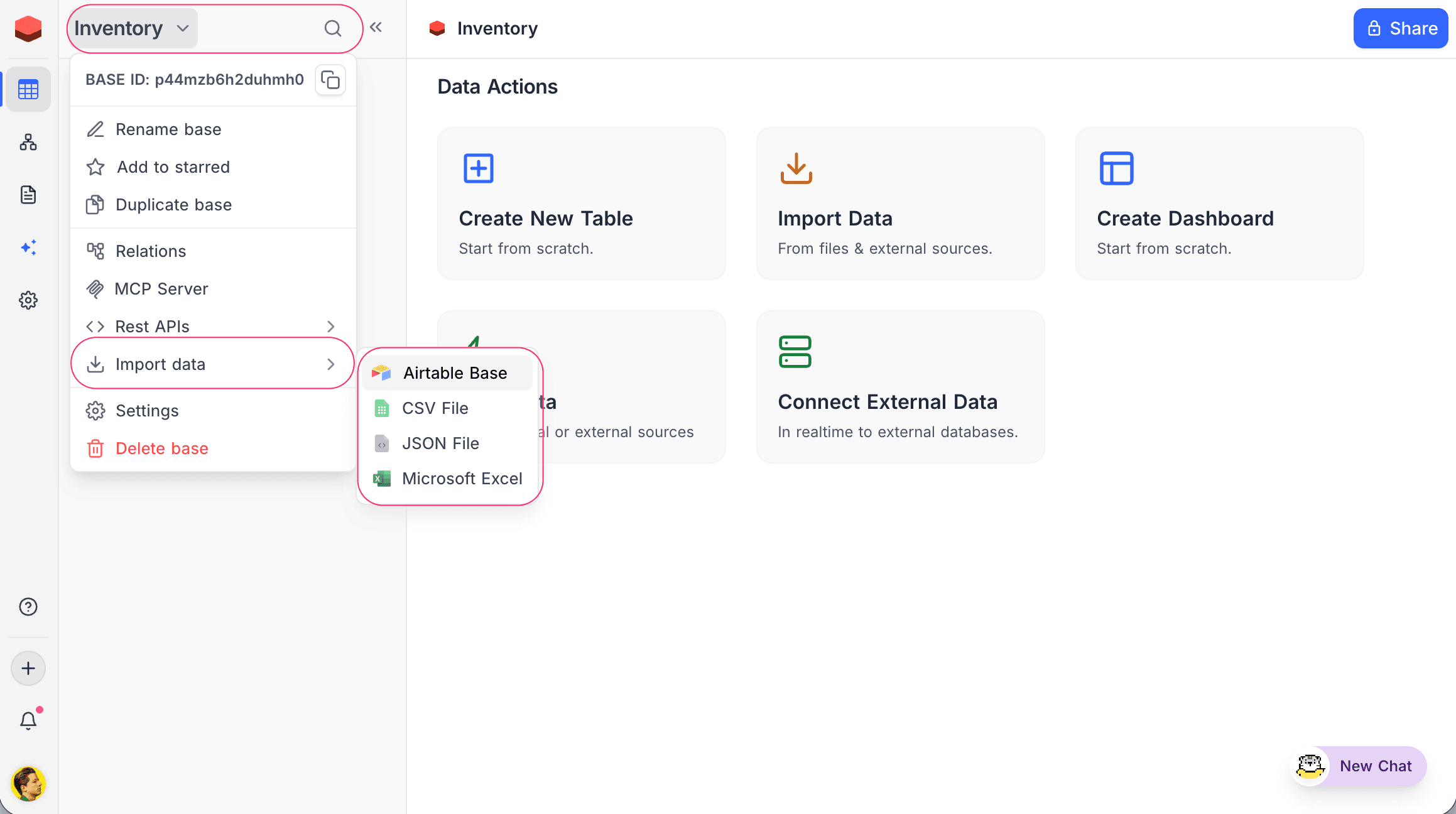
From the base context menu:
- Click on the base name in the sidebar to open the context menu.
- Select Import data → Airtable Base.
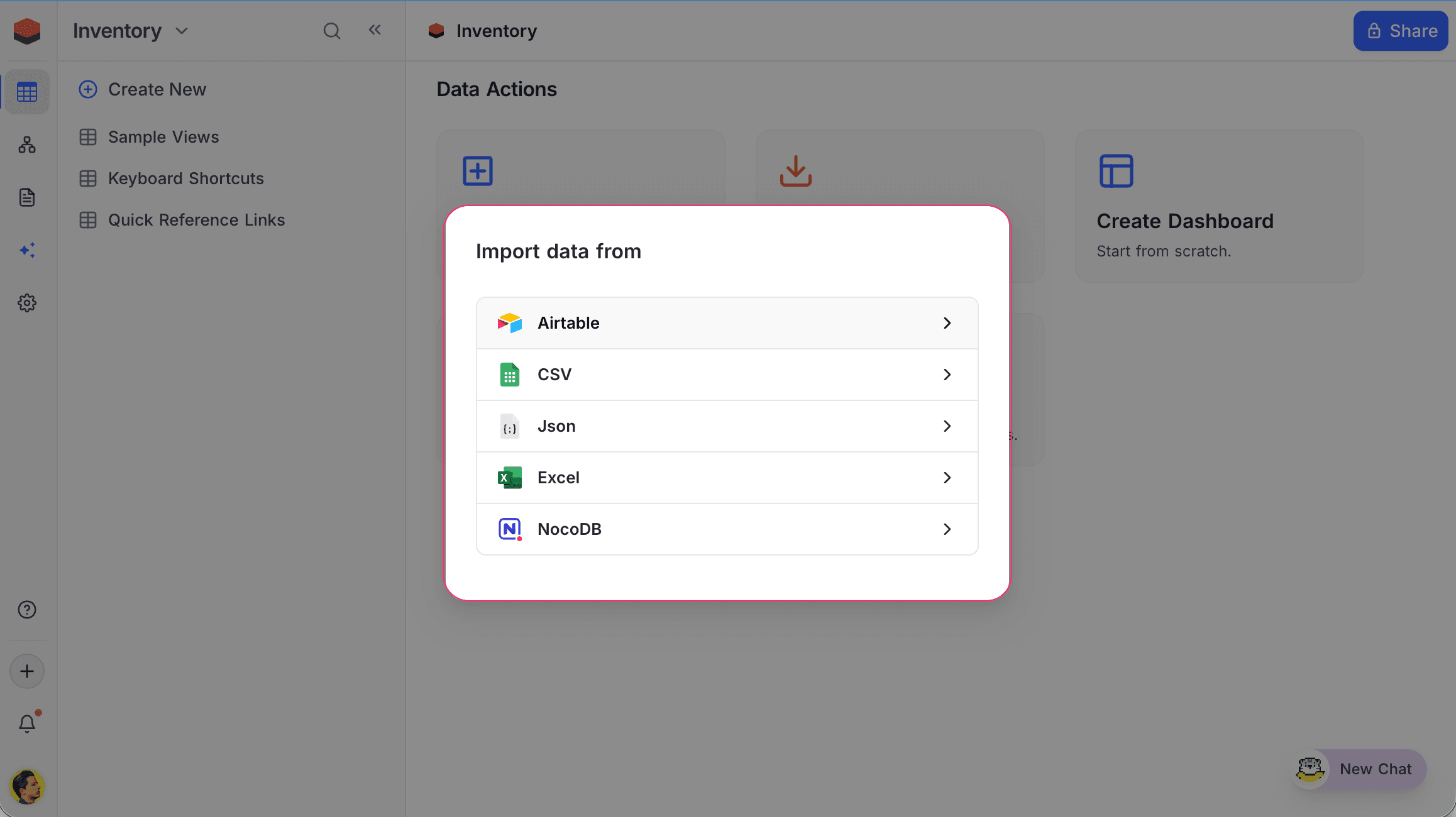
From the base dashboard:
- Click Import Data on the base dashboard.
- Select Airtable.
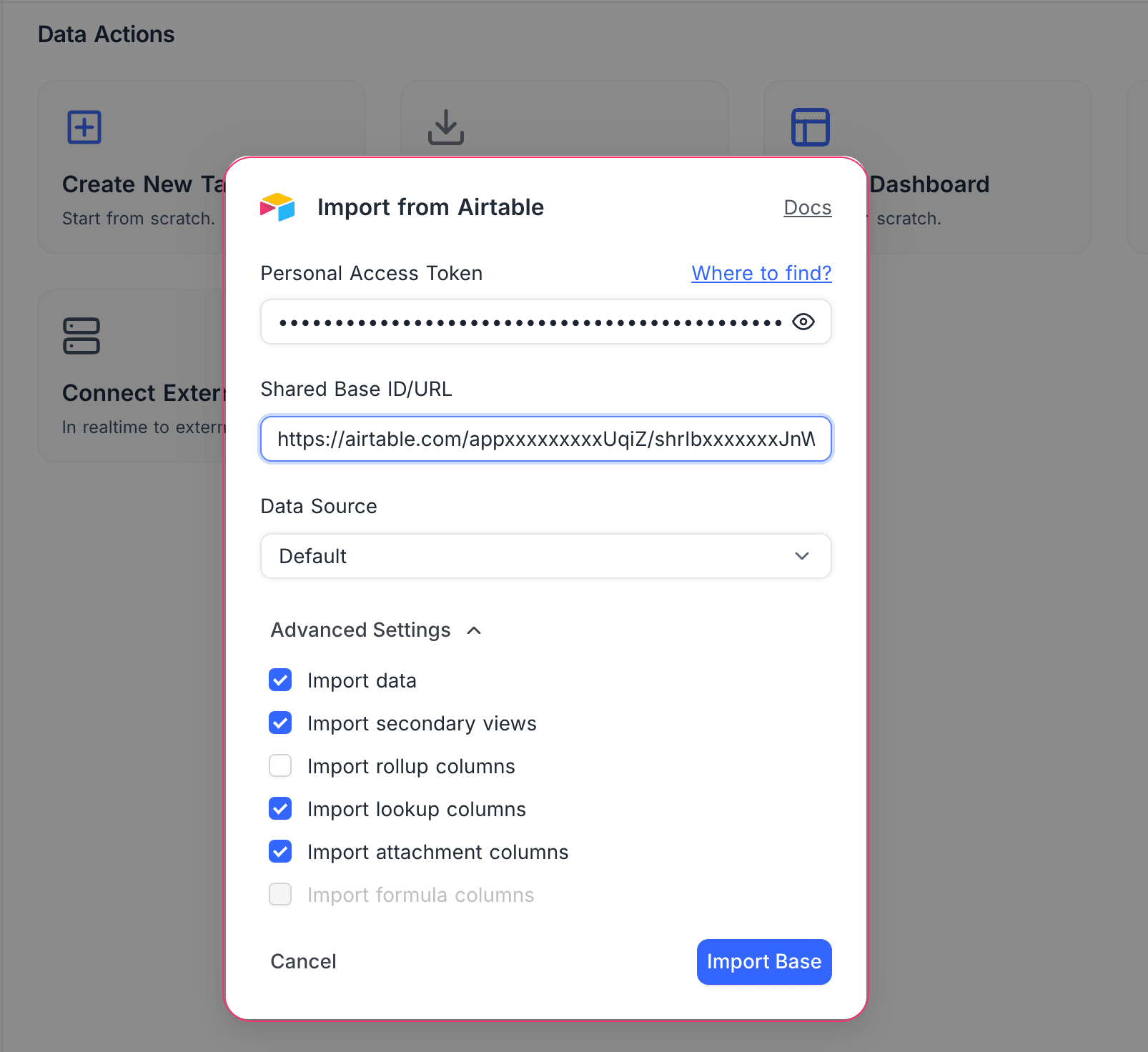
Configure and import
- Enter your Personal Access Token.
- Enter your Shared Base ID / URL.
- Select a Data Source (Default or an external connection).
- Configure Advanced Settings if needed.
- Click Import Base.
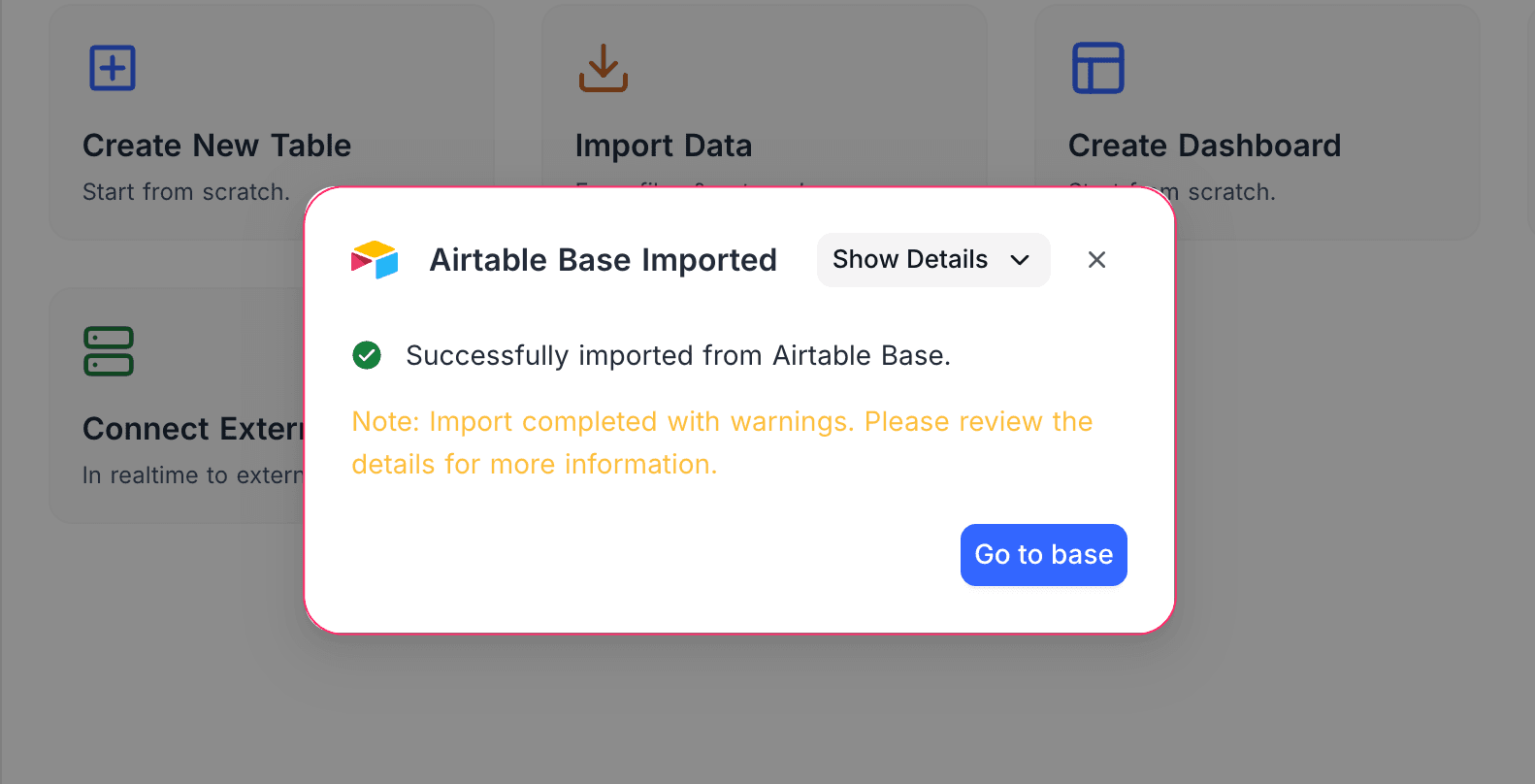
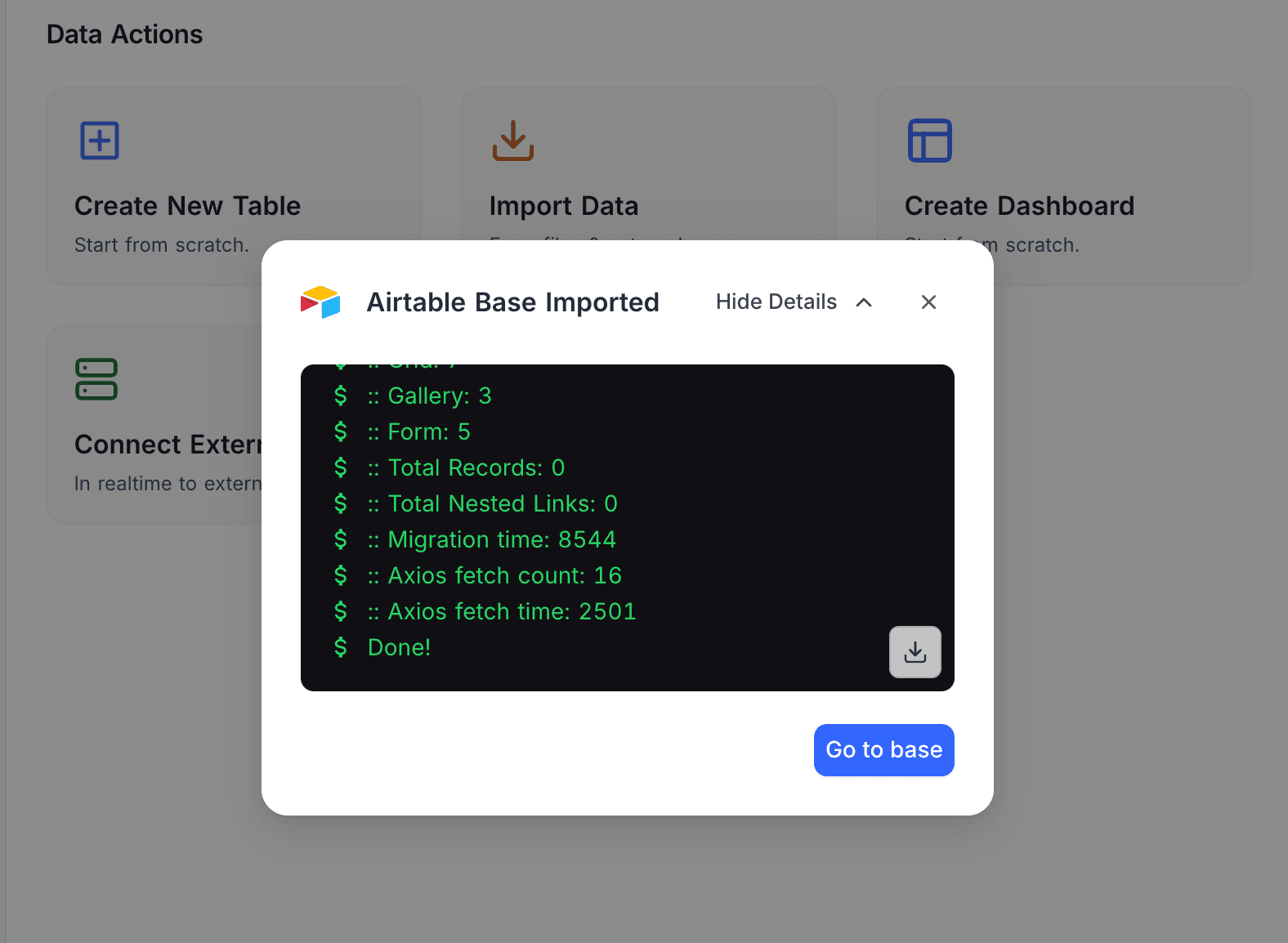
Once the import completes, you'll see the Airtable Base Imported confirmation. Click Show Details to view the import log, or Go to base to start working.
Advanced settings
- Import data — When disabled, only the schema (tables and views) is imported without actual records.
- Import secondary views — When disabled, only the primary grid view for each table is imported.
- Import rollup columns — Toggle import of Rollup fields.
- Import lookup columns — Toggle import of Lookup fields.
- Import attachment columns — Toggle import of Attachment fields.
- Import formula columns — Formula field import is currently not supported (greyed out).
Get Airtable Credentials
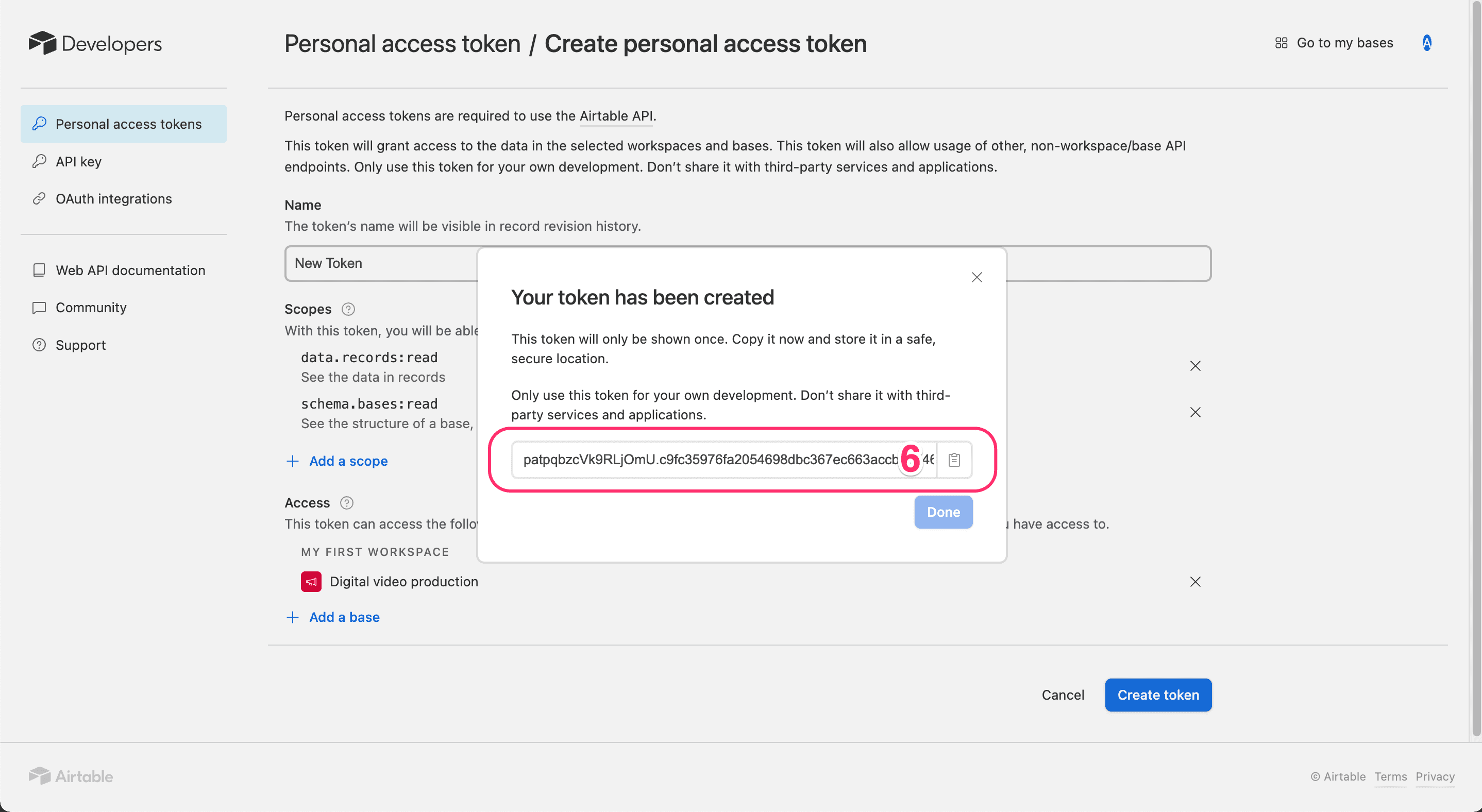
Create Personal Access Token
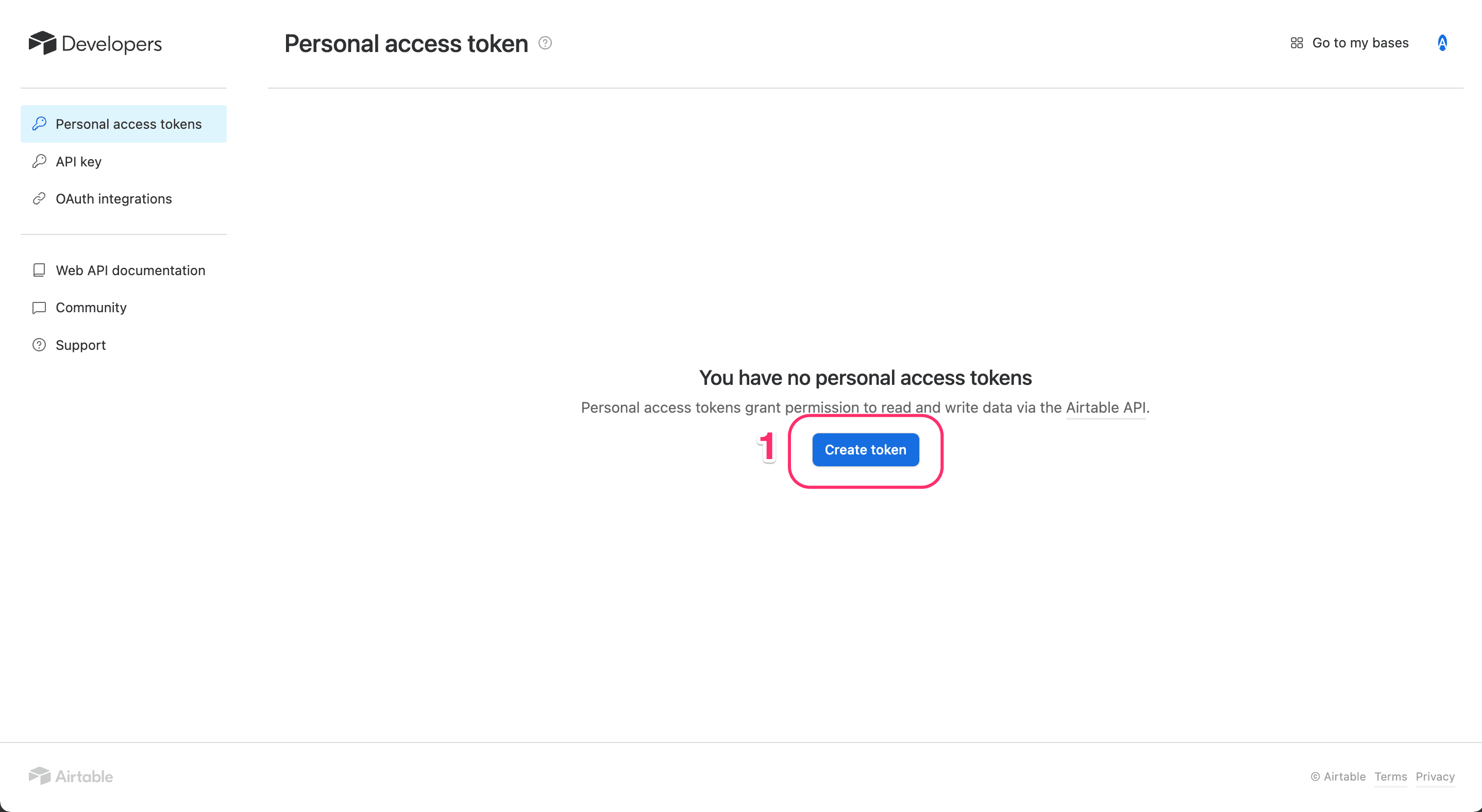
- Visit the Airtable Create Tokens page and click Create token.
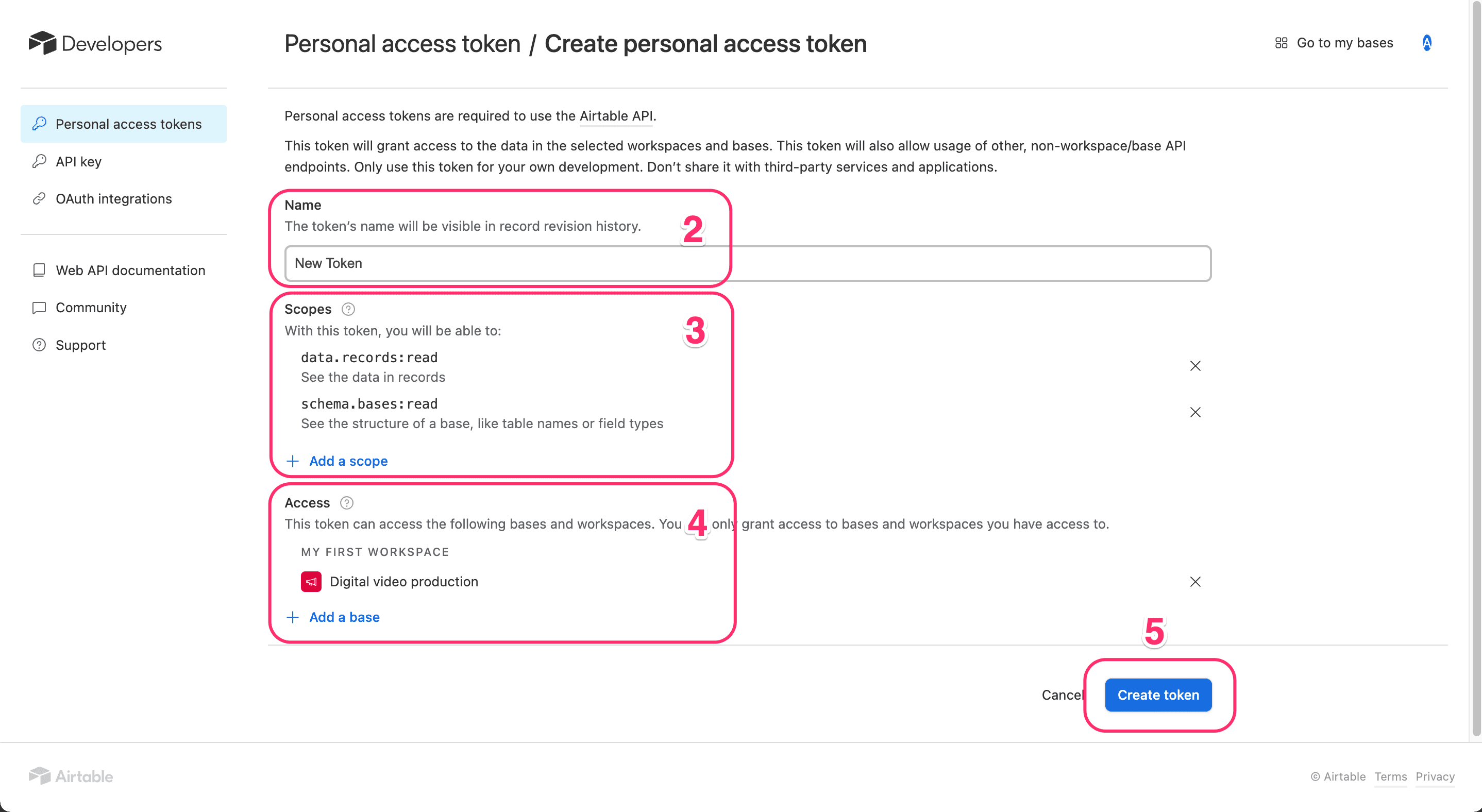
- Enter a name for your token.
- Add the required access scope — minimum
data.records:read. - Select the base you want to import.
- Click Create token and copy the generated token.
For more details, see the Airtable Personal Access Token guide.
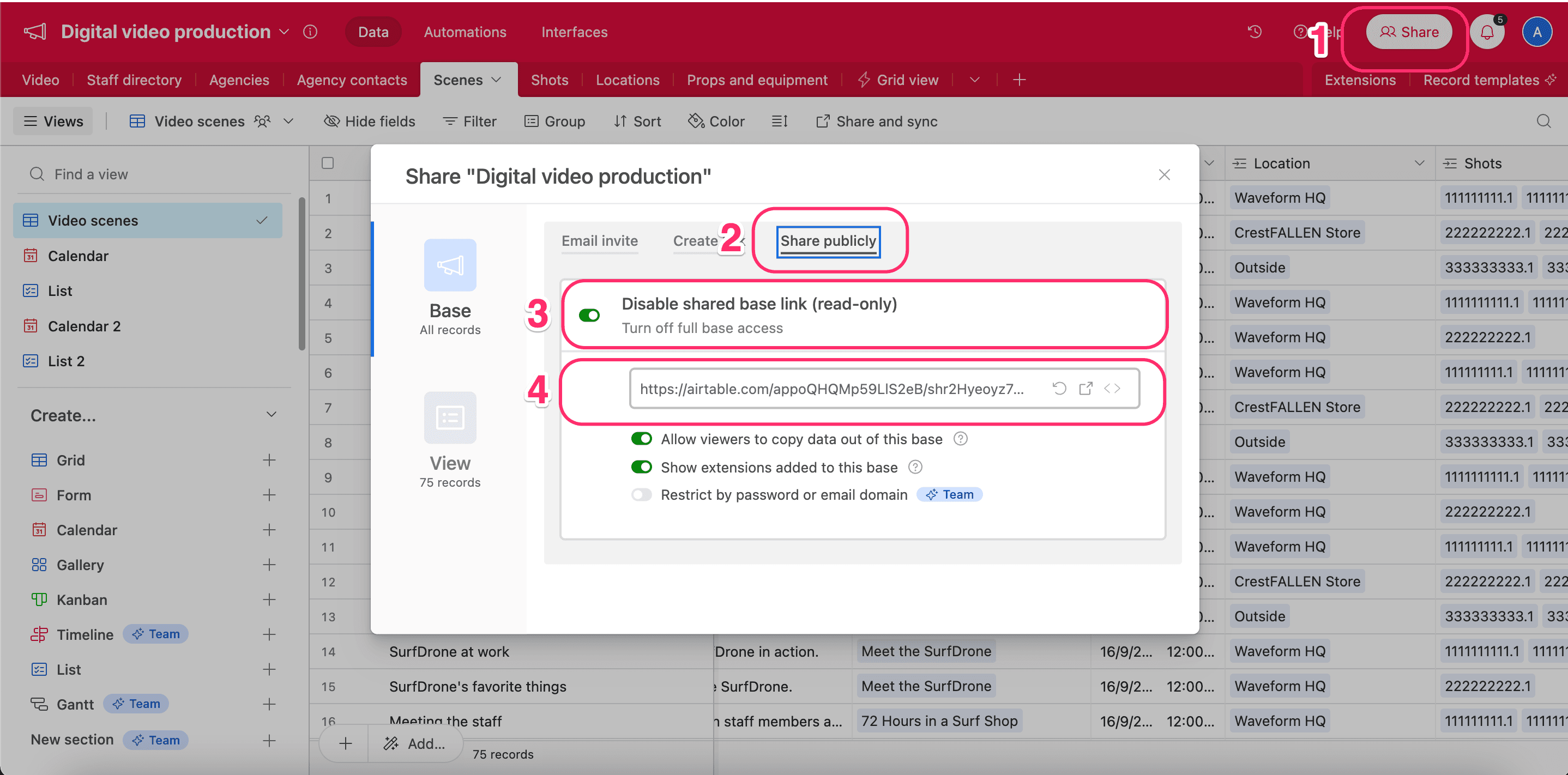
Retrieve Share Base ID / URL
- In Airtable, open the Share menu for your base.
- Open the Share Publicly tab.
- Enable Turn on full base access.
- Copy the generated shared base URL.
For more details, see Airtable's share link guide.