Record Review
Record review pages let users step through records one by one, ideal for approvals and triage.
A Record review page presents records from the connected table one at a time: a list of records on one side, and the full detail of the selected record on the other. It is designed for flows where someone works through a queue, such as approving requests, triaging tickets, or reviewing submissions.
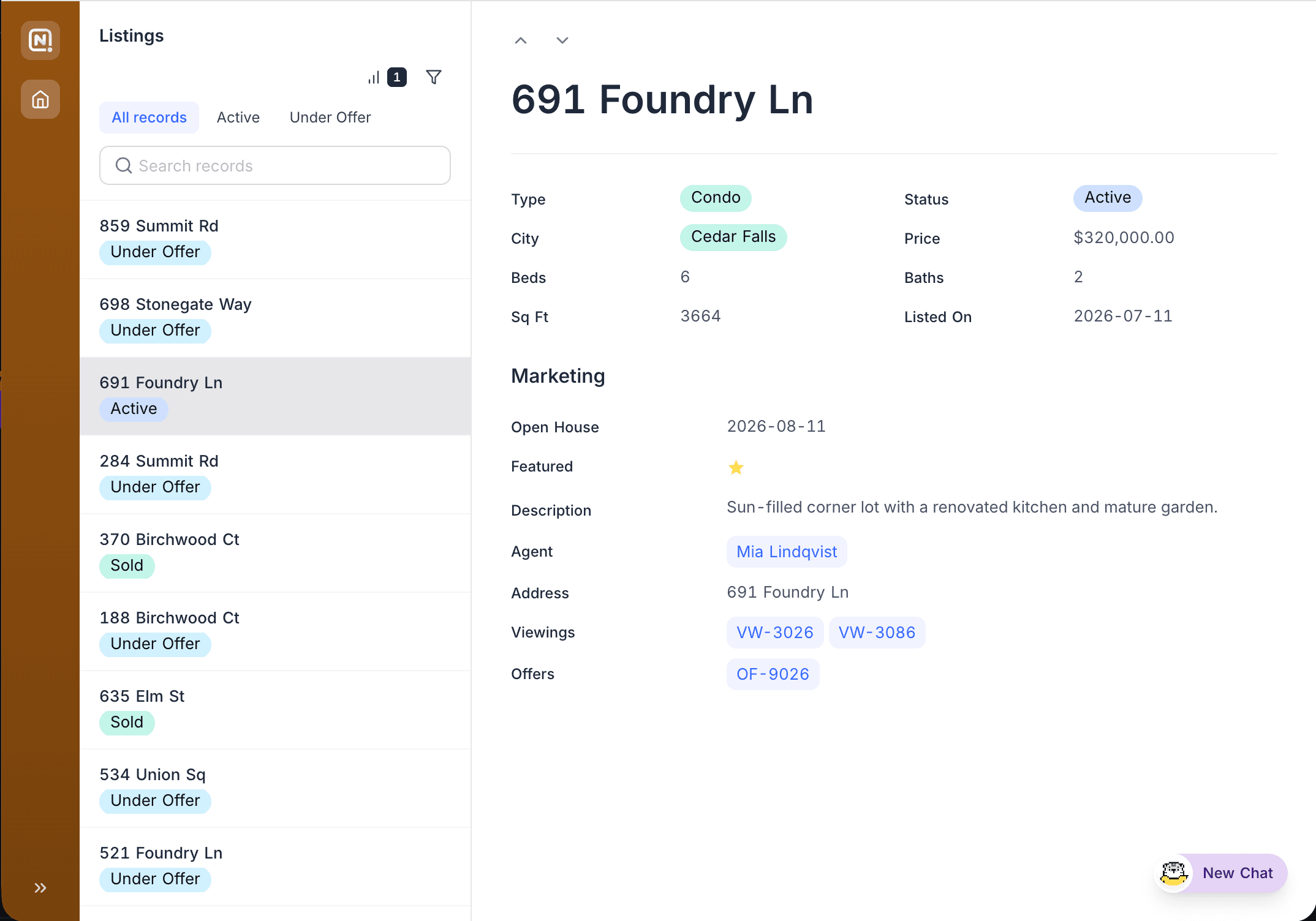
Configuring the page
- Filters and sorts control which records enter the queue and their order. For example, filter to records where Status is "Pending review".
- Fields: Choose the fields shown in the record detail, organise them into groups and rows, and control which are editable. See Fields, buttons & filters. Link fields in the detail pane can also show their related records as an embedded view; see Linked records.
- Buttons: Add action buttons such as Update record beside the record title to let reviewers approve or reject with one click, optionally with a confirmation dialog. The list toolbar can carry its own buttons for opening a creation form, navigating to a page, opening a URL, or running an automation without a record. See Buttons.
- Comments & revision history: Optionally allow reviewers to discuss a record and see its change history.
When creating a record review page, you can seed its filters, sorts, grouping, and field visibility from an existing view of the table. See Copy settings from a view.
The record list
Reviewers get their own controls above the list, independent of the page's configured filters and sorts:
- Sort and Group by each support up to three stacked levels. Individual sort rows can be switched off without removing them from the editor.
- Grouping renders nested, collapsible headers, with each level indented under its parent. Groups with the same value under different parents collapse independently.
- Active sort, filter, and group counts appear as pills next to their icons.
- Where the page allows creating records, the add-record button sits at the top right of the title row.
Combine a record review page with user filters (for example, tabs for "Pending", "Approved", "Rejected") so reviewers can move between queues without leaving the page.