Publish an Interface
Interfaces use a draft and published model: iterate safely in the builder, then publish when your changes are ready.
Every interface page keeps two versions: the draft you edit in the builder, and the published version everyone else sees. This lets you redesign pages, test changes, and preview freely without disrupting people who are using the interface. Draft availability can vary depending on your plan.
Publish changes
- Click Publish in the builder topbar. The button is enabled whenever there are unpublished changes; interfaces with pending changes also show an "unpublished changes" badge in the sidebar.
- Review the publish dialog. It lists the pages that will be updated.
- Optionally mark individual pages as keep as draft to exclude them from this publish. The rest of the interface publishes without them.
- Confirm to publish.
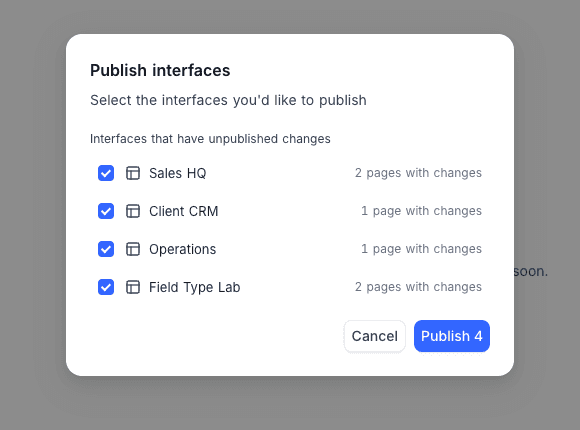
You can also publish several interfaces at once from the sidebar with Publish interfaces, selecting which ones to include.
What viewers see
- Interface users always see the latest published version of each page.
- Builders see the draft while in the builder, and can use Preview and Preview as to check the draft as any role or user before publishing. See Interface builder.
- A page that has never been published isn't visible to users until its first publish.
Interfaces that are hidden from the navigation can't be published, and published interfaces can't be hidden.