Actions on an Interface
Rename, restyle, duplicate, reorder, hide, and delete interfaces and their pages.
Manage interfaces and their pages from the Interfaces section of the base sidebar. Most actions are available from the context menu of an interface or page.
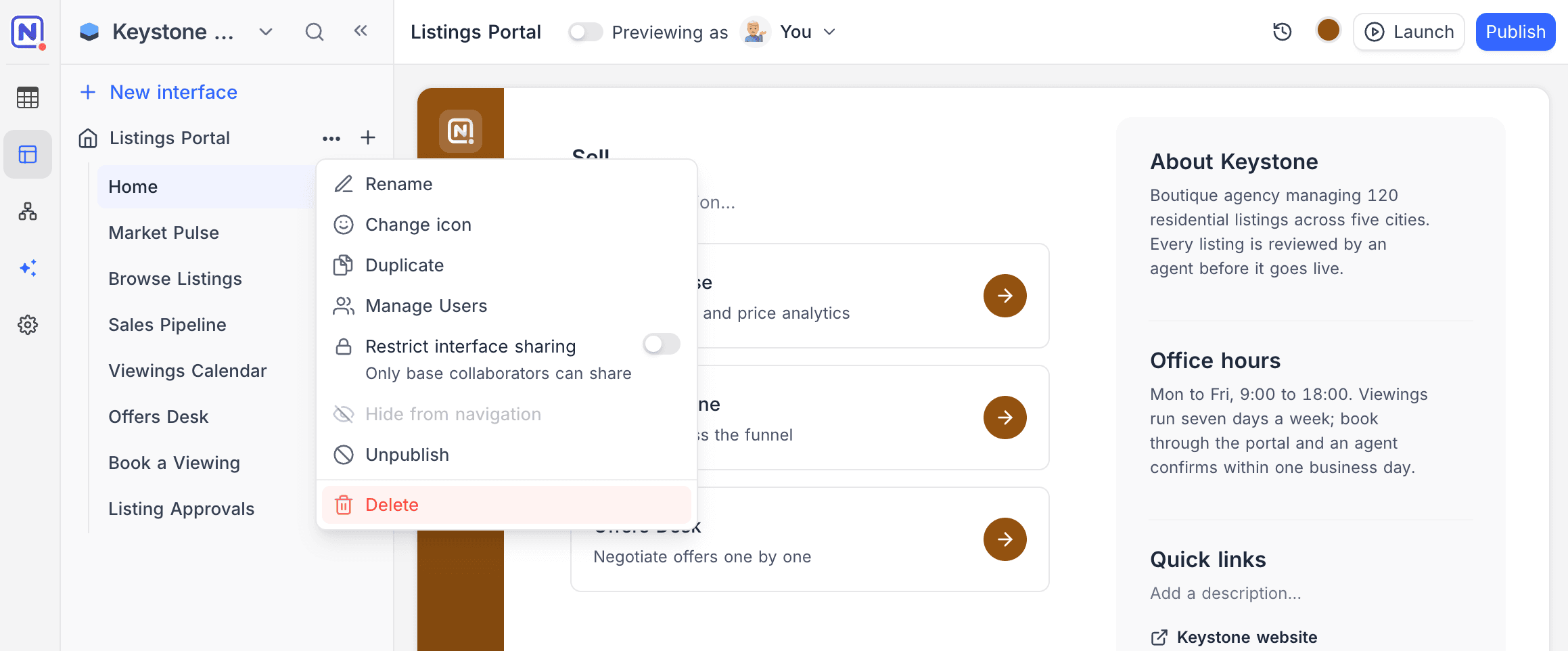
Interface actions
| Action | Description |
|---|---|
| Rename | Change the interface name inline. |
| Change icon, colour & style | Update the icon, accent colour, and style (Bold, Quiet, Wash, or Ink) chosen at creation. |
| Duplicate | Create a copy of the interface with all its pages. |
| Manage users | Invite people to the interface and manage their roles. |
| Restrict interface sharing | When on, only base collaborators can share the interface. |
| Hide from navigation | Hide an interface that isn't ready for use. Hidden interfaces can't be published, and published interfaces can't be hidden. |
| Publish / Unpublish | Publish pending changes, or take the published version offline. See Publish an interface. |
| Delete | Delete the interface and all of its pages. |
When duplicating a base, you can choose whether to include its interfaces.
Page actions
| Action | Description |
|---|---|
| Rename | Rename a page inline. Press Enter to save or Escape to cancel. |
| Reorder | Drag pages to change their order in the interface navigation. |
| Hide from navigation | Keep the page available for contextual use (for example as a record detail page) without a navigation entry. |
| Duplicate | Create a copy of the page within the interface. |
| Delete | Remove the page from the interface. |
A few guards keep an interface usable:
- The last page of an interface can't be deleted.
- The last page visible in the navigation can't be hidden or deleted.
- A record detail page that other pages reference can't be deleted until those references are removed.