Record Detail
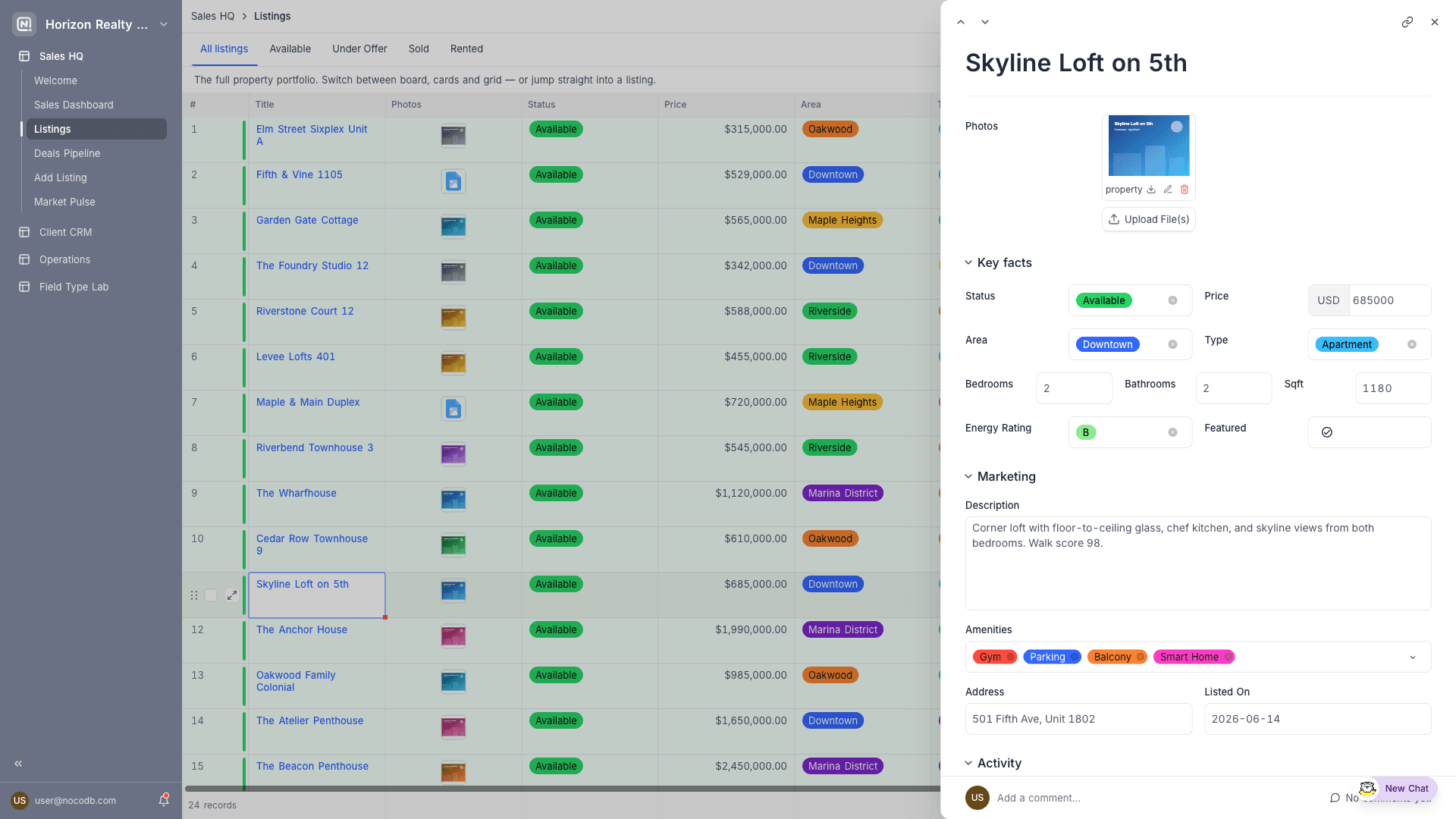
Record detail pages define a reusable layout for viewing and editing a single record, opened from other pages.
A Record detail page defines how a single record from a table is presented. It isn't opened from the interface navigation; instead, other pages reference it. When a table page has Click into details enabled, clicking a record opens the linked record detail page as a modal or side sheet.
Because record detail pages are reusable, you design the record layout once and every page that shows records from that table can present them consistently.
Designing the page
- Fields: Choose which fields appear, organise them into groups and rows, override labels, and set each field as view-only or editable. See Fields, buttons & filters.
- Buttons: Add actions beside the record title such as Update record, Copy link to record, Delete record, Go to URL in record, Run automation, or navigation to another page. Field groups can carry their own buttons, shown to the right of the group title. See Buttons.
- Comments & revision history: Optionally show the record's comment thread and change history alongside the fields.
- Linked records: Link fields display related records, either inline or as an embedded view. See Linked records below.
Linked records
A link field on a record detail page (or the detail pane of a record review page) can present its related records in two ways, controlled by the Show as option in the field's properties:
- Field: the linked records render inline, styled as Pills or Cards. Users can link or unlink records where editing is allowed.
- View: the link field becomes an embedded visualization of the linked records: List, Grid, Gallery, Kanban, Calendar, or Timeline.
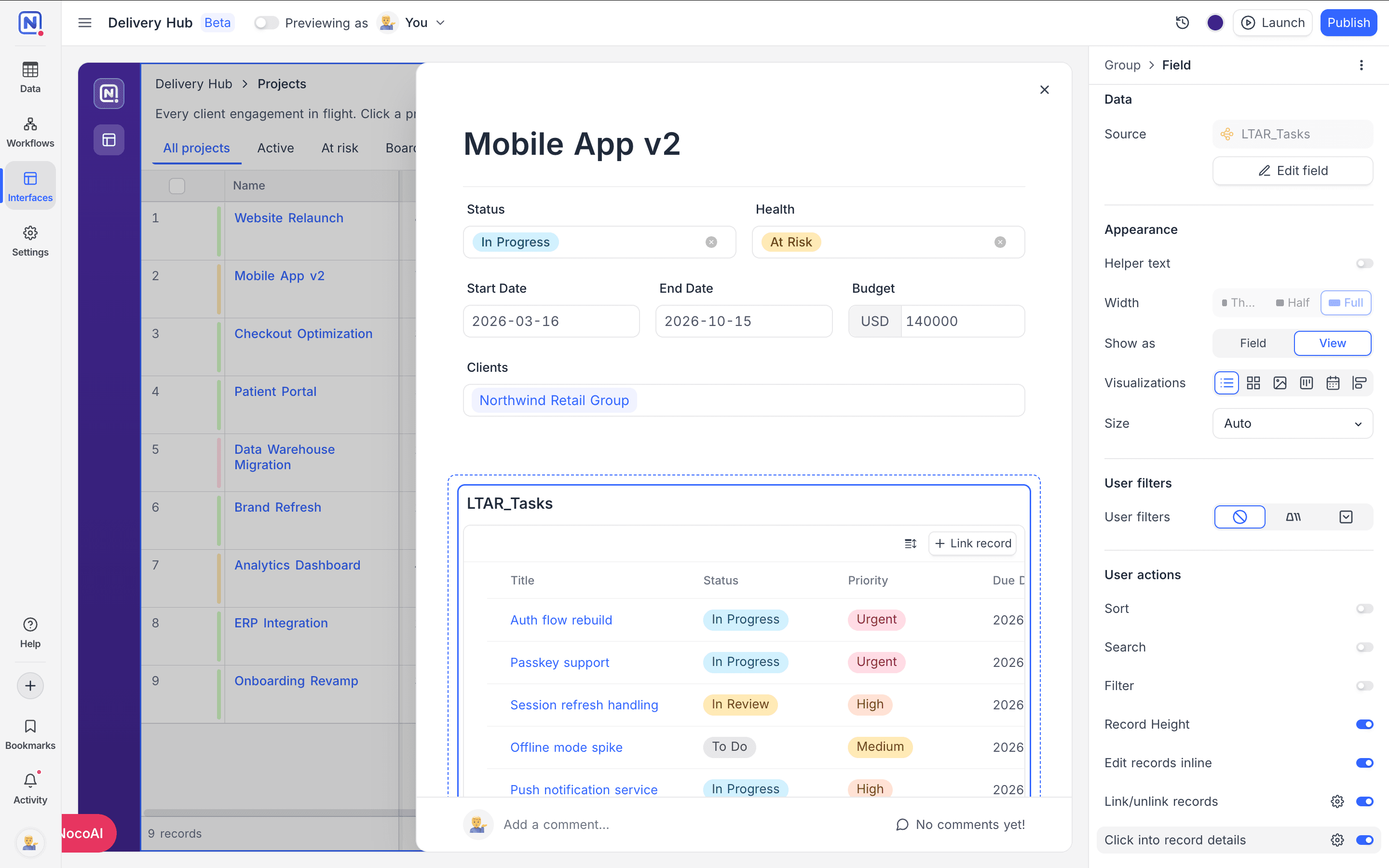
For embedded views, the properties panel offers:
- Size: how tall the embed is. Auto (the default) fits the number of records shown; Small, Medium, and Large set a fixed height.
- User actions: switch on Sort, Search, Filter, Group (Grid), and Record height (Grid and List) to give viewers a toolbar on the embed. Actions you leave off are unavailable to viewers.
- User filters: tab or dropdown filters rendered as an inline strip on the embed, working the same way as page-level user filters.
- Edit records inline: let users edit cells directly in the embedded view.
- Link/unlink records: adds a Link record button that opens the record picker, honouring any Limit record selection condition, plus an Unlink record action on each row.
- Click into record details: clicking a row opens the linked table's own record detail page, stacked over the current sheet, so users can drill from a project to a task and back.
Column width, order, and visibility changes made in the builder persist with the element; changes viewers make apply only to their session.