Page Layouts
Every interface page is based on a layout. Learn which layout to choose for each use case.
Every page in an interface is based on a layout that defines its structure and purpose. You pick a layout when creating an interface or adding a page; the layout cannot be changed afterwards, but an interface can hold multiple pages, each with its own layout.
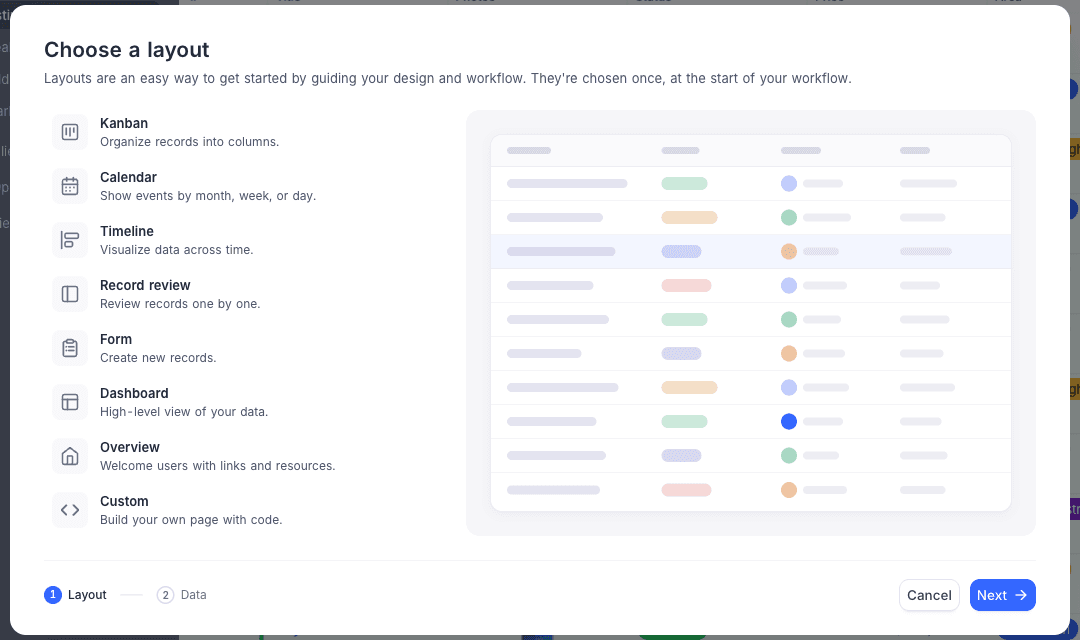
Available layouts
| Layout | Best for | Connects to a table |
|---|---|---|
| Table | Working with records in Grid, Gallery, Kanban, List, Calendar, or Timeline visualizations | Yes |
| Record review | Reviewing records one by one | Yes |
| Dashboard | A high-level view of your data with charts and metrics | Per widget |
| Form | Creating new records | Yes |
| Overview | Welcoming users with links and resources | No |
| Record detail | A reusable detail page for a single record | Yes |
Pages, modals, and side sheets
Most pages are shown full-screen in the interface navigation. Pages can also be presented as a modal or side sheet, which is how record detail pages typically open when a user clicks into a record.
Pages hidden from the navigation stay available for this kind of contextual use; they simply don't appear as a navigation entry.