Terminal and Files
Copy a prompt, paste it into NocoAI in a factory session, and replace the words in [brackets] with your own.
- Run [the test suite] and show me what fails
- Show me the last [50] lines of [the dev server log]
- Open [src/config.ts] and explain what it sets
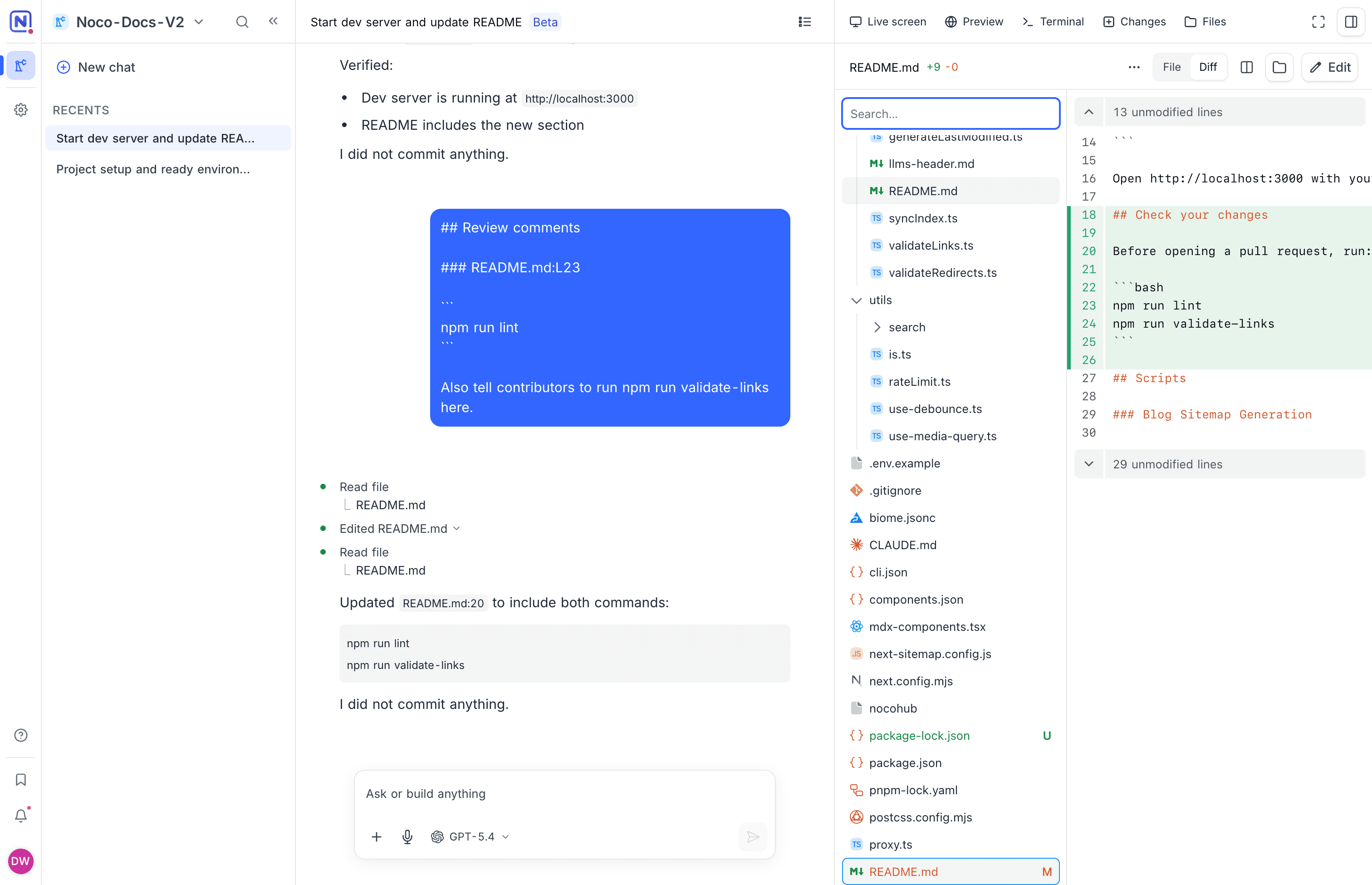
The Terminal and Files tabs of a Noco Factory session give you direct access to the session's machine. Use Terminal to run your own commands next to NocoAI. Use Files to read a file, compare it with the start of the session, or make a small edit yourself.
Terminal
The Terminal tab opens real shells on the machine of the session, in the repository folder. Use it to run a command, check a log, or look at what NocoAI did.
- To open another shell, click New terminal. A session can have up to 5 terminals at the same time.
- Each shell shows as a tab: Terminal 1, Terminal 2 and so on. To close a shell, click the close button on its tab.
- Click a file path in the output to open the file in the Files tab.
- Click a local address, for example
http://localhost:3000, to open it in Preview.
Only the person who started the session sees the Terminal tab.
Terminal messages
| Message | What to do |
|---|---|
| "Connecting…" | Wait. The shell connects to the machine. |
| "Shell exited with code [code]. Press Enter to start a new one." | Press Enter to start a new shell. |
| "Disconnected from the machine. Press any key to reconnect." | Press any key. If the machine slept, it wakes up. |
| "This session already has 5 terminals running. Close one to open another." | Close a shell, then click New terminal again. |
Files
The Files tab shows the file tree of the repository on the machine. Click a file to read it. For a file that the session changed, the tab shows the diff first. Click File to read the whole file, and Diff to see the changes again.
To change a file yourself:
- Open the file in the Files tab.
- Click Edit.
- Make the change.
- Click Save.
If you leave a file with unsaved changes, NocoDB asks Discard changes?. If NocoAI changed the same file while you edited it, the save stops: "It changed on the machine meanwhile. Reload and try again."
Only the person who started the session can edit files. Other members can read them.
Good to know
- For a large file, the Files tab shows only the beginning: "Large file ([size]). Only the beginning is shown." Click Open anyway to load the whole file before you edit it.
- Binary files, for example images, show "Binary file. There is nothing to show."
- To see all changes of the session in one place, use the Changes tab.
Related
Last updated on