Share a Classic AppFormerly Interfaces
You make NocoDB classic apps to share them. You can:
- Give access to collaborators with fine-grained roles.
- Invite people who have no access to the project.
- Share single pages publicly on the web.
Invite people to a classic app
The Share button in the classic app builder invites people from the classic app itself. The dialog gives two ways to invite:
- Invite via private link: select a role, then create an invite link. Anyone who opens the link joins the classic app with that role.
- Invite specific people: type one or more email addresses and select a role.
An invite from this dialog grants the classic app only. The person gets no role in the project. The roles on offer are Editor, Commenter and Read only, and never a role above your own.
To give a different role on single pages, use Set page access in the same dialog. It opens the classic app access table at the pages of this classic app.
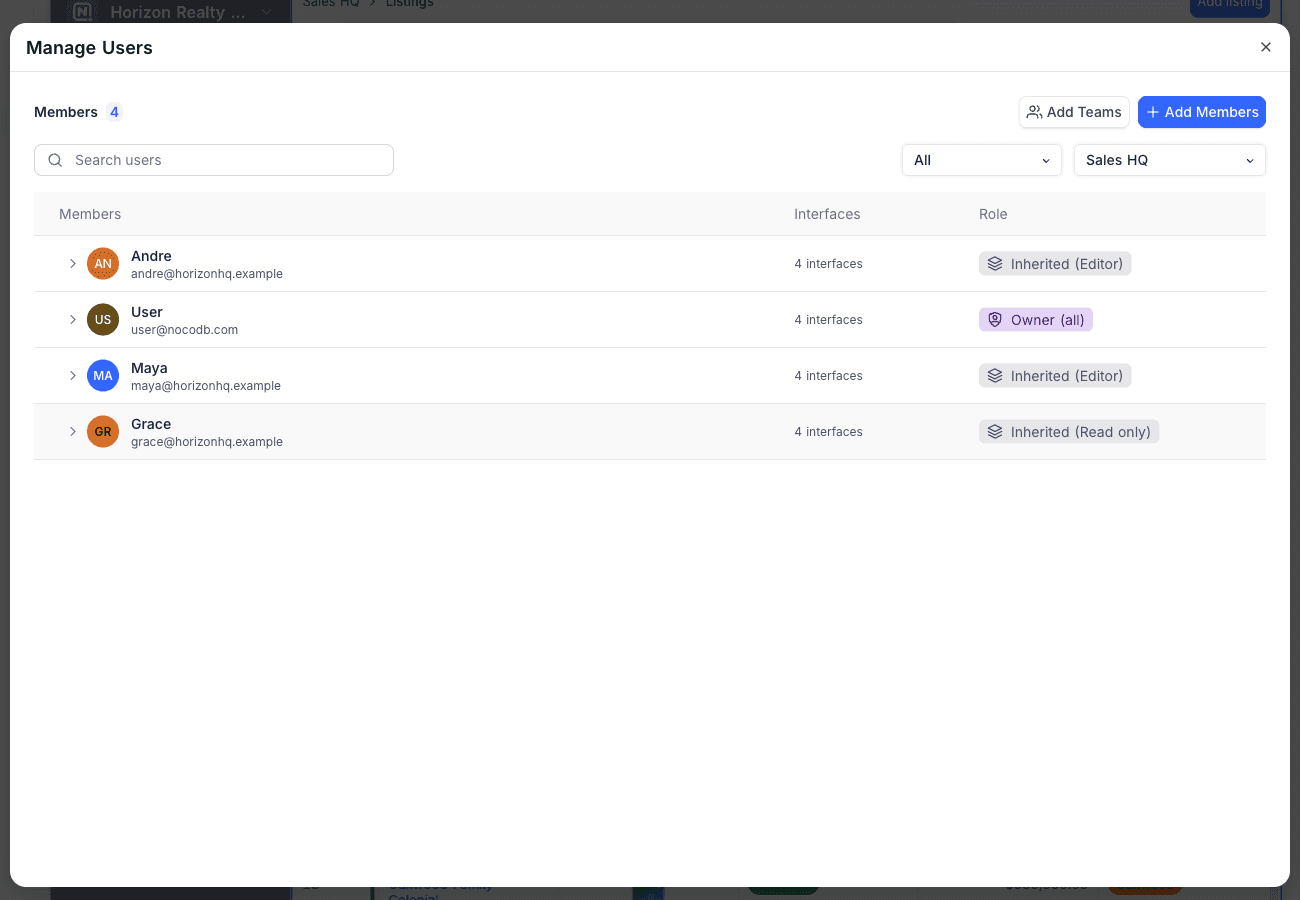
Manage classic app access
To give access to users or teams:
- Open the settings of your project.
- Select the Invite Members to Interface tab.
- To change between the classic apps of the project, use the filter at the top.
You can give access to the full classic app or to each page.
| Role | What it allows |
|---|---|
| Editor | Use the published classic app and edit records where the page allows it. |
| Commenter | Use the published classic app and comment on records, but not edit data. |
| Read only | Use the published classic app, read-only. |
| Hidden | The person is explicitly excluded from the classic app or page. |
| Inherited | No explicit access at this level: the role comes from the level above. The selector shows the resulting role, for example Inherited (Read only). |
A person can get access from more than one source. For example, a direct grant and a team grant, or an app-level grant and a page-level grant. In that case, NocoDB calculates the effective role automatically. NocoDB also uses project-level roles in this calculation.
A record detail page is never in the app navigation, so it is rarely granted directly. With no grant of its own, it takes the best role held on the pages that open it. NocoDB follows the chain from a table page to its detail sheet and on to the sheet of a linked record. To keep the page closed to someone who can open those pages, grant them Hidden on the detail page itself.
App-only collaborators
People that you invite to a classic app do not need a role in the project. They see only the published classic app. They never see the tables, views or other configuration of the project. This makes classic apps a safe way to share data with clients, partners or larger teams. Only some plans let you invite collaborators who have no project role.
Restrict sharing
Restrict interface sharing lets only project collaborators share a classic app. Turn it on for each classic app. App-only collaborators then cannot share the classic app or manage its access.
Share a page to the web
You can share single table and dashboard pages publicly as read-only web pages:
- Open the share dialog of the page.
- Turn on Share to web.
- Copy the public link.
- Optionally, turn on password protection. Visitors must then enter the password before they can see the page.
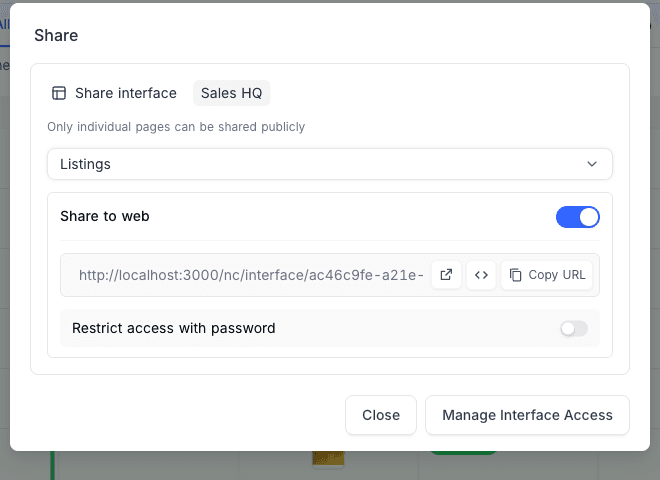
The page picker shows all pages that are visible in the app navigation. It also shows pages with layouts that you cannot share publicly, but they are grayed out. When you select one of these pages, an explanation shows.
Availability
- Only project creators and owners can build classic apps. Sharing controls who can use them.
Last updated on