Grouping Records
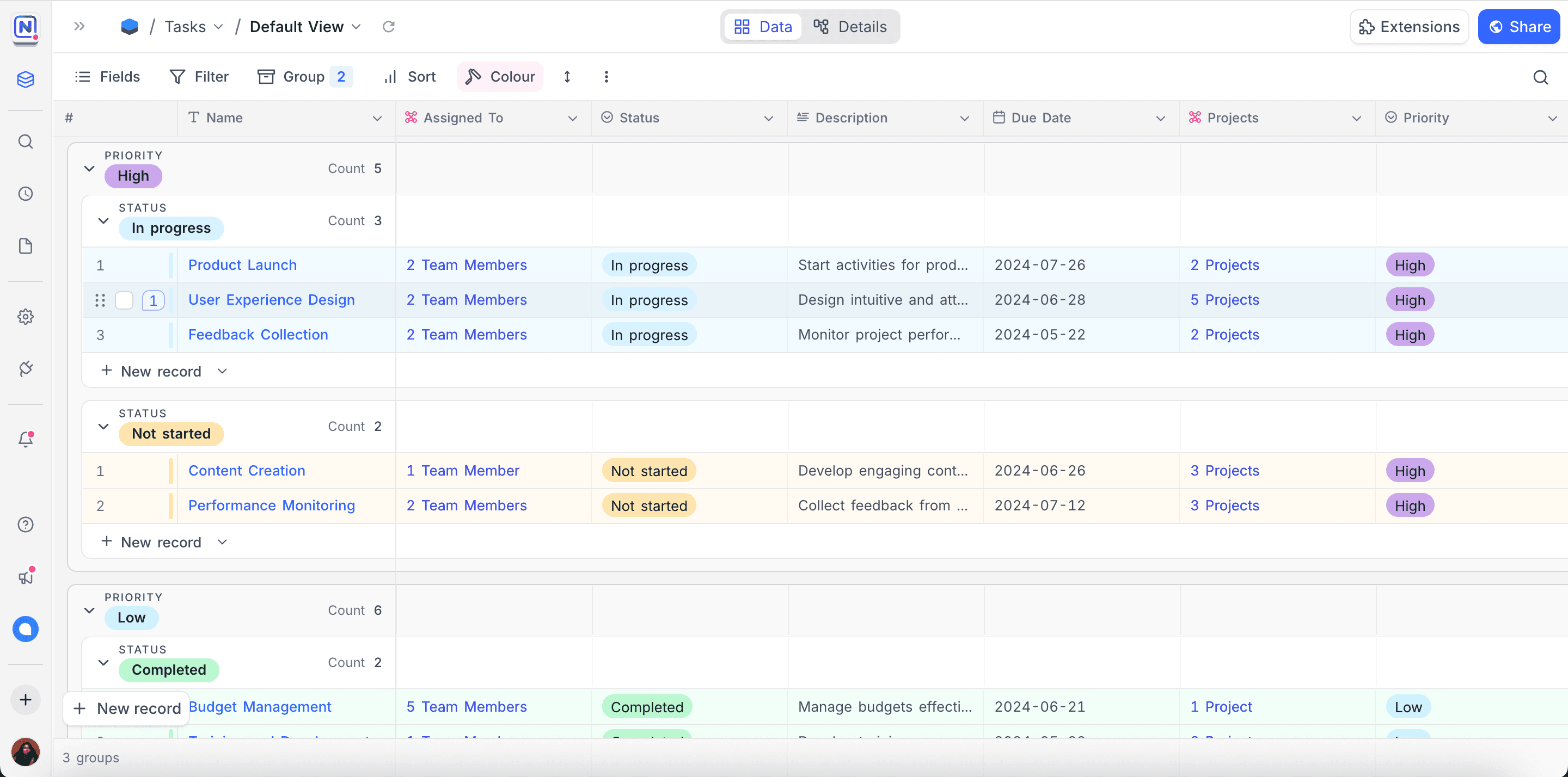
Grouping records in NocoDB helps you organize data by categories using Groups and Subgroups. You can group records by up to three levels, making it easier to analyze and navigate complex datasets.
Copy a prompt, paste it into NocoAI in any base, and replace the words in [brackets] with your own.
- Group this view by [Status]
- Group this view by [Owner], then by [Priority]
- Remove grouping from this view
Add or edit groups
- Click Group By in the toolbar.
- Select the field to group records by.
- (Optional) Sort the groups in ascending or descending order.
- (Optional) Use
+ New Subgroupto create a subgroup within the selected group.
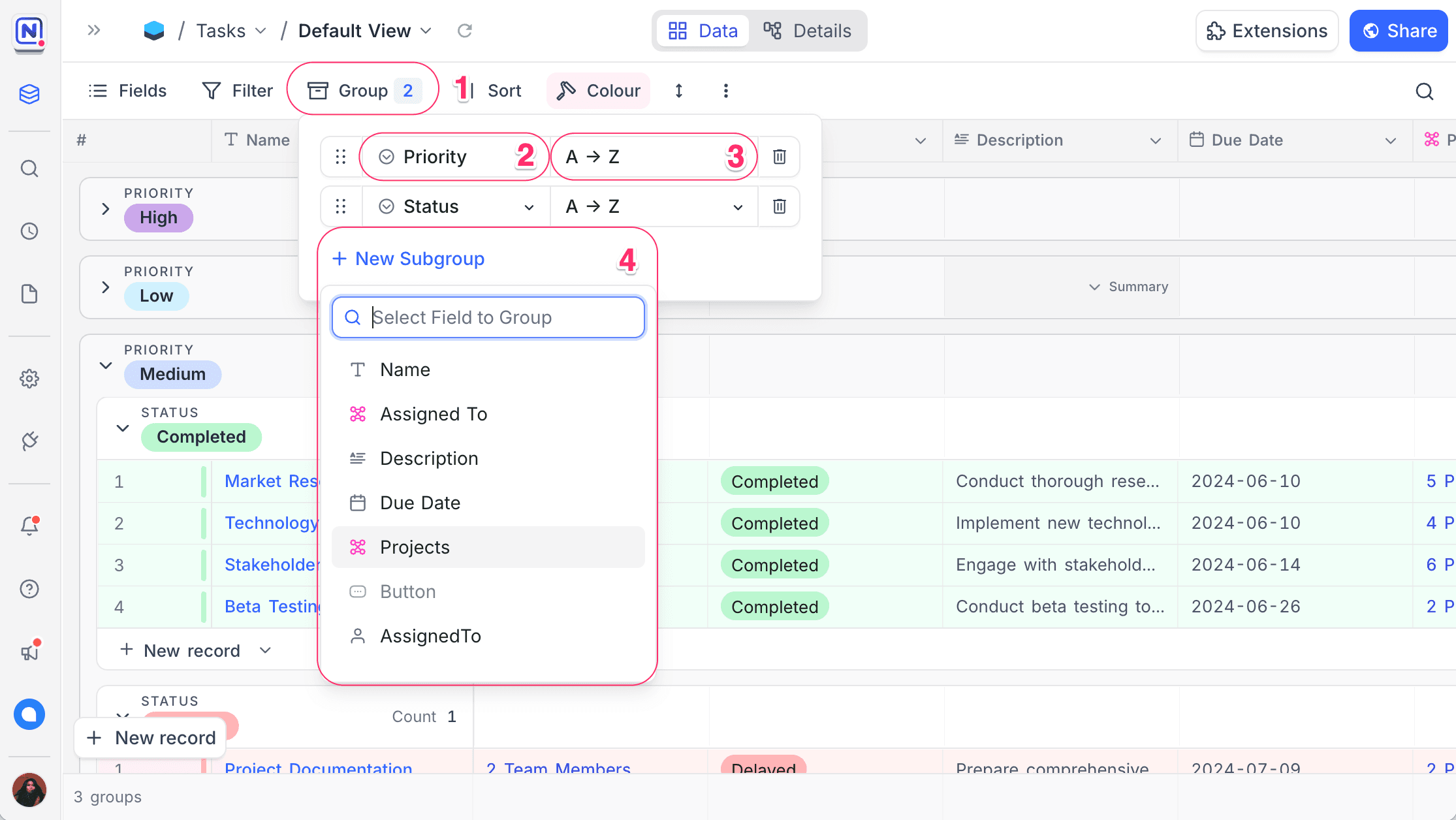
Link fields can be used for grouping when each record links to a single parent: belongs-to, one-to-one, and many-to-one links. Records are grouped by the linked record's display value. Adding a record inside a group pre-fills the belongs-to or many-to-one link with that group's record.
Enable or disable a group
You can switch a grouping off without removing it, then turn it back on later with the same settings intact.
- Click Group By in the toolbar.
- Use the checkbox next to a group to enable or disable it.
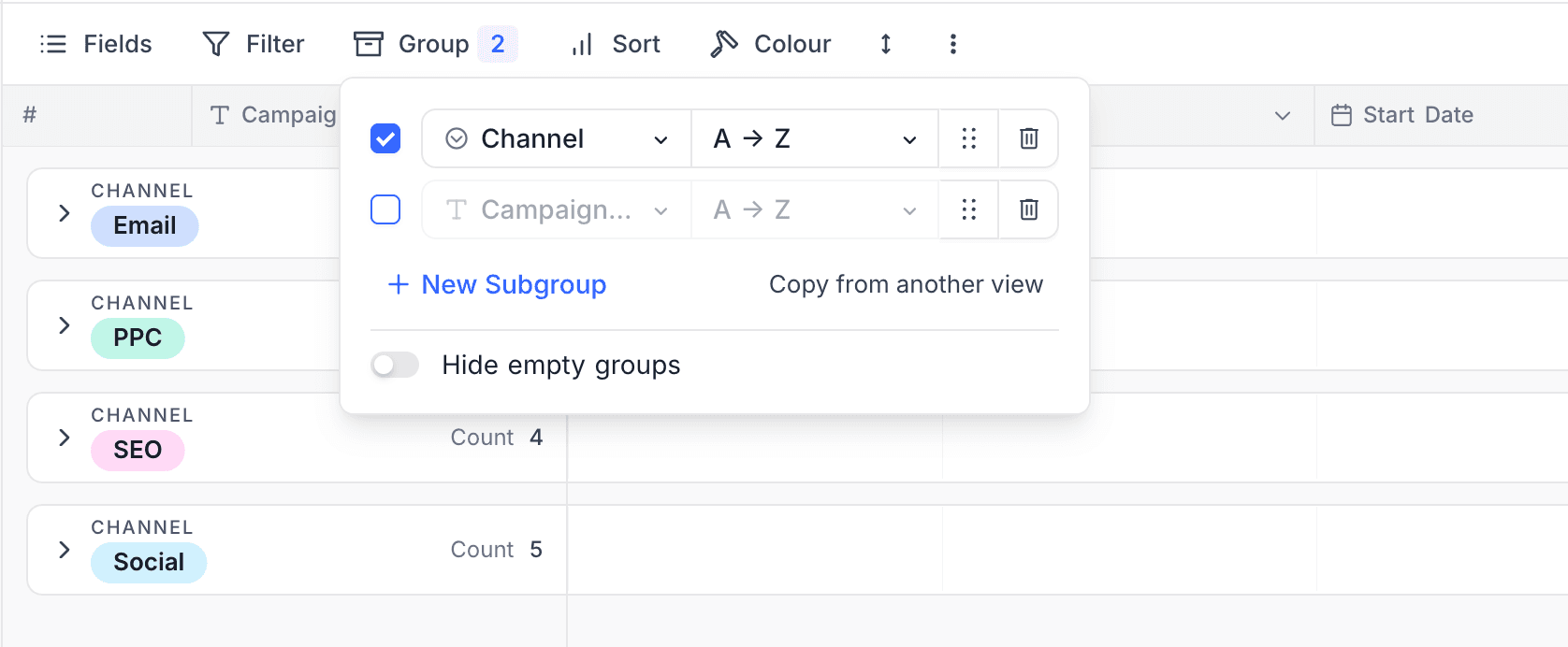
A disabled grouping keeps its field and sort configuration, so it is handy for temporarily flattening the view or comparing grouped and ungrouped layouts without rebuilding the setup.
Delete groups
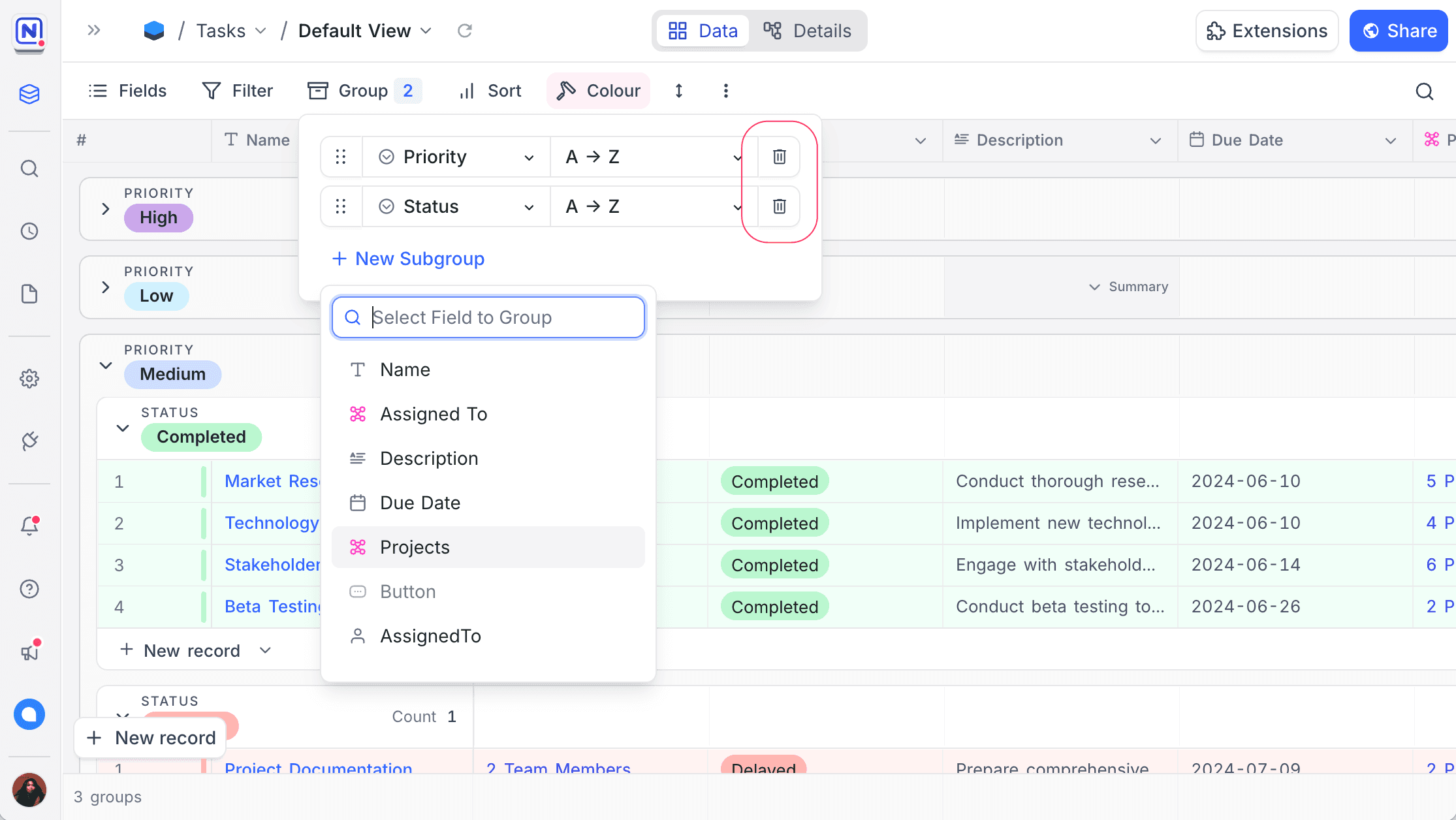
- Click Group By in the toolbar.
- Click the 🗑 icon next to the group you want to remove.
Expand and collapse groups
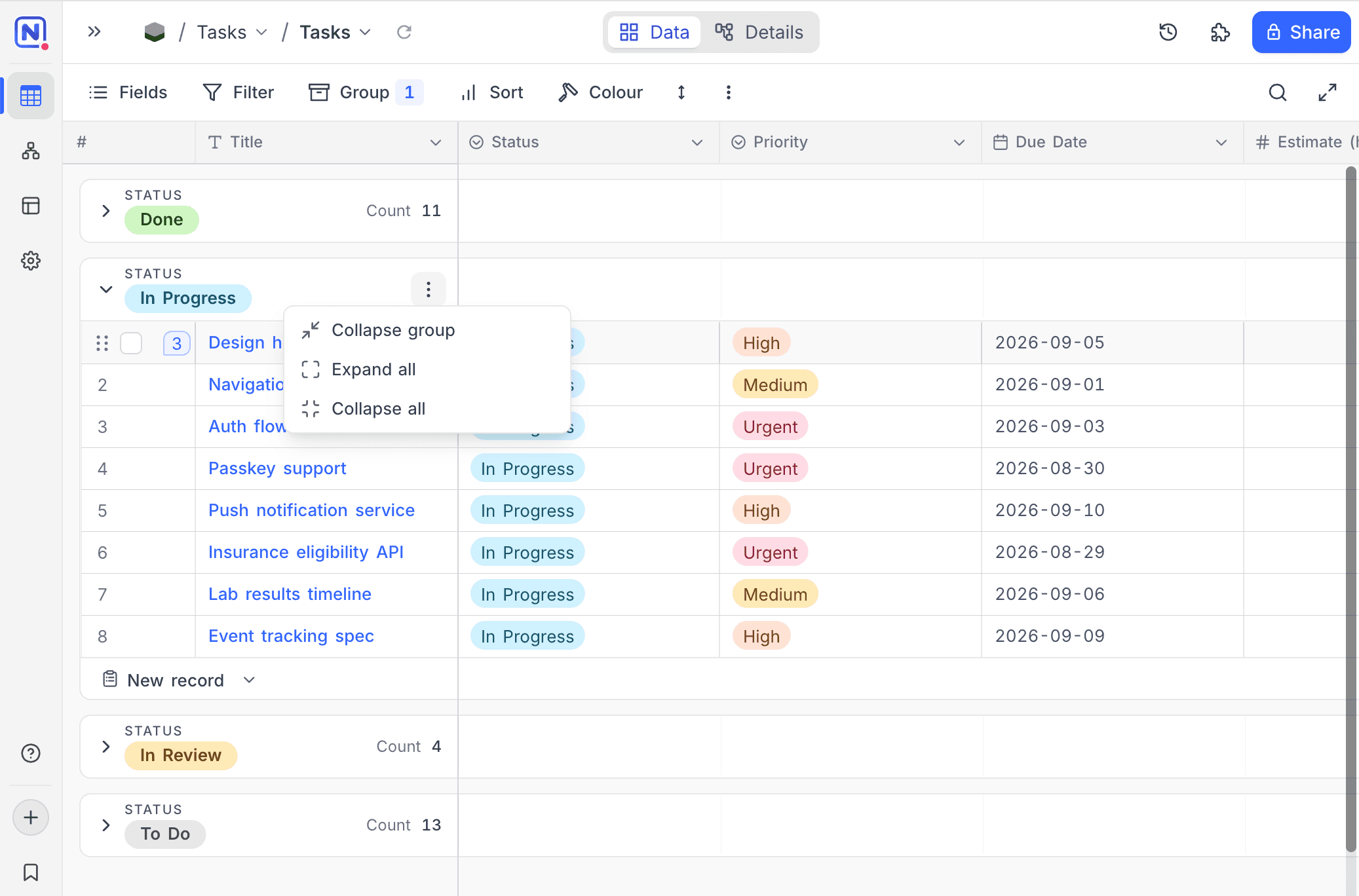
Click a group header to collapse or expand that group. For bulk actions, open the ... menu on a group header:
- Expand group / Collapse group — applies to the current group and its subgroups.
- Expand all / Collapse all — applies to every group at that level.
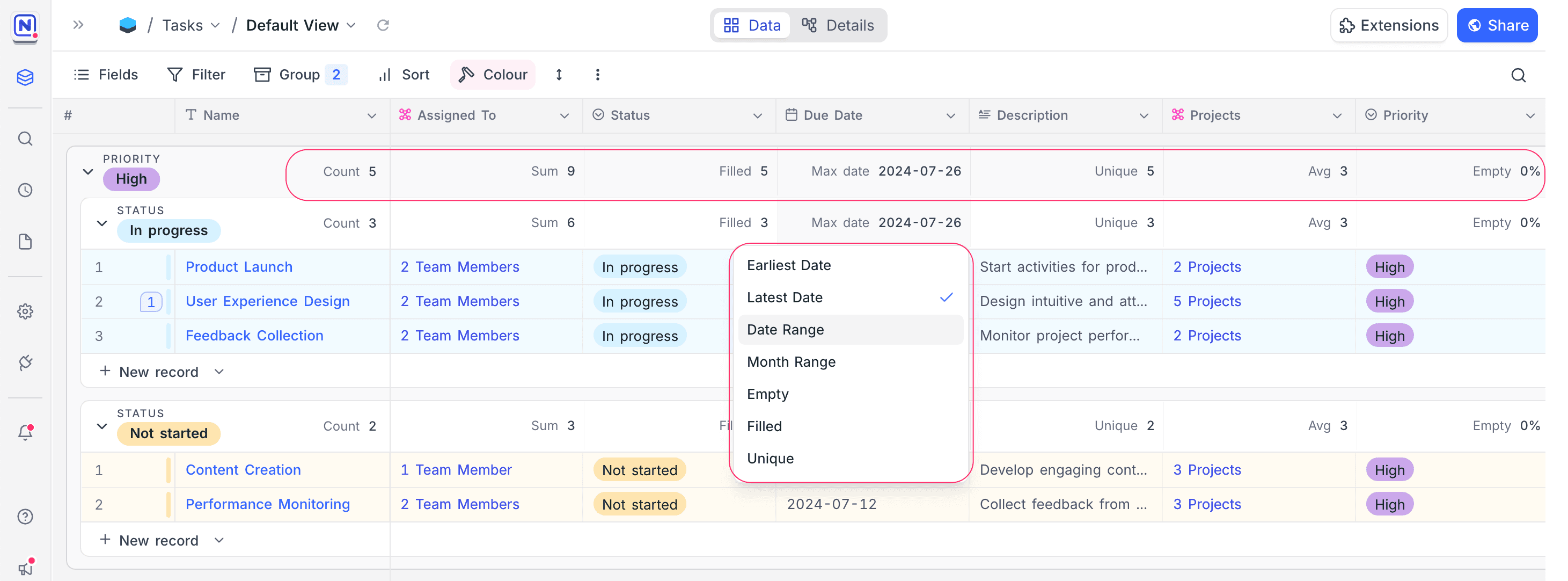
Group level field aggregations
You can perform aggregations on fields at each group level. This allows you to summarize data within each group, such as calculating totals or averages.
Last updated on