Command Palette
The command palette runs NocoDB actions from the keyboard. Press ⌘ + K (Ctrl + K on Windows) to open it. The palette lists the actions for what you have open, so the rows change with the screen. On a record you get record actions, on a view you get view and toolbar actions, and everywhere you get navigation, create and account actions.
Copy a prompt, paste it into NocoAI in any base, and replace the words in [brackets] with your own.
- Show only [open] tasks due [this week]
- What is the sum of [Amount] for [Won] deals?
- Sort this view by [Due date], newest first
Open a palette
NocoDB has three palettes. You must be signed in to open them.
| Keys | Palette |
|---|---|
⌘ + K | Commands and typed requests. |
⌘ + L | Recent views and objects, grouped into Today, Yesterday and Earlier. While it is open, ⌘ + L steps forward and Shift + ⌘ + L steps back. |
⌘ + J | Documentation search. Press the keys again to close it. |
You can also open it from the Quick search box or the search button in the sidebar of a project, or from the ⌘K key in the search box of the workspace home. While a palette is open, ⌘ + L and ⌘ + J change to the other palette. The links at the bottom of the palette do the same.
What the palette lists
The command palette groups its rows into levels, from the most specific to the least:
| Level | What sets it |
|---|---|
| Record | The active cell of a grid, a card you point at, or an open expanded record. |
| Field | One selected field header, or the field you picked in the form builder. |
| Selection | Checked records, or a selected range of cells. |
| View | The open view, dashboard, script, workflow, agent, document, classic app or app. |
| Project | You are inside a project. |
| Global | Everywhere. |
With an empty search box, the palette lists the most specific level and the global level. When you type, it lists every level from the most specific down to global. The chip above the search box names the level, for example Deals › Acme.
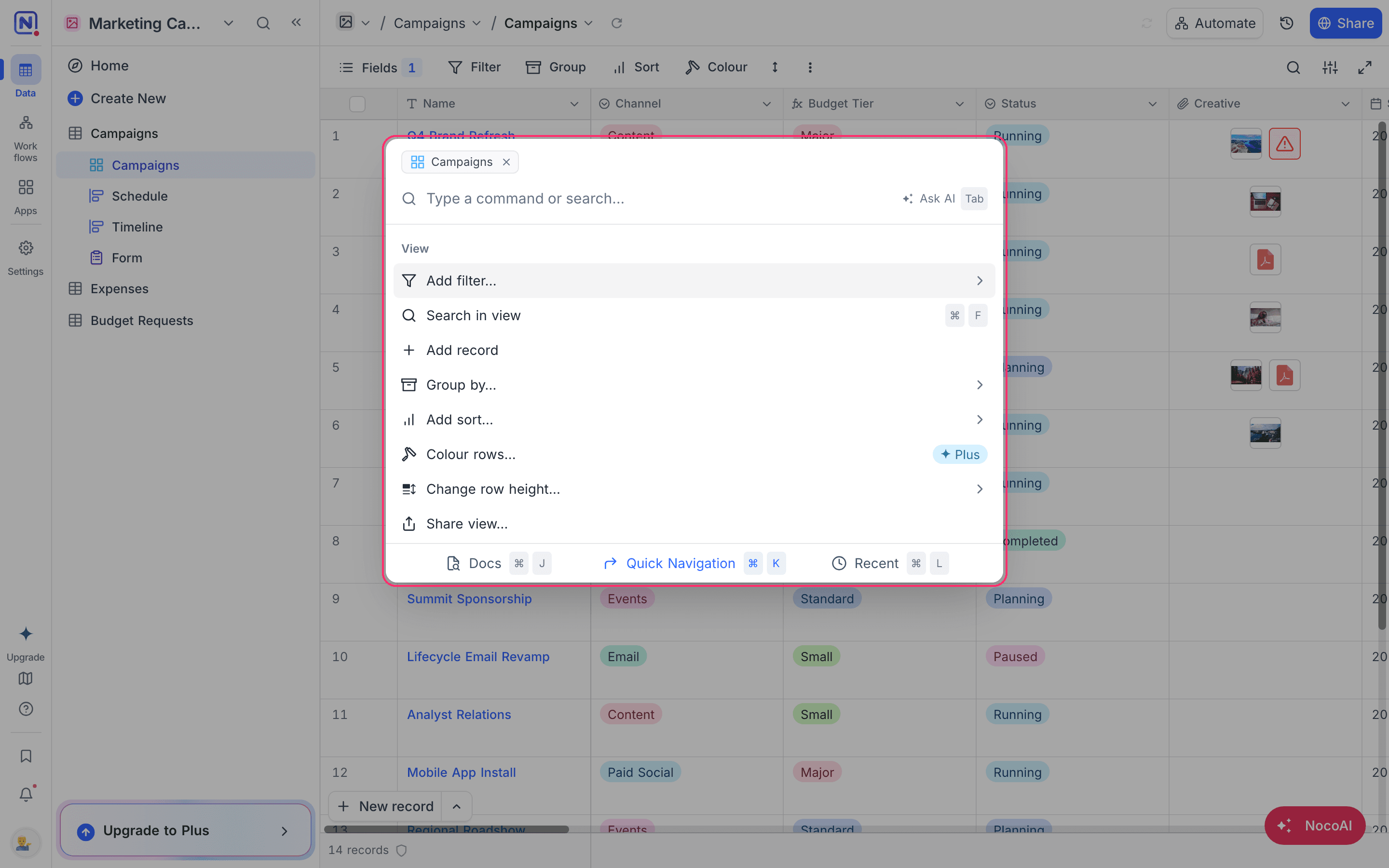
A row shows only when you can use the action. The palette uses the same role, permission, lock and plan rules as the button or menu item that it mirrors. An action that your plan does not include stays in the list with an upgrade badge.
The rows that you use more often move up.
Move in the palette
The command palette works from the keyboard alone. These keys apply while it is open:
| Key | What it does |
|---|---|
↑ ↓ | Move the selection. |
Enter | Run the row, open its submenu, or start its inline editor. |
Esc | Cancel a NocoAI request, else go back one level, else close the palette. |
Backspace | With an empty search box, go back one level. At the top level, it drops the context chip to the next level. |
Tab | Complete the selected suggestion, else move to the next reading, else ask NocoAI. |
→ | At the end of the search box, open the children of the selected row, or accept the first completion. |
1 to 9 | In a submenu with an empty search box, run the first to the ninth row. |
Ask for data in words
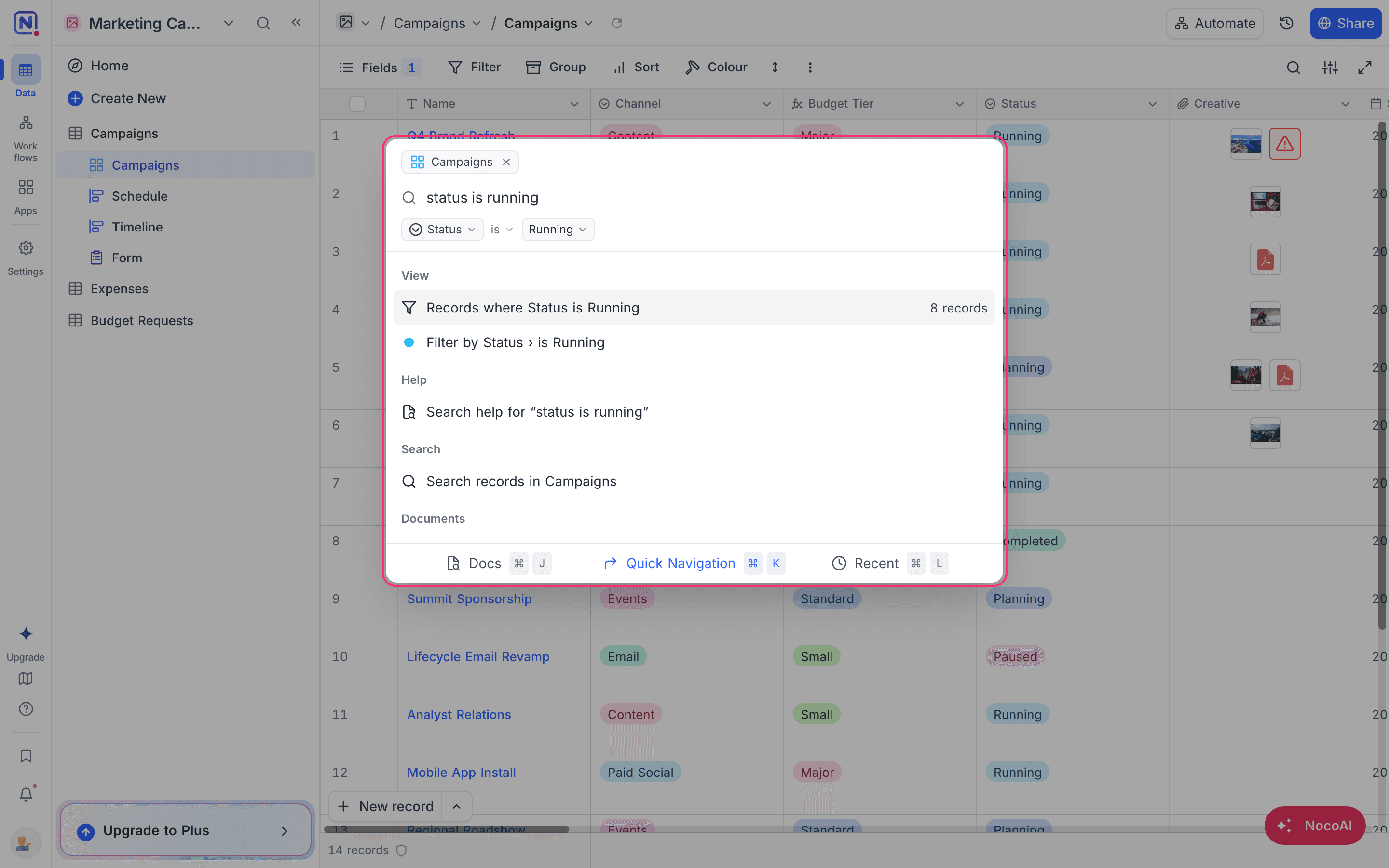
The command palette also reads a request that you type in plain words. It shows you how it read the request, and shows the result, before anything runs. Open a table view first. The palette reads a request against the fields of that view. Group requests and changes to many records work in grid views. Create requests work in grid, gallery and kanban views.
| Request | Example |
|---|---|
| Filter the view | stage is won, deals over 10k, my open tasks, without owner |
| Sort the view | sort by amount descending, close date newest first |
| Group the view | group by status, tasks per assignee |
| Color the records | color won deals green, highlight overdue tasks in red |
| Answer a question | sum of amount, how many won deals, % of deals won, ratio of won to lost deals |
| Answer a ranked question | which industry has the highest average annual revenue?, top 3 industries by revenue |
| Calculate | = 2500 * 1.18, 1.5k * 2 |
| Set field values | mark as won, set amount 500, due tomorrow, +10%, fill down |
| Set values on many records | set stage won where amount > 10000, assign unassigned tasks to me |
| Create a record | new deal Acme 5000 won, new task "Ship release" me today |
Enter copies the answer of a question. For a request that changes the view, Enter saves the change to the view.
The palette reads short forms such as w/o, 5k, $2.5m, q3, ytd and 5k-10k, and free dates such as next friday or past 30 days. It also reads a field name that you typed short or with a typo, for example amt or averge. A vague word such as recent or big becomes a chip in the row that you can edit. When nothing reads the request, the palette shows why, and suggests up to five field or option names that would work.
Change many records at one time
A request with where changes every record that matches the condition. The palette shows how many records match and what the new value is. Confirm the change, and NocoDB runs it as one update that you can undo from the toast.
NocoDB checks the records again when you confirm. When the count or the records changed in the meantime, the palette shows the new preview instead of writing.
An edit of this kind covers up to 10,000 records. When more records match, the palette does not run it. Narrow the condition.
Ask NocoAI from the palette
When the palette cannot read a request, or reads it but is not sure, select the Ask NocoAI row. NocoAI reads the request and answers with up to three readings. The readings show as normal rows with a NocoAI chip, and NocoDB checks them the same way as its own readings.
NocoAI gets your request and a summary of the fields of the open view. It gets no record data.
A reading from NocoAI never writes by itself. When you press Enter on a reading that would change records, the palette writes the request out as an exact sentence, so that you can read it before you run it. A reading that rests on a guess, such as big deals, behaves the same way.
Outside a table view, Ask NocoAI opens the NocoAI chat.
Availability
- The command palette is available on NocoDB Cloud and on self-hosted deployments, on all plans.
- Typed requests, the calculator and NocoAI readings are not available in the Community Edition.
- A reading from NocoAI uses AI credits. On a plan without NocoAI, the Ask NocoAI row shows an upgrade badge.
Related
Last updated on