Language Settings
NocoDB supports multiple languages for its user interface to help users work in their preferred language.
You can change the language directly from the app:
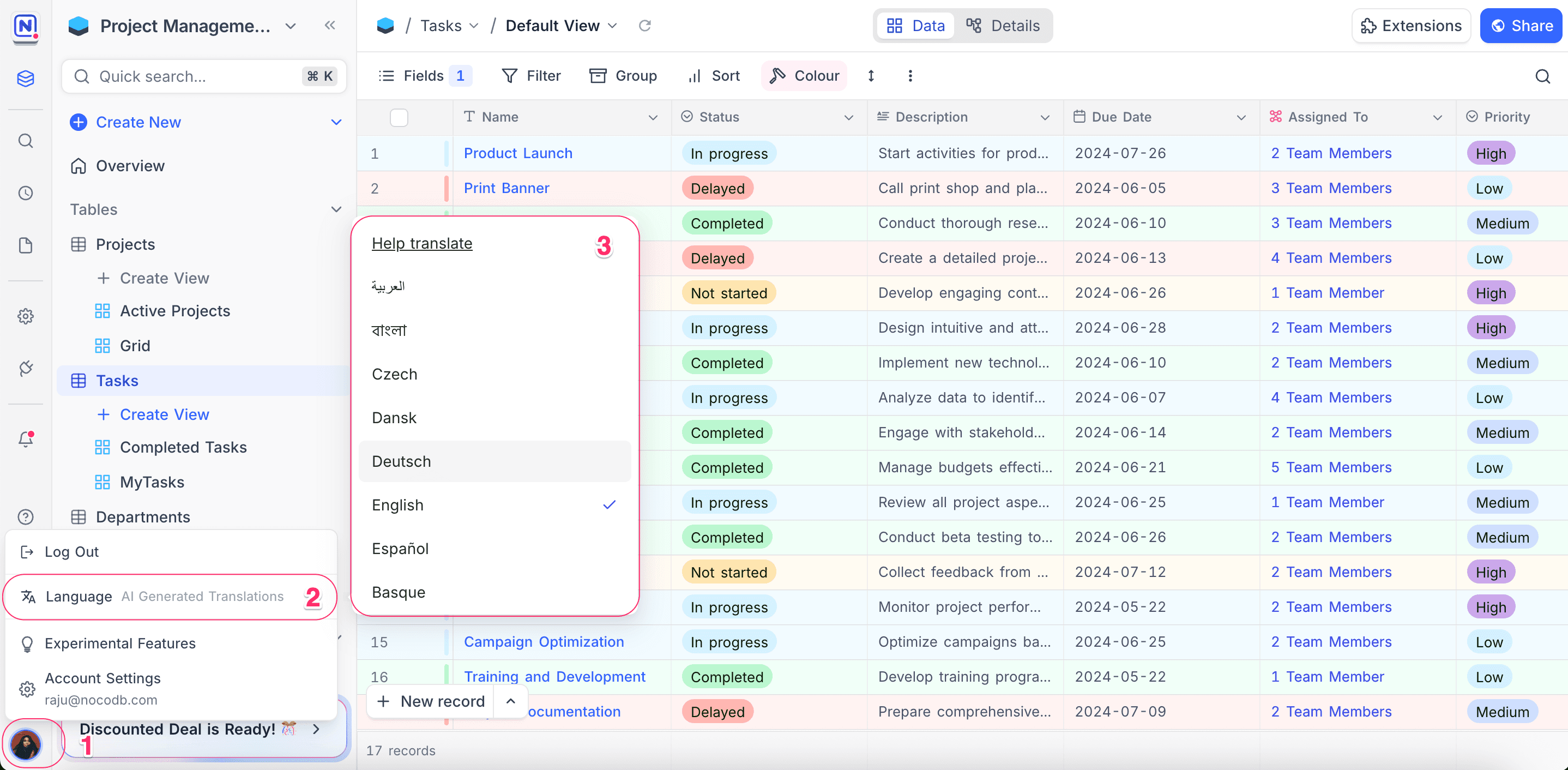
- Click on your profile picture in the bottom-left corner.
- Select Language from the dropdown menu.
- Choose from the list of available languages.
Contribute to Translations
You can help improve translations or add support for new languages through our community translation platform on Crowdin.
- NocoDB Project link: https://crowdin.com/project/nocodb
To contribute:
- Sign up or log in to Crowdin.
- Join the NocoDB project.
- Select your language and start translating or reviewing existing translations.
For more details, refer here
Every contribution helps make NocoDB more accessible across the world!
Good to know
- Language support is currently in beta. Some parts of the interface may still appear in English, as translations might be incomplete or missing.
- The translations in NocoDB are community-driven and enhanced using AI-generated translations. As a result, some phrases or words may be inaccurate or not fully localized. We appreciate your help in improving translations!
Last updated on
Latest product updates?See Changelog