Public Access
Copy a prompt, paste it into NocoAI in any base, and replace the words in [brackets] with your own.
- Make the [booking] page public so [patients] can book without an account
- Add a public page where [visitors] can [submit a support request]
- Let the public [event] page be embedded on [https://example.com]
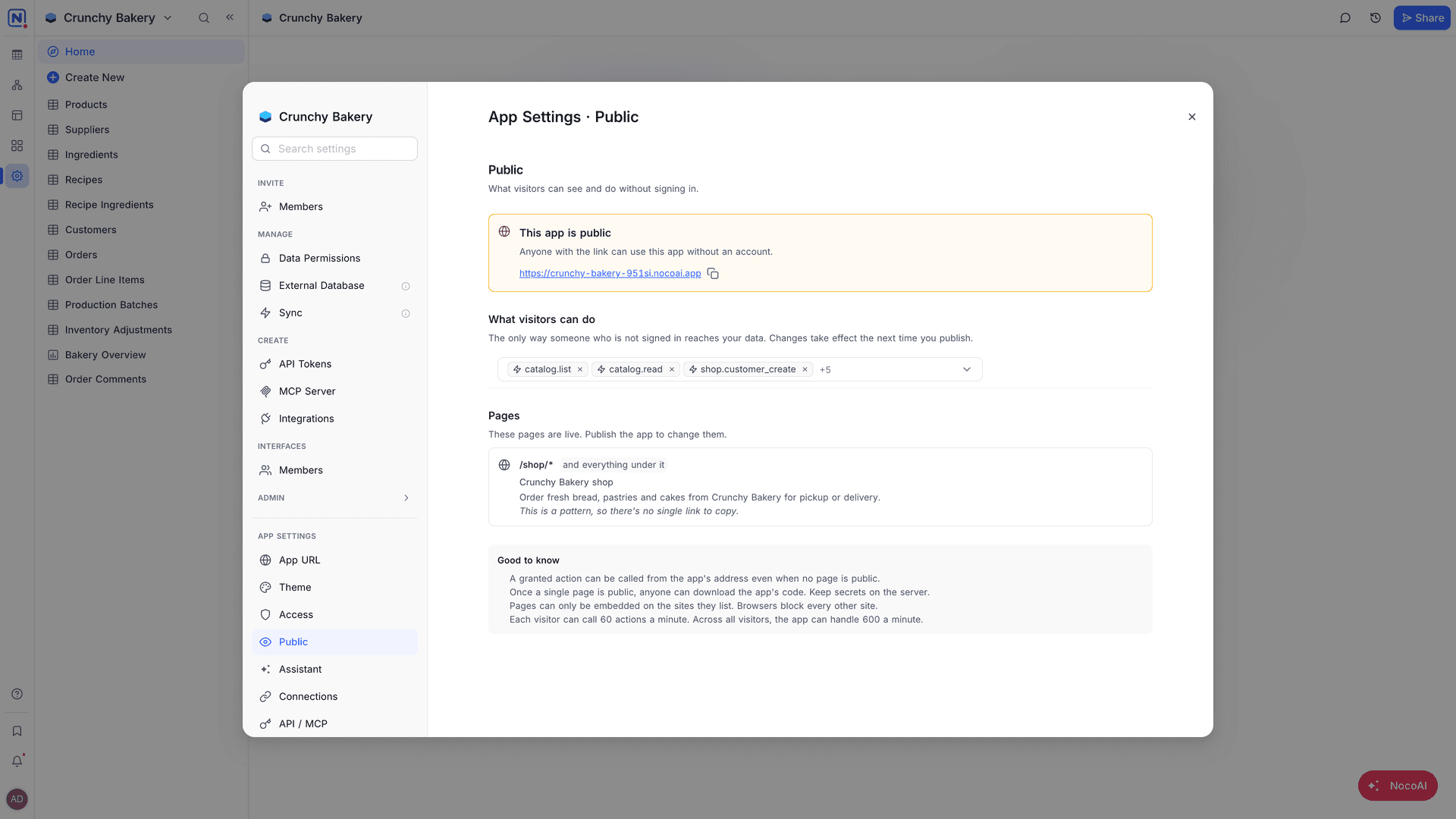
A NocoDB app can have public pages: pages that anyone with the link can open without signing in. Public pages use the actions on the Public tab to read or change data. You see both in App Settings → Public: "What visitors can see and do without signing in."
By default, an app has no public pages. The tab shows Nothing is public yet, and every page asks for a sign-in.
Make a page public
The app code declares which pages are public. You do not switch a page to public in the settings.
- In the AI app builder, ask NocoAI to make the page public. For example: "Make the booking page public".
- Deploy the app. The deploy needs a review, because it puts pages on the internet.
- In the review, read the list of pages. "Anyone with the link can read them. No sign-in, no invitation."
- Publish. The Public tab shows This app is public and lists the public pages.
The list of pages on the Public tab is read-only: "These pages are live. Publish the app to change them." A page that shows "and everything under it" makes all the pages below its path public too.
To stop a page from being public, ask NocoAI to make it private, then deploy. The review shows the pages that stop being public.
Choose what visitors can do
A public page loads for everyone. It can do things only through the actions in What visitors can do. "The only way someone who is not signed in reaches your data."
- Open App Settings → Public.
- In What visitors can do, search for an action and select it.
- Deploy the app. The review shows each action that visitors can run, and the tables and fields that the action reads or writes.
When nothing is selected, public pages load, but they cannot do anything.
Good to know
- When one page is public, anyone can download the code of the app. Keep secrets in actions and connections, not in pages.
- Visitors can call a granted action from the app address, even when no page is public.
- NocoDB limits how many actions each visitor, and the app in total, can call each minute. The Public tab shows the limits.
- A public page can be embedded only on the sites that it lists. Browsers block every other site. Ask NocoAI to add your site.
Related
Last updated on