Connections
Copy a prompt, paste it into NocoAI in any base, and replace the words in [brackets] with your own.
- Send a confirmation email through [Gmail] when a [booking] is created
- Let each user send messages from their own [Slack] account
- Read [orders] from our [Postgres] database
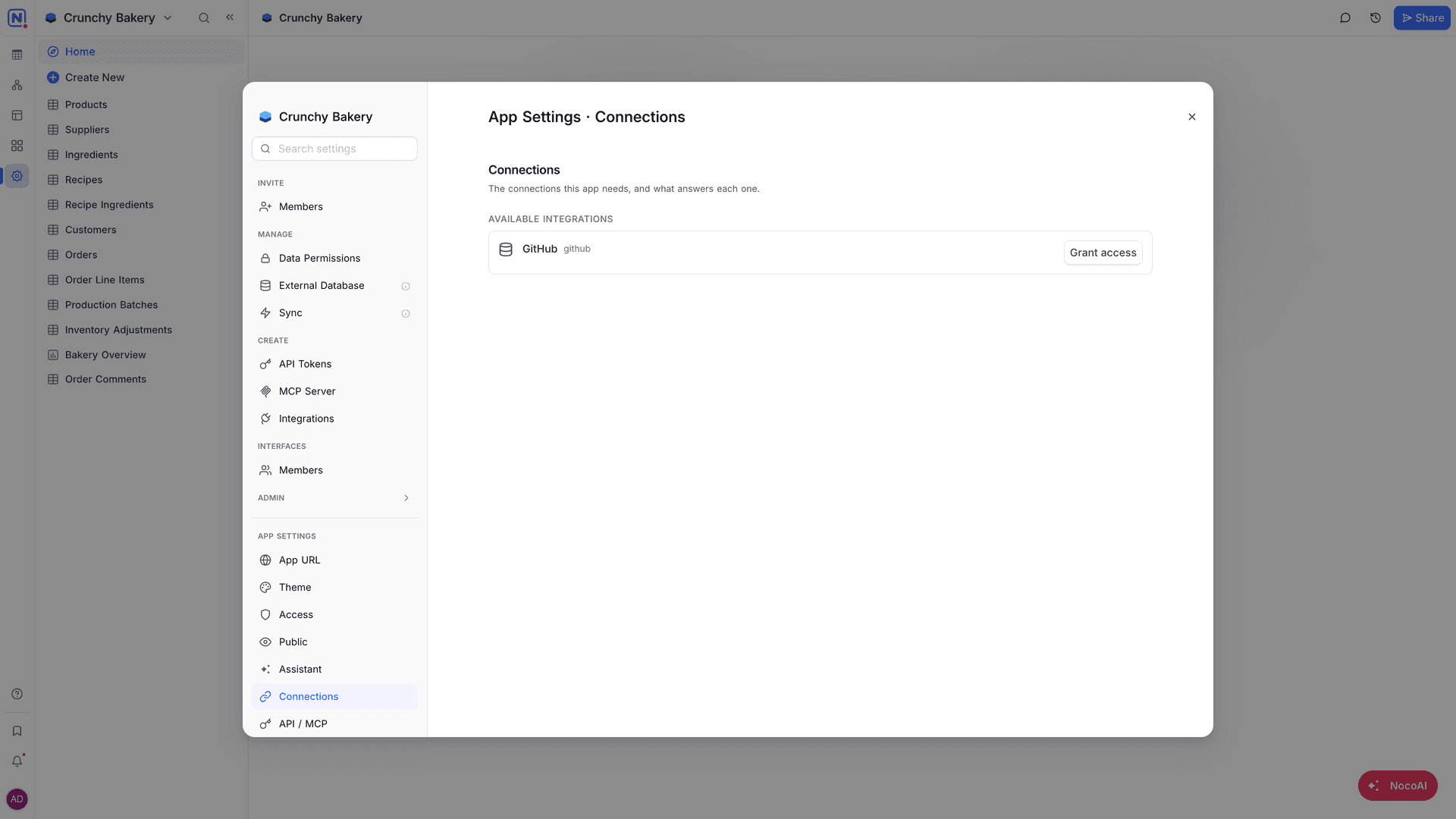
A NocoDB app uses connections to reach external services, for example an email provider, a chat tool or a database. Each connection the app needs is answered by an integration of the workspace. You manage them in App Settings → Connections: "The connections this app needs, and what answers each one."
How the app gets a connection
- You ask NocoAI for a feature that uses a service, for example "send a confirmation email".
- NocoAI declares the connection that the app needs. It shows in Connections this app needs.
- The app asks for access to a workspace integration. The request shows in Pending requests.
- Click Approve to give the app access, or Decline.
You can also give access first. In Available integrations, find the integration and click Grant access. To add a new integration to the workspace, click Browse integrations.
Connection types
Each connection that the app needs uses one of two types:
| Type | What it means |
|---|---|
| One shared account | All people who use the app use the same account. For example, every email goes out from one company address. |
| Each user's own account | Each person connects their own account, and the app acts as that person. For example, each salesperson sends email from their own mailbox. |
For Each user's own account, turn off Share credentials between users on the integration. Each person then connects their own account when the app asks. When a person has not connected their account, the app does not use a shared account in its place.
Manage connections
| To | Do this |
|---|---|
| Connect a connection that shows Not connected | Click Connect and select an integration. |
| Use a different integration | Click Change. |
| Add a connection | Click Add a connection. |
| Stop the access of the app | Click Disconnect, or Revoke on a granted integration. |
| Remove a connection the app no longer needs | Select Remove connection. "Actions that still use it must be deleted first." |
Connections marked Optional are not required for the app to work.
Good to know
- Keep API keys and passwords in connections, not in the pages of the app. Visitors can download the code of pages. See Public access.
- In an environment, each integration can use different settings, for example a test account in Staging.
Availability
- Connections that use One shared account are available on all plans that include Apps.
- Each user's own account is available on the Scale plan and above.
- Actions that read external data through SQL, HTTP or Redis connections are available on the Plus plan and above.
Related
Last updated on