Percent
This article explains how to create and use a Percent field.
The Percent field is a numerical field used to store percentage values. It is useful for data such as completion rates, discount percentages, or performance metrics.
Values are entered as whole numbers and displayed with a percentage sign (e.g., 75 is shown as 75%).
Create a Percent field
- Click the
+icon next to the last field in your table. - Enter a name for the field.
- Select Percent from the list of field types.
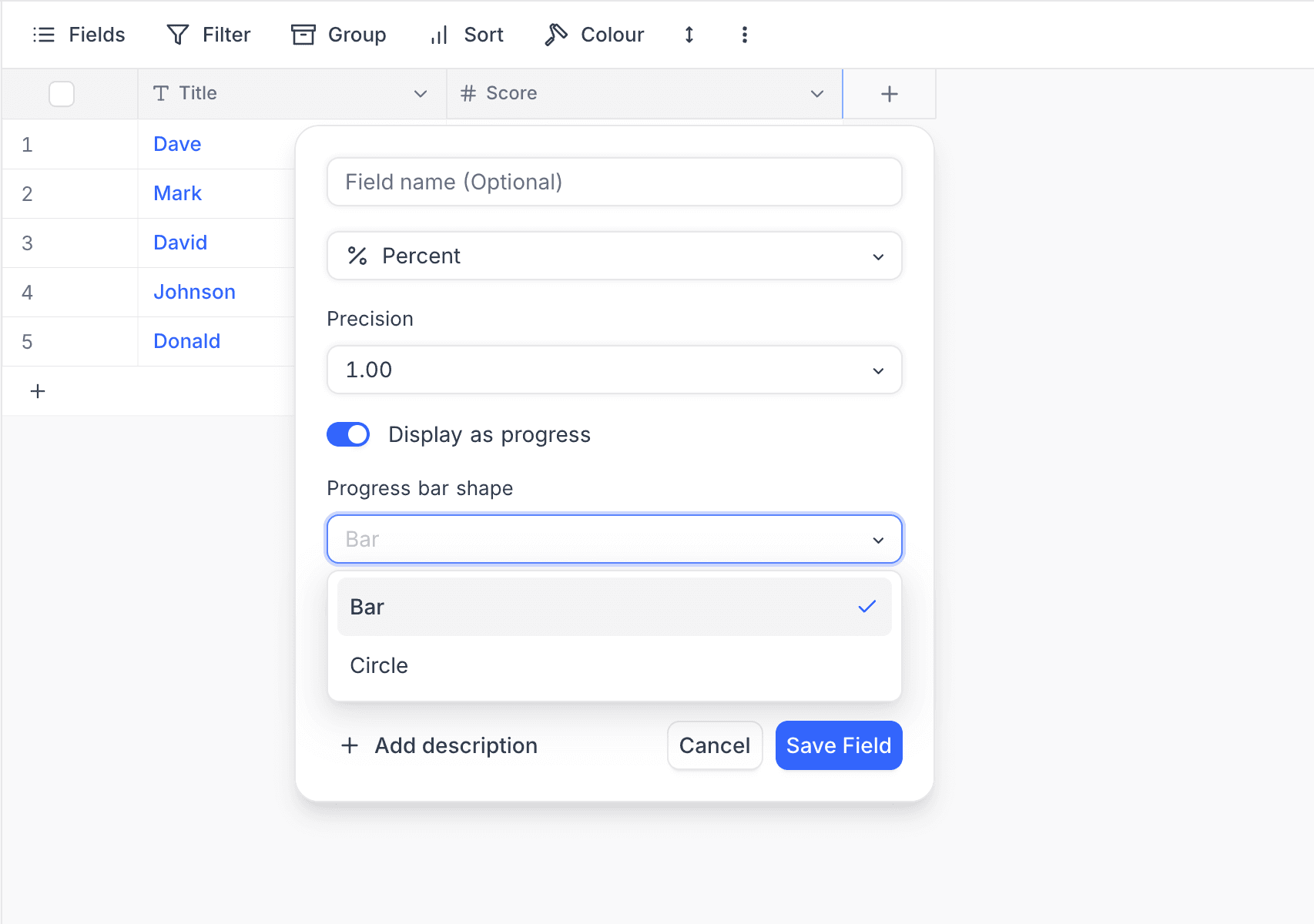
- (Optional) Enable Display as progress to show the percentage as a progress bar.
- (Optional) When Display as progress is enabled, choose a Progress bar shape: Bar (default) or Circle.
- (Optional) Set a default value for the field and add a description.
- Click Save Field to add the field to your table.
Refer to the general guidelines on creating a field.
The Percent field does not include a
Show thousand separator option.Progress bar shape
When Display as progress is enabled, a Progress bar shape dropdown appears. It controls how the progress is rendered in the cell:
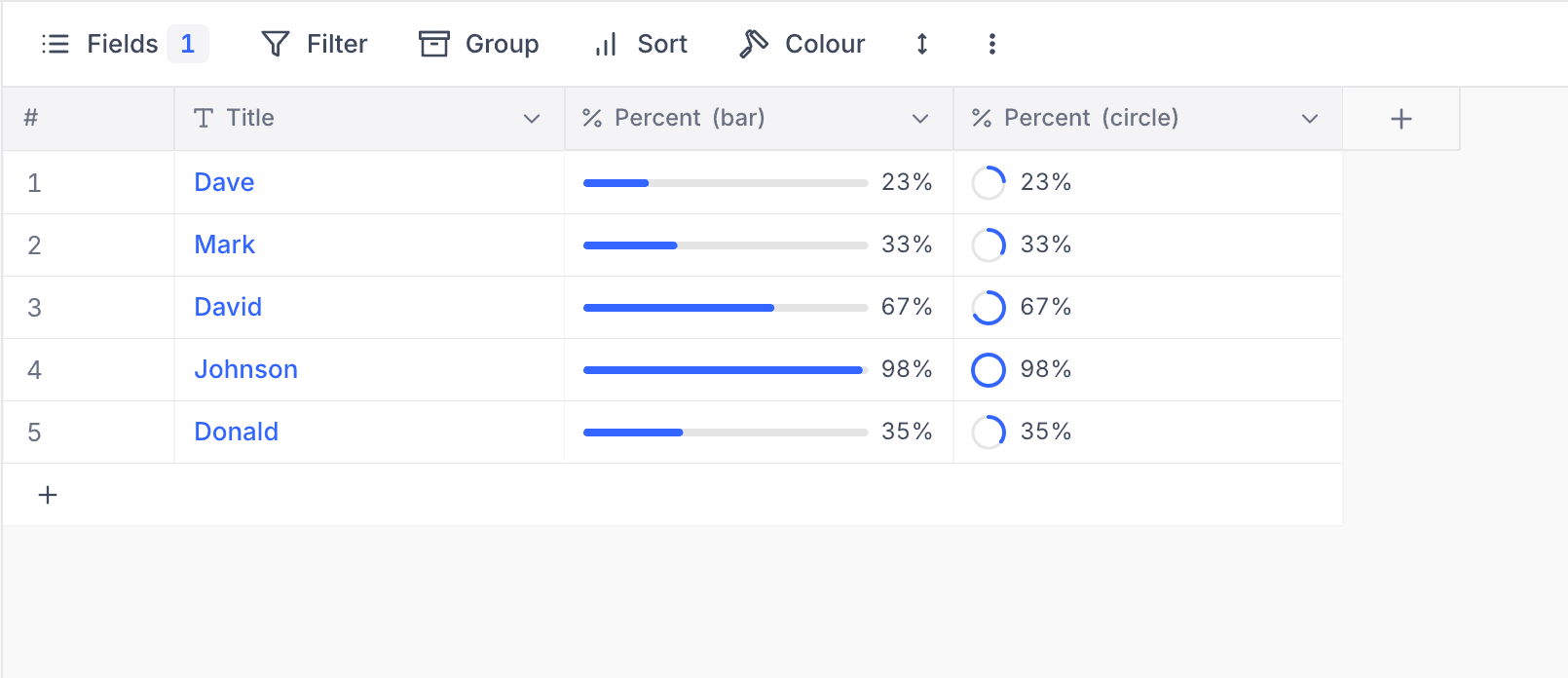
- Bar (default) renders progress as a horizontal bar.
- Circle renders progress as a circular ring.
The two shapes render side by side as follows:
Cell display
The Percent field appears as a numeric cell in the table, right-aligned by default.
- When Display as progress is enabled, the value is represented as a progress indicator, shown as either a horizontal Bar or a Circle depending on the selected progress bar shape.
- Without progress display, the value appears as a standard percentage.
