UUID
This article explains how to create and use a UUID field.
The UUID (Universally Unique Identifier) field automatically generates a unique identifier (UUID v4) for each record. UUIDs are 128-bit values represented as 36-character strings in the format xxxxxxxx-xxxx-xxxx-xxxx-xxxxxxxxxxxx (e.g., 31c46437-0bb9-4072-bf7a-40cd7aebcae3). They are useful when you need globally unique, non-sequential identifiers for your records.
Create a UUID field
- Click the
+icon next to the last field in your table. - Enter a name for the field (Optional).
- Select UUID from the list of field types.
- Click Save Field to add the field to your table.
Refer to the general guidelines on creating a field.
Cell display
The UUID field appears as a read-only text cell. Values are auto-generated when a new record is created and cannot be edited or pasted into.
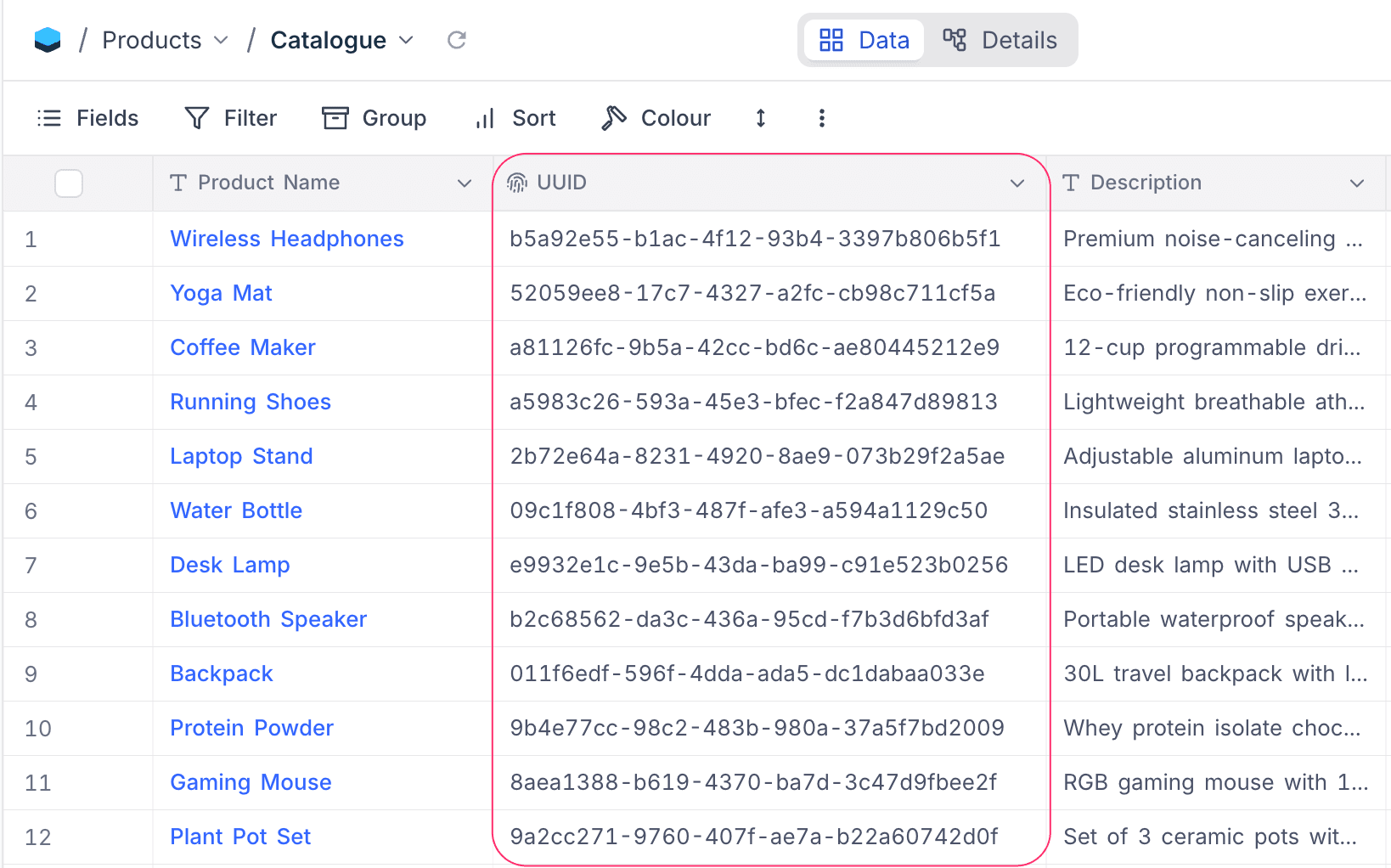
Key behaviours
Read-only
UUID values are generated automatically by the database and cannot be manually edited, pasted, or overridden. Attempting to edit a UUID cell will display a read-only warning.
Unique constraint
Every UUID field has a unique constraint enforced at the database level. This guarantees that no two records in the same table will share the same UUID value.
Auto-generated on record creation
When a new record is added to the table, a UUID value is automatically assigned using PostgreSQL's gen_random_uuid() function. There is no need to manually populate the field.
Not available in forms
Since UUID values are system-generated, UUID fields do not appear in form views. Values are assigned automatically when the form submission creates a new record.
Filtering UUID fields
UUID fields support text-based filter operations. You can filter using full or partial UUID values.
| Filter operation | Description |
|---|---|
| is equal | Matches the exact UUID string |
| is not equal | Excludes the exact UUID string |
| is like | Matches records containing the specified text |
| is not like | Excludes records containing the specified text |
is like and the value 31c46 will match any UUID that contains that substring.Sorting UUID fields
UUID fields can be sorted in ascending or descending order. Sorting is performed on the text representation of the UUID, which means it follows lexicographic (alphabetical) order rather than any chronological sequence.
Duplicating a table with UUID fields
When you duplicate a table that contains UUID fields, the UUID column structure is preserved in the new table. However, new UUID values are generated for all records in the duplicated table — the original values are not copied over.
Limitations
- PostgreSQL only: UUID fields require a PostgreSQL database. They are not available when using MySQL, SQLite, or other database backends.
- No default value configuration: The default value (
gen_random_uuid()) is set automatically and cannot be changed. - No copy-paste: You cannot paste values into a UUID field.