Dedupe
Identify and merge duplicate records in a table
Overview
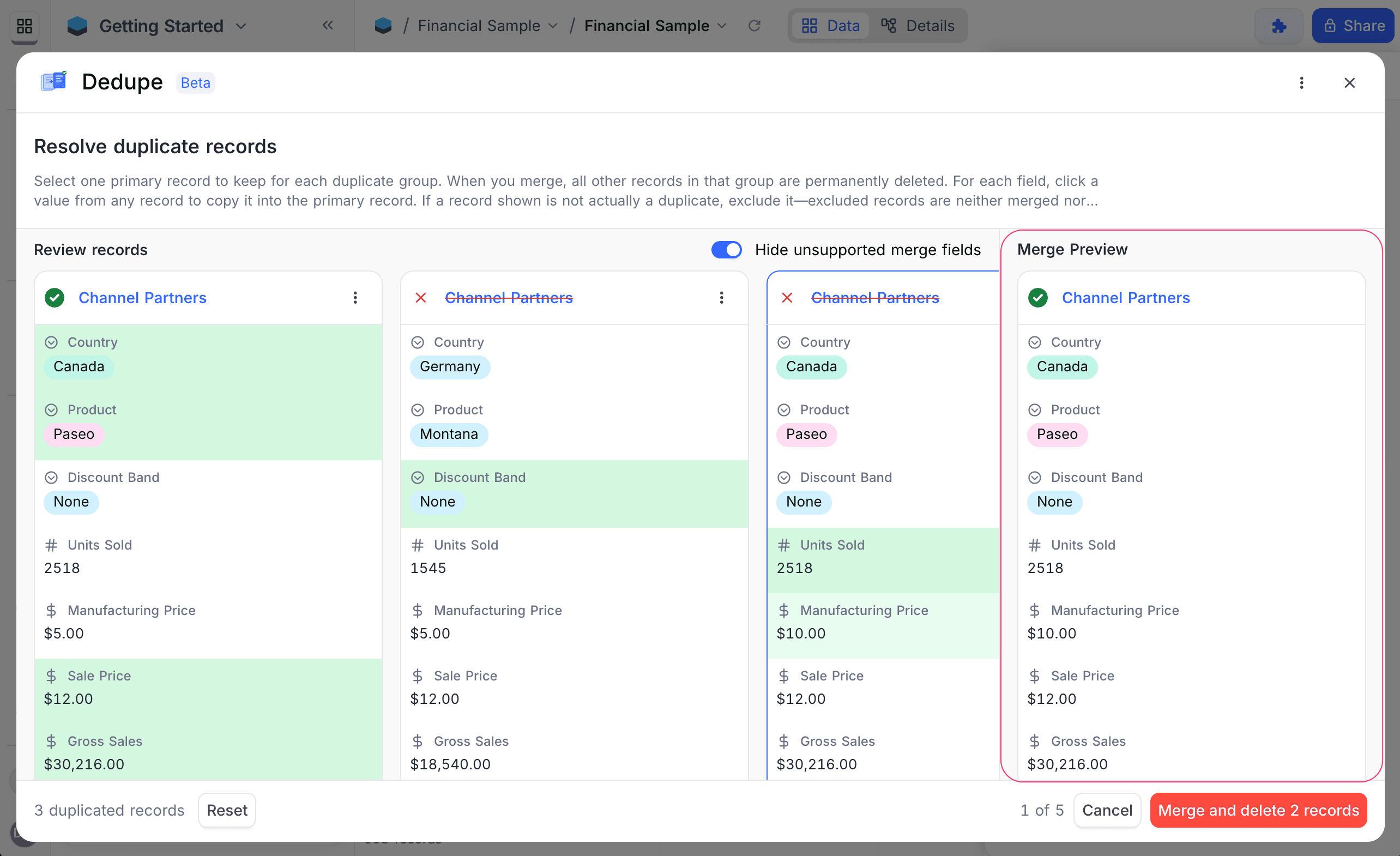
The Dedupe extension helps you identify and merge duplicate records in a table using one or more fields for grouping. Instead of manually scanning and comparing records, Dedupe detects groups of records with matching values across the selected fields and provides a guided interface to review, select, and merge them into a single primary record.
This extension is especially useful for maintaining clean datasets such as contacts, leads, or inventories where duplicate entries are common.
Finding Duplicate Records
Follow these steps to detect duplicate records:
- Select the Table you want to scan for duplicates. Optionally, you can also select a specific View within that table to limit the scope of the records being analyzed.
- Select one or more Field(s) to group records by. You can choose multiple fields from the dropdown to define more granular deduplication criteria.
- Dedupe identifies groups where two or more records share the same values across all the selected fields.
- Each group is presented for review one at a time.
Resolving Duplicate Records
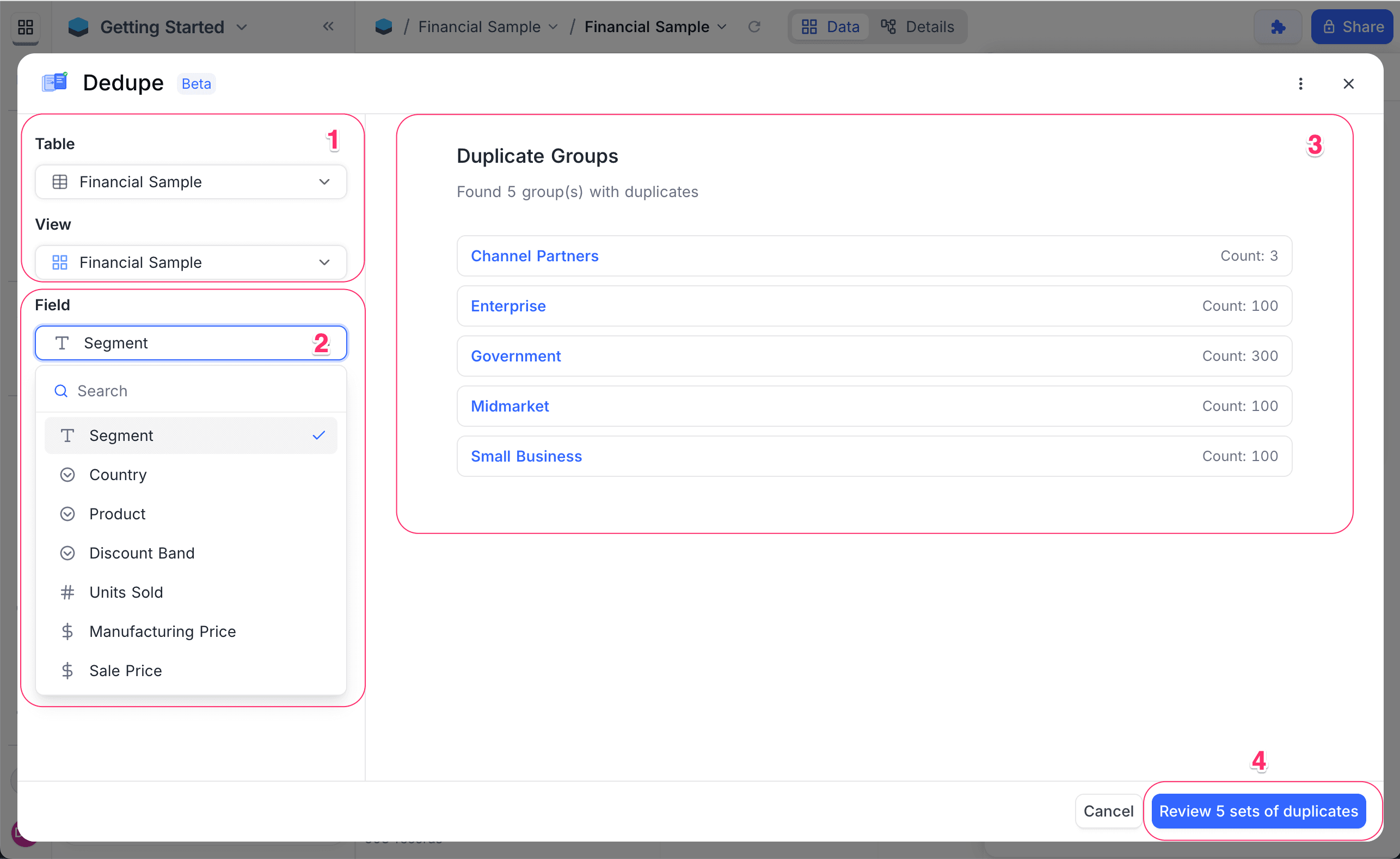
For each duplicate group, review and merge records as follows:
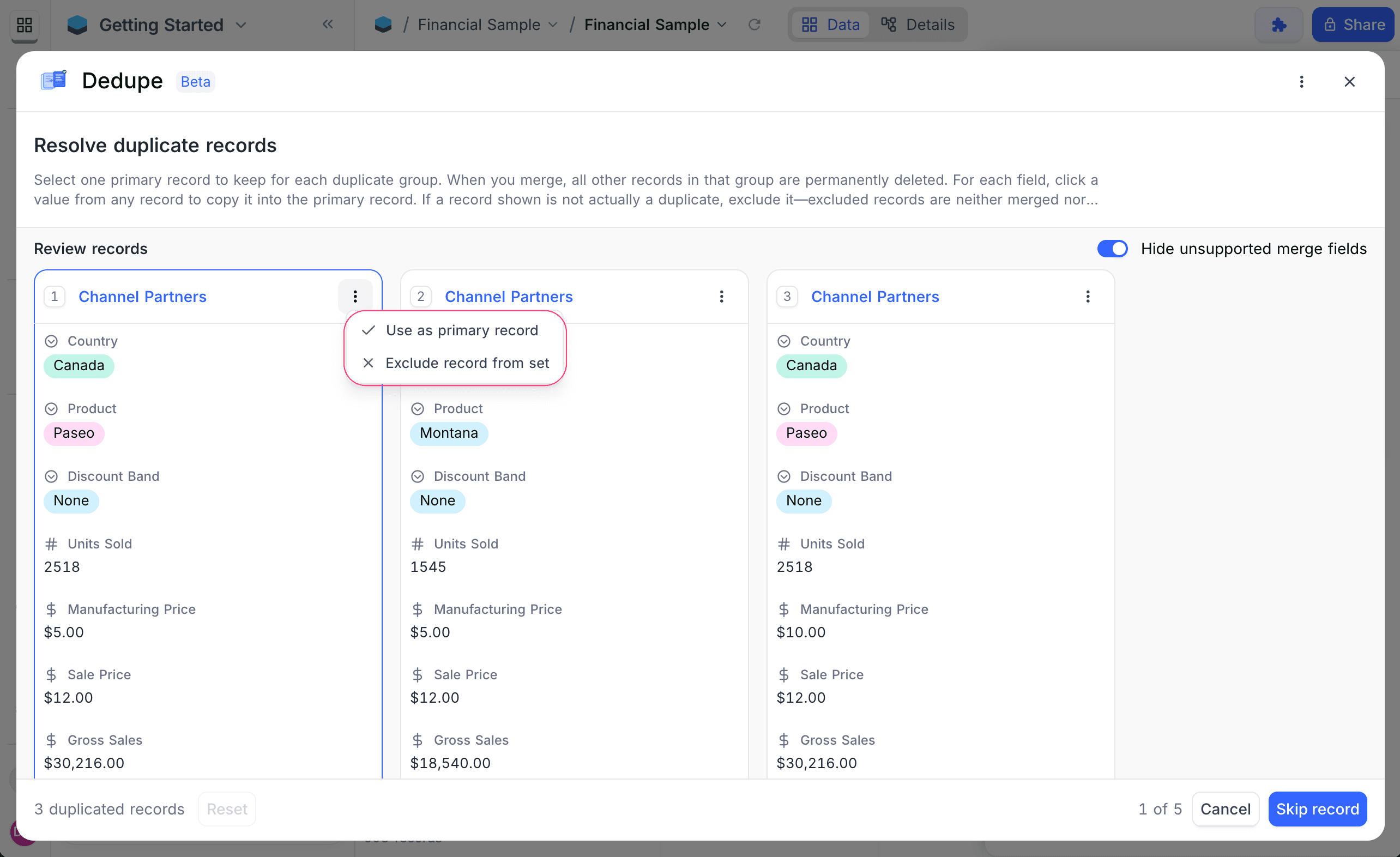
- Select one primary record to keep.
- If a record shown in the group is not actually a duplicate, exclude it. Excluded records are not merged and not deleted.
- Optionally, for each field - click a value from any record to copy it into the primary record.
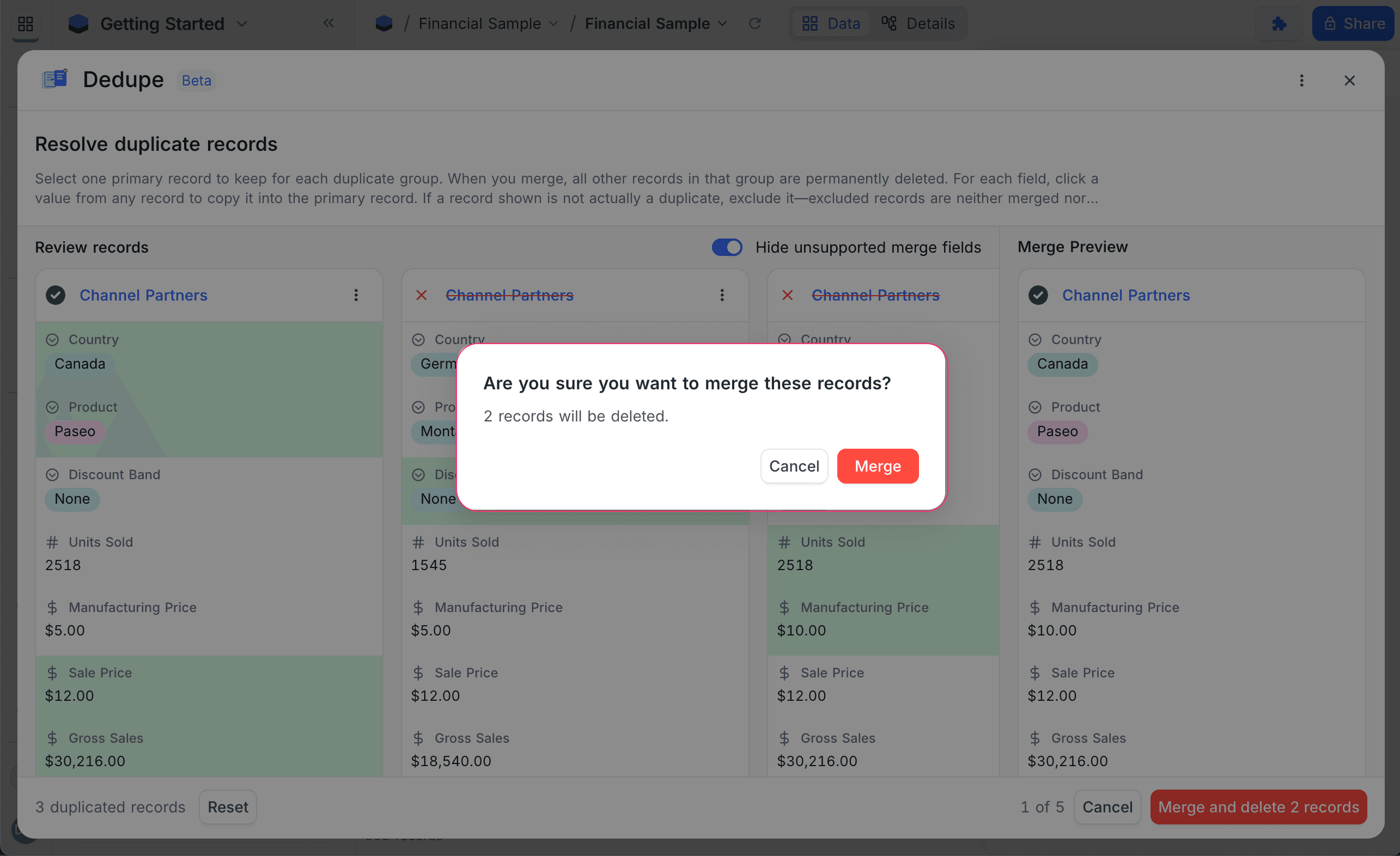
- Once satisfied, proceed to merge the group.
When the merge is completed:
- The primary record is retained with its original primary key.
- Selected field values are copied into the primary record.
- All non-excluded duplicate records in the group are permanently deleted.
Field Behavior During Merge
All editable fields are displayed except the grouping field(s) & system fields (e.g. id, created_at, updated_at). Virtual fields (Formula, Lookup, Rollup) are shown for reference as these cannot be edited directly. Record ID of the primary record is always retained. Modified timestamps are updated automatically.
When merging, field values are handled as follows:
- If you select a value from any record for a field, that value is copied into the primary record.
- If no value is selected for a field, the primary record's existing value remains unchanged.
Group Review Actions
While reviewing duplicate groups, you can:
-
Skip group Move to the next duplicate group without making any changes.
-
Reset Clear all selections for the current group (primary record, field selections, exclusions) and start over.
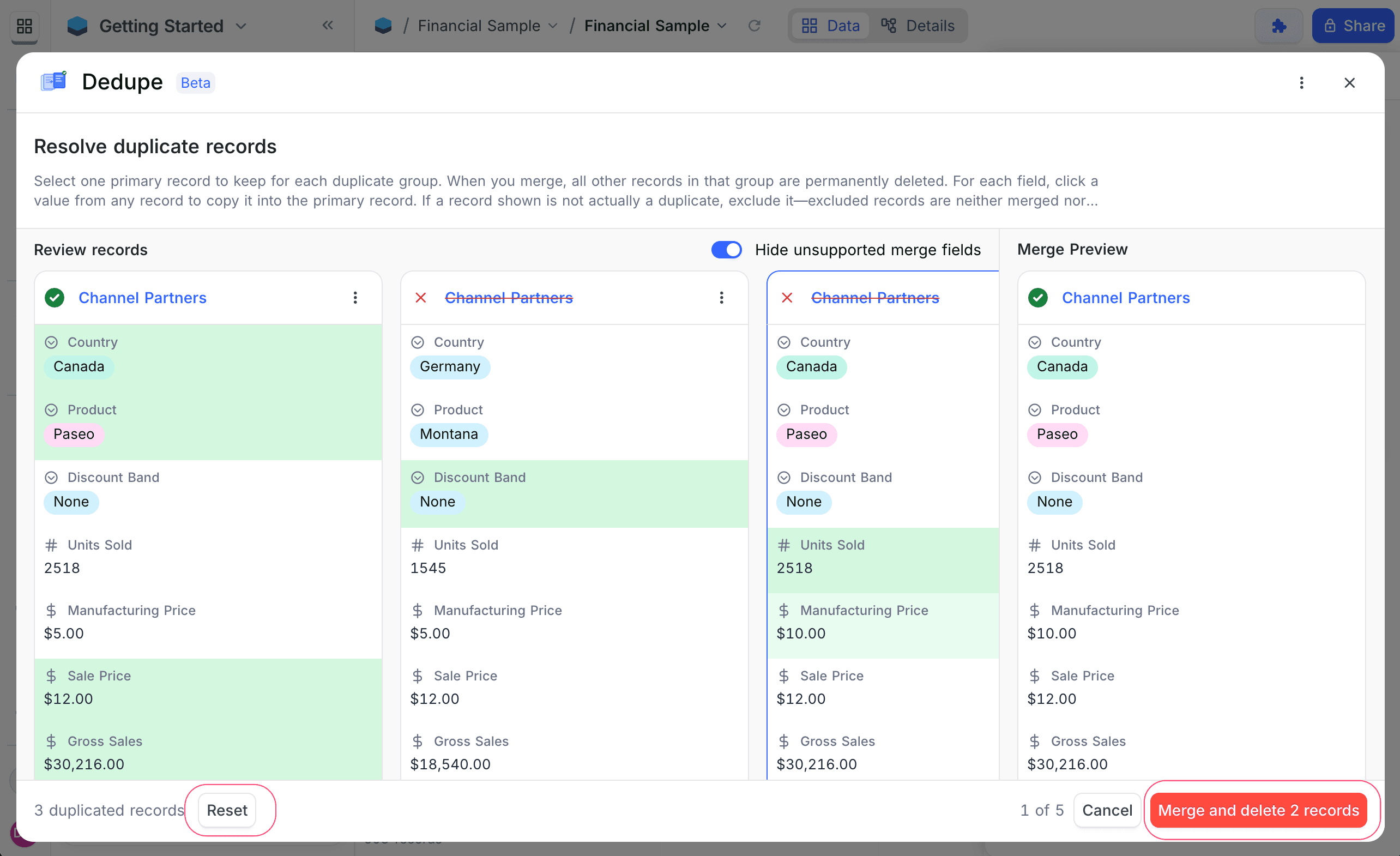
You can skip a group before selecting a primary record, or reset even after making selections.
Supported Field Types
Supported for duplicate detection
- Text, LongText, SingleLineText
- Number, Decimal, Currency, Percent, Duration, Rating
- Date, DateTime, Time, Year
- Phone, Email, URL
- SingleSelect, MultiSelect
- Checkbox
- Attachment
- JSON, Geometry
- User
- Links & LinkToAnotherRecord (LTAR): many-to-many, belongs-to-one
Not supported
- Links & LinkToAnotherRecord (LTAR): has-many, one-to-one
Key Notes
- Duplicate detection supports single-field or multi-field grouping
- When multiple fields are selected, records must match on all selected fields to be grouped as duplicates
- At least two matching records are required per group
- Undo / Redo is not supported
- Deleted records cannot be restored
The Dedupe extension provides a controlled and efficient way to clean up duplicate data while giving you full visibility and control over what gets merged and removed.